
The purpose of headphones is to reduce the intentions between mobile and us. Most of the features are working based on this concept, including Google Assistant. You can ask anything in your headphones mic, and Google Assistant can tell the answer with the voice. But when you get notifications, You may only alter, and you can’t know the notifications’ details. It is not a drawback, But the feature is required. Now Google Assistant Spoken Notifications available to Wired Headphones. You can set up the Google Assistant to do the task.
Google Assistant is the smartest among the available assistants by the various tech giants. It uses the latest AI and machine learning technologies to obey your commands. Now the latest version of Assistant can support the spoken notifications to any wired headphones. Earlier it was limited to only a few branded headphones.
Google Assistant Spoken Notifications are available to Wired Headphones.
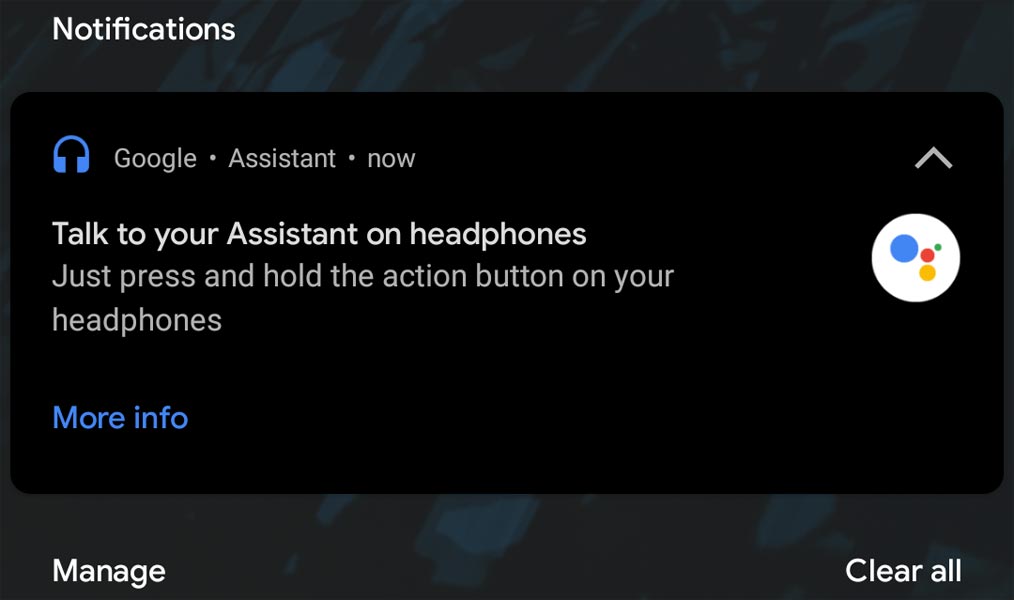
One of Google Assistant’s useful features, besides the voice commands, is to read aloud your incoming notifications. Earlier Google Assistant used to read your notification with few branded wired headphones like 2018’s USB-C Pixel Buds and 2020 Pixel Buds. The latest version of the Google app has changed it. Now you can use any Google Assistant compatible USB-C or 3.5mm wired headphones to get the latest spoken notification by Google Assistant.
How to Setup the Google Assistant Spoken Notifications in Wired Headphones?
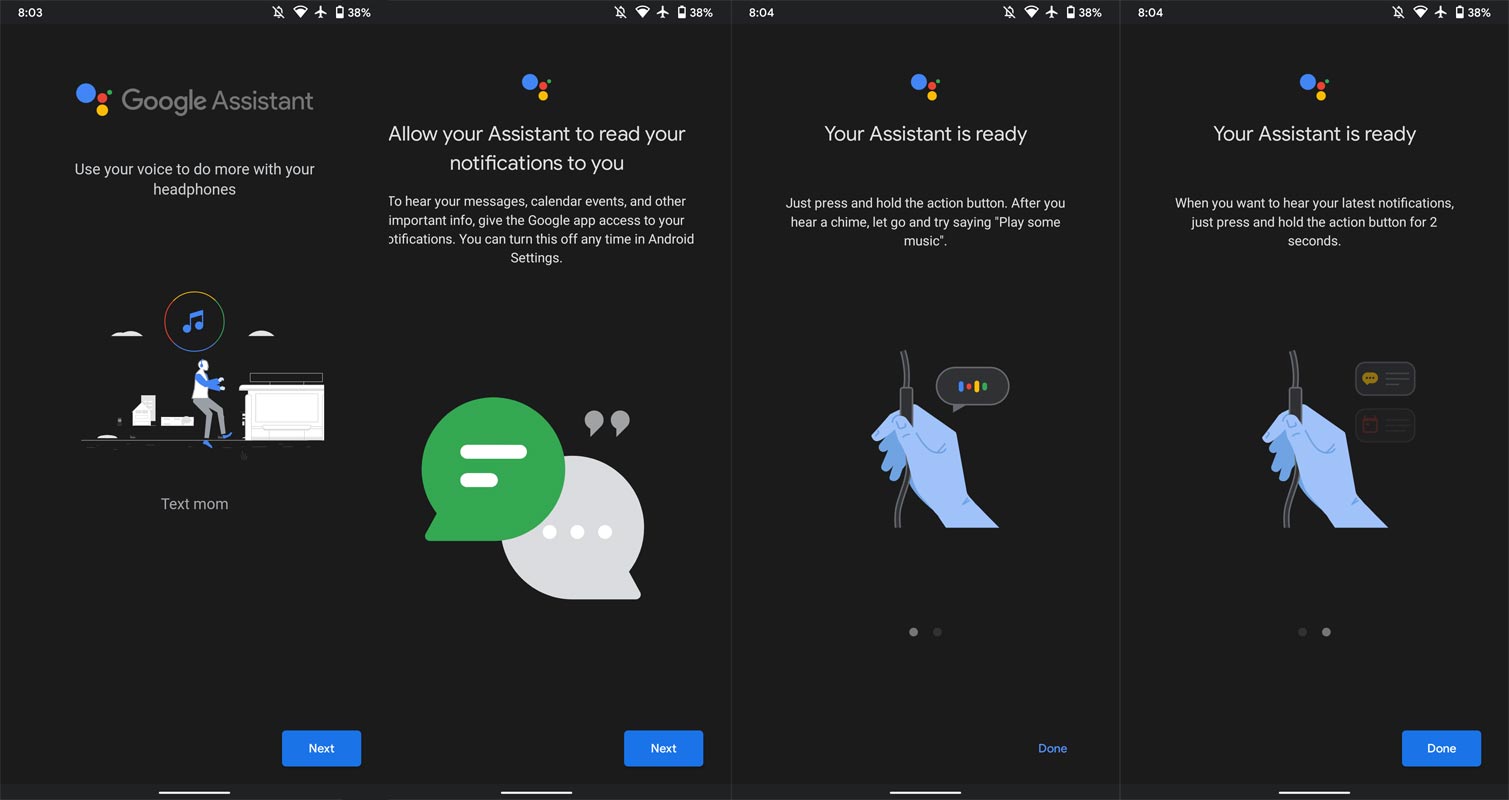
The support process is automatic from Google. Your headphone should have Google Assistant compatible. Plugin a USB-C or 3.5mm headphone to your Android phone that has been updated on the latest release of the Google app. You will be asked to allow the Assistant to read your notifications to you. When you enable the Assistant’s permission for notifications, you are asked to allow the personal notification like calendar and schedules when your phone is locked; a wired headphone connection is a must. Currently, the feature didn’t work with Bluetooth headphones.
How to check whether your Headphone connected properly with an Assistant?
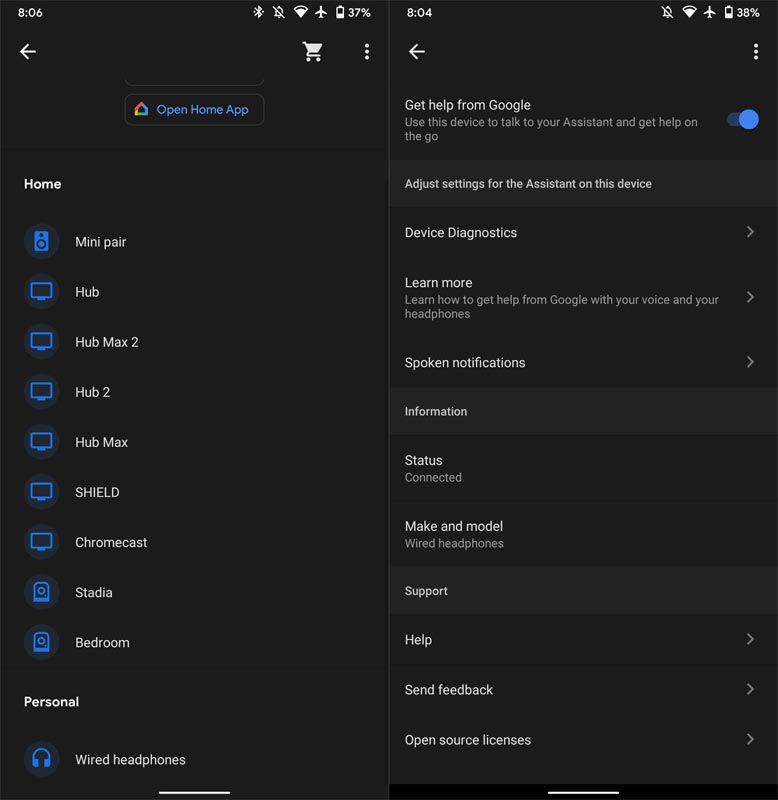
To confirm the proper setup of your headphone, tap the Google Assistant settings. Go to the Device List. You can find some Google Home products if you already set up the device. Under the Personal section, You will find the Wired headphones tab. Here you can enable or disable your headphone connection and get Google help at any time. Also, you can manage here which apps should work with spoken notifications. As with the latest updates, almost all Android apps work with compatible wired headphones.
How Google Assistant Work with Wired Headphones?
Earlier, you can use the headphones to activate the voice command by pressing the action button on your wired headphone. The same is applicable in this new feature. But the new thing is, you need to press and hold the action button for two seconds. The Assistant notes the two-second time to accumulates all your notifications and starts playing with a double beep. Notably, it starts with the latest one from your notifications list.
Limitations
This feature works with almost all Android devices with compatible headphones having USB-C or 3.5mm jack. These devices should have the latest version of the Google app to avail of this feature. However, this feature is currently not available to Bluetooth headphones. It is yet not clear; will it expand to Bluetooth devices shortly.
Availability
There is no formal notification from Google about the expanded compatibility of headphones to Assistant for reading notifications. It means you are free to use any wired headphones to enjoy this new feature, provided your device has the latest version of the Google app installed.
Wrap Up
Since the notifications are important content- In the beginning, Google plans to stick with the wired connections; they may provide this feature to Nest Home Speakers or other Bluetooth devices soon. This new feature removes the hold of a few branded headphones for listening to your notification by Google Assistant. Now there no restriction for headphone owners to enjoy a hand-free experience with busy hands. Tell us your fun experience in the comments when you use your compatible headphones to listen to your notifications.

Selva Ganesh is a Computer Science Engineer, Android Developer, and Tech Enthusiast. As the Chief Editor of this blog, he brings over 10 years of experience in Android development and professional blogging. He has completed multiple courses under the Google News Initiative, enhancing his expertise in digital journalism and content accuracy. Selva also manages Android Infotech, a globally recognized platform known for its practical, solution-focused articles that help users resolve Android-related issues.




Leave a Reply