
Google’s strides in messaging innovation manifest vividly in the Magic Composer feature nestled within Google Messages, heralding a revolution in message creation. This pioneering tool epitomizes technology’s ceaseless quest to streamline communication. With AI prowess, Magic Composer unfurls a realm of convenience, presenting users with a groundbreaking method to shape messages effortlessly. Its intuitive design and functionality underscore Google’s commitment to redefining messaging experiences. This innovation signifies a pivotal leap in simplifying interactions, offering users a novel and efficient way to articulate their thoughts. With Magic Composer, Google showcases technological advancement and redefines the landscape of communication tools, promising an era where crafting messages becomes intuitive and seamless, all within the bounds of a single platform.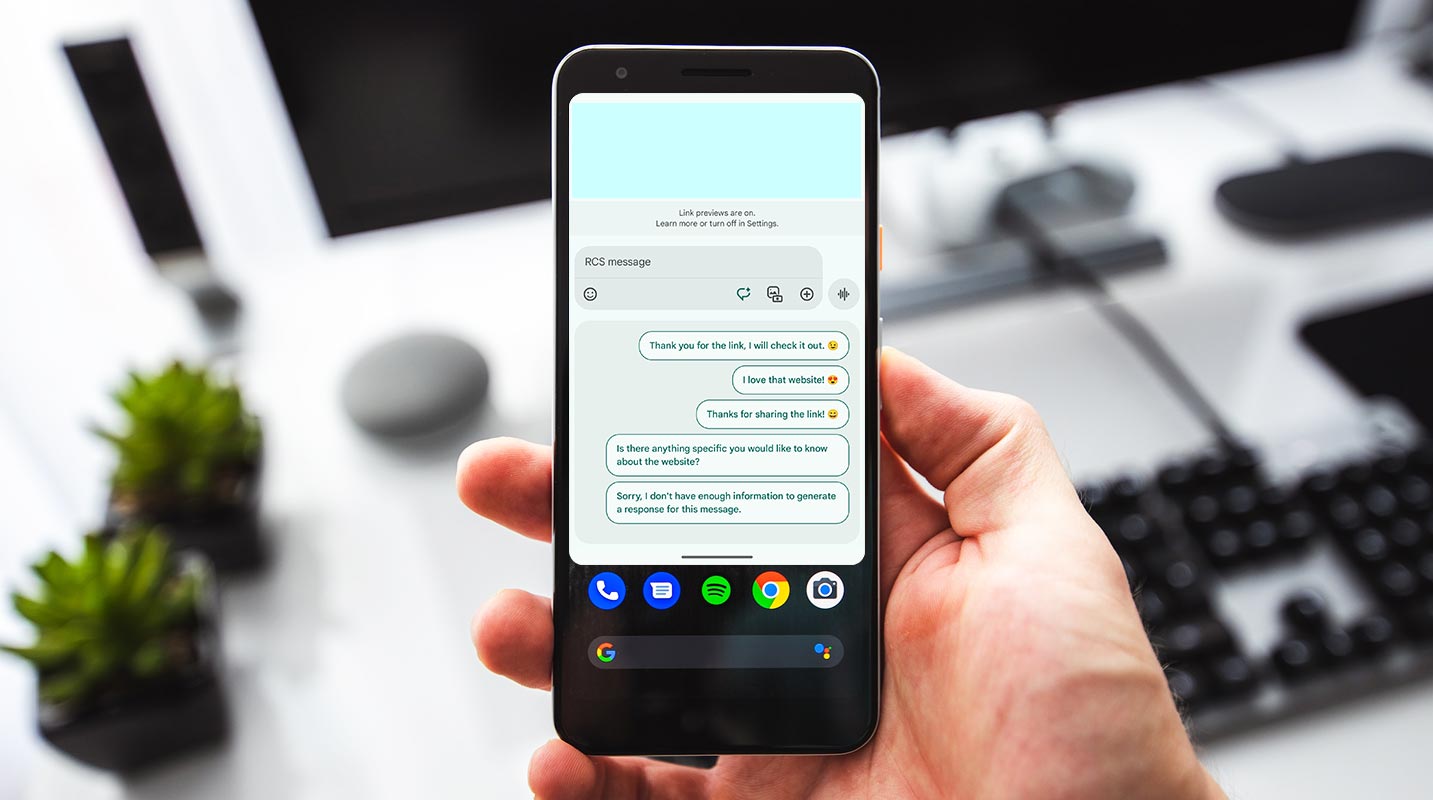
Introduction to Google Messages Magic Composer
Google’s Magic Composer introduces an exciting dimension to messaging by employing AI to generate suggestions based on previous interactions. Initially positioned adjacent to the traditional compose UI, this feature has been redesigned, making it more accessible within the beta channel.
How Magic Compose Works?
Magic Compose analyzes a user’s prior 20 messages, emojis, reactions, and URLs when activated. It then employs this data to craft contextual suggestions, omitting messages with attachments while considering image captions and voice transcriptions for optimization. Google ensures these messages aren’t stored or utilized for training machine learning models.
Access Magic Composer
Open Google Messages on your device.
Find the Magic Composer Icon
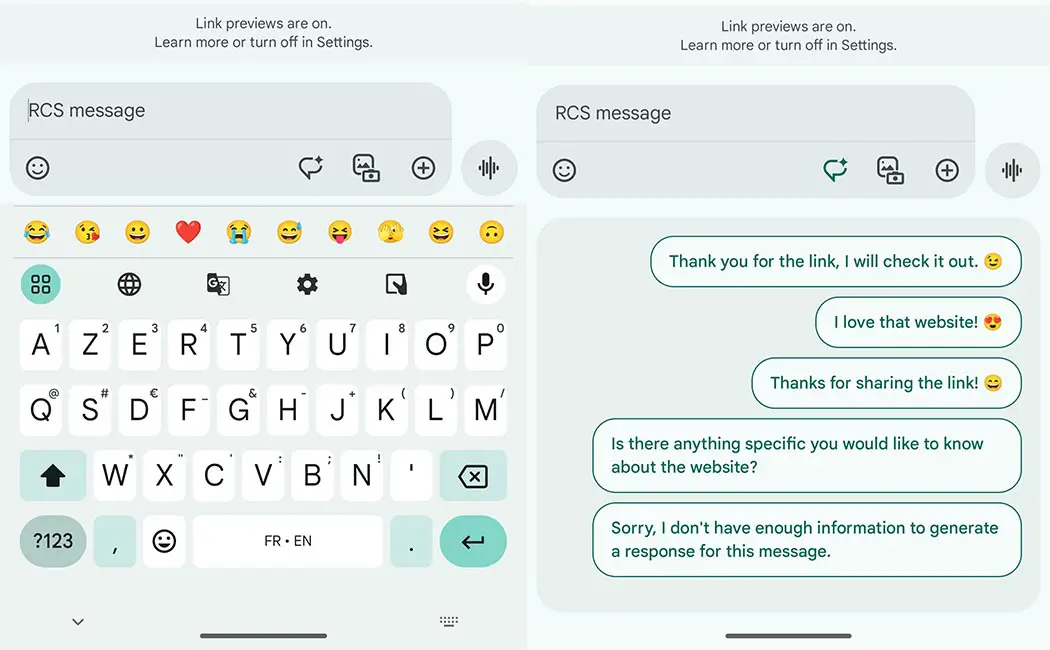
Look for the sparkled pencil icon located adjacent to the text field.
Activate Magic Compose
Tap the sparkled pencil icon to activate Magic Compose.
View Suggestions
Once activated, Magic Compose will analyze your recent messages, emojis, reactions, and URLs.
Select a Suggestion
Review the list of suggestions generated by Magic Compose.
Choose or Modify Message Styles
Pick a suggestion that suits your message style or modify the existing text using one of the available styles like Remix, Excited, Chill, Shakespeare, Lyrical, Formal, or Short.
Insert Suggestion into Text Field
Select the desired suggestion, which will automatically be placed in the text field.
Send the Message
Once satisfied with the composed message, send it as usual.
Remember, Magic Composer aims to simplify message creation by offering suggestions based on your previous interactions, so feel free to explore different styles and options until you find the message that fits your intent!
Usage of Magic Composer
Users are presented with a selection of suggestions derived from their communication history. These suggestions span various styles such as Remix, Excited, Chill, Shakespeare, Lyrical, Formal, or Short, providing diverse options to enhance the user’s message. Additionally, Magic Composer allows altering existing text to align with the preferred style.
Expanding Availability
Initially confined to English on US SIM cards, Magic Composer has begun extending its reach, with reports of availability in countries like France and the UK. However, accessibility necessitates enrollment in the Play Store betas for Google Messages and Carrier Services, age verification, and a Google One Premium membership offering priority access.
Privacy and Security Measures
Google emphasizes privacy by affirming that messages with attachments, voice messages, and images are not transmitted to servers. Furthermore, the company discards messages from its servers and asserts that these interactions aren’t utilized for machine learning training.
Future Potential and Implications
The introduction of Magic Composer underscores the evolving landscape of AI-driven communication tools. Its potential to revolutionize user interaction and experience poses intriguing prospects, potentially reshaping how individuals engage in digital conversations.
FAQs
Is Magic Composer available for all languages?
Magic Composer was initially available in English but gradually expanded to other languages.
Can I use Magic Composer without a Google One Premium membership?
Magic Composer is accessible without a Google One Premium membership, but priority access is granted to premium members.
Are voice messages and images sent to Google servers?
Google does not transmit voice messages and images to its servers, maintaining user privacy.
Can Magic Composer be accessed without enrollment in beta channels?
Accessing Magic Composer requires enrollment in the Play Store betas for Google Messages and Carrier Services.
How secure does Magic Composer use the data?
Google emphasizes discarding messages from its servers and assures users that their messages are not stored or used for machine learning models.
Wrap Up
At the heart of Google Messages lies the transformative essence of the Magic Composer—a beacon of innovation reshaping the landscape of messaging platforms. This feature has the power of artificial intelligence and doesn’t merely offer suggestions; it revolutionizes composing messages. Seamlessly integrating AI prowess, it presents users with a gamut of creative possibilities, streamlining the entire process while infusing it with unparalleled ease. What sets this apart isn’t solely its innovative suggestions but the robust privacy measures entwined within its framework.
With a commitment to user confidentiality, Magic Composer refrains from storing or utilizing personal data for machine learning, ensuring a secure environment while crafting messages. It’s not just a tool; it’s a testament to Google’s dedication to redefining communication, paving the way for effortless and imaginative message construction, all while safeguarding user privacy at every keystroke. In its fusion of innovation, creativity, and security, Magic Composer emerges as the harbinger of a new era in messaging.

Selva Ganesh is a Computer Science Engineer, Android Developer, and Tech Enthusiast. As the Chief Editor of this blog, he brings over 10 years of experience in Android development and professional blogging. He has completed multiple courses under the Google News Initiative, enhancing his expertise in digital journalism and content accuracy. Selva also manages Android Infotech, a globally recognized platform known for its practical, solution-focused articles that help users resolve Android-related issues.




Leave a Reply