
How to Subscribe WhatsApp Plus? Features and Benefits – We understand that staying connected with friends, family, and colleagues is a fundamental part of daily life. As communication needs evolve, we constantly look for ways to make our digital conversations more personal, organized, and engaging. To meet these demands, an exciting new option has emerged directly within the world’s most popular messaging platform: WhatsApp Plus.
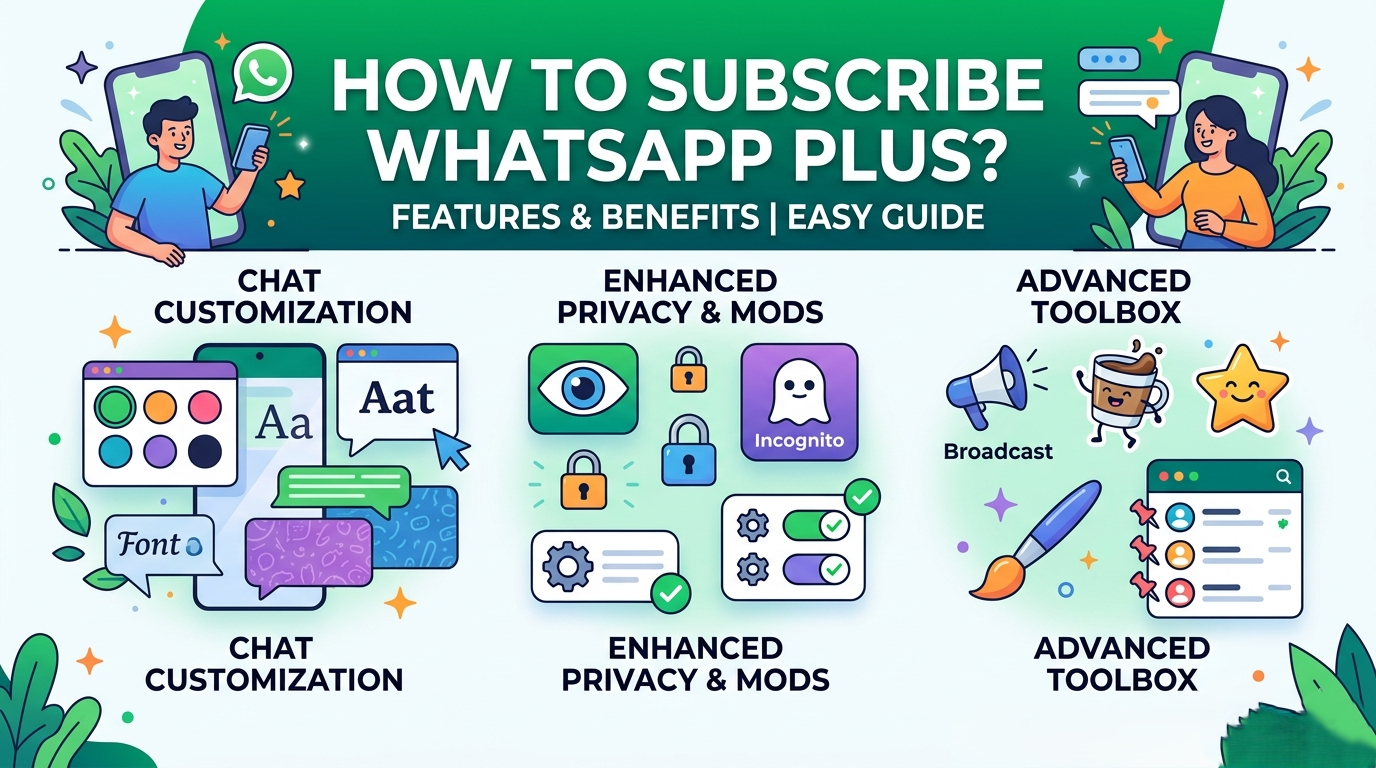

Unlike unauthorized third-party modifications of the past, this is an official subscription service built safely inside the authentic application. It is specifically designed to grant you access to premium tools that elevate your messaging experience.
In this comprehensive guide, we will walk you through everything you need to know about this premium tier. We have tailored this information explicitly for everyday users, avoiding confusing technical jargon so that you can easily master these new features.
What is the Official WhatsApp Plus Subscription?
Before diving into the steps to get started, we must clarify what this service actually represents. WhatsApp Plus is an optional, premium subscription tier offered natively within the official application. It gives you an array of exclusive tools, enhanced styling options, and superior chat organization features to completely personalize your app.
For years, everyday users have wanted more control over how their messaging interface looks and functions. We now have a secure, official method to achieve this without risking account safety. By choosing to subscribe, you unlock advanced capabilities that help you manage your digital life with greater efficiency and a unique flair.
Because availability and specific features can fluctuate depending on your region, account history, and smartphone operating system, the exact package options will always be clearly displayed for you to review before making any financial commitment.
The Core Benefits: Why Upgrade Your Messaging Experience?
We believe that upgrading your standard application should offer clear, practical advantages that make your daily routine smoother. The premium tier delivers precisely that by focusing on three main areas: creative self-expression, ultimate prioritization, and streamlined organization.
1. Advanced Chat Organization and Custom Lists
For those of us managing dozens of conversations simultaneously, the standard chat interface can quickly become overwhelming. The premium subscription directly solves this dilemma by introducing enhanced custom lists accompanied by specialized alert systems.
- Tailored Themes for Specific Lists: You can assign distinct visual styles, custom background wallpapers, specific chat colors, and unique fonts to individual chat categories. This means your work group list can look highly professional, while your family chat list can feel vibrant and warm.
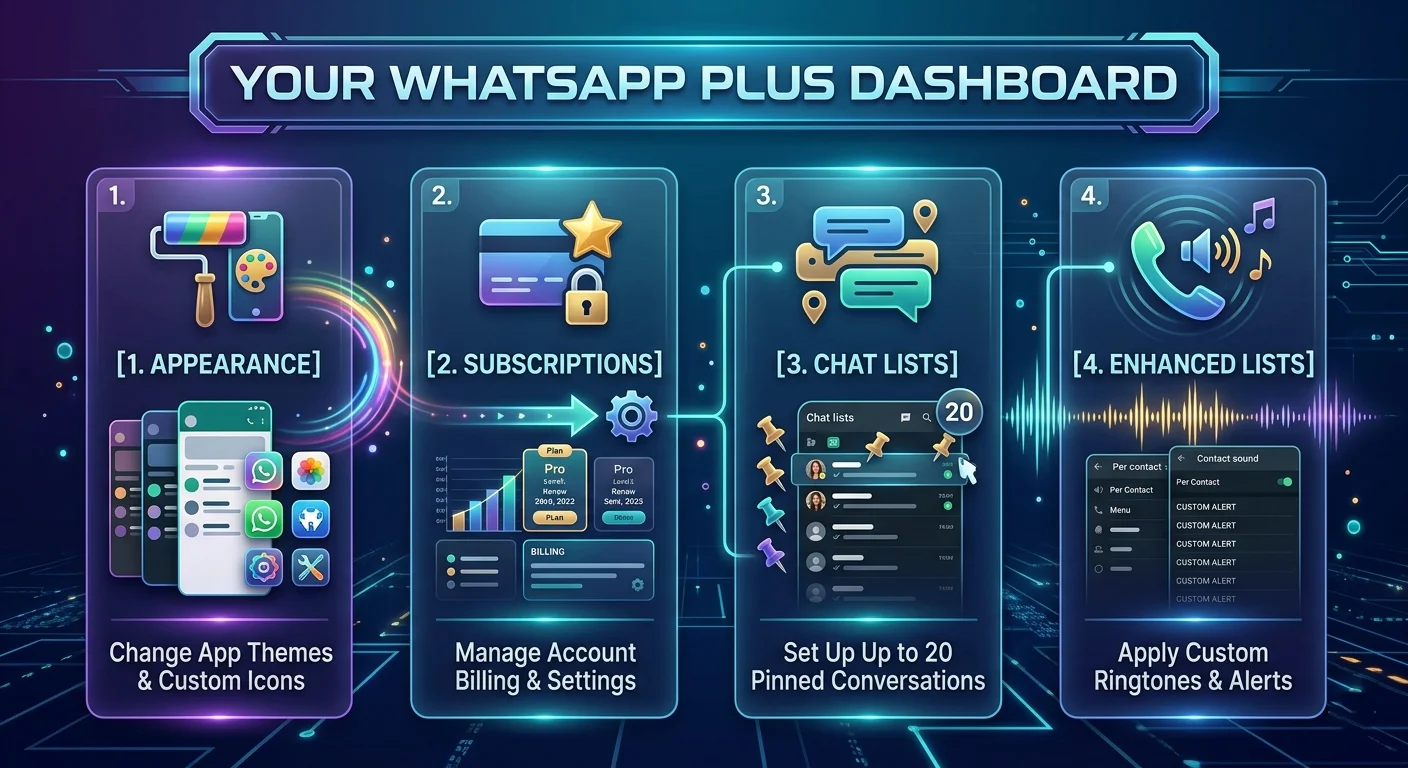
- Independent Notification Systems: To help you distinguish incoming messages instantly, you can assign unique alert tones and individual ringtones to your custom lists. You will immediately know whether a notification requires your immediate attention simply by the sound your phone makes.
2. Unprecedented Pinning Capabilities
In the standard version of the app, users are strictly limited to pinning only three important conversations to the top of their chat list. For busy individuals, this is rarely enough.
With the premium subscription, you can pin up to 20 chats simultaneously. This ensures that all critical family threads, vital workplace projects, and close friendships remain permanently anchored at the very top of your screen, saving you from scrolling through endless message history.
3. Deep Visual Personalization
We all like our devices to reflect our individual personalities. The premium tier introduces deep visual configuration options that allow you to modify the software environment to your exact taste.
- Exclusive App Themes and Icons: You gain access to a curated gallery of professionally designed color palettes and application icon variants. You can transform the look of your software with new color schemes applied seamlessly across your entire message grid.
- Private Modifications: It is important to note that app themes and custom icon designs are strictly visible to you. These aesthetic changes will not disrupt or alter how the application looks on the smartphones of the people you are messaging, preserving their user preference while maximizing yours.
4. Expressive Communication Tools
Sometimes, standard text and default emojis are not enough to convey true emotion. The subscription addresses this by unlocking premium creative assets.
- Special Effect Stickers: You receive access to highly exclusive sticker packs embedded with gorgeous special effects. These visual assets display a distinct verification label within your selection tray, confirming their premium status.
- Contact-Specific Ringtones: Beyond general list management, you can assign exclusive, high-quality audio ringtones to your most vital contacts, ensuring that calls from your inner circle stand out instantly.
Step-by-Step Guide: How to Subscribe to WhatsApp Plus
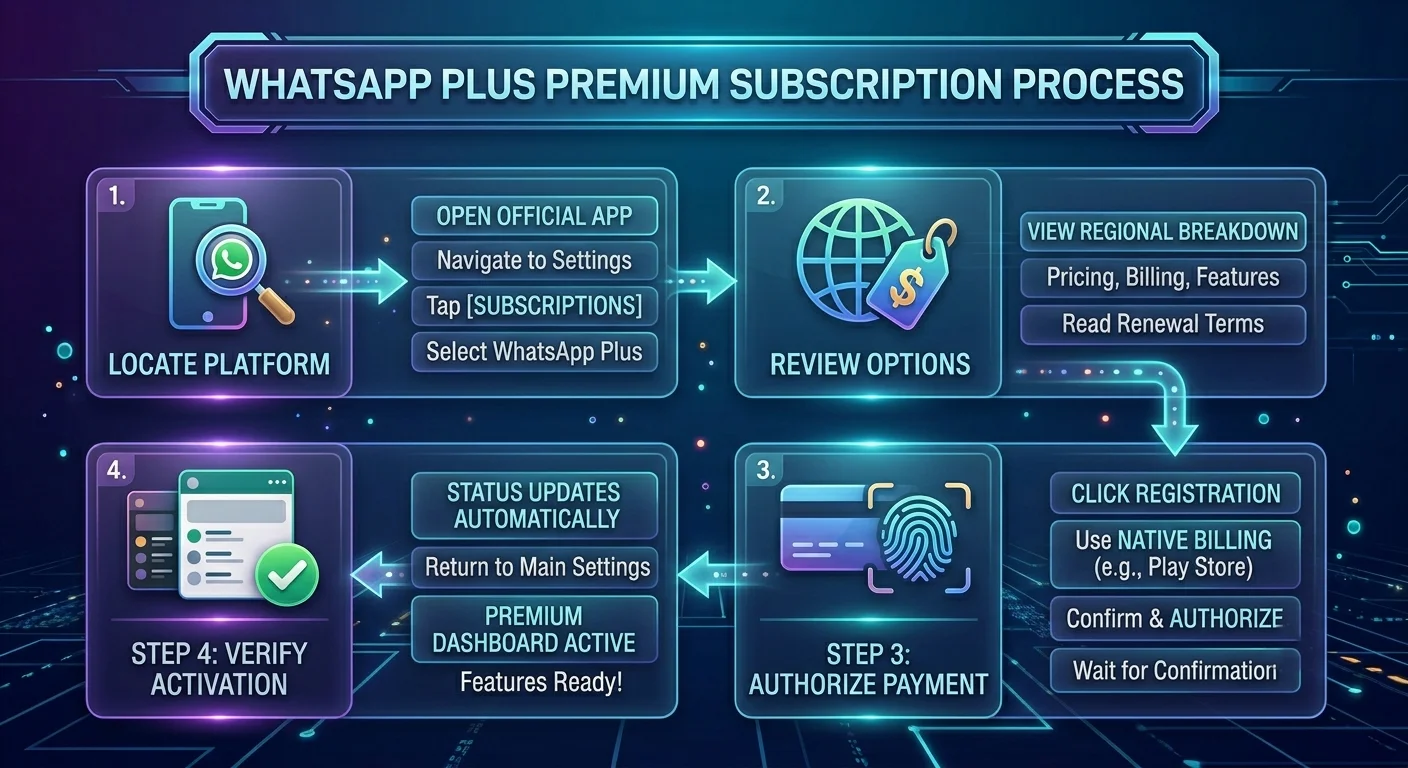
We have broken down the activation process into easy, manageable actions. You do not need any technical expertise to complete this configuration. Simply ensure that your mobile application is updated to the latest official version available in your device’s app store, and follow these directions.
How to Use Your Premium Features (An Easy Tutorial)
Now that your subscription is fully active, let us look at how to implement these new capabilities without feeling overwhelmed.
Personalizing Your App Theme and Icon
To break away from the default green layout, navigate to your Settings and select Appearance. From here, tap on App Theme to choose from a beautiful selection of new color matrices. If you wish to change the look of the app on your home screen, tap App Icon, select your preferred style, and save. If the changes do not apply immediately, simply close the app completely and reopen it.
Organizing Your Enhanced Chat Lists
To format your communication streams, tap on your main Chats tab and swipe downwards to display your custom lists. Go to your premium menu, select Customize Lists, and choose to build a new segment. After naming your list and adding your desired contacts, you can seamlessly click Theme, Alert Tone, or Ringtone to craft a completely unique sensory environment for that specific group of people.
Sending Premium Special Effect Stickers
Open any individual chat or group conversation. Tap on the standard Stickers icon located inside your text entry box. Look for the packs highlighted with the unique premium label tag. Tap the addition symbol to append them permanently to your quick-access tray, and tap any sticker to share it instantly with your contacts.
Managing Your Account and Subscription Cleanly
We believe in maintaining complete control over your digital services. Managing your premium plan is completely transparent and hassle-free.
Because your billing is processed directly through your smartphone’s primary application storefront, you can modify, update, or cancel your renewal at any time. If you ever choose to pause your subscription, you will retain full access to your custom themes, expanded pinned chats, and enhanced lists until the exact conclusion of your current billing period. Your existing chat histories, media files, and archive records will always remain fully intact, safe, and entirely unaffected regardless of your subscription tier.
By utilizing this official upgrade pathway, we can confidently enjoy a deeply personalized, stress-free, and organized messaging world built directly upon a foundation of absolute security.

Selva Ganesh is a Computer Science Engineer, Android Developer, and Tech Enthusiast. As the Chief Editor of this blog, he brings over 10 years of experience in Android development and professional blogging. He has completed multiple courses under the Google News Initiative, enhancing his expertise in digital journalism and content accuracy. Selva also manages Android Infotech, a globally recognized platform known for its practical, solution-focused articles that help users resolve Android-related issues.





Leave a Reply