
How to use Google Search Live – In an era where information moves at the speed of thought, staying updated with the latest developments is no longer a luxury—it is a necessity. We understand that for many users, the digital landscape can feel overwhelming, especially when technical jargon obscures simple functionalities. This is why we have developed this comprehensive guide to Google Search Live, designed specifically for everyday users who want to harness the power of real-time search results without needing a degree in computer science.
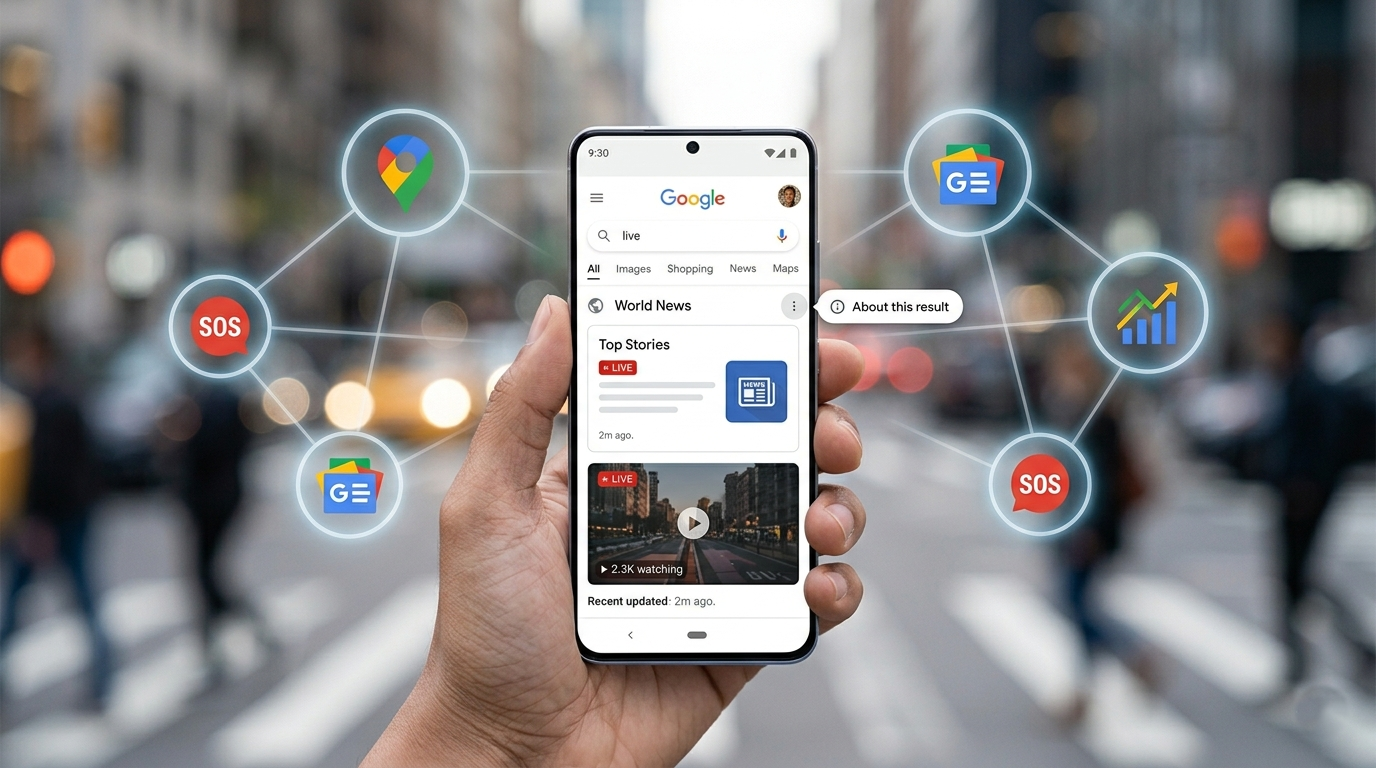
Whether you are tracking breaking news, following a live sporting event, or monitoring fluctuating market trends, the ability to access information as it happens is transformative. In this guide, we will explore the global expansion of these features and how you can integrate them into your daily life to stay informed, safe, and connected.

Understanding Google Search Live: Information in the Moment
When we talk about Google Search Live, we are referring to a suite of features that prioritize immediacy. Traditional search engines often index web pages that have been static for days or weeks. However, real-time search focuses on content that is being generated now.
For the non-tech user, think of this as the difference between reading a history book and watching a live news broadcast. Google Search Live bridges the gap between what happened yesterday and what is happening this very second. Through partnerships with major publishers, integration of social media signals, and advanced algorithmic sorting, Google ensures that the most relevant and timely data appears at the top of your results page.
How to Access Live Updates for Breaking News
One of the most powerful applications of Google Search Live is in the realm of breaking news. When a major event occurs—be it a political shift, a natural phenomenon, or a cultural milestone—the “Top Stories” section of your search results transforms.
To access these updates, simply type the broad topic into your search bar. You will notice a “Live” badge or a timestamp indicating that the article was updated “1 minute ago” or “just now.” We recommend clicking on the “Full Coverage” button often found at the bottom of these news snippets. This allows you to see how different reputable sources are reporting the same event in real-time, providing a balanced perspective on developing situations.
Tracking Live Sports and Events with Precision
For sports enthusiasts, Google Search Live has revolutionized the way we follow our favorite teams. You no longer need to refresh a page constantly to see the latest score. By searching for a specific team or match, such as “Lakers vs. Celtics live score,” Google provides a dynamic scoreboard that updates automatically.
For mobile users, there is a particularly useful feature called “Pin Live Score.” This allows you to take the current score and “float” it over your other apps. You can continue texting, browsing, or working while the real-time score remains visible in a small bubble on your screen. This is the pinnacle of user-friendly multitasking, ensuring you never miss a crucial play.
The Global Expansion: Why This Matters for You
Google recently announced a global expansion of its live search capabilities. This means that features previously limited to specific regions are now being rolled out to international audiences. This expansion is crucial because it brings localized real-time data to users across the globe.
We believe this is a significant step toward democratizing information. Whether you are in New York, London, or Mumbai, the Google Search Live infrastructure is being optimized to recognize local languages and regional news sources. This ensures that the “live” aspect of search is culturally and geographically relevant to your specific location.
Safety First: Real-Time Emergency Alerts
Perhaps the most critical use of Google Search Live is during natural disasters or public safety emergencies. Google’s SOS Alerts utilize live data to provide users with emergency phone numbers, evacuation maps, and real-time updates from local authorities.
When you search for a disaster occurring near you—such as “wildfire near me” or “flood updates”—the Search Live algorithm prioritizes official government announcements and verified emergency services. For non-tech people, this means you don’t have to hunt through dozens of websites; the most vital, life-saving information is presented clearly and prominently at the top of your search results.
How to Use Google Search Live for Travel and Traffic
If you are planning a commute or a trip, real-time data is your best friend. By searching for “traffic to downtown” or “flight status JFK,” you are accessing live databases that reflect the current reality on the ground or in the air.
Google Maps integration within the search results provides a visual representation of delays. If a road is highlighted in red, it means there is a live report of heavy traffic or an accident. This allows you to make informed decisions about your route in real-time, saving you hours of frustration.
Monitoring Financial Markets and Trends
For those interested in the economy, Google Search provides live stock market trackers. Typing a ticker symbol like “GOOGL stock” or “Bitcoin price” triggers a live graph. You can hover over different points on the graph to see the price at specific minutes throughout the day.
This level of granularity was once reserved for professional traders using expensive software. Today, Google Search Live makes this information accessible to anyone with an internet connection, simplifying the complex world of finance into easy-to-read visual aids.
Tips for Non-Tech Users to Optimize Live Search
You do not need to be an expert to get the most out of these features. Here are a few simple strategies to improve your experience:
- Use Specific Keywords: Instead of searching “weather,” search “weather live radar [your city]” to see active storm cells.
- Check the Timestamps: Always look for the gray text that tells you when the information was last updated.
- Utilize the “Shorts” and “Video” Tabs: Often, the most “live” content comes from eyewitness videos or live streams categorized under these tabs.
- Refresh Manually if Needed: While many features update automatically, a quick manual refresh of your browser ensures you are seeing the absolute latest data cache.
The Technology Behind the Scenes (Simplified)
While we promised not to dive deep into technical jargon, it is helpful to understand why this works. Google uses automated programs (often called “crawlers”) that are specifically assigned to “high-velocity” websites—sites that change content frequently.
These crawlers are much faster than standard ones. When they detect a change on a trusted news site or a social media platform, they send that information back to the Google index almost instantly. This process is what allows the “Live” label to appear on your screen.
Ensuring Information Accuracy in Real-Time
One challenge with real-time information is the risk of misinformation. Because “live” data moves so quickly, it isn’t always vetted as thoroughly as a weekly magazine article.
To combat this, Google Search Live prioritizes authoritative sources. We recommend that users always look for the “About this result” feature (the three small dots next to a search result). This tool provides context about the website you are visiting, helping you determine if the real-time update is coming from a credible organization.
Future Trends: What’s Next for Google Search Live?
The future of real-time search is centered around Artificial Intelligence (AI). We are seeing the integration of AI-generated summaries that synthesize multiple live reports into one easy-to-read paragraph.
For the average user, this means you won’t even have to click through multiple links. Google will provide a concise summary of a developing story as it happens. This global expansion is just the beginning of a more intuitive, responsive, and human-centric way of interacting with the internet.
Conclusion: Empowering Your Digital Experience
In summary, Google Search Live is more than just a search tool; it is a real-time window into the world. By understanding how to navigate live news, sports scores, emergency alerts, and market trends, you empower yourself to make better decisions.
We encourage you to explore these features the next time you need an answer now. The global expansion of these tools ensures that no matter where you are, the most current information is always at your fingertips. Stay curious, stay informed, and let Google Search Live handle the complexity of the web while you enjoy the clarity of real-time results.

Selva Ganesh is a Computer Science Engineer, Android Developer, and Tech Enthusiast. As the Chief Editor of this blog, he brings over 10 years of experience in Android development and professional blogging. He has completed multiple courses under the Google News Initiative, enhancing his expertise in digital journalism and content accuracy. Selva also manages Android Infotech, a globally recognized platform known for its practical, solution-focused articles that help users resolve Android-related issues.





Leave a Reply