
Samsung Galaxy A3 2016 even comes as a Mid-Range phone. It was frequently receiving Security patch updates and Major upgrades. Samsung Stopped Both updates Recently. So, If you are not updated to nougat, or you didn’t update to the latest features, You can use the OTA method. If you can’t update using OTA, use below ODIN Method. You can also use this method to get region dependent features and Unbrick your device. The latest update can enhance the performance If it doesn’t contain Bloatware.
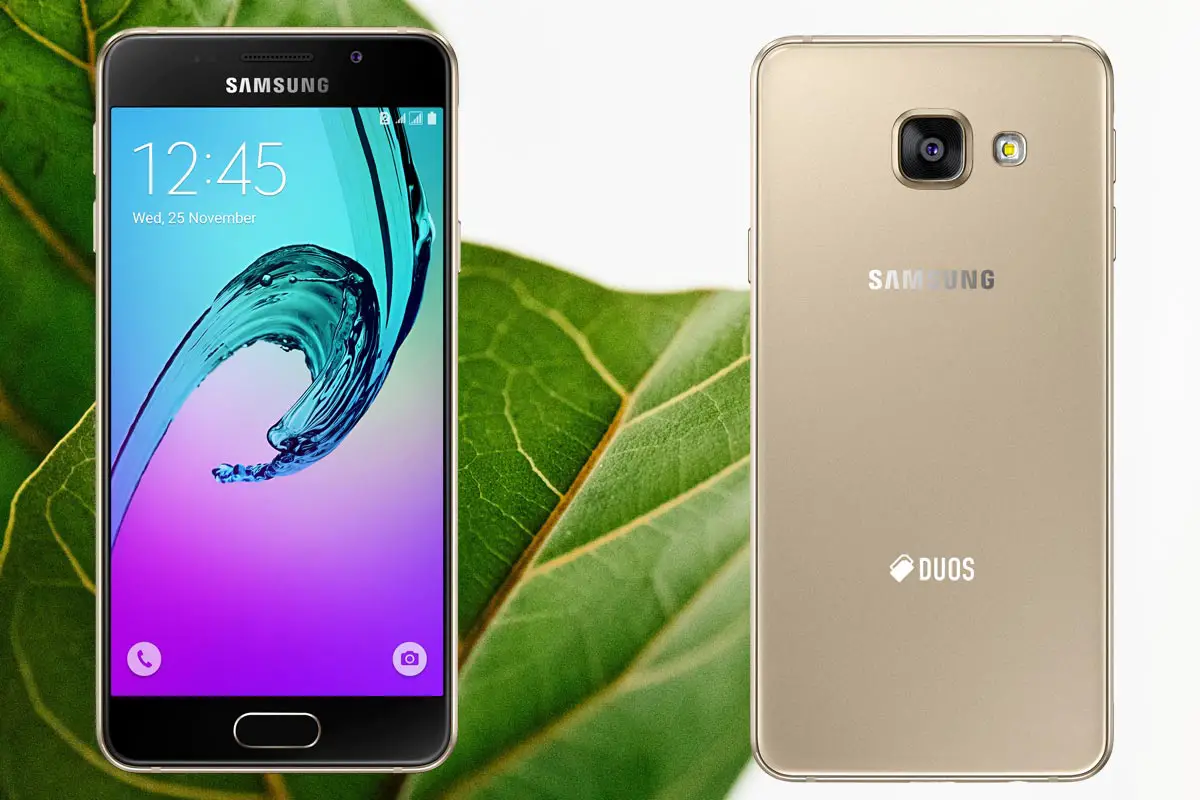
Nougat 7.0 Firmware Flash- Samsung Galaxy A3 2016
Official OTA Method
If you want to update a security patch to the current month. Don’t go for manual method. Before that method, try this OTA Method.
The process is simple and straightforward;

-
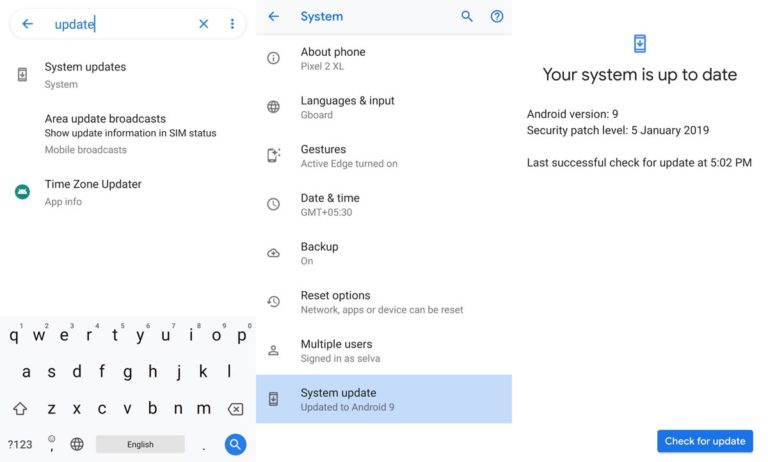
Go to your device setting menu and scroll down to the bottom
-
Tap on “Software Update”
-
You may have to refresh the page to start the OTA upgrade process.
Manual Method (SM-A310F / SM-A310M / SM-A310N0 / SM-A310Y)
Note
- Check Your Device Mobile No. If you flash Different model number, you will lose some features based on your region.
- Battery Percentage Above 50.
- Backup Your Device.
Using ODIN Method
-
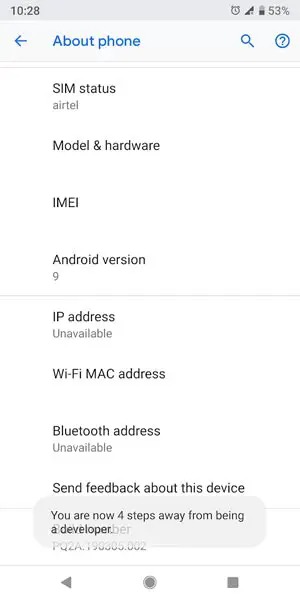
Enable USB Debugging Mode and OEM Unlock; you’ll find these options at Settings >>> Developer options. If you didn’t see the developer options on your settings menu, then go to about >>> build number; click on the “Build Number” row for about ten times constantly to activate “Developer Option” on your device.
- Download Samsung USB driver and install it in your PC.
- We are using third party software flashing. Download ODIN and install this also in your PC. In version select Oreo supporting version ODIN.
- Download Firmware For Samsung Galaxy A3 2016 Official Firmware. Select recent firmware. When selecting firmware refer- How to choose correct firmware.
- Secondary Mirror (If above mirrors don’t work or down, use this. Type your Model number to get the respective firmware)
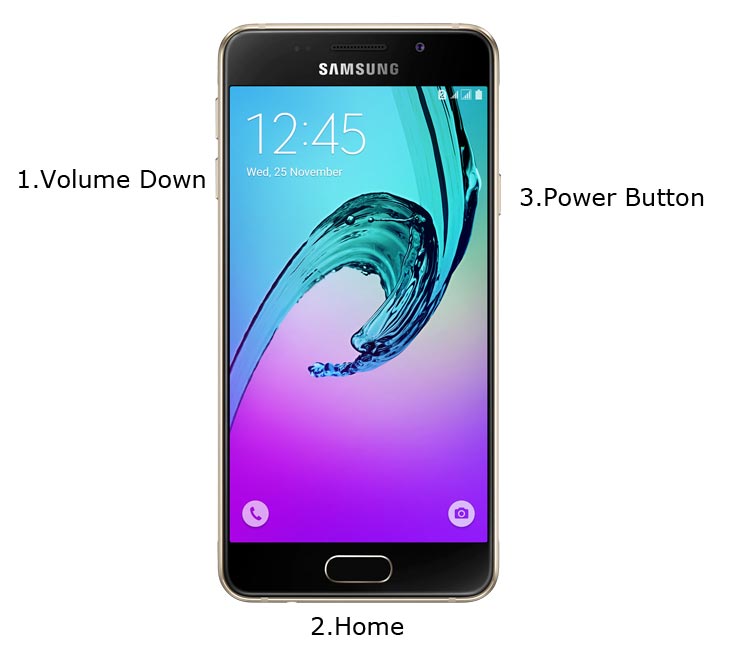
- Switch off your Mobile. Enter into Download mode->Volume Down+ Home + Power Buttons. Connect Your Mobile To PC via USB Cable, After Samsung Logo Appear, Release all keys.
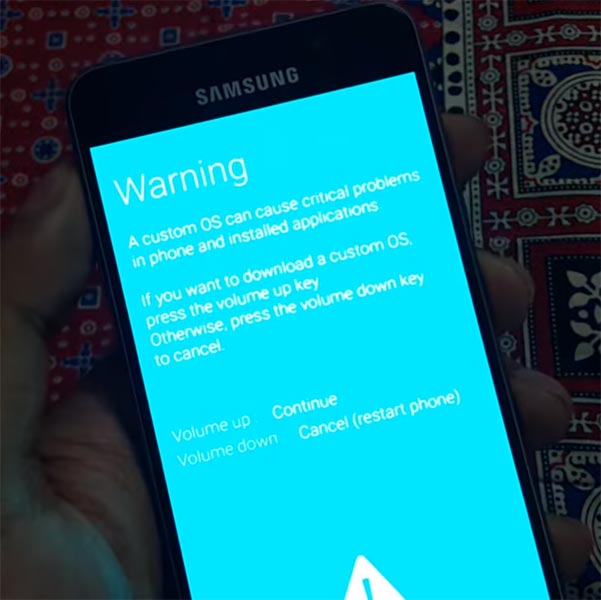
- After entering into Download Mode, it will say Warning Press Volume Up button to continue.
- Launch Odin Application.
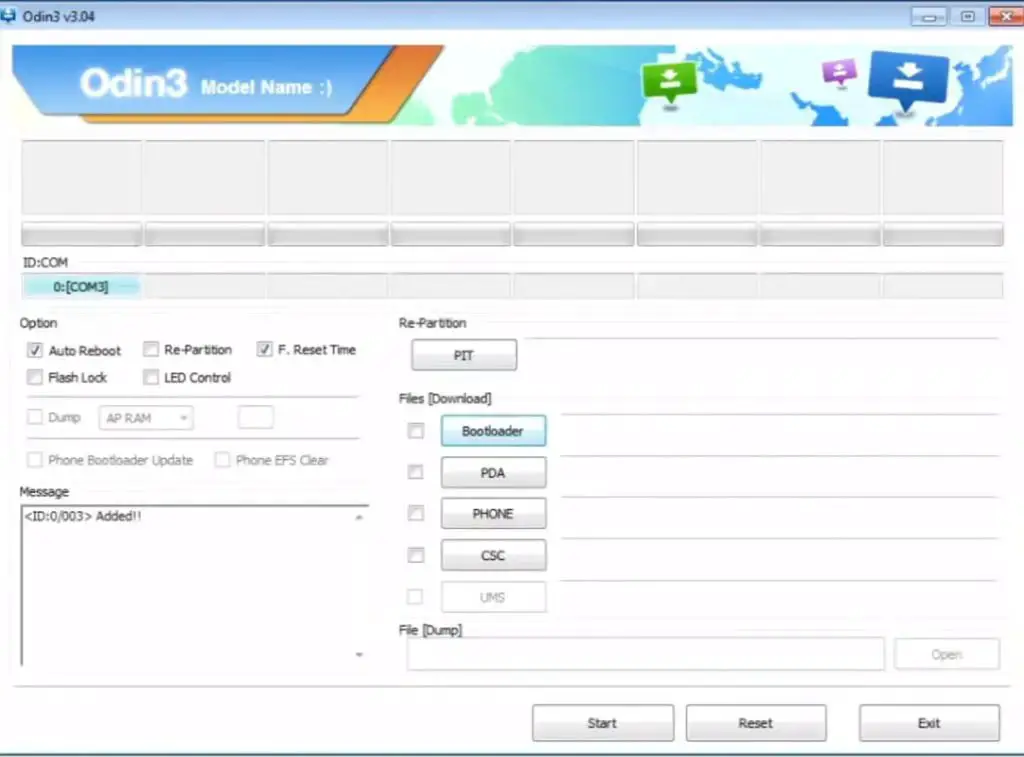
- It Will Show the message added.
- If you did not get this message Repeat the above steps.
- After Getting Added Message Select, AP/PDA Button then Browse for the Firmware file selects it. Tick the Auto Reboot.
- Press Start wait for the tasks to complete. It will automatically reboot after the process complete.
- You can Check the Firmware Details->Settings->About->Version.
Samsung Galaxy Nougat Update features
This firmware update updates your mobile to Nougat version with a lot of upgrade features compared with Marshmallow 6.0.1.
Camera
- Get New modes and filters by swiping in the camera
- In-Built Skin tone and Color change available
- Spotlight Highlight in photos
- Automatic Story creation with Photos location, Date and face
- Burst Shot activation with Volume key
Settings
- Similar settings grouped together
- Link Physical Keyboard seamlessly
- Hidden Game added in software version- Must Try..:)
Applications
- Integration of Desktop applications Extensions suggestion.
- Android Pay and Samsung Gear added.
- When planning activities, you can view weather forecast within the calendar
- More options added in Do Not Disturb and Data Restriction
Notification and shortcuts menu
- Extended Feed information within Notification Bar
- Search and check nearby devices options added
Display
- Blue light filter added for Eye protection.
- Screen resolution adjustment between HD, FHD, and WQHD (Based on the device resolution)
- Zoomed in option for screen
- Emergency Information on Locked screen
Communication
- Contacts and messages are merged and can work Flawlessly
- Long Press home key and ask who to call- Voice Command (If you have Physical Home Key)
- Answer or reject calls just by making Voice command.
Wrap Up
Selecting correct firmware is the Major step in this process. If you follow all steps correctly, you can quickly flash firmware in your Samsung Galaxy A3 2016. If you face any problem or if you need any additional mirrors comment below.

Selva Ganesh is a Computer Science Engineer, Android Developer, and Tech Enthusiast. As the Chief Editor of this blog, he brings over 10 years of experience in Android development and professional blogging. He has completed multiple courses under the Google News Initiative, enhancing his expertise in digital journalism and content accuracy. Selva also manages Android Infotech, a globally recognized platform known for its practical, solution-focused articles that help users resolve Android-related issues.





Leave a Reply