
Google One Benefits– When we look at modern digital workspaces, storage bottlenecks and fragmented AI productivity tools often create unnecessary friction. Managing separate cloud subscriptions, entry-level AI tiers, and productivity extensions rapidly inflates monthly technology expenses. Upgrading to a comprehensive subscription tier resolves these operational hurdles. We have tested and integrated the full capabilities of Google One, particularly within the AI-centric tiers, to evaluate how each feature delivers tangible productivity and storage benefits. Below is our exhaustive analysis of the ten core features included in the ecosystem and why they deliver exceptional practical value.
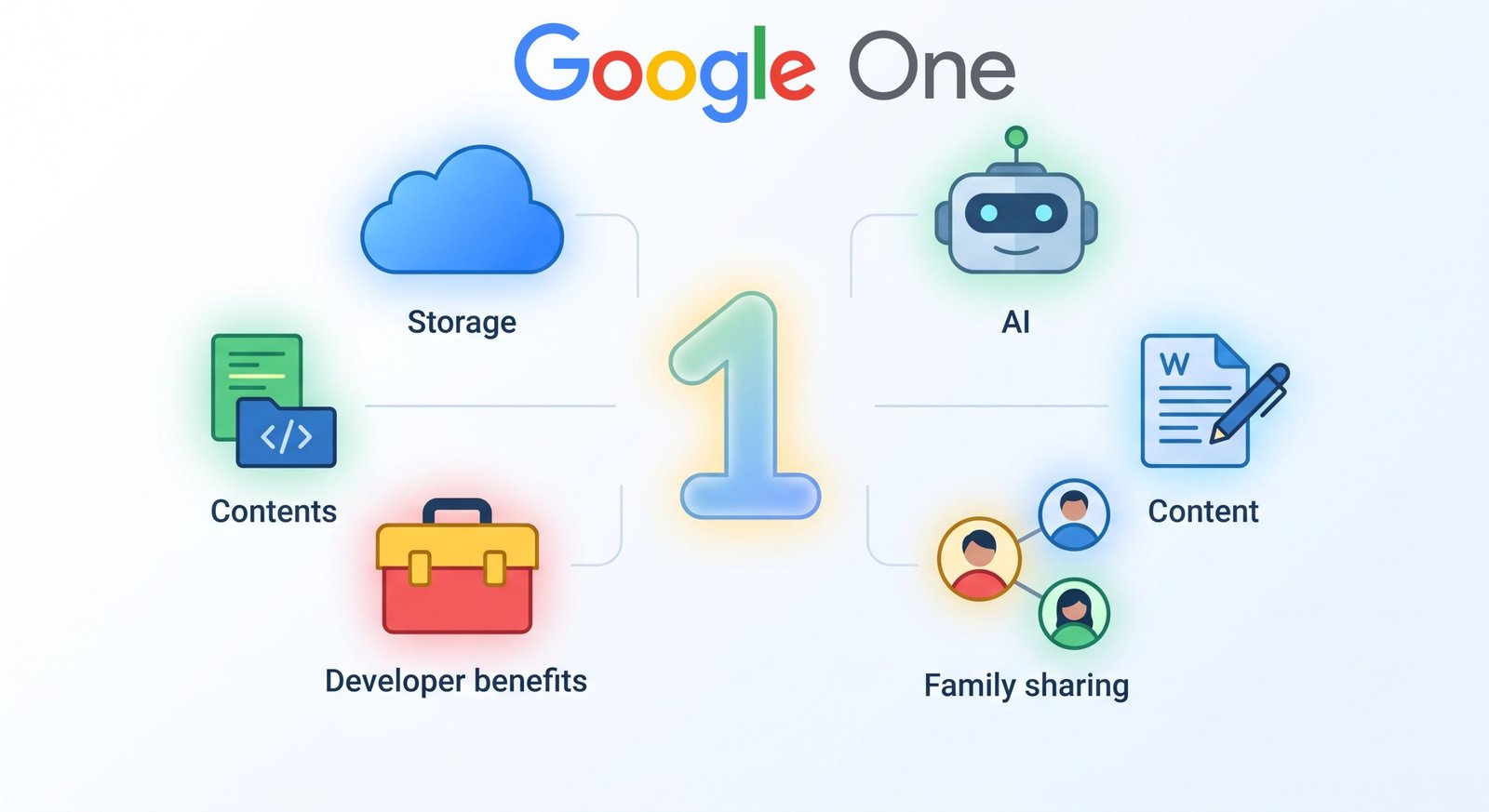

1. Massive 5 TB Google Cloud Storage Pool
Storage constraints represent one of the most common daily productivity bottlenecks. Free storage tiers fill up quickly once automated photo syncing, video uploads, high-resolution document archives, and active email communications are enabled.
A dedicated 5 TB Google Cloud Storage pool consolidates all assets into a unified repository across Google Drive, Gmail, and Google Photos. We no longer need to micromanage storage allocations or delete historical communications to make room for incoming payloads.
-
Unified Quota Management: Drive, Photos, and Gmail pull dynamically from the same expansive bucket, preventing arbitrary single-app storage limits.
-
Full-Resolution Multimedia Archiving: Uncompressed RAW files, 4K video footage, and dense graphic design assets sync effortlessly without aggressive compression algorithms degrading fidelity.
-
Seamless Device Backup: Complete mobile device configurations, system settings, and local multimedia backup automatically in the background.
2. Unrestricted Gemini Advanced AI Access
Standard conversational language models frequently hit strict rate caps, compute limitations, and processing bottlenecks during sustained deep-work sessions. The inclusion of Gemini Advanced grants priority access to Google’s most capable, cutting-edge foundation models.
By leveraging advanced multimodal reasoning, large context windows, and superior logic capabilities, we execute intricate technical workflows without running into restrictive compute constraints. This level of access transforms standard conversational assistance into an enterprise-grade thinking partner capable of parsing complex codebases, dense manuscripts, and technical whitepapers.
3. Autonomous Deep Research Capabilities
Traditional web search workflows demand hours of manual link traversal, source vetting, data extraction, and synthesis. The Deep Research agent integrated within the AI tier fundamentally automates this research loop.
When assigned a complex inquiry, the system autonomously conducts multi-step investigations, cross-references credible publications across the open web, checks factual consistency, and compiles fully structured, multi-page analytical reports. For market research, technical benchmarking, academic exploration, and competitive analysis, this functionality compresses days of manual data gathering into minutes of comprehensive synthesis.
4. Native Gemini Integration in Gmail and Google Docs
Toggling between dedicated AI browser tabs and active production workspaces disrupts creative and operational momentum. Native Gemini in Workspace embeds generative and analytical assistance directly inside Gmail, Google Docs, Google Sheets, and Google Slides.
-
Smart Composition and Rewriting: Draft elaborate proposals, summarize long email threads, or alter tonal nuance directly within the Gmail compose interface.
-
Document Synthesis in Docs: Transform messy meeting transcripts, bulleted notes, and raw technical data into executive summaries, professional briefs, or customer-facing documentation.
-
Direct Content Transformation: Seamlessly extract structured tables from unstructured text blocks without exporting data to third-party parsing tools.
5. Google Flow AI-Powered Creative Studio
Creative content production demands extensive rendering resources, specialized software, and substantial time investment. Google Flow delivers an AI-driven creative suite engineered to generate rich visual narratives, dynamic cinematic scenes, and accompanying audio elements directly from structured prompts.
By deploying Google’s specialized generation models, we rapidly iterate on storyboards, campaign visuals, motion concepts, and multimedia presentations. This creative pipeline allows production teams to validate visual concepts instantly before committing heavy studio budgets.
6. Advanced Research in Gemini Notebook
Information overload often prevents researchers, writers, and technical specialists from quickly extracting precise insights from large custom document repositories. Gemini Notebook acts as an AI-powered personalized knowledge engine tailored to specific user-provided sources.
Users can upload dense PDFs, research papers, transcribed interviews, and technical documentation into a private environment. The system generates source-grounded summaries, pinpoints cross-document thematic connections, generates interactive study guides, and cites exact references from the uploaded material, eliminating hallucinations and ensuring rigorous factual precision.
7. AI Studio and Developer Benefits
Developers, engineers, and technical builders require robust API access and prototyping environments to test applications against premier foundation models. Subscribing to this premium tier provides elevated privileges and developer benefits within Google AI Studio.
This setup unlocks generous token thresholds, reduced latency queues, and developer sandboxes for rapid API testing, prompt tuning, system instruction modeling, and custom application development prior to wide-scale deployment.
8. Monthly Google Cloud Credits
Infrastructure and cloud hosting expenses quickly accumulate when managing web applications, hosting databases, or running automated pipelines. The inclusion of $10 per month in Google Cloud credits—delivered through the Google Developer Programme—offsets active infrastructure costs directly.
These recurring monthly credits effectively subsidize cloud computing, BigQuery analyses, compute engine instances, and cloud storage buckets, significantly lowering the net cost of the broader subscription package for technical professionals and developers.
9. YouTube Premium Lite Inclusion
Media consumption within daily workflows should remain distraction-free. The inclusion of YouTube Premium Lite (available in eligible geographic regions) strips intrusive advertising banners and mid-roll commercial interruptions from the video platform.
This enables uninterrupted viewing of technical tutorials, educational lectures, product announcements, and industry conferences, fostering a focused and efficient learning environment across both desktop and mobile platforms.
10. Family Sharing with Up to Five Additional Members
Managing multiple individual cloud subscriptions across family members or small collaborative groups is financially inefficient. With Family Sharing, the primary account holder can share the massive 5 TB storage pool and select membership benefits with up to five additional individuals.
Crucially, data privacy remains entirely segregated. Family members share only the global capacity pool; private files, confidential emails, personal Google Photos libraries, and individual document drives remain strictly invisible and inaccessible to all other group participants.
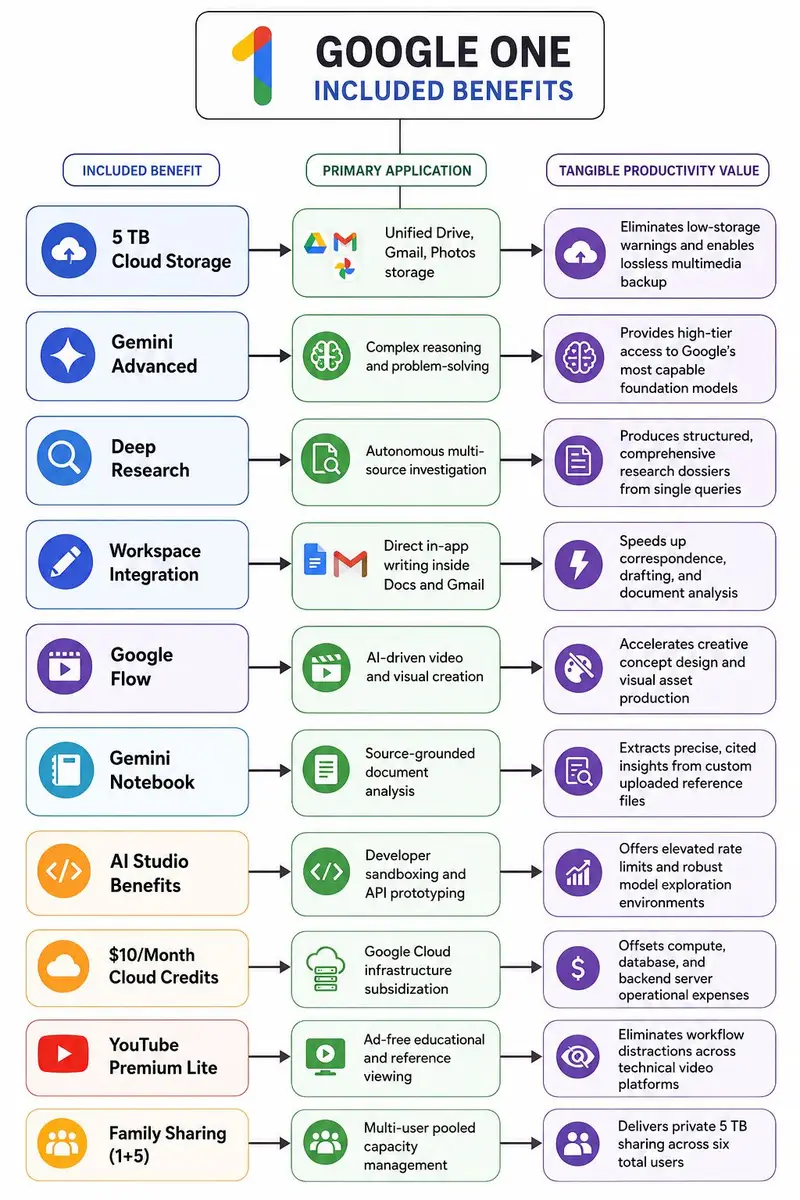
Detailed Feature and Value Comparison
Frequently Asked Questions
Does the 5 TB storage pool merge everyone’s personal files when using Family Sharing?
No. When storage is shared across family members, each individual maintains a completely private, encrypted storage space. Other members cannot view your photos, documents, or emails. Only the overall storage quota is shared.
How does Gemini Advanced differ from the free version of Gemini?
Gemini Advanced runs on Google’s largest, most capable AI models. It offers higher token limits, larger context processing windows, advanced coding support, and priority compute access during peak traffic periods.
Can I use Gemini inside Google Docs without opening a separate tab?
Yes. With native Workspace integration, Gemini appears directly inside Google Docs, Gmail, Sheets, and Slides via an integrated panel and contextual inline prompts.
How are the $10 monthly Google Cloud credits distributed?
Credits are provisioned through the Google Developer Programme integration, enabling developers to offset monthly bills across active Google Cloud Platform computing, storage, and API services.
What file formats can be uploaded to Gemini Notebook for analysis?
Gemini Notebook accepts a wide array of file types including PDFs, plain text documents, Google Docs, copied text transcripts, and markdown files for deep contextual indexing.
Does YouTube Premium Lite include YouTube Music Premium?
YouTube Premium Lite is specifically tailored to eliminate main-platform video advertisements. Full background audio playback and offline music downloads may vary based on regional tier specifications.
What happens if I downgrade my plan after uploading more than the free storage tier allows?
Your existing files remain intact, but you will not be able to upload new files, sync new photos, or receive new emails in Gmail until you clear space or renew an adequate storage plan.
Is Deep Research limited to searches within Google services?
No. Deep Research autonomously analyzes credible, high-authority public sources across the global open web to compile its synthesis reports.
Can small business owners share this plan with team members?
Yes. You can assign the five additional family sharing slots to colleagues or collaborators to provide them with private cloud storage backed by the shared 5 TB capacity.
Is the monthly pricing offset by the developer credits?
For active cloud developers, the included $10 monthly Google Cloud credit effectively cuts the net cost of the $19.99 monthly plan in half, delivering immense relative value.

Selva Ganesh is a Computer Science Engineer, Android Developer, and Tech Enthusiast. As the Chief Editor of this blog, he brings over 10 years of experience in Android development and professional blogging. He has completed multiple courses under the Google News Initiative, enhancing his expertise in digital journalism and content accuracy. Selva also manages Android Infotech, a globally recognized platform known for its practical, solution-focused articles that help users resolve Android-related issues.




Leave a Reply