
The reason Google advises us to download apps only in the Play Store is not only for security reasons. The compatibility is another reason. When you sideload the apps, You may have experience incompatibility or screen alignment issues. When we download the apps from Play Store with our devices, there is no issue; Google will automatically omit the unsupported apps. As an additional helpful thing, Google begins to show Our Active Compatibility Devices for App Support in the Details. So, When you want to sync the app along with devices, these compatibility details will be helpful for you. When your selected app doesn’t supp[ort one of your devices, you can move to alternate available apps.
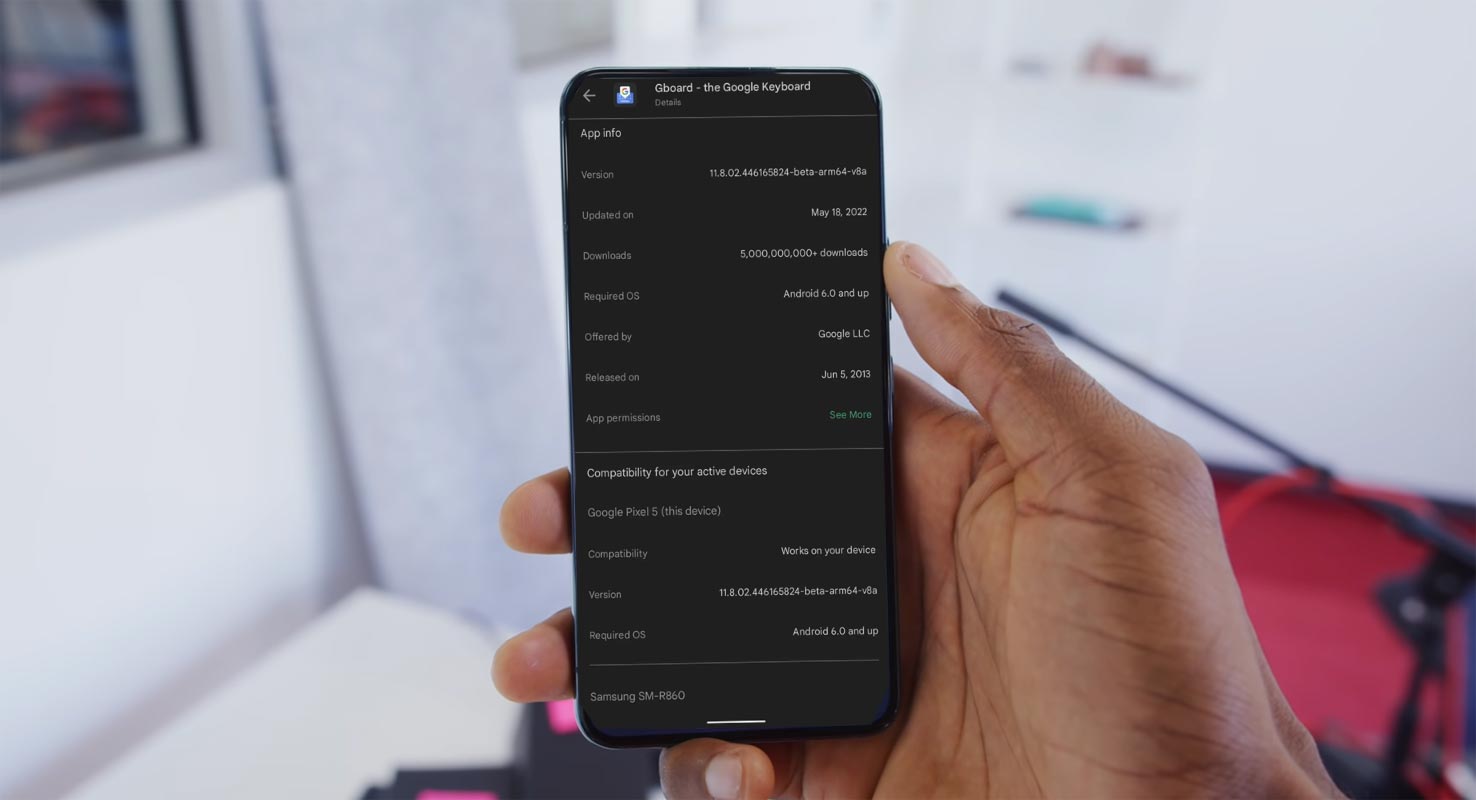
Google Play Store Begins to show Our Active Compatibility Devices
In the “About this app” section of the listing and scrolling to the bottom, you will see “Compatibility for your active devices.” This section will tell the app’s compatibility with your devices. It will only show devices connected directly to Google Accounts and have been active for the past 30 days.
Compatibility list of Tablets and Mobiles Information
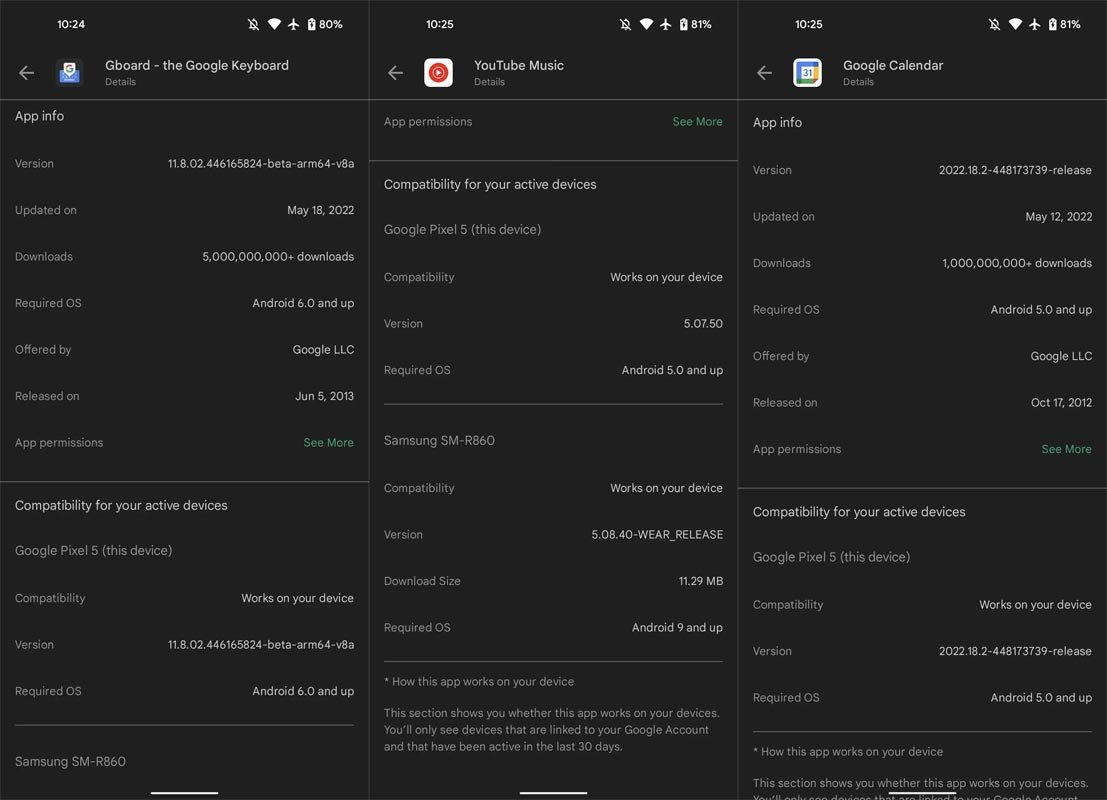
Your phone is first listed, including the device’s name. It is Wear OS watches, and finally, Google TV and Android. The sections available include:
- Compatibility Work on any device.
- Version.
- Download Size.
- Requires OS: It first came out in April under App information and was changed to “Android OS.”
What exactly is working the Compatibility devices list function?
App development for wearables is trending upwards, and Android Automotive adoption is expected to increase in the coming years. It shows that Google Play is a place to buy more than tablets and phones nowadays. The latest updates create the mobile app store a perfect central location to manage everything.
Availability
Compatibility section for one device that runs Version 30.6.16-21 of Google Play Store. It’s not yet widely available.
Wrap Up
Did you get the App Compatibility Devices list in your Google Play Store App? The detail may not look vital since we mainly install the apps directly on our devices. But it will help sync the data with other devices for the same app. For Example, If you use any Notes app with a sync feature, Without adding the details again, You can sync the data long all the devices you are using. When an app doesn’t support Wear OS, You can ignore the app and move to alternate supporting apps. Please share your experience on how much it is helpful for you.

Selva Ganesh is a Computer Science Engineer, Android Developer, and Tech Enthusiast. As the Chief Editor of this blog, he brings over 10 years of experience in Android development and professional blogging. He has completed multiple courses under the Google News Initiative, enhancing his expertise in digital journalism and content accuracy. Selva also manages Android Infotech, a globally recognized platform known for its practical, solution-focused articles that help users resolve Android-related issues.




Leave a Reply