
Instagram, the viral social media platform, has recently introduced an exciting enhancement to its Notes feature, allowing users to elevate their shared thoughts by seamlessly incorporating music. This new ‘Music to Notes’ feature promises an enhanced creative outlet for users to express themselves. However, several users have encountered an issue where the ‘Music to Notes’ feature fails to function correctly. This article will delve into the potential causes behind this problem and present possible solutions to help users resolve this frustrating dilemma. By addressing common troubleshooting steps, such as ensuring the application is up to date, checking network connectivity, and verifying device compatibility, users can overcome technical hurdles preventing the ‘Music to Notes’ feature from working as intended.
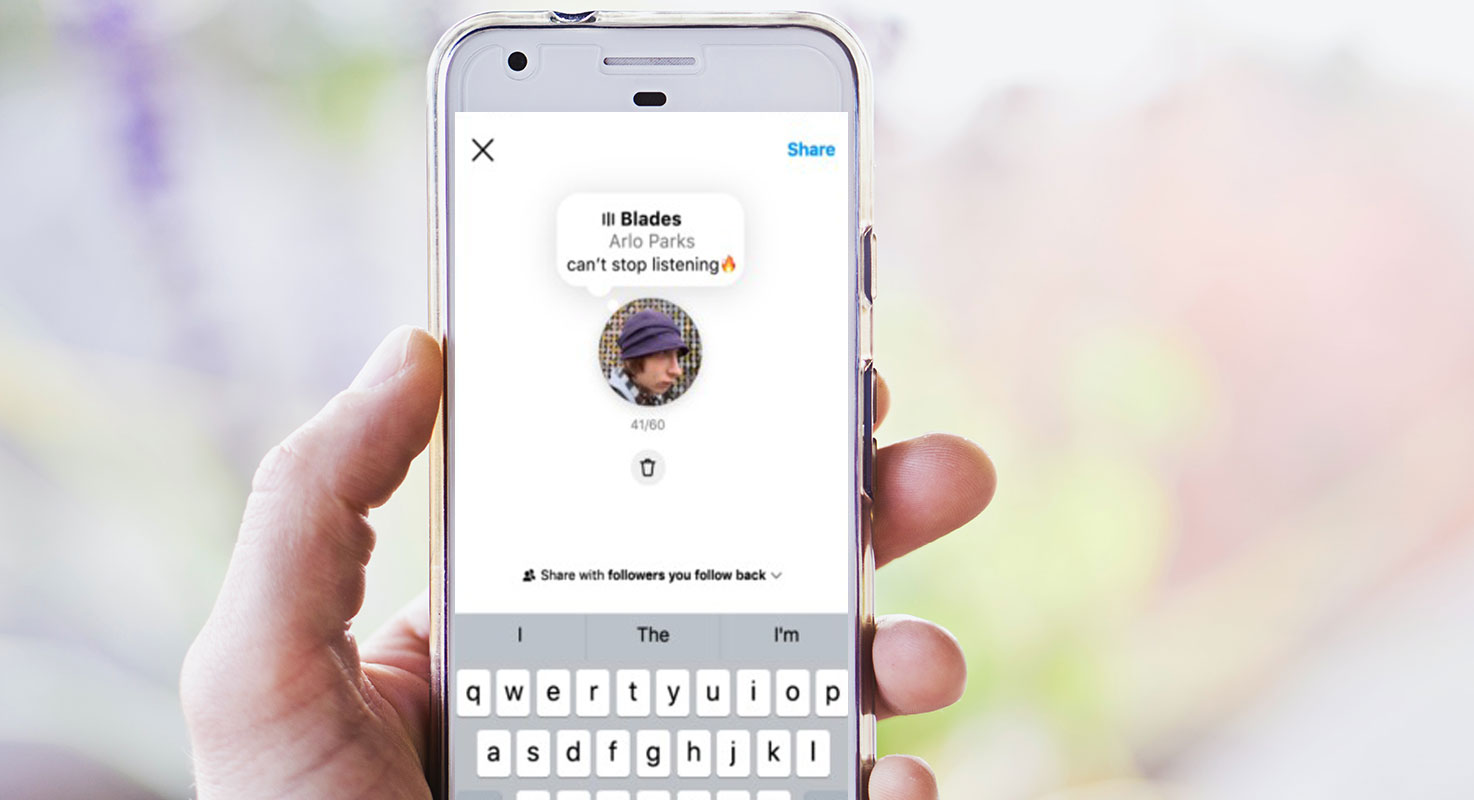
Music to Instagram Notes
Instagram’s Notes feature allows users to express themselves and share their ideas with friends through direct messages. With the addition of music, users can now enhance their thoughts with an auditory element. However, some users are experiencing difficulties in accessing or using this feature.
The Importance of the ‘Music to Notes’ Feature
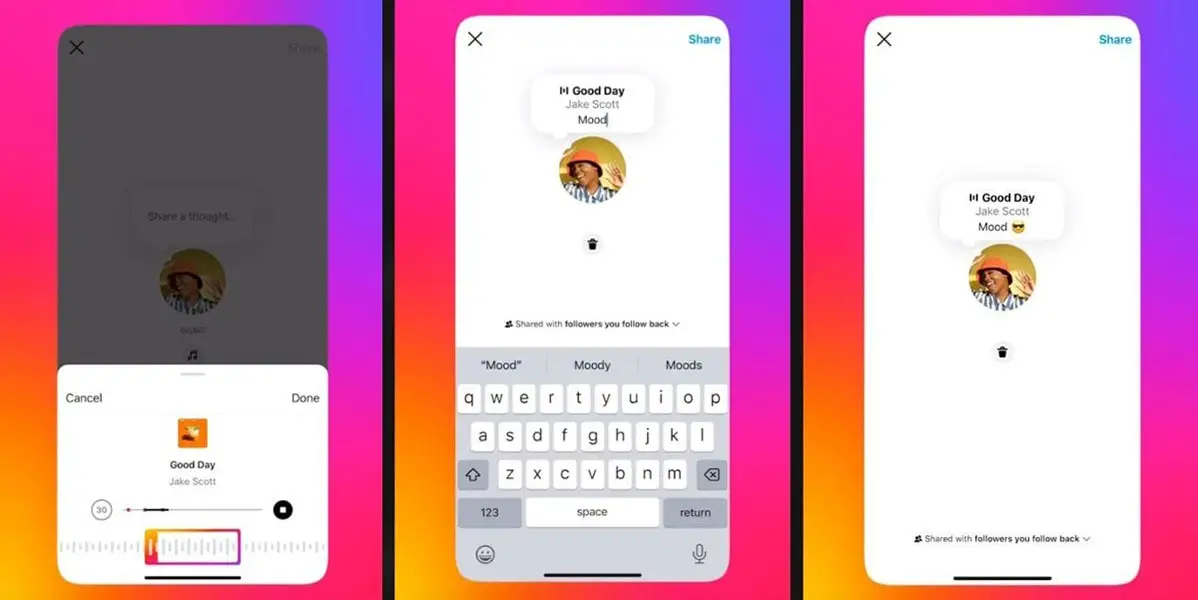
The ‘Music to Notes’ feature adds a new dimension to Instagram’s Notes functionality. It enables users to create more engaging and expressive content by incorporating music into their shared thoughts. This feature enhances user creativity and provides a unique way to communicate with others.
Issues with the ‘Music to Notes’ Feature
Users have reported various issues related to the ‘Music to Notes’ feature. While some users cannot find the part, others encounter problems when using it. These issues hinder users from fully utilizing the potential of the Notes feature with added music.
Possible Reasons for the Music to Instagram Notes Feature Not Working
There are a few reasons why the ‘Music to Notes’ feature may not be working or showing up for all users:
A/B Testing by Instagram
Instagram often conducts A/B testing when introducing new features. This means that the ‘Music to Notes’ functionality might only be available to a selected group of users as part of the testing phase. You may not see the feature if you are not included in the test group.
Gradual Rollout of Updates
Social media platforms like Instagram typically roll out updates in phases. This approach ensures a smoother deployment process and allows the platform to address any potential issues incrementally. Therefore, it’s possible that the ‘Music to Notes’ feature is gradually reaching different accounts over time, and some users may not have received it yet.
Regional Limitations
Certain Instagram features are sometimes limited to specific regions due to licensing or other factors. It’s conceivable that the availability of the ‘Music to Notes’ feature varies depending on your geographical location. Therefore, users in some regions might experience the part not showing up or not working as expected.
Music to Instagram Notes, not Working Troubleshooting Tips
If you are experiencing issues with the ‘Music to Notes’ feature, here are some troubleshooting tips to try:
Enable Beta Updates
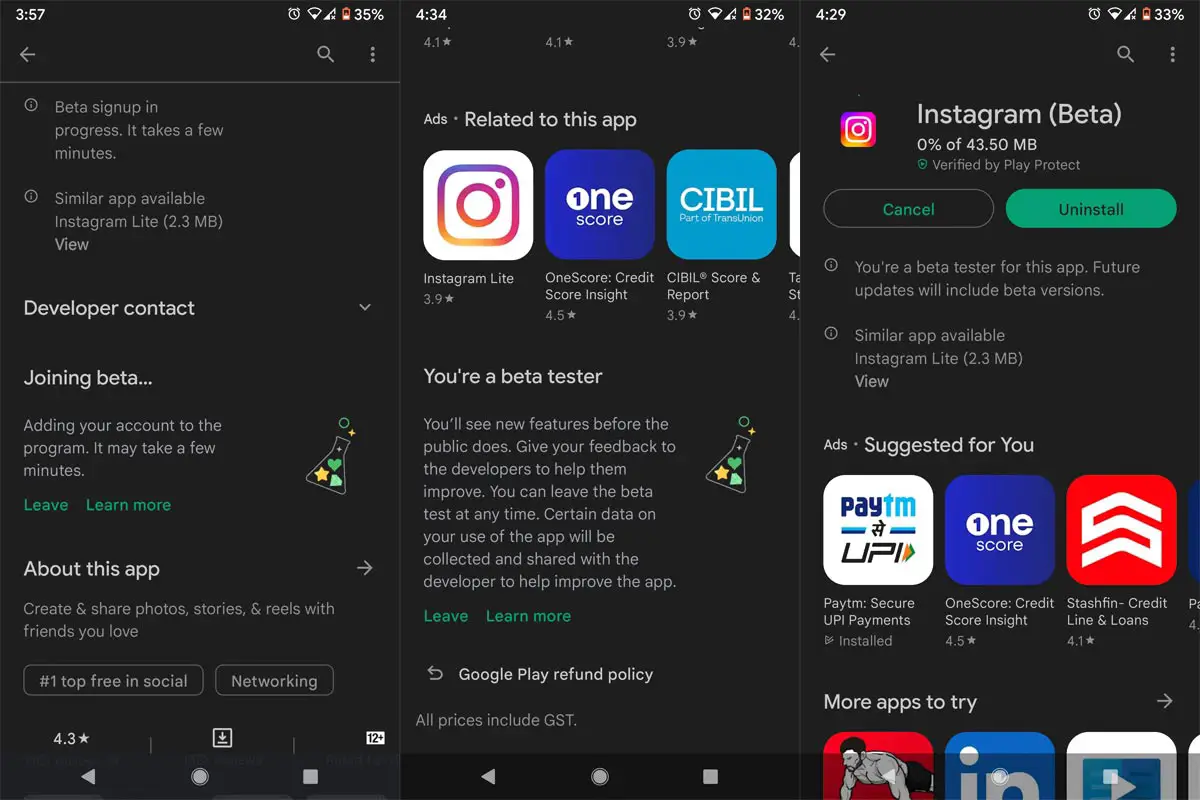
Suppose you want to experience the latest features and updates before they are officially released. In that case, you can enable Beta updates on either the Play Store (for Android devices) or the Apple App Store (for iOS devices). By opting for Beta updates, you can gain early access to the ‘Music to Notes’ feature and address any compatibility concerns.
Rollback to Previous Versions
If you had the ‘Music to Notes’ feature but lost it because of a recent update, you can try restoring the previous version of the Instagram app to regain access to the part. This method can help restore the feature and resolve any compatibility issues that might have emerged in the latest update.
FAQs
Will everyone eventually get access to the ‘Music to Notes’ feature on Instagram?
Yes, likely, Instagram will gradually roll out the ‘Music to Notes’ feature to all users over time. Be patient, and you should eventually gain access to this exciting addition.
I don’t see the ‘Music to Notes’ feature even though I have the latest Instagram update. What should I do?
Try enabling Beta updates in your app store settings. This might give you access to the feature before its official release.
Can I use the ‘Music to Notes’ feature in any region?
The availability of the ‘Music to Notes’ feature might vary depending on your geographical location. It may be limited to certain regions due to licensing or other factors.
How can I roll back to a previous version of the Instagram app?
Depending on your device, you can uninstall the current version of the Instagram app and download an older version from a trusted source. Remember to exercise caution when downloading apps from external sources.
Are there other ways to enhance my Instagram Notes besides adding music?
You can utilize other creative tools like GIFs, stickers, or emojis to make your Notes more engaging and expressive.
Wrap Up
Instagram’s ‘Music to Notes’ feature enhances users’ creative expression and communication capabilities. While some users have reported issues with the feature not showing up or not working, there are potential reasons behind these problems. Instagram’s A/B testing, gradual rollout of updates, and regional limitations could be contributing factors. By following troubleshooting tips, such as enabling Beta updates or rolling back to previous versions, users may resolve these issues and regain access to the ‘Music to Notes’ feature.

Selva Ganesh is a Computer Science Engineer, Android Developer, and Tech Enthusiast. As the Chief Editor of this blog, he brings over 10 years of experience in Android development and professional blogging. He has completed multiple courses under the Google News Initiative, enhancing his expertise in digital journalism and content accuracy. Selva also manages Android Infotech, a globally recognized platform known for its practical, solution-focused articles that help users resolve Android-related issues.




Leave a Reply