
WhatsApp, the widely used messaging platform under Meta’s ownership, is renowned for its consistent innovation. Recently, it unveiled passkey support and hinted at forthcoming group chat events. Now, there’s yet another exciting development. As per trusted sources at WABetainfo, WhatsApp is launching a cutting-edge feature. Users can directly send voice notes with a “view once” mode, significantly elevating privacy safeguards. This addition empowers users with even greater control over their shared content, ensuring that voice messages are transient and seen only by their intended recipient. This enhancement reflects WhatsApp’s commitment to staying at the forefront of secure and dynamic communication, reaffirming its position as a leader in the messaging app landscape.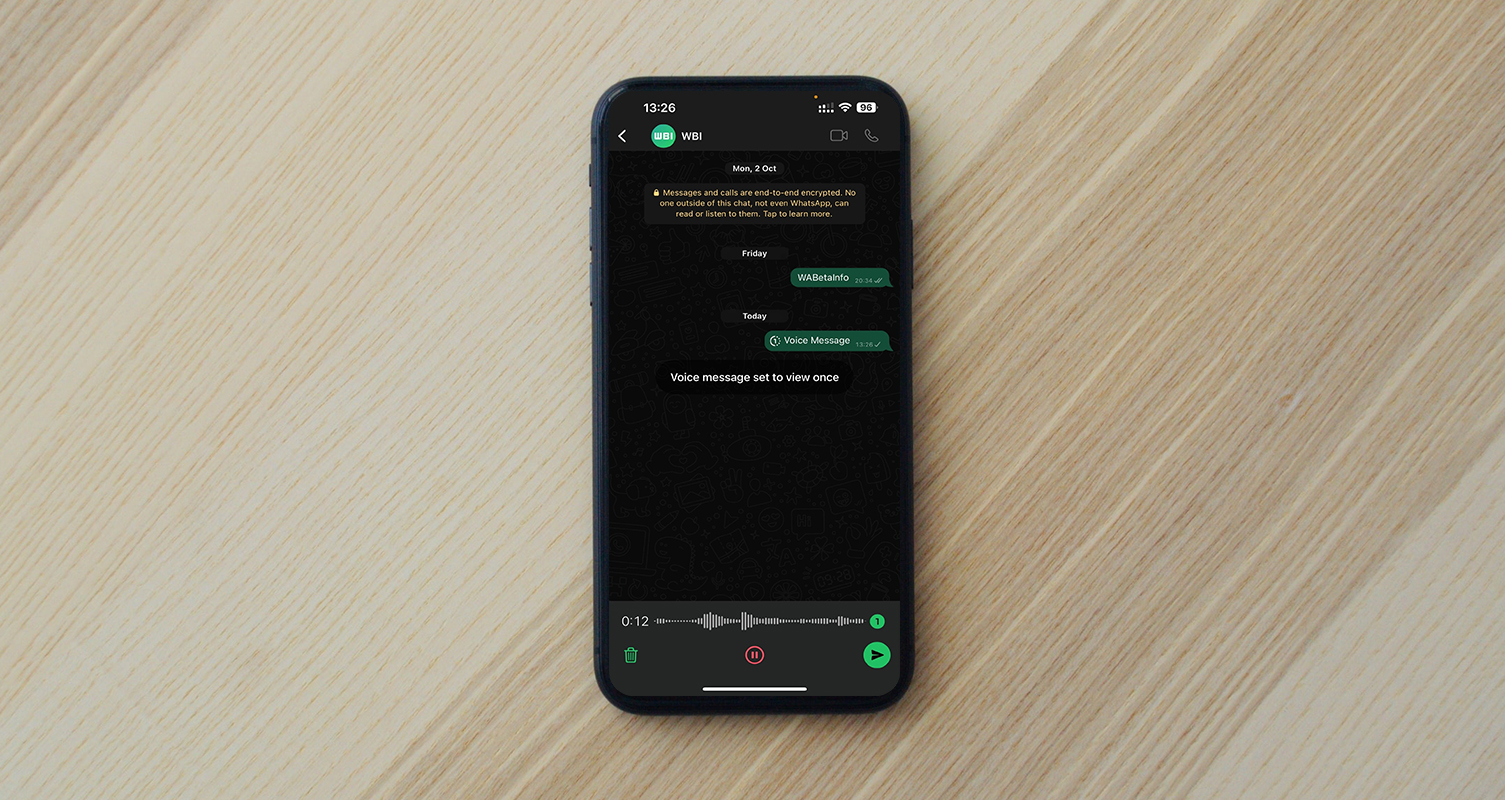
Understanding “View Once” Mode Audio Messages in WhatsApp
You’ll notice a new “view once” icon in the chat bar when recording a voice note. Once tapped, this activates the “view once” mode, preventing the recipient from exporting, forwarding, saving, or recording the voice note. After the recipient dismisses it, neither the sender nor the receiver can listen to it again.
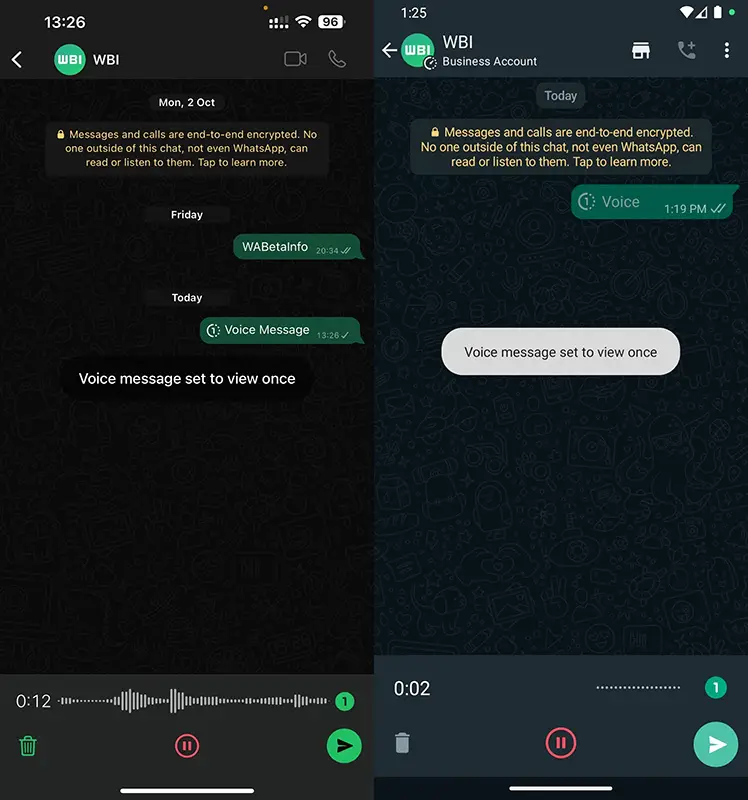
This feature provides a powerful tool for controlling your privacy when sharing voice notes. It ensures that your messages can’t be shared or forwarded, significantly reducing the risk of sensitive information falling into the wrong hands.
Tightened Security Measures
Additionally, recipients won’t have the option to save or record their voice notes, giving you even greater control over their shared content. This feature represents a significant stride forward in securing your private communications.
How to Access “View Once” Mode
For now, this feature is available to select beta testers. To get your hands on it, install the latest version of WhatsApp beta for Android from the Google Play Store or WhatsApp beta for iOS from the TestFlight app. The good news is that it will soon be rolling out to more users over the next few days.
Comparisons with iMessage
iMessage users are familiar with the ability to send voice messages that disappear after two minutes. While WhatsApp’s feature may not revolutionize messaging, it’s a welcome addition to a platform already boasting 2.7 billion users.
Self-Destructing Audio Messages
This development follows the introduction of “View Once” in 2021. Since then, WhatsApp has taken measures to block screenshots and screen recordings of this type of media. Users can also expect restrictions on downloading or recording self-destructing audio messages.
Anticipating Public Release
There’s no official word on when this feature will be available to the general public. Even among beta users, it’s not universally accessible. On iOS, access to WhatsApp Beta is limited to TestFlight, which may pose a challenge in obtaining an invitation.
FAQs
How can I access the “view once” mode in WhatsApp?
To access the “view once” mode for voice notes in WhatsApp, you’ll need to install the latest version of WhatsApp beta for Android from the Google Play Store or WhatsApp beta for iOS from the TestFlight app.
Can the recipient save or record voice notes in “view once” mode?
Recipients cannot save or record voice notes sent in “view once” mode. This feature provides enhanced control over your shared content.
Can I use the “view once” mode for other media types?
The “view once” mode is available exclusively for voice notes. It is not yet applicable to other forms of media.
Will this feature be available to all WhatsApp users?
While in beta testing, WhatsApp has not provided a timeline for the “view once” mode to make voice notes available to the general public.
Is WhatsApp Beta available for all iOS users?
WhatsApp Beta for iOS is only accessible through the TestFlight app, which may require an invitation for access.
Wrap Up
WhatsApp’s recent introduction of the “view once” mode for voice messages is a commendable stride in fortifying user privacy. Although it’s not yet universally accessible, this feature shows great promise in enhancing the security of your messages. With this mode, users can now send voice notes that the recipient can only view once, adding a layer of confidentiality to their conversations.
View Once the feature is precious for sensitive information or personal exchanges that users may prefer to keep more private. It underscores WhatsApp’s ongoing dedication to providing robust privacy options for its vast user base, reinforcing its reputation as a trusted communication platform. As the digital landscape continues to evolve, such innovations testify to WhatsApp’s commitment to staying ahead of the curve in safeguarding user data and maintaining a secure messaging environment.

Selva Ganesh is a Computer Science Engineer, Android Developer, and Tech Enthusiast. As the Chief Editor of this blog, he brings over 10 years of experience in Android development and professional blogging. He has completed multiple courses under the Google News Initiative, enhancing his expertise in digital journalism and content accuracy. Selva also manages Android Infotech, a globally recognized platform known for its practical, solution-focused articles that help users resolve Android-related issues.




Leave a Reply