
10 Productive Alternatives to Instagram Reels for Smart Scrolling – We frequently find ourselves reaching for our smartphones during quick breaks, looking for a fast spark of entertainment. For millions of users, this reflex leads directly to Instagram Reels, TikTok, or Shorts feeds designed for continuous, passive consumption. While these platforms excel at delivering quick micro-doses of dopamine, they rarely leave us feeling enriched or educated. The endless swipe often degrades our attention span and replaces meaningful rest with digital fatigue.
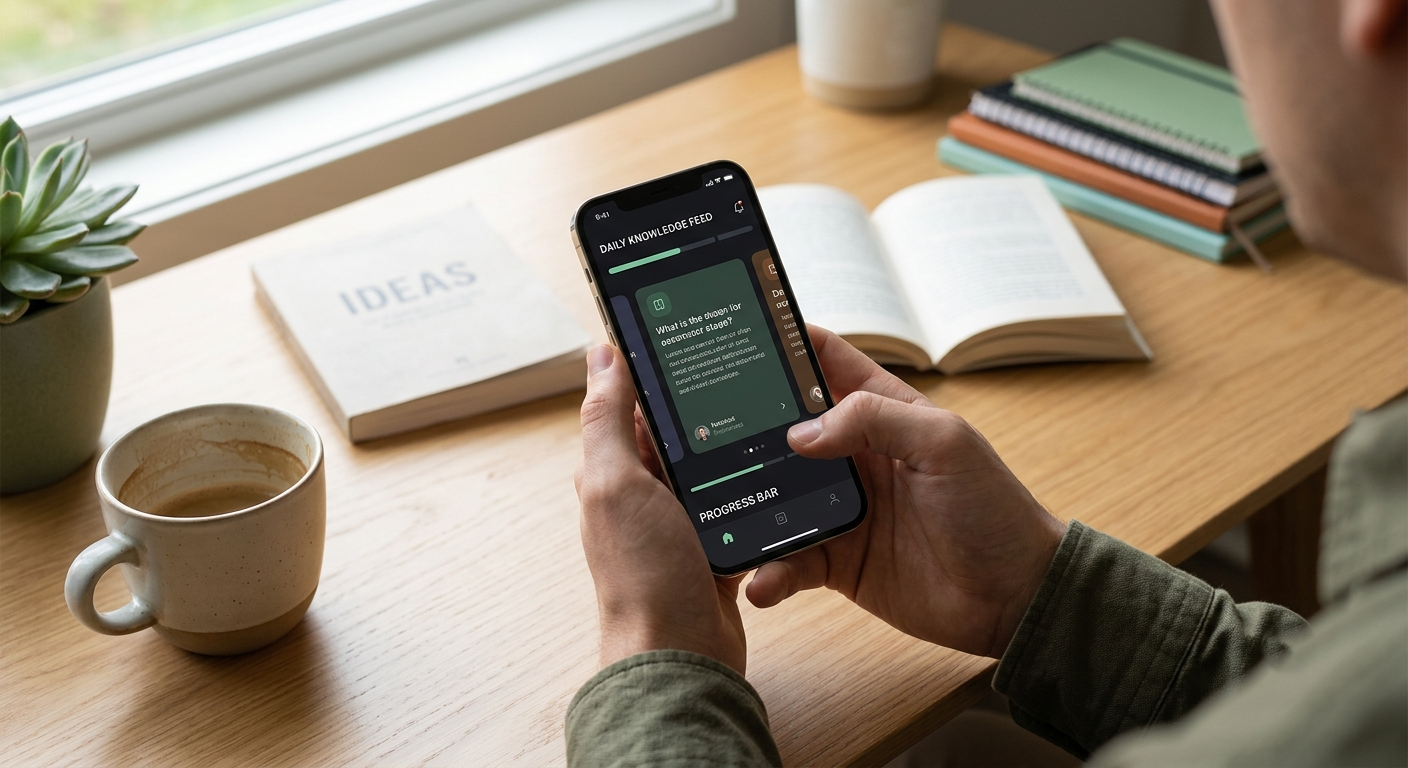

Fortunately, a growing movement toward smart scrolling offers a healthier alternative. By swapping passive entertainment algorithms for platforms engineered around micro-learning, curated knowledge, and interactive problem-solving, we can transform idle screen time into a powerful engine for personal growth.
Below, we detail ten outstanding productive alternatives to Instagram Reels, categorized by their learning format and core value proposition.
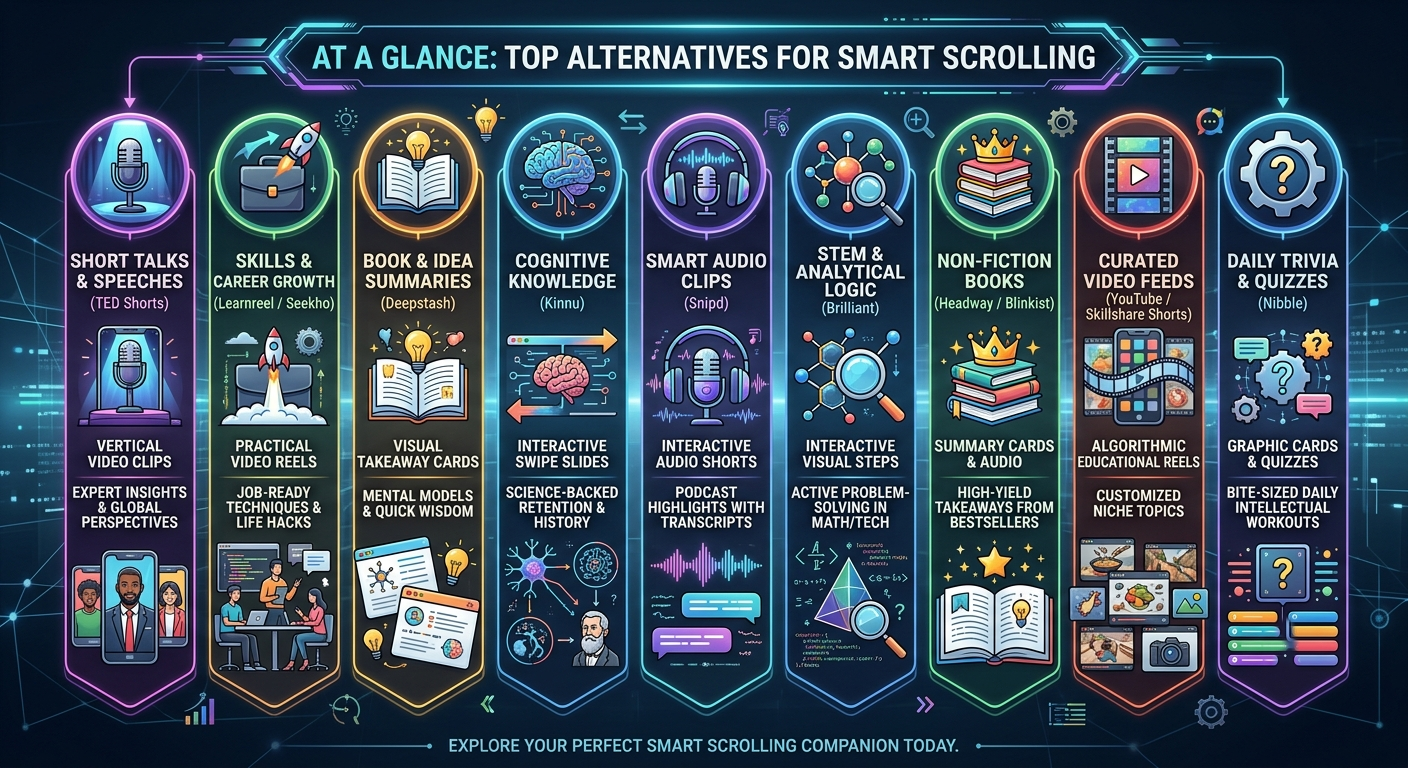
1. TED Shorts (Inside the Official TED App)
For decades, TED Talks have served as a gold standard for sharing transformative ideas across technology, science, psychology, and global culture. However, sitting down for a full 18-minute presentation is not always feasible when we only have a two-minute window between meetings or daily tasks.
To address this, the official TED mobile application introduced TED Shorts, a dedicated vertical video feed accessible right from the app’s main navigation bar.
-
The Format: Vertical, full-screen video shorts lasting between 60 to 90 seconds.
-
Why We Recommend It: Instead of relying on random user-generated content, TED Shorts utilizes intelligent curation to condense high-impact lectures into concise, actionable key points. We receive original insights directly from leading researchers, psychologists, and global pioneers without the fluff.
-
Best For: Viewers who love big ideas, motivational concepts, and thought-provoking science explained simply.
2. Learnreel
While general social platforms serve algorithm-driven entertainment, Learnreel was engineered specifically to function as an “educational TikTok”. It takes the addictive, vertical-swiping UI that our thumbs are accustomed to and pairs it exclusively with up-skilling content.
-
The Format: Short, vertical video reels focused on step-by-step instruction.
-
Why We Recommend It: Learnreel focuses heavily on practical knowledge. Rather than watching viral dances, we scroll through bite-sized lessons on digital marketing, graphic design, software tricks, career communication, and industry analysis taught by vetted professionals.
-
Best For: Professionals, creators, and students who want to turn passive scrolling into tangible career development.
3. Deepstash
If video scrolling causes visual overstimulation, Deepstash presents a refreshing, text-and-graphic-based solution. It replaces endless video feeds with a feed of bite-sized idea cards extracted from thousands of non-fiction books, podcasts, research papers, and articles.
-
The Format: Swipeable, color-coded visual cards featuring key takeaways, notable quotes, and practical mental models.
-
Why We Recommend It: Deepstash acts as a personal digital notebook. As we swipe through essential insights on productivity, finance, health, and human behavior, we can save individual cards directly into our personal library organized by topic. This transforms screen time into an organized knowledge vault.
-
Best For: Avid readers, note-takers, and anyone looking to absorb complex ideas quickly without watching videos.
4. Kinnu
Built upon established principles of cognitive science, Kinnu is an open-access learning platform designed explicitly as an antidote to doomscrolling. It structures vast fields of human knowledge into beautifully designed, map-based pathways.
-
The Format: Micro-learning visual slides, bite-sized readings, and instant interactive quizzes.
-
Why We Recommend It: Kinnu employs active recall and a proprietary Memory Shield technology backed by spaced repetition. Instead of passively skimming information that we quickly forget, the app prompts us with lightweight review questions that lock concepts into long-term memory. We can explore pathways in philosophy, ancient history, quantum physics, personal finance, or literature at our own pace.
-
Best For: Curious minds seeking structured, academic-grade general knowledge presented in simple, engaging modules.
5. Seekho / Master App
Micro-learning video platforms like Seekho (and similar skill-focused master applications) cater to users who prefer short, clear video tutorials focused on practical execution.
-
The Format: Short educational video reels and micro-courses.
-
Why We Recommend It: These platforms prioritize immediate utility. Rather than theoretical lectures, videos break down real-world digital tools, smart lifestyle hacks, money management principles, and software productivity tips into 1-to-3 minute clips. The outcome is immediate: we leave every scrolling session with a new skill or trick we can apply right away.
-
Best For: Non-technical users who want simple, direct, step-by-step video guidance for daily life and business tools.
6. Snipd
For individuals who absorb information better through listening than watching, Snipd revolutionizes how we interact with spoken content. It is an AI-powered podcast player designed to deliver bite-sized audio highlights from the world’s top educational shows.
-
The Format: Swipeable audio clips (typically 1 to 2 minutes long) paired with real-time synchronized transcripts.
-
Why We Recommend It: Full-length podcast episodes from experts like Andrew Huberman, Lex Fridman, or Tim Ferriss can stretch past three hours. Snipd uses artificial intelligence to automatically identify and extract the most informative moments into an audio reel. We can swipe through key audio snippets, read live transcripts, and export highlighted notes directly to digital notebooks like Notion or Readwise.
-
Best For: Audio-oriented learners and podcast enthusiasts who want high-value audio takeaways on the go.
7. Brilliant
While traditional scrolling is entirely passive, Brilliant turns screen time into an active, brain-building exercise. It reinvents complex subjects—such as data analysis, foundational math, computer science logic, and artificial intelligence—into bite-sized, interactive visual puzzles.
-
The Format: Card-by-card visual interactions and problem-solving steps.
-
Why We Recommend It: Brilliant removes technical jargon and heavy lectures, replacing them with intuitive, hands-on visual experiments. By interacting with objects on screen to solve small challenges, we build deep analytical intuition in 5-to-10-minute bursts.
-
Best For: Professionals, students, and curious individuals who want to hone their logic, critical thinking, and technical literacy without feeling overwhelmed.
8. Headway / Blinkist
If your reading list continues to grow without enough time to complete it, micro-reading applications like Headway and Blinkist bridge the gap. These apps condense global non-fiction bestsellers into short, digestible summary cards and audio summaries.
-
The Format: 15-minute text summary cards and short audio summaries designed for rapid flipping.
-
Why We Recommend It: Instead of spending weeks on a single book, we can swipe through core ideas, actionable guidelines, and key themes in just a few minutes. The visual presentation mimics social media story feeds, allowing us to finish an entire book summary during a quick commute or coffee break.
-
Best For: Busy individuals who want to stay informed on leadership, personal growth, psychology, and wellness literature.
9. Curated Educational Feeds (YouTube Shorts & Skillshare Shorts)
We do not always need to install entirely new applications to change our scrolling habits; sometimes, we simply need to train our existing algorithms. By using YouTube Shorts or Skillshare Shorts with deliberate intent, we can convert a mainstream feed into a curated learning channel.
-
The Format: High-definition vertical video reels within mainstream platforms.
-
Why We Recommend It: The algorithms powering video platforms react directly to our engagement. By aggressively purging low-value content (using options like “Don’t recommend channel”) and exclusively subscribing to elite educational creators—such as Veritasium, Kurzgesagt, TED-Ed, BBC Ideas, or SmarterEveryDay—our short-form video feed converts into a world-class educational stream.
-
Best For: Users who prefer keeping their existing app setup while strictly filtering out brain-drain content.
10. Nibble
Designed specifically to make self-improvement effortless and engaging, Nibble uses short graphic lessons and mini-quizzes to deliver daily mental exercises.
-
The Format: Vibrant graphic cards, quick quizzes, and interactive daily lessons.
-
Why We Recommend It: Nibble makes broad intellectual topics approachable. Whether learning how to understand abstract art, mastering basic statistical concepts, exploring philosophy, or understanding financial fundamentals, the app breaks down complex topics into clear visual steps. In just 5 minutes a day, we can replace mindless swiping with meaningful knowledge retention.
-
Best For: Anyone looking for light, colorful, and fun intellectual stimulation during short breaks throughout the day.
How to Successfully Transition to Smart Scrolling
Replacing deeply ingrained habits requires deliberate strategy rather than pure willpower. To ensure a smooth transition from passive social media scrolling to productive alternatives, we recommend implementing three straightforward steps:
-
Reorganize Your Home Screen: Place social media applications inside folders on secondary screen pages, and move your chosen micro-learning apps directly onto your primary home dock. Removing frictionless access breaks the automatic habit of tapping open social media apps.
-
Set Intentional Micro-Goals: Commit to replacing just one 10-minute scrolling session per day (such as your morning routine or evening wind-down) with a smart alternative like TED Shorts, Kinnu, or Nibble.
-
Curate and Prune Aggressively: If you choose to keep platforms like YouTube Shorts, treat your feed like a curated garden. Unsubscribe from rage-bait or empty entertainment, and actively seek out content that challenges, inspires, and educates you.
By shifting our perspective on mobile consumption, we can turn screen time from a passive time-sink into our most valuable daily asset for continuous self-improvement.

Selva Ganesh is a Computer Science Engineer, Android Developer, and Tech Enthusiast. As the Chief Editor of this blog, he brings over 10 years of experience in Android development and professional blogging. He has completed multiple courses under the Google News Initiative, enhancing his expertise in digital journalism and content accuracy. Selva also manages Android Infotech, a globally recognized platform known for its practical, solution-focused articles that help users resolve Android-related issues.




Leave a Reply