
Claim Free Google Cloud Credits with Google One– When we first upgraded our subscription to Google One AI Pro, our immediate focus was expanding cloud storage and accessing cutting-edge Gemini generative models. However, tucked inside the developer perks lies one of the most lucrative and underutilized developer benefits available today: $10 per month in Google Cloud credits. Over the course of a full year, this recurring allocation provides $120 in free cloud computing infrastructure. Whether we are hosting serverless containers on Cloud Run, running lightweight micro-instances on Compute Engine, querying datasets in BigQuery, or prototyping multi-modal workflows with Vertex AI, this monthly allocation offsets experimental costs entirely.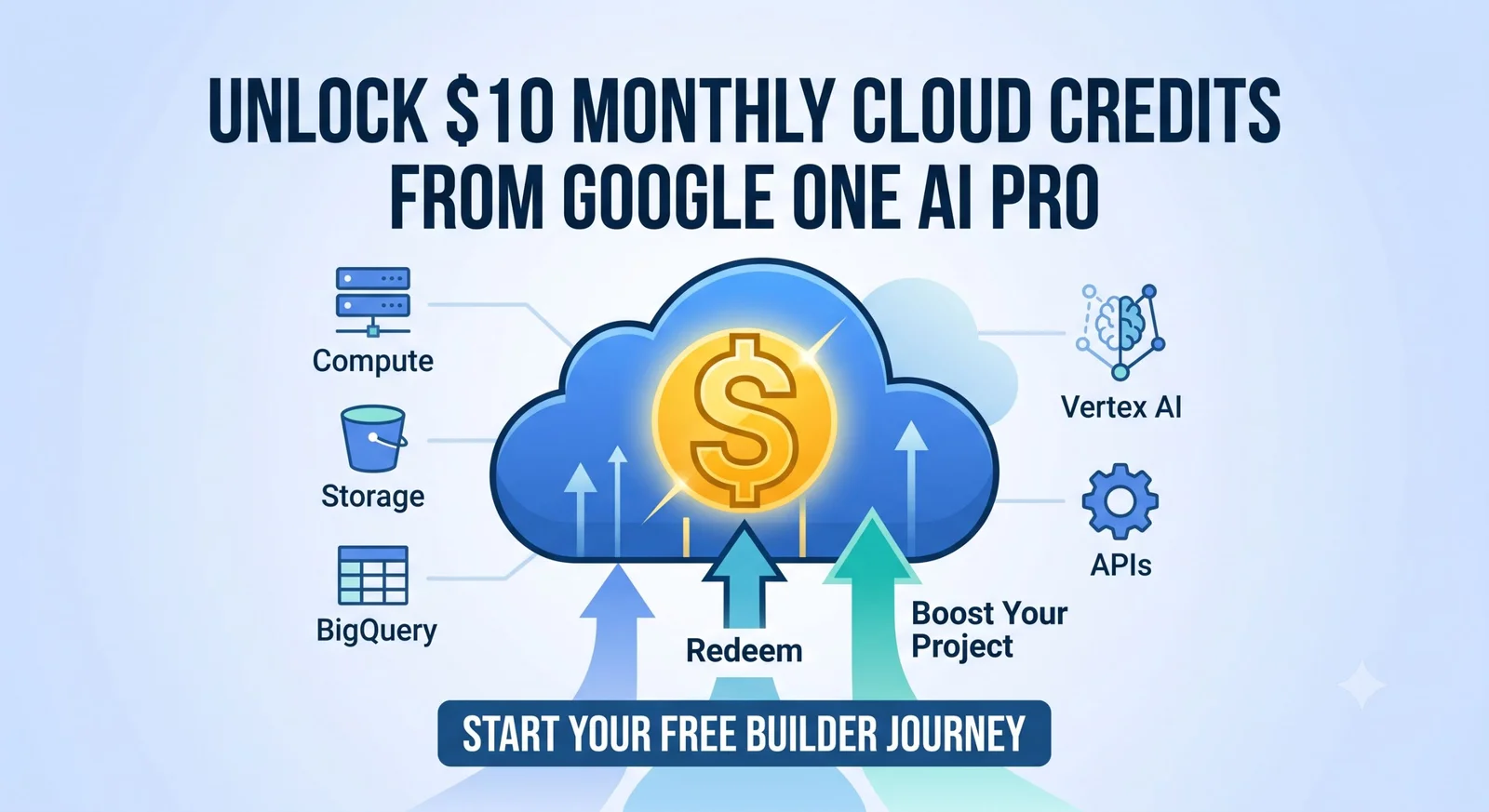
In this comprehensive guide, we walk through the exact, step-by-step journey of linking our accounts, accessing the Google Developer Program portal, and successfully applying our monthly cloud balance.

Understanding the Google One AI Pro Developer Benefit
Google unified its consumer AI ecosystem with its developer platform, creating an integrated pathway where qualifying subscription tiers unlock native engineering resources. When subscribing to Google One AI Pro (or higher enterprise tiers like AI Ultra), subscribers gain automated eligibility for premium perks managed through the Google Developer Program.
Key Highlights of the Benefit
-
Monthly Recurring Balance: We receive a $10 promotional credit coupon or direct billing deposit refreshed every billing cycle.
-
Eligible Services: Usable across the full Google Cloud Platform (GCP) suite, including Compute Engine, Cloud Functions, Firestore, Cloud Storage, and Vertex AI APIs.
-
Ecosystem Integration: Seamlessly attaches to our existing Google Cloud Billing Account ID.
-
Zero Additional Cost: Completely covered under the standard monthly Google One AI Pro subscription fee.
Prerequisites Before Redeeming Your Credits
Before initiating the redemption pipeline, we must ensure our workspace environment satisfies a few fundamental requirements:
-
Active Subscription: Confirm that your Google One AI Pro tier is active and not pending renewal or payment failure.
-
Standard Account Profile: The primary email address must be an individual personal Google Account (
@gmail.com) rather than a managed Google Workspace enterprise domain, unless your workspace administrator permits external developer perks. -
Google Cloud Billing Account: You must have an active GCP Billing Account initialized inside the Google Cloud Console. A valid credit or debit card is required by Google Cloud to establish an account, even if promotional credits cover all charges.
-
Developer Profile Initialization: An active profile on the official Google Developer Program Builders Hub.
Step-by-Step Walkthrough: Claiming the $10 Monthly Credit
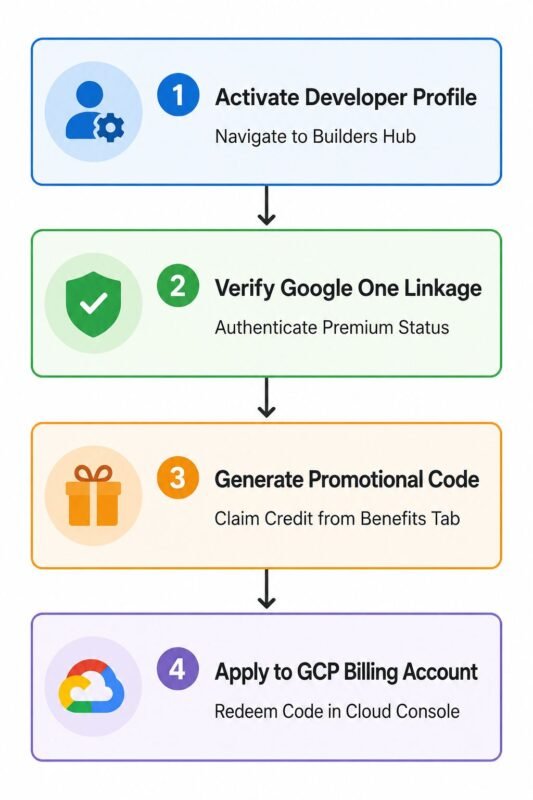
We have streamlined the entire retrieval process into four chronological phases to ensure zero friction during redemption.
Phase 1: Initialize Your Google Developer Profile
First, we navigate to the Google Developer Program Benefits Hub at-https://me.developers.google.com/benefits
-
Click Sign In using the exact Google Account that holds the Google One AI Pro membership.
-
Complete your onboarding profile details if you are visiting for the first time.
-
Join the Builders Hub to unlock the interactive dashboard.
Phase 2: Verify Your Premium Perk Status
Once logged in, the system automatically checks your active Google subscriptions across linked services.
-
Locate the Perks & Benefits section inside your dashboard.
-
Under the Cloud & AI Compute category, you will see the Google Cloud Monthly Credits banner tagged as Available with your Google One subscription.
-
If the perk appears locked, ensure you are signed out of secondary work accounts to prevent multi-session cookie conflicts.
Phase 3: Claim the Monthly Promotional Code
-
Click on the Claim Benefit or Get Code button under the $10 Cloud Credit card.
-
A popup modal will generate a unique alphanumeric GCP Promo Voucher Code or provide an instant Redeem URL.
-
Copy this code to your clipboard.
Phase 4: Apply the Voucher to Google Cloud Console
Now we must link the generated credit to our live cloud infrastructure billing profile:
-
Open the Google Cloud Console- https://console.cloud.google.com/billing.
-
Select the Billing Account associated with your target development projects.
-
On the left-hand navigation sidebar, click on Credits or navigate to Billing Overview -> Promotional Credits.
-
Click Redeem / Add Credit.
-
Paste your copied code into the field and confirm the submission.
-
The system will instantly reflect a +$10.00 Credit Balance applied directly against your active monthly compute usage.
Maximizing Your $10 Monthly Cloud Allocation
To make the absolute most of this recurrent credit, we structure our deployments around highly optimized architectures. Here is how we recommend allocating your $10 monthly credit:
By pairing this credit with the Google Cloud Always Free Tier (which already includes 1 e2-micro VM, 28 instance-hours per day of App Engine, and 1 TB of monthly BigQuery analysis), we can host production-ready full-stack applications with practically zero out-of-pocket operational overhead.
Troubleshooting Common Redemption Issues
1. The Benefit Does Not Appear on the Dashboard
If your benefits page displays an error stating no perks are available, verify whether you recently upgraded to Google One AI Pro. Billing state synchronizations across Google’s internal APIs can take up to 24 hours to propagate to the Developer Builders Hub.
2. Credit Code Fails to Apply in Cloud Console
If the promotional code shows an “Invalid or Expired” notice:
-
Ensure your Billing Account currency matches the region of your primary Google One subscription.
-
Check if your billing account already has an incompatible promotional voucher active simultaneously.
-
Verify that you have not already claimed that specific calendar month’s code.
3. Account Is a Secondary Family Plan Member
Google Developer perks attached to Google One are strictly allocated to the primary plan manager (account owner). If you are part of a Google One Family Group as an invited member, the developer tier benefits do not automatically cascade to secondary member IDs.
Frequently Asked Questions (FAQs)
1. Does the $10 Google Cloud credit rollover to the next month if unused?
No. Promotional developer credits issued under monthly plans expire at the end of their respective billing cycle or promotional duration. We recommend using them within the 30-day window.
2. Can I use these credits to pay for domain registrations on Google Domains or Cloud Domains?
No. Google Cloud promotional credits apply exclusively toward eligible compute, storage, API, and network egress charges on Google Cloud Platform. They cannot be applied to domain name registrations or third-party marketplace SaaS subscriptions.
3. Do I still need a credit card on file to use the credits?
Yes. Google Cloud requires a verified payment method attached to your Billing Account to activate resource provisioning and protect against service abuse.
4. Can I redeem the credit on multiple Google Cloud projects?
Yes. As long as your projects are linked to the central Billing Account where the credit code was applied, the $10 credit will automatically pool and offset aggregate costs across all attached projects.
5. What happens if my cloud usage exceeds the $10 credit limit?
Any charges exceeding the $10 promotional balance will be billed directly to your backup payment method on file at standard Google Cloud on-demand rates. We strongly suggest setting up Budget Alerts inside the Cloud Console at the $8.00 and $10.00 thresholds.
6. Is this benefit available on standard Google One 100GB, 200GB, or 2TB plans?
No. The monthly recurring developer cloud credits are restricted to the Google One AI Pro and higher premium developer tiers that integrate Google AI and developer program tooling.
7. Can I apply the credits to Vertex AI Gemini model calls?
Yes. Vertex AI consumption, including foundation model token processing fees, is categorized under standard cloud consumption and is fully eligible for credit offset.
8. How often can I claim the promotional code?
You can claim one new code every billing cycle (once per month) as long as your Google One AI Pro membership remains active.
9. Will my Google Cloud services stop running if my Google One subscription is cancelled?
Your services will not stop automatically. However, when your Google One subscription ends, new promotional credits will cease to generate. Any subsequent resource usage will be billed directly to your credit card.
10. Can I transfer my generated promotional code to another developer?
Promotional codes are bound by Google Developer Program terms of service and are intended solely for the authenticated account owner’s associated billing accounts. Attempting to resell or trade codes may violate terms of service.

Selva Ganesh is a Computer Science Engineer, Android Developer, and Tech Enthusiast. As the Chief Editor of this blog, he brings over 10 years of experience in Android development and professional blogging. He has completed multiple courses under the Google News Initiative, enhancing his expertise in digital journalism and content accuracy. Selva also manages Android Infotech, a globally recognized platform known for its practical, solution-focused articles that help users resolve Android-related issues.




This integration of consumer storage and developer credits is brilliant execution by Google. I am excited to build out my next project using these funds.
A hundred and twenty dollars a year in free infrastructure is a fantastic bonus. It proves that checking the developer perks page is always worth the time.
Discovering this benefit made my day much more productive. I am diving straight into Vertex AI prototyping with my new credits.
Using a recurring monthly credit for Cloud Run is a great way to handle hobby projects. I do not have to stress about idle resources costing me money.
Google One AI Pro keeps getting better the more you explore its hidden features. Free cloud credits make the monthly fee completely justifiable.
It is refreshing to read about a developer perk that actually works as advertised. I have already claimed my credits and set up my first test instance.
Multi-modal workflows require serious horsepower that adds up quickly on standard billing. These credits provide a nice cushion for R&D phases.
BigQuery testing is usually a financial minefield for solo developers. Having this monthly buffer lets me analyze my datasets with total peace of mind.
I had my doubts about the value of upgrading until I read this breakdown. Unlocking free cloud computing infrastructure seals the deal for me.
Lightweight micro-instances on Compute Engine fit right inside this monthly budget. It is wonderful to have a reliable sandbox environment at zero cost.
This is a brilliant incentive for developers who are already paying for cloud storage. I am going to max out every single dollar of this $120 benefit.