
What Is Changing for Your Smart Home
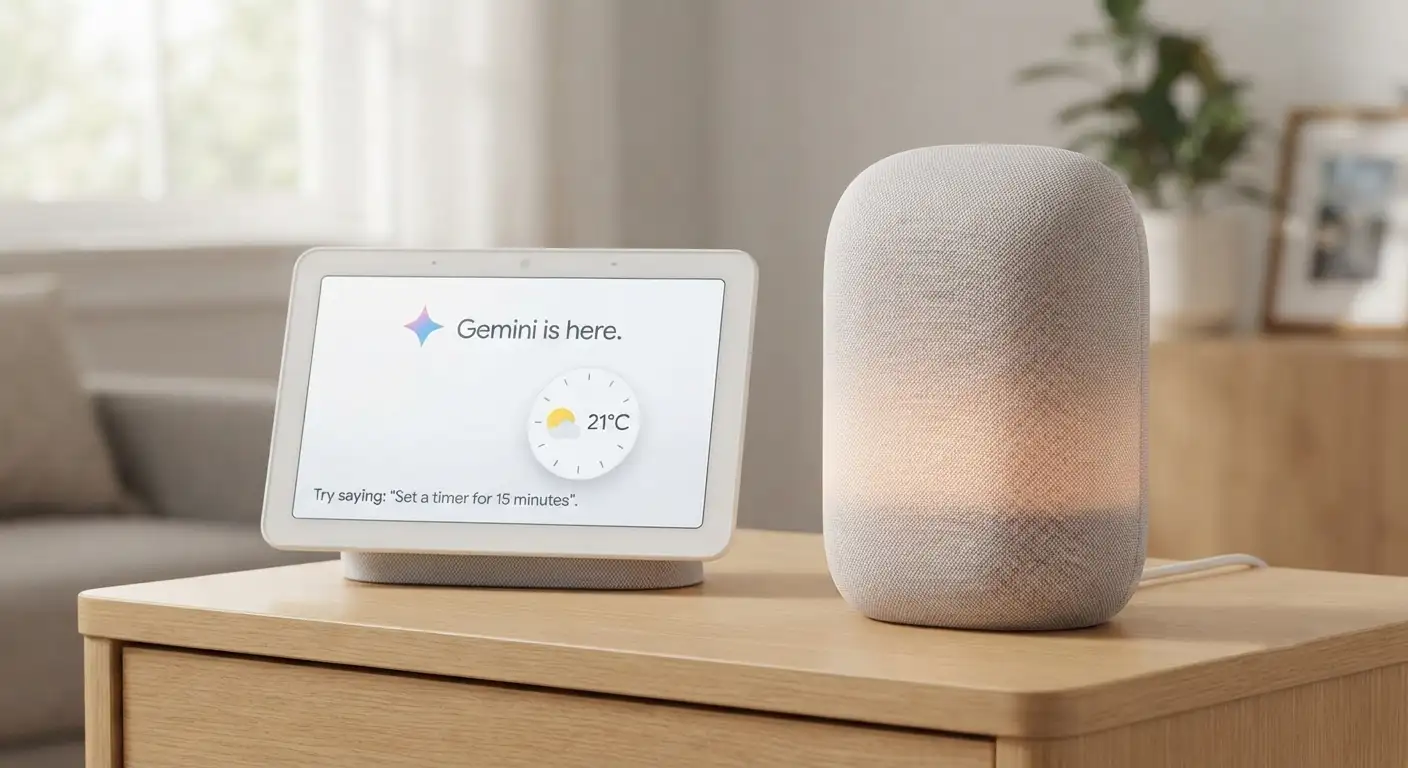
For years, Google Assistant acted as the voice behind smart speakers and screen-equipped displays. It handled straightforward requests well, such as playing a playlist, reading morning headlines, or turning off bedroom lamps. Over time, however, people wanted a helper that could follow multi-part thoughts, understand natural speech without stiff phrasing, and handle follow-up questions without forcing you to repeat yourself.
Gemini for Home is designed to step into that role. Instead of treating every spoken phrase like a rigid command, it is built to hold more natural back-and-forth conversations. If you pause mid-sentence, change your mind halfway through a request, or ask a follow-up question about something you just brought up, the upgraded voice experience handles it much more smoothly.

Key Dates to Keep on Your Calendar
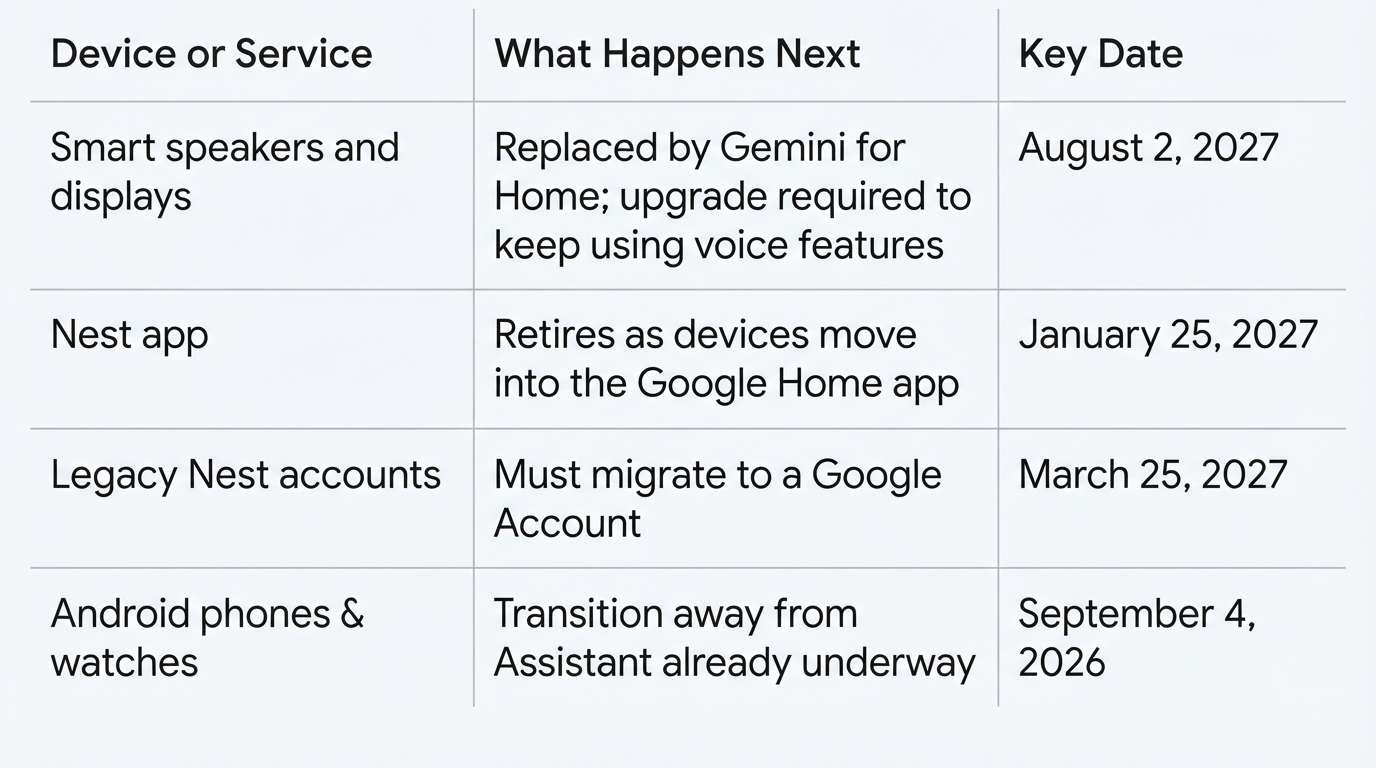
Google is rolling out the end of Google Assistant in stages rather than flipping a single switch across every product at once. Knowing the timeline helps you avoid surprises around your house:
-
September 4, 2026: Google began removing Google Assistant from Android phones, tablets, and Wear OS smartwatches, shifting mobile users toward Gemini.
-
January 25, 2027: The standalone Nest app is scheduled to shut down, with supported Nest cameras, doorbells, thermostats, and alarms moving over to the Google Home app.
-
March 25, 2027: Older Nest accounts created before August 2019 must be moved to a standard Google Account or risk deletion.
-
August 2, 2027: Google begins retiring Google Assistant on smart speakers and smart displays, with the rollout expected to take several weeks across users.
How Upgrading Works in Plain English
You do not have to wait until August 2027 if you want to try the new experience early. In supported regions, Google already lets households upgrade through the Google Home app on a phone or via home.google.com/gemini on a computer.
One of the simplest approaches is to watch for the upgrade prompt inside the Google Home app. When it appears, you tap to begin, review the privacy notices and terms, and pick your voice and response settings. If you dismiss that prompt or come back later, you can open the Google Home app, tap your profile picture or initial in the top-right corner, go to Home settings, and select the banner to get started.
In practice, we noticed that households often miss a crucial detail: upgrading applies to all compatible devices in your home, and once your home moves to Gemini for Home, Google states you cannot switch back to Google Assistant. Because the change is one-way, it makes sense to check how your family uses shared speakers before tapping confirm.
What Stays Free and What Costs Extra
For everyday home routines, Gemini for Home voice assistant is available at no additional cost. Basic tasks that most families rely on every day—such as controlling connected lights or plugs, playing music, setting timers and alarms, checking calendars or lists, and asking general questions—remain included without a subscription.
Some advanced features do require a paid Google Home Premium subscription. For instance, more conversational capabilities like Gemini Live and searching through camera video history sit behind Google Home Premium, which is also replacing Nest Aware (1st Gen) for existing subscribers.
Practical Tips Before You Switch
You do not need technical skills to prepare your home for the transition, just a few practical habits:
-
Save important video clips early: If you still use the Nest app or have manually saved custom video clips on home.nest.com, download any clips you want to keep before January 25, 2027, because custom saved clips do not automatically transfer along with standard video history into the Google Home app.
-
Check older speakers and displays: Supported Google and Nest speakers and displays—as well as third-party speakers built with Google Assistant—can move to Gemini for Home. Older hardware can handle most Gemini for Home features, though certain extras like Gemini Live are limited to newer capabilities.
-
Plan around shared routines: Since switching a home to Gemini for Home cannot be undone, make sure everyone in the house knows what to expect once the upgrade is completed.
Frequently Asked Questions
1. When will Google Assistant stop working on Google Home speakers and displays?
Google begins discontinuing Google Assistant on smart speakers and smart displays on August 2, 2027, with the rollout expected to take several weeks across accounts.
2. Will my smart speakers upgrade to Gemini automatically?
No. Upgrading requires you to accept the new experience and disclosures in the Google Home app or on the web, though once August 2, 2027 arrives, Assistant will stop responding until you complete the upgrade.
3. Do I have to buy new Google Home hardware?
No. Existing supported Google and Nest speakers and displays, along with compatible third-party Assistant speakers, can transition to Gemini for Home.
4. Is Gemini for Home free?
Yes, the core Gemini for Home voice assistant is free. Everyday actions like controlling smart devices, playing music, setting timers, and asking general questions do not require a paid plan.
5. What requires a Google Home Premium subscription?
Advanced features such as Gemini Live and searching past camera video history require a Google Home Premium subscription.
6. Can I switch back to Google Assistant after upgrading my home to Gemini?
No. Once a home upgrades to Gemini for Home, Google does not allow switching back to Google Assistant.
7. How do I start the upgrade on my phone or computer?
You can upgrade by tapping the prompt in the Google Home app—or opening Home settings from your profile icon—or by visiting home.google.com/gemini on a web browser.
8. What happens to the Nest app in 2027?
The Nest app shuts down on January 25, 2027, while supported Nest devices, settings, and video history move into the Google Home app.
9. What happens to saved Nest video clips when the Nest app closes?
Manually created custom video clips on home.nest.com do not automatically transfer to the Google Home app, so you should download them before January 25, 2027.
10. Does this affect Google TV or cars with Google built-in?
Google has not announced a shutdown date for Google Assistant on Google TV or cars with Google built-in, focusing the August 2, 2027 cutoff on speakers and smart displays.

Selva Ganesh is a Computer Science Engineer, Android Developer, and Tech Enthusiast. As the Chief Editor of this blog, he brings over 10 years of experience in Android development and professional blogging. He has completed multiple courses under the Google News Initiative, enhancing his expertise in digital journalism and content accuracy. Selva also manages Android Infotech, a globally recognized platform known for its practical, solution-focused articles that help users resolve Android-related issues.




Leave a Reply