
Use AI without the internet via Google AI Edge Eloquent – In the rapidly evolving landscape of artificial intelligence, the dependency on high-speed internet connections has long been a barrier to true digital autonomy. We are witnessing a monumental shift with the introduction of Google AI Edge Eloquent, a groundbreaking technology that brings the power of generative AI directly to your local device. By moving processing away from the cloud and onto the “edge”—your smartphone, laptop, or tablet—we are entering an era where privacy, speed, and offline accessibility are no longer luxuries, but standard features.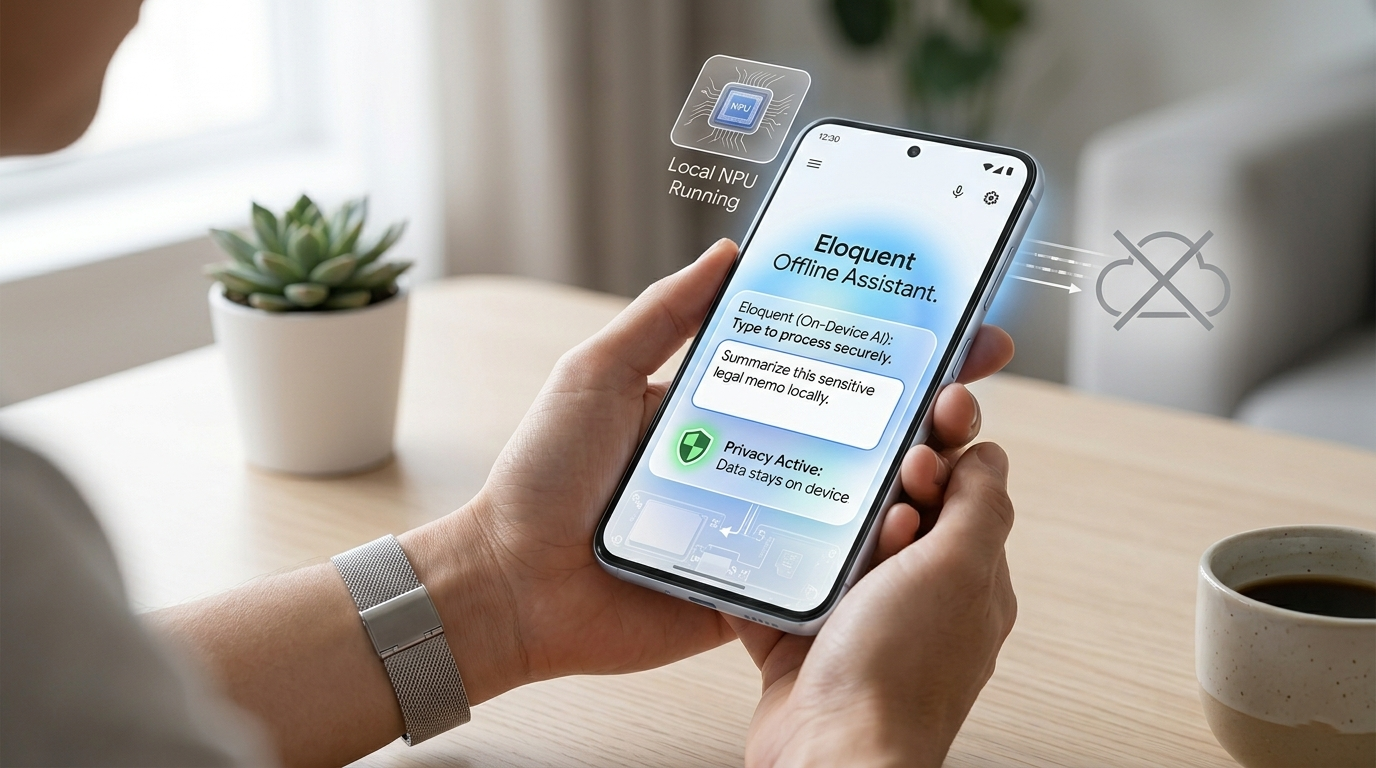
What is Google AI Edge Eloquent? A Simple Breakdown
For many users, the term “AI” is synonymous with platforms like ChatGPT or Gemini, which require a constant connection to massive data centers. However, Google AI Edge Eloquent changes this dynamic. It is a specialized framework that enables Large Language Models (LLMs) to run locally on your device.

When we talk about “Edge AI,” we mean your device’s ability to think and process information locally. Eloquent is the bridge that makes this possible for everyday users, ensuring that the AI is not only smart but also efficient enough to run without draining your battery or requiring a fiber-optic connection.
The Core Benefits of Offline AI for the Everyday User
Transitioning to an offline AI environment offers several transformative advantages that impact how we interact with technology daily.
1. Absolute Privacy and Data Security
When you use a traditional cloud-based AI, your prompts and data are sent over the internet to a server. With Google AI Edge Eloquent, your data never leaves your device. This is a game-changer for professionals handling sensitive documents, students writing private journals, or anyone concerned about their digital footprint. We believe that on-device processing is the ultimate solution for personal data sovereignty.
2. Elimination of Latency and Lag
We have all experienced the frustration of a “spinning wheel” while waiting for a cloud service to respond. Because Eloquent utilizes your device’s own processor (the NPU or GPU), the response time is near-instantaneous. There is no data traveling across the globe; the conversation happens entirely within your palms.
3. Seamless Productivity Without Connectivity
Whether you are on a long-haul flight, commuting through subway tunnels, or staying in a remote cabin, Google AI Edge Eloquent ensures your tools remain functional. We no longer have to worry about “dead zones” disrupting our creative workflows or analytical tasks.
How Google AI Edge Eloquent Works for Non-Techies
You do not need to be a software engineer to appreciate or use this technology. To understand how Eloquent functions, imagine a traditional AI as a massive library located in another city that you have to call every time you have a question. Google AI Edge Eloquent is like taking the most important books from that library and putting them on your personal bookshelf.
Google has used advanced compression techniques—often called quantization—to shrink these powerful AI models. This allows them to fit into the memory of a standard smartphone without losing their “intelligence.” The Eloquent framework acts as the librarian, quickly finding the information you need and presenting it in a natural, human-like language.
Practical Applications: What Can You Do Offline?
The versatility of on-device AI spans across various sectors. Here are some of the most impactful ways we can utilize Google AI Edge Eloquent today:
- Smart Text Composition: Draft emails, blog posts, or reports with an AI assistant that understands context and tone, even in airplane mode.
- Instant Summarization: Feed a long digital document into your device and receive a concise summary instantly, without uploading the file to a third-party server.
- Language Translation: Travel the world with a real-time translator that works in remote areas where roaming data is unavailable or expensive.
- Personalized Organization: Ask your AI to review your local notes and provide insights or reminders tailored to your specific habits and preferences.
Hardware Requirements: Can Your Device Handle It?
While Google AI Edge Eloquent is designed for efficiency, it requires modern hardware to operate at peak performance. In recent years, manufacturers have begun including AI Accelerators or Neural Processing Units (NPUs) in their chips.
If you own a recent flagship smartphone (such as a Google Pixel or a modern Samsung Galaxy) or a laptop with a dedicated AI chip, you are likely already equipped to handle Edge AI. These components are specifically built to perform the complex mathematical calculations required by machine learning without overheating the device or significantly impacting battery life.
Setting Up Google AI Edge Eloquent: A Step-by-Step Overview
For non-technical users, Eloquent implementation is becoming increasingly “plug-and-play.” Developers are integrating these models directly into the apps we use every day.
- Application Integration: Most users will encounter Eloquent through updated versions of their favorite productivity apps. Look for features labeled “On-Device AI” or “Offline Mode.”
- Model Downloading: To function offline, the app may request a one-time download of a “model pack.” This is the “brain” of the AI. Once downloaded, the internet is no longer required.
- Local Execution: Once the setup is complete, you can toggle off your Wi-Fi and continue to interact with the AI as if you were still connected to the world’s most powerful servers.
The Impact on Battery Life and Device Performance
A common concern we hear is whether running an LLM locally will destroy battery life. Fortunately, Google AI Edge Eloquent is optimized for low-power consumption.
By leveraging the NPU, the device performs AI tasks much more efficiently than a standard processor would. While you may notice a slight increase in energy usage during intensive tasks, the impact on standard text generation and summarization is minimal. This optimization is what sets Eloquent apart from previous attempts at mobile AI.
Why This Matters for the Future of Technology
We are standing at a crossroads in the history of computing. For the last decade, the trend has been to move everything to the “Cloud.” However, Google AI Edge Eloquent represents a necessary correction toward decentralization.
By empowering devices to think locally, we are making technology more resilient. We are reducing the carbon footprint of massive data centers and minimizing strain on global internet infrastructure. Most importantly, we are putting the power of advanced intelligence back into the hands of the individual user.
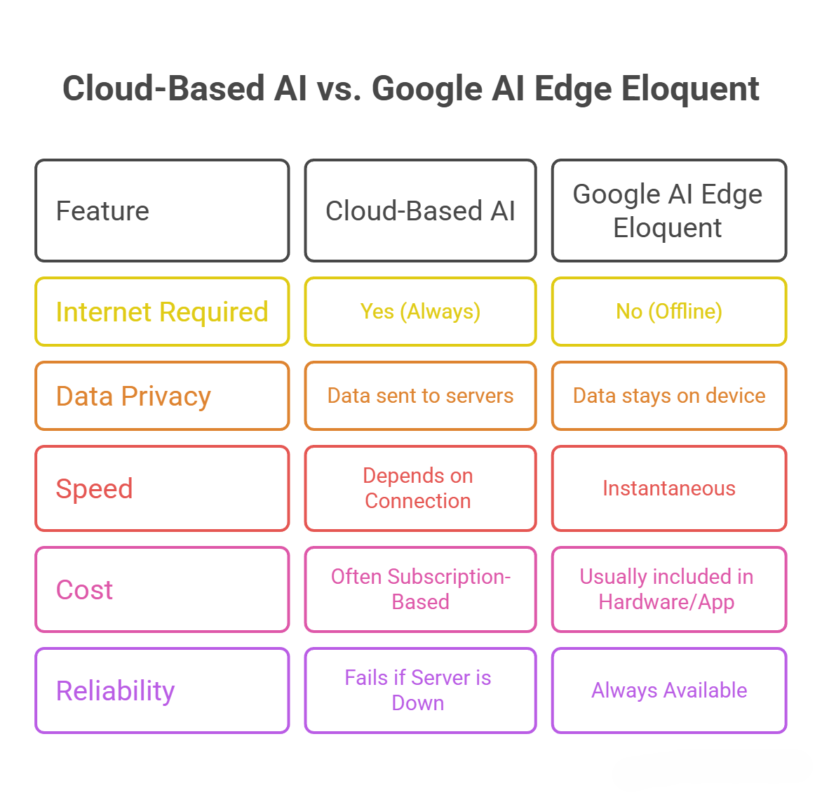
Comparison: Cloud AI vs. Google AI Edge Eloquent
Final Thoughts: Embracing the Offline AI Revolution
As we look toward the future, the integration of Google AI Edge Eloquent into our daily lives marks a significant milestone. It bridges the gap between high-level computational power and the practical needs of the everyday consumer.
Whether you are a student, a professional, or someone who simply values their privacy, the ability to use AI without the internet is a massive leap forward. We encourage everyone to explore the capabilities of their modern devices and embrace the freedom that Eloquent provides. The era of the “always-on” requirement is fading, replaced by a smarter, faster, and more private way to work and create.
By focusing on local processing, user-centric design, and hardware optimization, Google is not just releasing a tool; they are redefining our relationship with our devices. It is time to experience eloquent communication, powered by AI, wherever you are.

Selva Ganesh is a Computer Science Engineer, Android Developer, and Tech Enthusiast. As the Chief Editor of this blog, he brings over 10 years of experience in Android development and professional blogging. He has completed multiple courses under the Google News Initiative, enhancing his expertise in digital journalism and content accuracy. Selva also manages Android Infotech, a globally recognized platform known for its practical, solution-focused articles that help users resolve Android-related issues.




Leave a Reply