
How to Create a Sub-Group in a WhatsApp Group – Managing digital communications can easily turn into organized chaos. Whether we are coordinating a large family reunion, overseeing multiple project tracks at work, or managing a neighborhood watch, large group chats often become overwhelming. Important updates get buried under hundreds of casual messages, and members quickly experience notification fatigue.
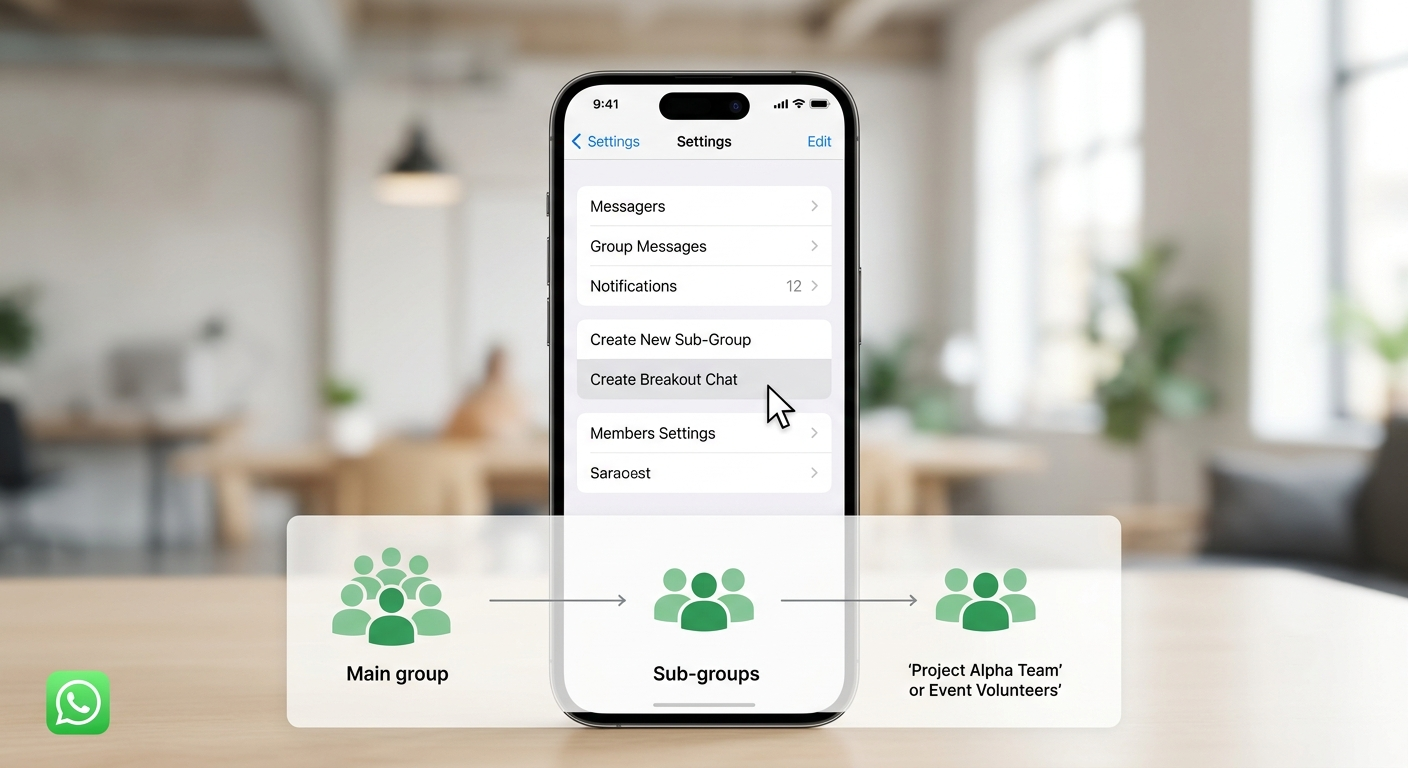

Fortunately, WhatsApp has introduced simple solutions to solve group chat clutter. With modern updates, we can now split large groups into focused smaller conversations in just a few taps.
In this comprehensive guide, we will walk through how to create sub-groups from existing WhatsApp chats, set up WhatsApp Communities for ultimate structure, and master these features without needing any technical background.
What is a Sub-Group in WhatsApp?
A sub-group is a smaller, focused group chat created using members from an existing, larger group. Instead of clogging the main chat with discussions that only interest a few people, we can break off into dedicated side chats.
Think of a primary WhatsApp group as a large conference room where everyone is listening to one speaker. A sub-group is like stepping into a breakout room next door to discuss a specific assignment before returning to the main room.
Historically, building a smaller group required searching through contact lists and manually adding each person one by one. WhatsApp’s streamlined features allow us to create a new group directly from an active chat screen in seconds.
Method 1: The One-Tap Quick Sub-Group Creation (Inside Existing Groups)
WhatsApp introduced a One-Tap Chat Creation feature that makes spinning off sub-groups instant and intuitive. This eliminates the tedious process of searching through contact lists and adding participants manually.
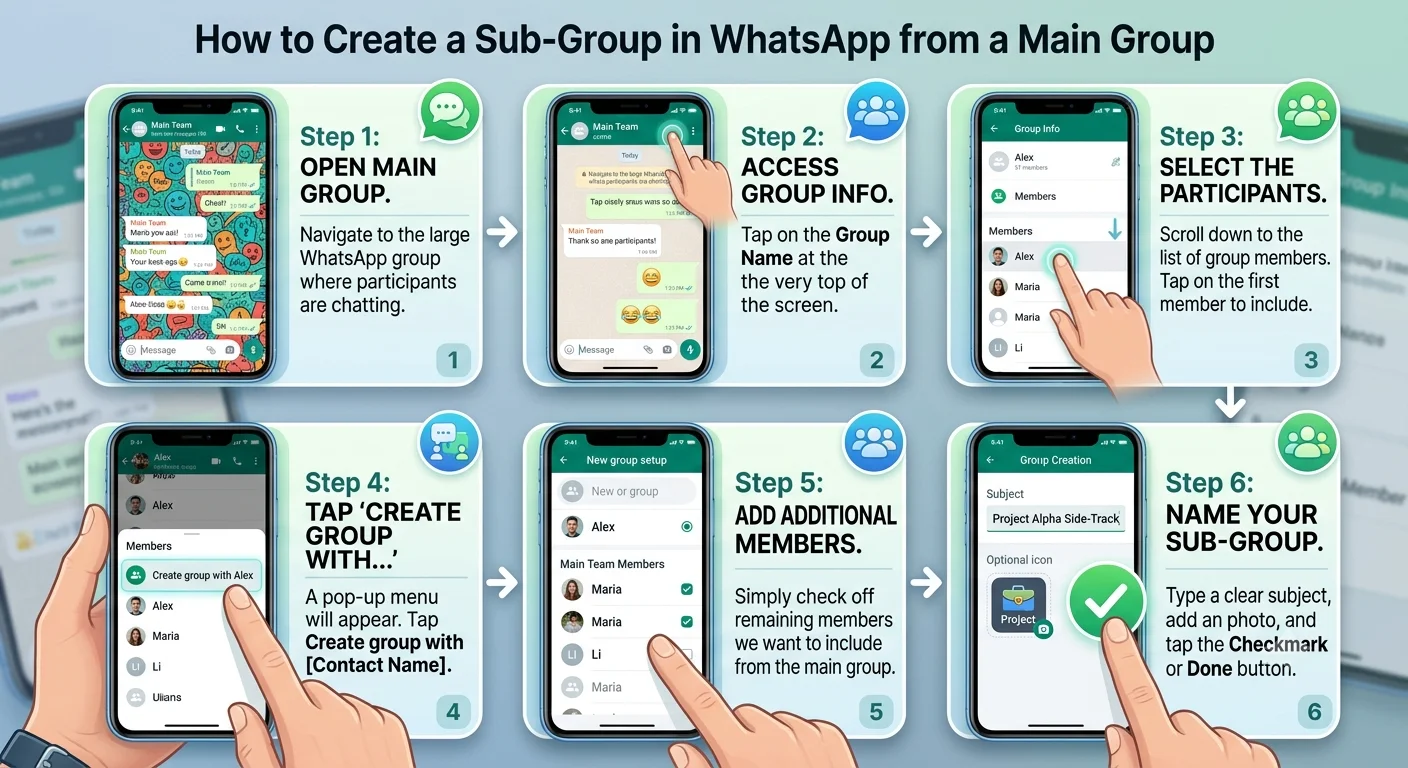
Your new sub-group is immediately active, and selected members will receive an invitation to chat without disrupting the main group thread.
Method 2: Creating Sub-Groups Using WhatsApp Communities
When we need a permanent umbrella structure for multiple related groups—such as a school with different grade levels, a company with different departments, or a apartment complex with different committee tracks—the WhatsApp Communities feature is the ultimate tool.
Communities act as a master folder where we can group up to 100 individual group chats under one overarching name, complete with a central Announcement Channel.
Step 1: Create a New Community
-
On Android: Tap the Community icon (looks like three people silhouettes) at the top or bottom of the main chats tab, then tap New Community.
-
On iPhone: Tap the Communities tab at the bottom of the screen, then tap New Community.
-
Enter a Community Name, a short description explaining its purpose, and upload an icon image.
Step 2: Add Existing Groups or Create New Sub-Groups
-
Once the Community is created, tap Add Group.
-
We can choose Create New Group to immediately build fresh sub-groups for specific topics.
-
Alternatively, select Add Existing Groups to bring your pre-existing team chats into the single organized umbrella.
Key Scenarios: When Should We Use Sub-Groups?
Knowing when to create a sub-group helps preserve communication clarity and respects everyone’s time. Here are the most common real-world use cases:
-
Managing Project Tracks: When a master project group contains designers, writers, and developers, creating sub-groups allows technical teams to hash out details without spamming the entire team.
-
Planning Surprise Events: Organizing a birthday present or retirement party for someone inside the primary family or office group requires a side channel to keep secrets safe.
-
Specialized Logistics: On group trips, creating sub-groups for side activities—like a golf outing or a spa day—keeps itinerary discussions relevant only to those participating.
-
Committee Tasks: In sports clubs or neighborhood associations, sub-groups allow event planners, treasurers, and equipment managers to work in parallel.
Sub-Group Best Practices for Group Administrators
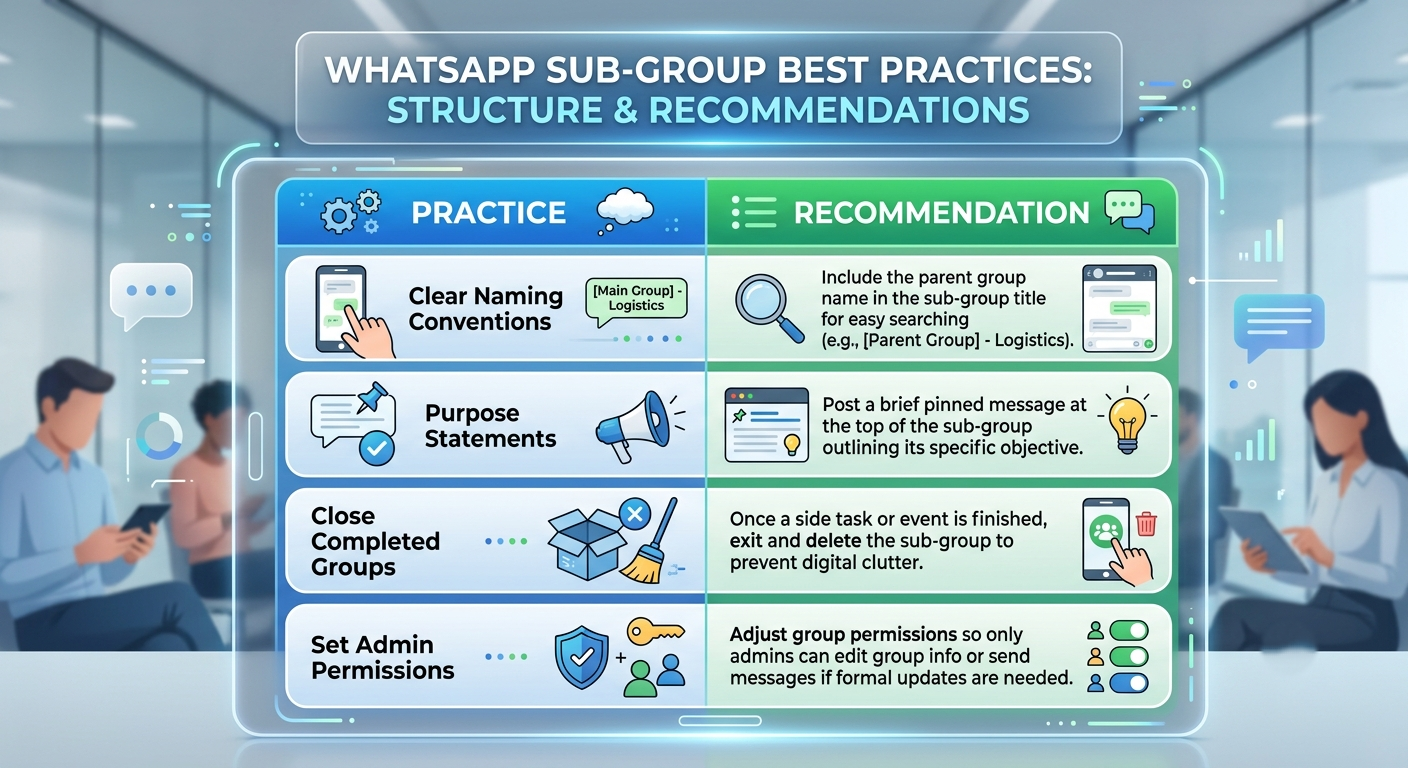
To keep sub-groups functional and enjoyable for all participants, we recommend following a few basic administrative practices:
Frequently Asked Questions
Will members of the main group know a sub-group was created?
No. Creating a sub-group using the quick-creation method or standard group setup only alerts the specific contacts who are added to the new sub-group. Members of the main group who are not invited will not see or receive notifications about the sub-group.
Do we need to be a group admin to create a sub-group?
To use the One-Tap Chat Creation method from a member list, you do not need to be an admin of the original group. Any member can start a new side conversation with other members. However, to add existing groups to a WhatsApp Community, you must be a Community Admin.
How many members can we add to a WhatsApp sub-group?
Standard WhatsApp groups and sub-groups support up to 1,024 members, making them suitable for both small task forces and large organizational branches.

Selva Ganesh is a Computer Science Engineer, Android Developer, and Tech Enthusiast. As the Chief Editor of this blog, he brings over 10 years of experience in Android development and professional blogging. He has completed multiple courses under the Google News Initiative, enhancing his expertise in digital journalism and content accuracy. Selva also manages Android Infotech, a globally recognized platform known for its practical, solution-focused articles that help users resolve Android-related issues.





This is a helpful tip for anyone who manages active WhatsApp groups. Separating conversations by purpose could make notifications much more manageable.
Keeping project conversations organized is important when many people are involved. This guide gives a clear explanation of how focused discussions can help.
The article offers a useful solution for people dealing with crowded chats. I like that it focuses on making communication more efficient.
I found the examples particularly helpful for understanding the use cases. This could be a good way to manage different conversations without losing context.
Too many unrelated messages can make group chats difficult to use. The organization approach described here sounds practical and easy to apply.
The article helped me understand why smaller discussion groups can be useful. It is a simple concept that could improve communication in large communities.
This guide explains a common WhatsApp problem in a very relatable way. I can imagine using this approach for planning family or community activities.
Managing large chats can quickly become overwhelming. The sub-group idea seems useful for keeping specific discussions separate and focused.
I like the idea of reducing clutter without losing the main group. This article provides a useful perspective on keeping digital communication organized.
The examples are simple enough to understand without technical knowledge. This looks like a practical option for managing busy group conversations.
The notification problem described here is something many WhatsApp users experience. A more organized group structure could make a noticeable difference.
This could be very useful for groups with different teams or topics. Keeping related members together should make discussions easier to follow.
I appreciate how the article connects the feature with everyday communication problems. The explanation gives a clear reason to use a more organized chat structure.
The article highlights a real issue with large WhatsApp communities. I can see this being useful for separating project discussions from general messages.
Important messages often disappear quickly in busy chats. This approach seems like a sensible way to keep discussions more relevant.
The concept makes sense for large teams and family groups alike. I found the article useful for understanding how conversations can be organized better.
This is a helpful guide for people who coordinate events through WhatsApp. It could make planning conversations easier to manage.
The discussion about notification fatigue caught my attention. Smaller focused conversations could make large groups much less distracting.
I like the idea of keeping different conversations more focused. This would be particularly useful when a single group has many ongoing topics.
This article gives a practical solution to a problem many group admins face. I appreciate that the explanation does not make the process sound complicated.