
How Google Find Hub Works Without a Tracker Tag – Losing an expensive device like a smartphone, smartwatch, or wireless earbuds is frustrating and stressful. Many users believe that keeping tabs on lost belongings requires buying physical Bluetooth tracker tags to stick onto every item. Fortunately, Google Find Hub (formerly known as Find My Device) eliminates that requirement for your primary electronics.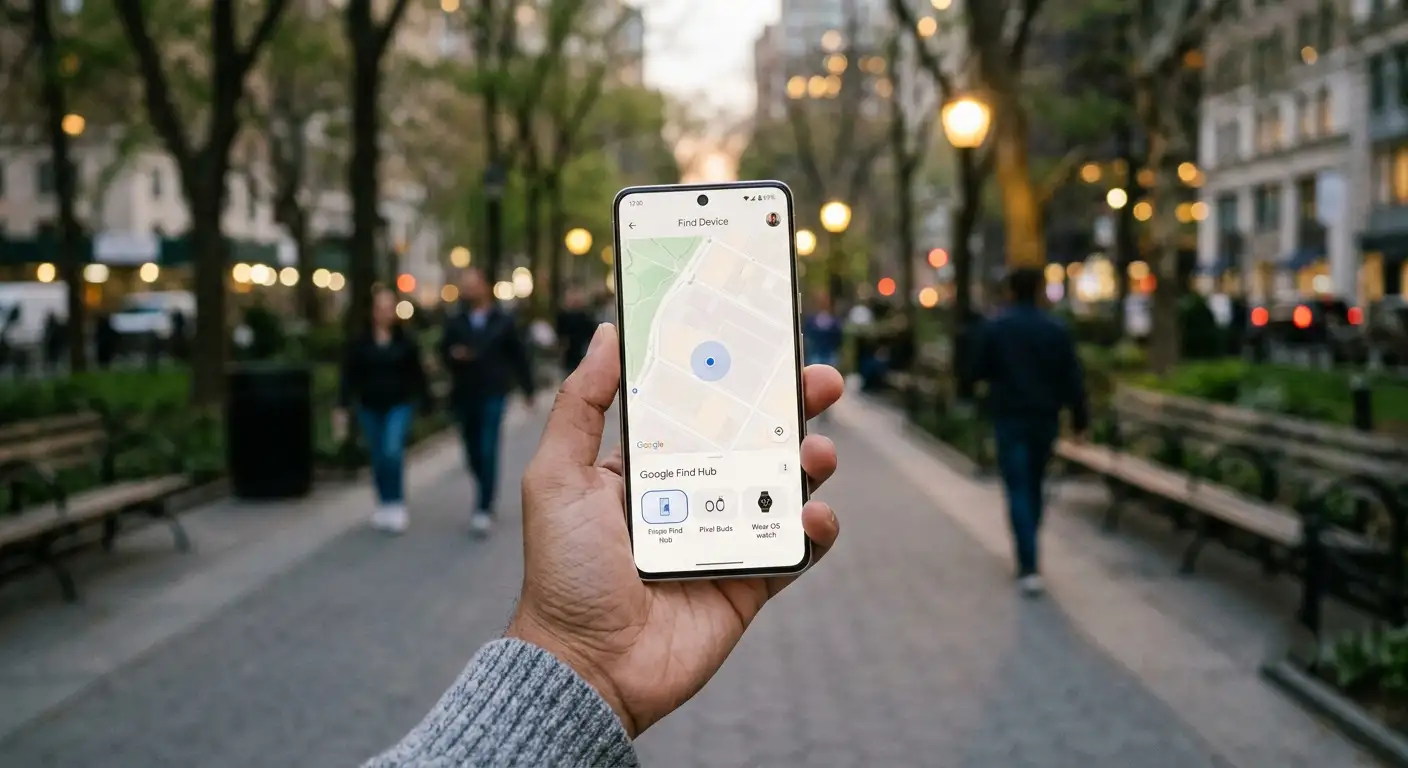
Because Google Find Hub is deeply integrated into the Android operating system, it turns your devices into their own location beacons. We have put together this clear, non-technical guide to explain how Google Find Hub works without a physical tracker, what types of electronics you can locate out of the box, and how its security settings keep your personal data completely private.

What Devices Can You Locate Without Extra Hardware?
You do not need to buy secondary physical tags to keep your primary technology safe. Google Find Hub connects straight to your Google Account, allowing us to manage and monitor a wide variety of hardware right out of the box.
-
Android Smartphones & Tablets: Any phone or tablet running modern Android software connects natively to the location service.
-
Wear OS Smartwatches: Smartwatches connected to your primary profile report their positions on the map.
-
Fast Pair Bluetooth Earbuds & Headphones: Audio gear linked through Google Fast Pair—such as Pixel Buds, Galaxy Buds, and Sony headphones—can be tracked when turned on or within range.
-
Chromebooks & Connected Accessories: Supported laptops and native Android accessories linked to your account display their location coordinates directly inside the app.
The 4 Core Technologies Behind Tagless Tracking
To locate your gear without external accessories, Google Find Hub coordinates four core technologies built directly into your device’s internal components and software.
1. Live Online Tracking (GPS & Internet Connection)
When your device is powered on and connected to a Wi-Fi network or mobile data plan, finding it is straightforward. Google Find Hub reads incoming data from:
-
Built-in GPS chips for pin-point outdoor location tracking.
-
Cellular tower connections to calculate approximate location zones.
-
Wi-Fi networks to establish reliable indoor positions.
The app places an active icon on your visual map, updating the device’s location in real time as long as an active internet connection remains available.
2. The Crowdsourced Offline Mesh Network (Bluetooth Detection)
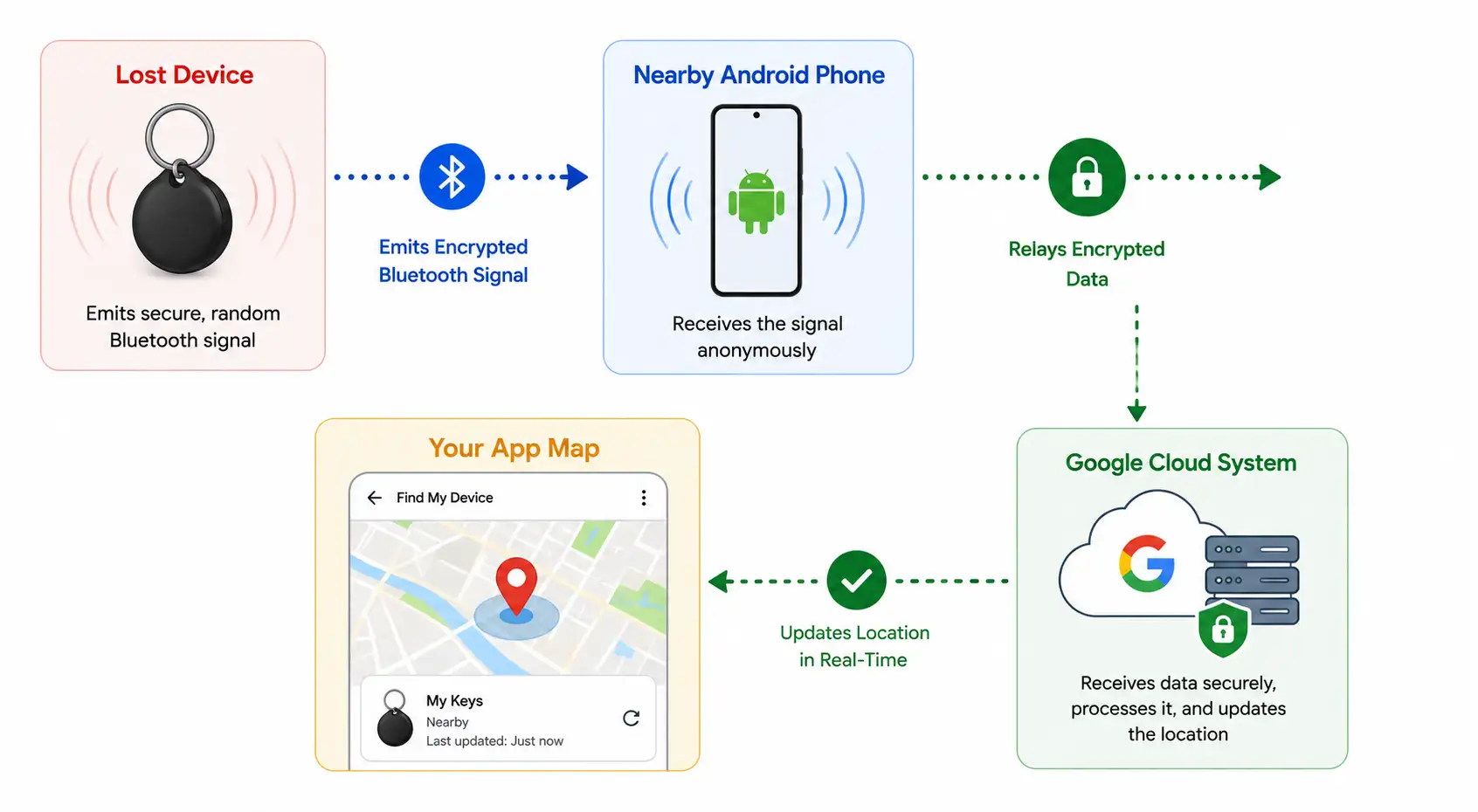
What happens if your phone drops its internet connection, or if your wireless earbuds are lost inside their charging case? Google Find Hub switches to its crowdsourced offline mesh network.
-
Silent Bluetooth Beacons: The missing item broadcasts low-energy, encrypted Bluetooth signals continuously.
-
Passerby Detection: When any participating Android phone out of the billions worldwide walks within Bluetooth range of your missing device, it detects the signal automatically.
-
Encrypted Relays: The passerby’s phone safely uploads the location coordinates to the cloud, allowing your map to update.
-
Complete Anonymity: Neither you, Google, nor the person walking by can see who owns the detecting phone. The data stays end-to-end encrypted from end to end.
3. Powered-Off Finding (Reserve Battery Beacons)
Historically, turning a phone off or letting its battery die completely cut off all tracking. Select modern devices—such as the Pixel 8 series and newer flagship phones—include specialized hardware channels.
These devices reserve a tiny fraction of battery power even after shutting down. This allows internal chipsets to broadcast Bluetooth beacons for several hours post-power-off, keeping the offline mesh network active even when the screen is completely black.
4. Proximity Tools & Audio Alerts
Once Google Find Hub guides you back to the right physical area, finding the item in a room or couch cushion becomes easier through built-in proximity tools:
-
Play Sound Commands: Force your device to ring at maximum volume for up to 5 minutes, overriding any Silent or Do Not Disturb settings.
-
Visual Proximity Rings: Use the “Find Nearby” radar interface inside the app, which fills in on-screen as you walk closer to the hidden object.
Built-In Remote Security Tools for Lost or Stolen Devices
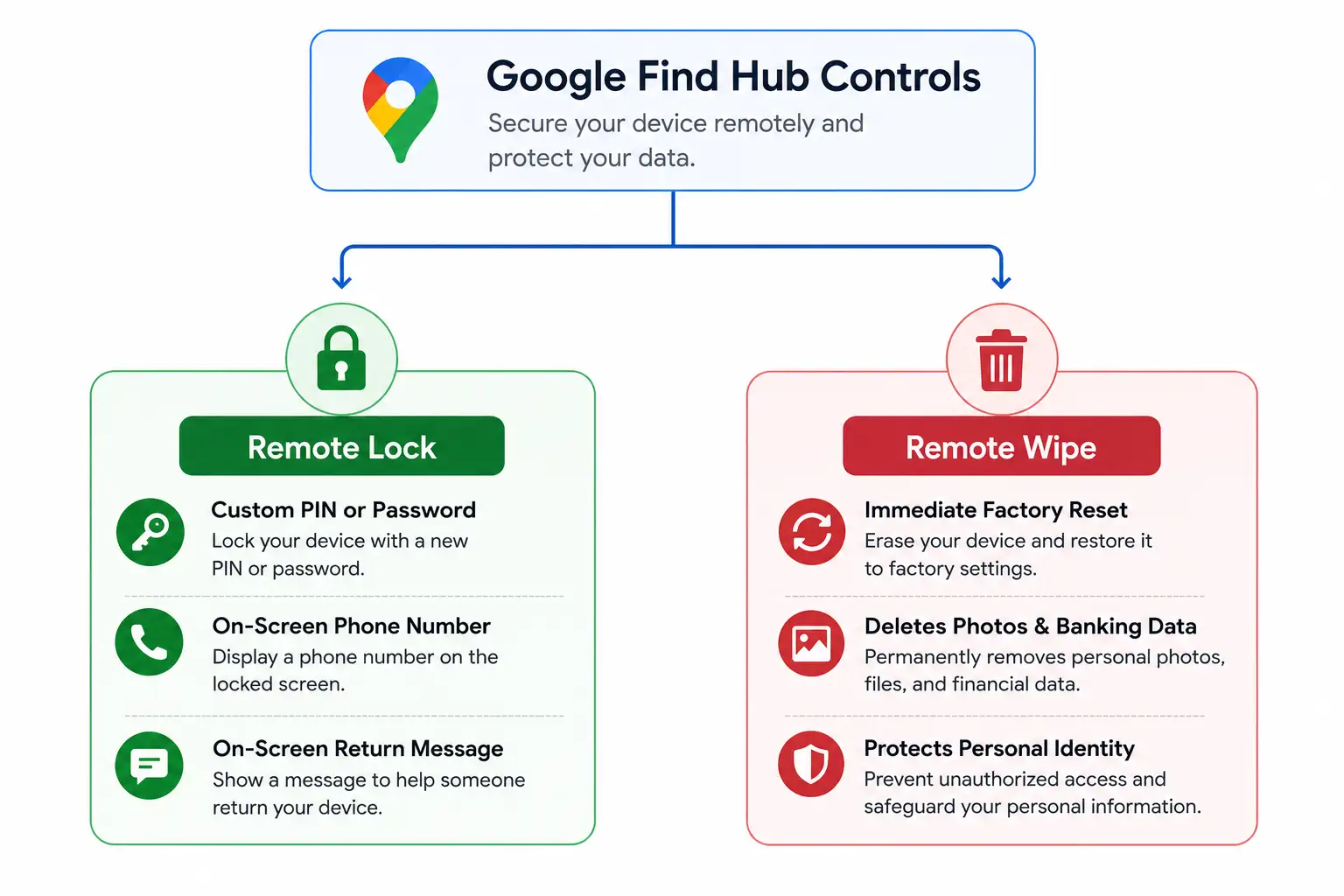
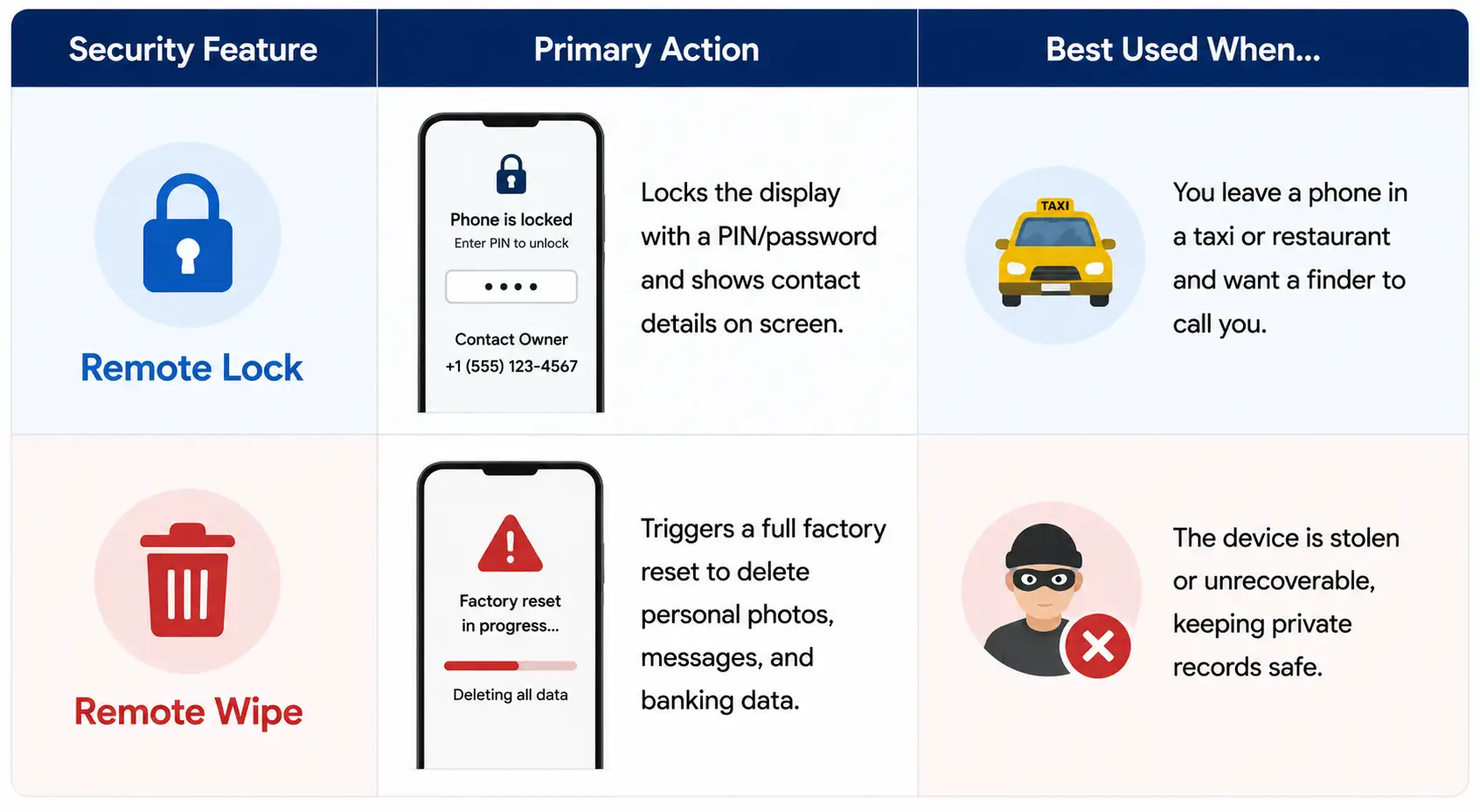
When a device is stolen or permanently lost, Google Find Hub acts as a remote control center over the internet to protect sensitive personal details.
Simple Steps to Enable Google Find Hub on Your Device
Setting up your account takes under a minute, ensuring your hardware remains findable at all times.
-
Open Settings on your Android device.
-
Tap Google (or Google All Services) and select Find Hub.
-
Toggle Allow device to be located to the On position.
-
Select Find your offline devices and set your preferred network participation levels (such as With network in all areas or With network in high-traffic areas only).
-
Ensure system-wide Location Services are active under your main security menu.
Why You Don’t Need an Extra Physical Tag
While physical tracker tags work well for non-electronic items like car keys, luggage, or wallets, buying extra tags for phones, tablets, and smartwatches is unnecessary.
By combining GPS signals, Bluetooth technology, and end-to-end encrypted crowdsourced detection, Google Find Hub protects everyday hardware seamlessly. Turning on built-in location options ensures your devices remain tracked, recoverable, and secure wherever you go.

Selva Ganesh is a Computer Science Engineer, Android Developer, and Tech Enthusiast. As the Chief Editor of this blog, he brings over 10 years of experience in Android development and professional blogging. He has completed multiple courses under the Google News Initiative, enhancing his expertise in digital journalism and content accuracy. Selva also manages Android Infotech, a globally recognized platform known for its practical, solution-focused articles that help users resolve Android-related issues.




Leave a Reply