
Sony PSN Up Again– The PlayStation Network (PSN) is the lifeblood of the modern gaming experience, connecting millions of players to digital storefronts, multiplayer arenas, and social ecosystems. When this infrastructure falters, the impact is felt globally, silencing party chats and locking digital libraries. On Saturday, March 21, 2026, gamers worldwide faced exactly this scenario as a massive PSN outage disrupted services for several hours.
In this detailed report, we examine the timeline of events, the specific services affected, the technical implications for PS5 and PS4 users, and the steps taken toward full restoration.

The Anatomy of the Outage: What Went Wrong?
The disruption began as a localized spike in connectivity errors but quickly escalated into a global network failure. Unlike minor maintenance windows, this event compromised the core authentication servers of the PlayStation Network.
Affected Services and Player Impact
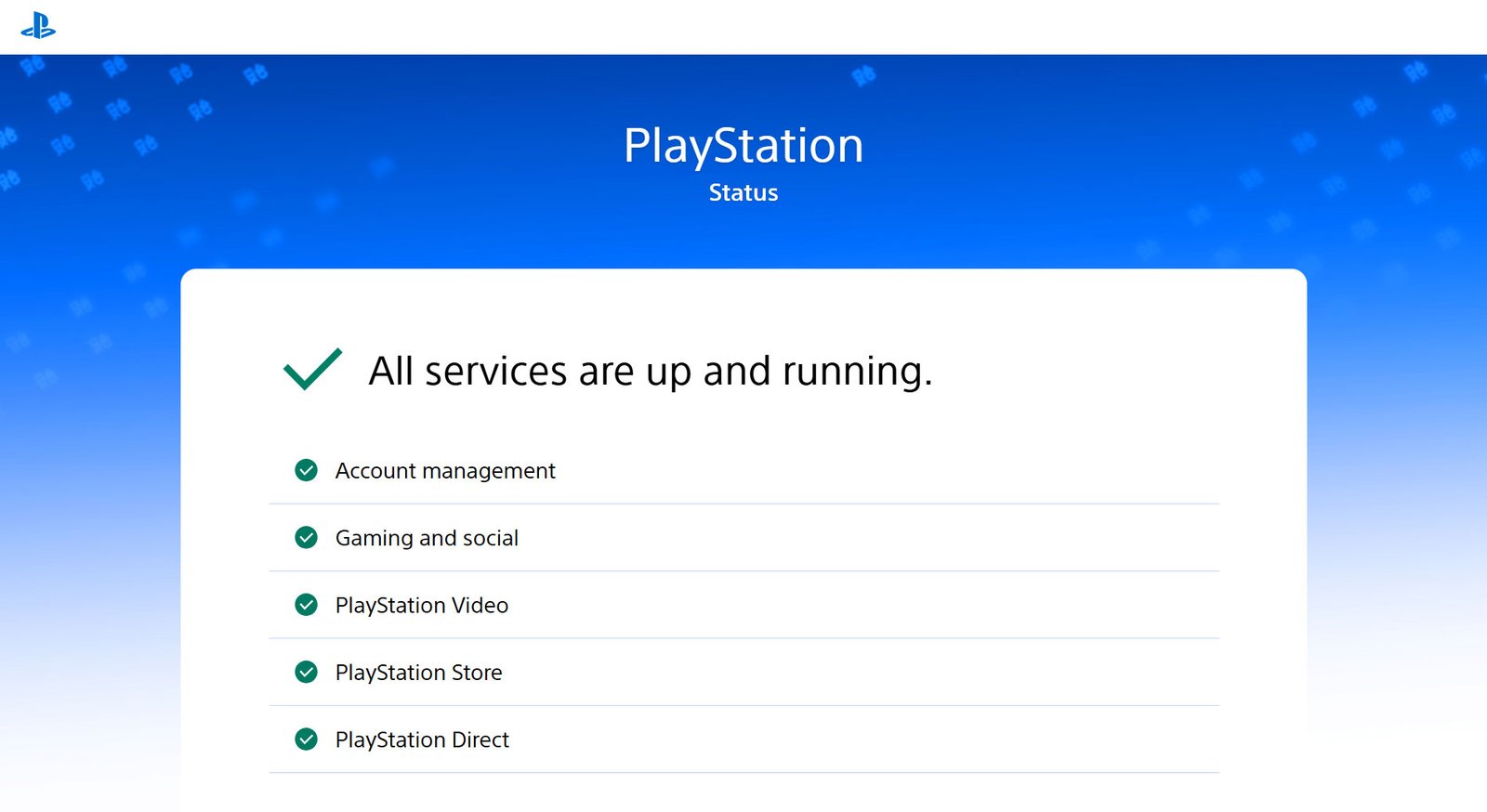
During the peak of the outage, virtually every online-dependent feature was rendered inaccessible. We observed that the following services were most severely impacted:
- Account Management & Sign-in: Users were unable to log into their PSN profiles, preventing access to cloud saves and personalized settings.
- Gaming and Social Features: This was the hardest-hit category. Players could not launch multiplayer games, join party chats, or view their friends’ lists.
- PlayStation Store & Licenses: Perhaps the most frustrating aspect was the “license lock.” Many players were unable to launch digitally purchased games—even single-player titles—because the console could not verify ownership via Sony’s servers.
- PlayStation Video and Direct: Streaming services and direct commerce portals were similarly offline.
The outage was particularly stinging as it coincided with the high-profile launch weekend of Crimson Desert, as well as ongoing seasons for titles like Call of Duty and Overwatch 2.
A Minute-by-Minute Timeline of the March 21 Event
To understand the scale of the recovery, we must look at the progression of the failure. All times below are approximated in UTC based on corroborated reports from Downdetector, Reddit, and official Sony Status updates.
1. The Initial Collapse (Afternoon/Early Evening UTC)
Reports began to flood social media and outage-tracking sites. The PlayStation Service Status page was initially slow to reflect the reality on the ground, but eventually shifted to a “Limited” status, acknowledging that “Gaming & Social” services were experiencing issues.
2. The Peak of Disruption (20:00 – 22:00 UTC)
At this stage, the outage was absolute for the majority of users. Downdetector logged over 50,000 reports at the height of the chaos. Users reported error codes such as WS-116521-6 and NP-102955-2, indicating a total failure to communicate with the server environment.
3. First Signs of Life (22:10 UTC)
The first reports of partial service restoration surfaced. A small percentage of users in select regions reported being able to sign in, though matchmaking remained unstable and friends lists appeared empty.
4. Official Restoration Acknowledged (22:40 UTC)
Sony officially updated the status page to indicate that services were returning to normal. However, as is common with global CDN (Content Delivery Network) recoveries, the rollout was gradual.
5. Full Stabilization (23:30 UTC and beyond)
While the primary “Gaming & Social” light turned green, secondary issues persisted. Some players required a hard reboot of their consoles to clear cached error states. By the early hours of March 22, the network had returned to its baseline performance.
Technical Root Causes and Sony’s Silence
While Sony is notoriously private regarding the internal specifics of its server architecture, industry analysts and network engineers have pointed toward a few likely culprits for an outage of this magnitude.
Database and Authentication Failures
Because the issue prevented the launch of even “offline” digital games, the failure likely resided in the DRM (Digital Rights Management) and authentication layer. When the console cannot “handshake” with the server to verify a license, it defaults to a locked state to prevent piracy, a mechanism that becomes a double-edged sword during a network blackout.
The “Ripple Effect” in Cloud Infrastructure
The modern PSN is a complex web of microservices. A failure in one—such as the identity provider—can cause a “cascading failure” across others. We suspect that a botched backend update or a synchronization error between regional data centers may have triggered the initial drop.
User Sentiment: Frustration on a Prime Gaming Weekend
The timing of the outage could not have been worse. Saturday evenings represent peak traffic for the PlayStation ecosystem. The inability to play led to a surge of memes and “venting” on platforms like X (formerly Twitter) and the r/Playstation subreddit.
Common themes among the community included:
- The Digital Ownership Dilemma: Renewed calls for better offline play support for digital titles.
- Communication Gaps: Criticism of Sony’s “be patient” approach, with many users feeling that a multi-billion dollar service should provide more transparent, real-time technical updates.
The Aftermath: Compensation and “PS Plus” Extensions
In a rare move to appease a disgruntled fan base, Sony has reportedly taken steps to compensate those affected. We have confirmed that Sony is automatically adding five extra days to all active PlayStation Plus memberships (Essential, Extra, and Premium).
Note: You do not need to take any action to claim this extension; it is being applied globally as a goodwill gesture for the downtime.
Troubleshooting: What to Do if You Are Still Offline
Even after the “All Systems Go” signal is given, some users may experience “ghost” issues. If you are still struggling to connect, we recommend the following technical steps to force a refresh of your connection:
1. Restore Licenses
This is the most effective fix for the “locked game” icon.
- Navigate to Settings > Users and Accounts > Other > Restore Licenses.
2. Hard Power Cycle
Do not just use “Rest Mode.” Completely shut down your PS5 or PS4, unplug the power cable for 30 seconds, and restart. This clears the system cache and forces a fresh login attempt.
3. DNS Manual Configuration
If your ISP is having trouble resolving the newly restored Sony IP addresses, try using a public DNS:
- Primary DNS: 8.8.8.8 (Google) or 1.1.1.1 (Cloudflare)
- Secondary DNS: 8.8.4.4 or 1.0.0.1
4. Check for System Software Updates
Sony often pushes small stability patches immediately following a major outage. Ensure your console is running the latest firmware by checking Settings > System > System Software Update.
Looking Forward: PSN Branding and Future Stability
This outage occurs at a pivotal time for Sony. Leaks suggest that the “PlayStation Network” branding may be phased out by late 2026 in favor of a more unified “PlayStation Account” system. While the name may change, the underlying requirement for a robust, 24/7 server infrastructure remains.
As Sony moves toward more live-service titles and cloud-dependent features, the tolerance for these multi-hour outages will decrease. This event serves as a stark reminder that even the most advanced gaming platforms are only as strong as their weakest server node.

Selva Ganesh is a Computer Science Engineer, Android Developer, and Tech Enthusiast. As the Chief Editor of this blog, he brings over 10 years of experience in Android development and professional blogging. He has completed multiple courses under the Google News Initiative, enhancing his expertise in digital journalism and content accuracy. Selva also manages Android Infotech, a globally recognized platform known for its practical, solution-focused articles that help users resolve Android-related issues.




Leave a Reply