
Google released separate OS for different devices in Android Category. Wear OS is for wearable devices, and Android TV OS is for Smart TVs. Other Mobile Manufacturers follow the same pattern as mobile manufacturing. They used the Android TV OS and Add custom UI to differentiate them from others. But None of the Companies can beat the Google Software experience. Google knows it. Before entering into the Android TV sector, They released Google TV with Chromecast. You can convert any HDMI port Smart TV into Android TV using this device. After the release, Google getting certified by popular Streaming platforms. Now you can stream Official Apple TV content in Google TV Chromecast. Even if Apple and Google are industry competitors, Based on the user volume, They always release Apps and Support on other platforms.
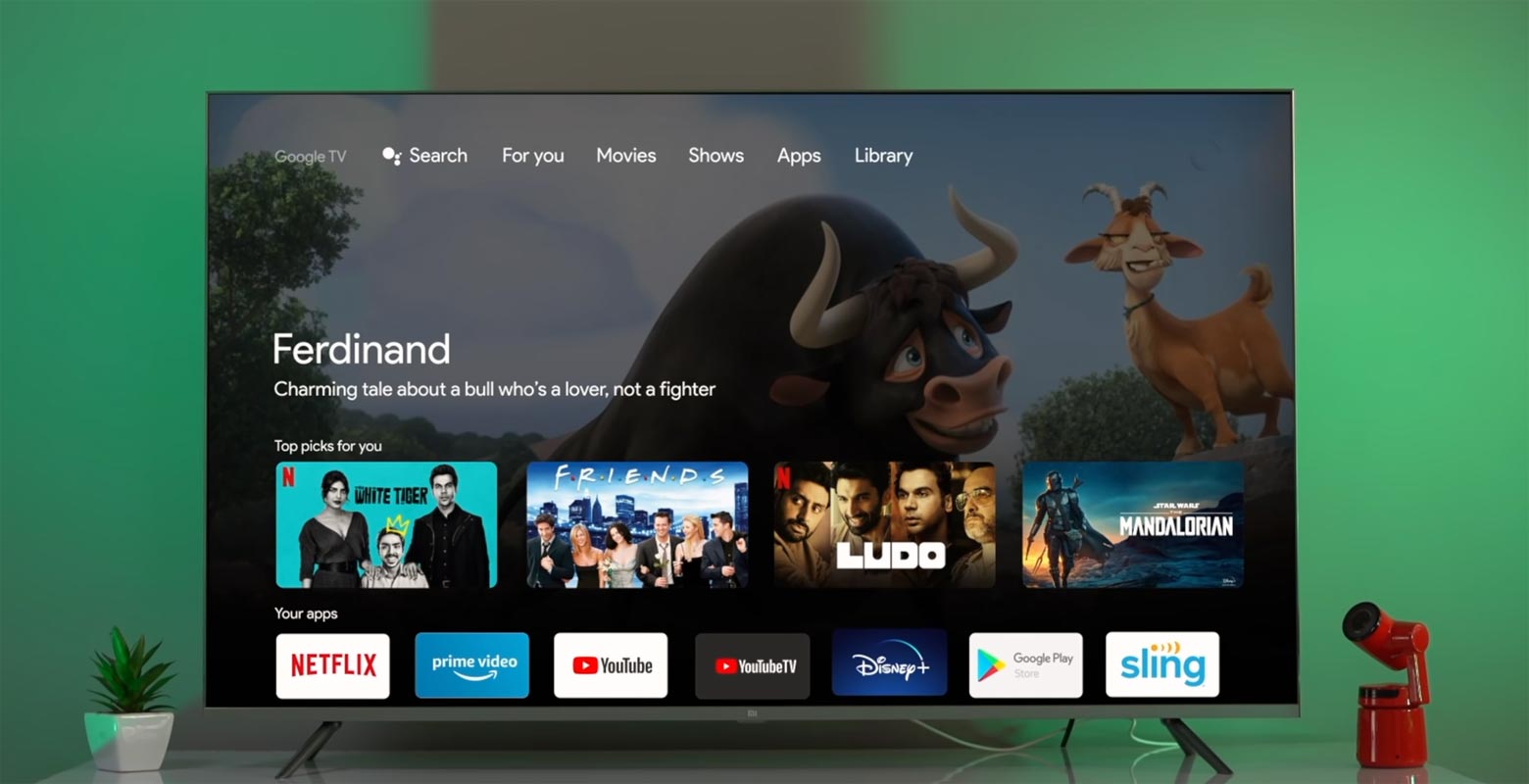
Google seems to be rolling out series of updates to its various products; well, that’s more like what we see every Q1 of each year. The US tech giant posted on its “The Keyword” blog that the Apple TV app will be available on the Google TV platform. The app is already available on the recently launched Chromecast with Google TV and other Google TV models designed by Sony and TCL. However, the support hasn’t been extended to Android TV models yet.
Apple TV App Launched on Google TV Platform
Google’s blog post on its blog pointed out that the Apple TV app and Apple TV+ are now globally available on Chromecast with Google TV. The support rolled out on February 18, 2021. Chromecast with Google TV owners can now access Apple TV+ shows, documentaries, movies, and other service content. To access the Apple TV app, navigate to the “Apps” tab, and you’d find it there. Or check out for it in the apps row in the “For you” tab – no further upgrade is needed to launch and use the service. However, it would be best to have an active Apple TV+ subscription to stream content from the platform.
Features
The Apple TV app will more interestingly integrate with Google TV features to show personalized recommendations and search results. The app can be launched quickly using Google Assistant – “Okay, Google, open Apple TV.” Another interesting thing about this update is that the users can actually add Apple Originals, such as Ted Lasso, For All Mankind season two, The Morning Show, Servant, and much more, to their Watchlist for later streaming.
All features for this update are not yet fully released; however, Google assures that the features will be rolling out globally in the coming months.
Family Sharing
Family Sharing is supported to allow users to share their Apple TV+ and Apple TV subscriptions with up to six family members. Apparently, the Apple TV app provides access to all of Apple’s online video streaming content, including those purchased iTunes store and TV+.
Personalized Recommendations and 4K HDR Support
US residents will see Apple Originals in personalized recommendations and search results. Also, at the moment, this update is available on Chromecast with Google TV, which is built with the latest technologies – with the ability to streams crystal-clear 4K HDR videos at 60fps.
How to activate Apple TV App on Google TV Platform?
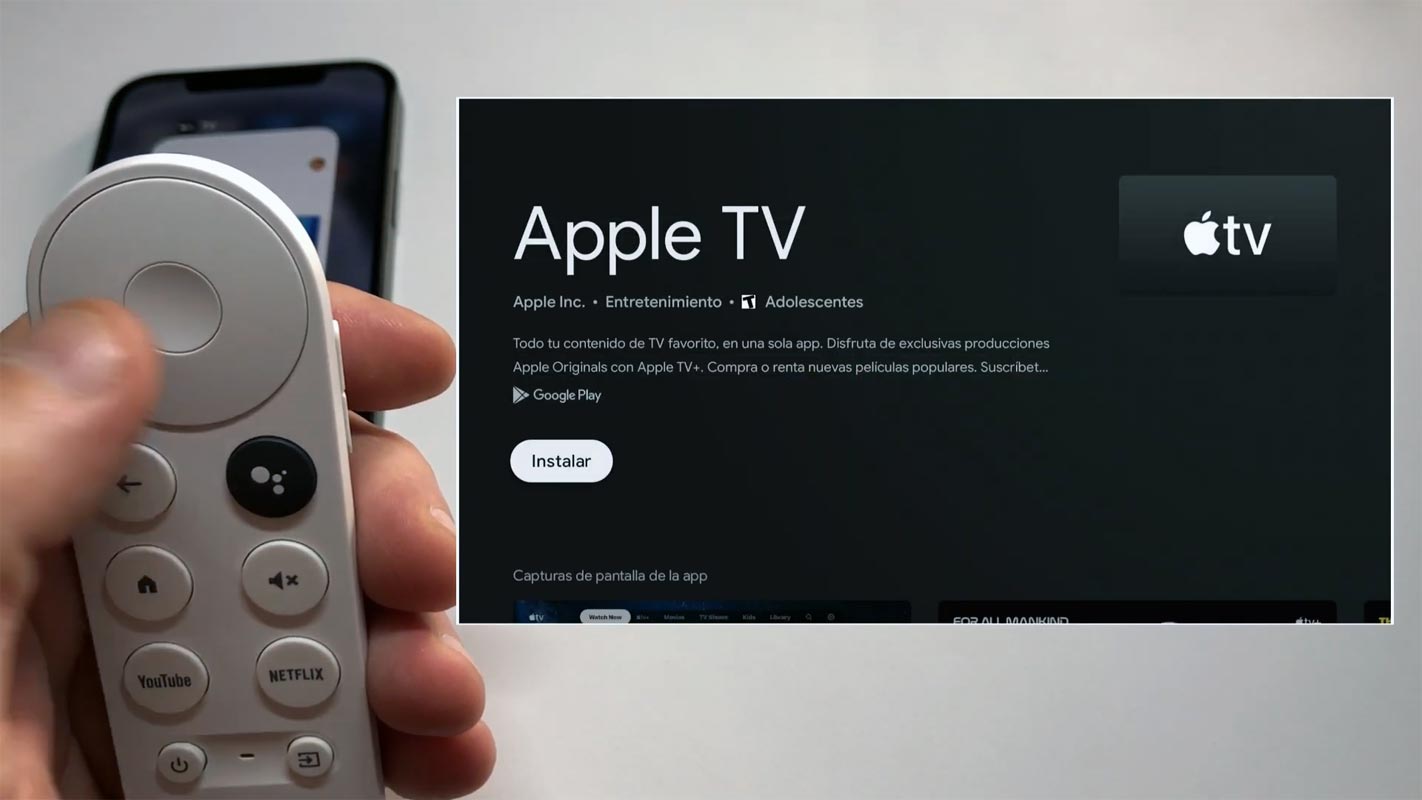
- Download and Install Apple TV in Google Play Store in your Google TV with Chromecast.
- Open the app and select login.
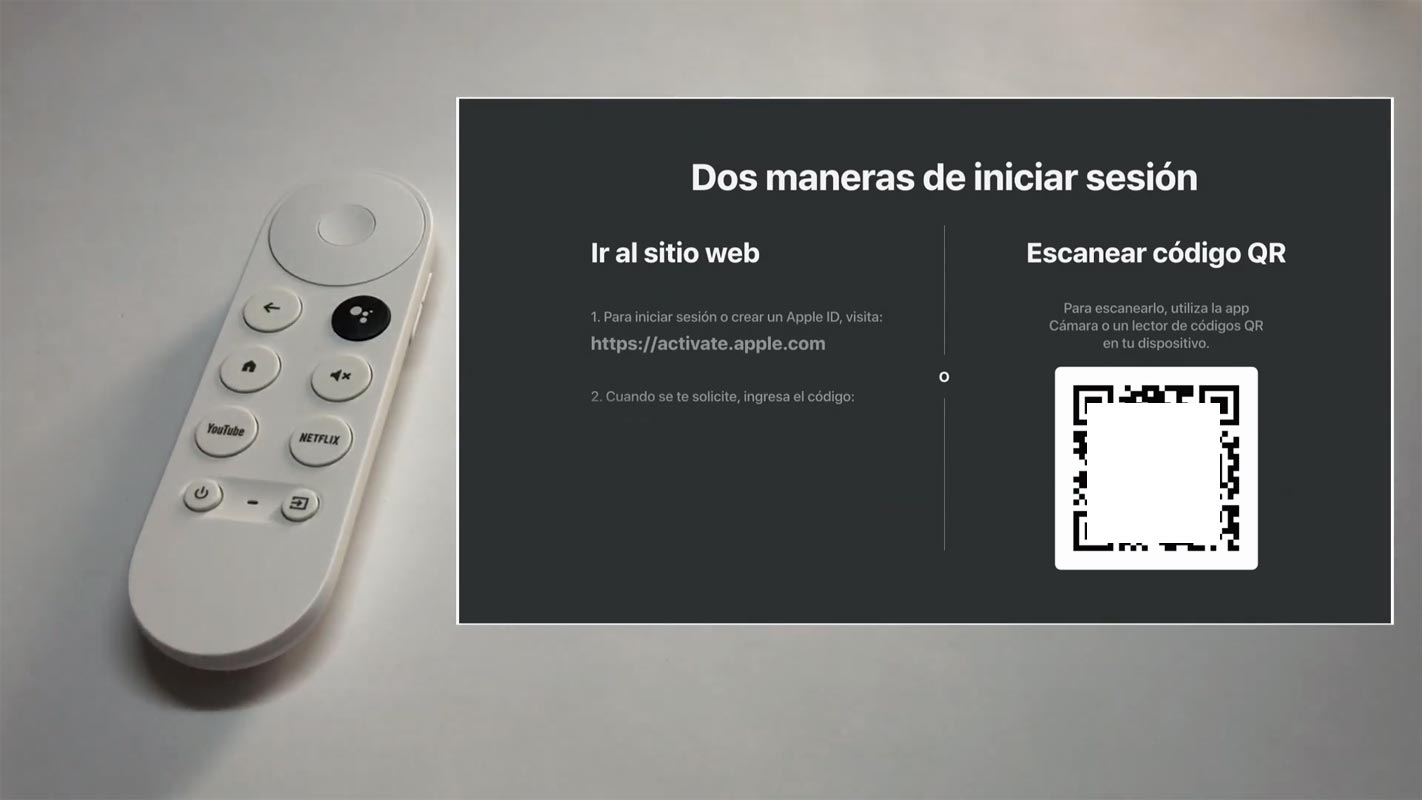
- After the login selection, You will get how to login to the app using your mobile. You can select the URL activation or QR Code activation.
- Most of the time URL method works perfectly. On your mobile, go to https://activate.apple.com. Login with your account. Enter the code display on your TV. That’s all. Now you can catch your favorite Apple TV and Apple TV+ contents.
What More?
Asides from Chromecast with Google TV, the Apple TV app update is available on Google TVs from Sony and TCL. However, Google promises to make the update available on other Google TVs and Android TV-powered devices soon. This update means a lot to Chromecast with Google TV users who also have an active Apple TV subscription. When this feature rolls out on other devices, it will be an exciting update for all Google TV users. But then, how do you feel about this news? Do you really find it exciting, or do you think Google is missing something here?.

Selva Ganesh is a Computer Science Engineer, Android Developer, and Tech Enthusiast. As the Chief Editor of this blog, he brings over 10 years of experience in Android development and professional blogging. He has completed multiple courses under the Google News Initiative, enhancing his expertise in digital journalism and content accuracy. Selva also manages Android Infotech, a globally recognized platform known for its practical, solution-focused articles that help users resolve Android-related issues.




Leave a Reply