
Compared with other Stream platforms, Netflix struggles to maintain its profit and revenue. They change lots of new things and try to move towards Success things. They already received many questionable things from users after they restricted password sharing. But with the new Ad-Supported plan, they feel they can get more user base. With the new feature update, Netflix Profile Sharing Allows You to Move Your Details to Another Account.

Netflix Profile Sharing
After months of testing in several countries around the globe, Netflix has announced Profile Transfer as a new feature. According to the company’s press release, this feature allows users to transfer their “personalized recommendations,” viewing history, My List, and saved games to a new account.
The streaming site likely introduced Netflix’s Profile Transfer feature to encourage account sharing.

Why is Profile sharing necessary?
Netflix might want you to think about one of two reasons this feature exists. Users who share an account are their roommates, partners, or parents. Even though you split your accounts, you still have to stare at their names every time you log into Netflix. Do you change your password quietly and lock them out? Do you call them and ask them to create an account? Netflix wants to make it easier for solo users, so they don’t have to start from scratch.
Netflix is also trying to ensure that everyone has a Netflix account. Netflix is focusing on cracking down on password sharing as it seeks to grow subscribers. Netflix estimates that more than 100 million households have access to the service via shared accounts.
How do I transfer my profile to Netflix?
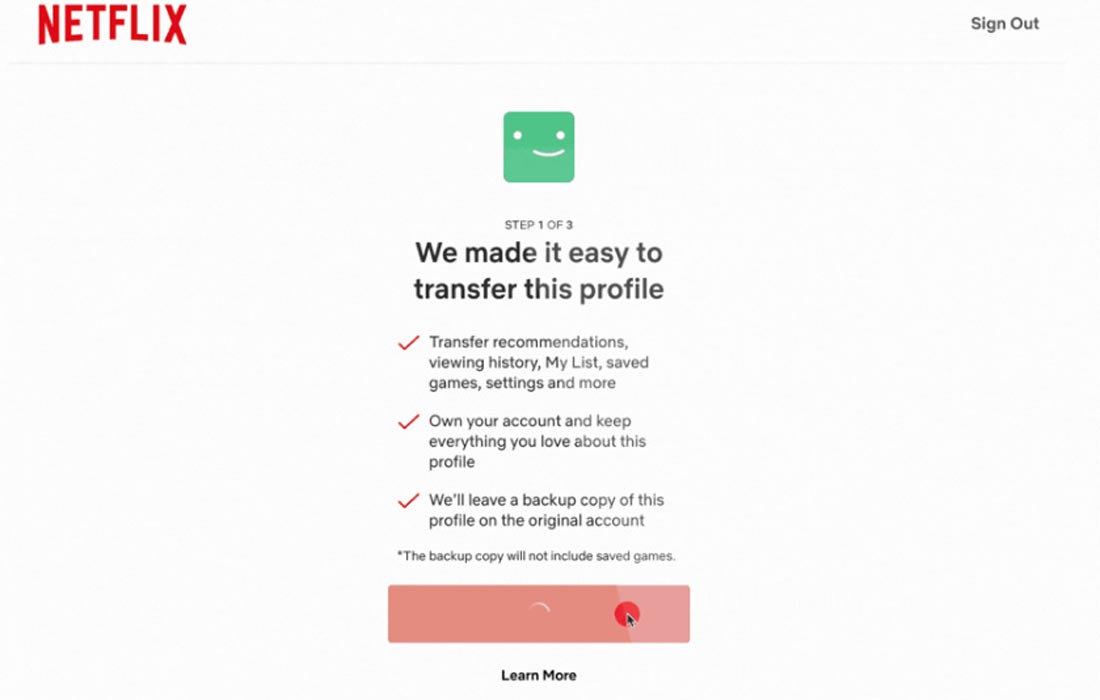
When you hover over the profile icon on your homepage, you will see a “Transfer Profile” option. There will be instructions on how to decouple profiles.
Availability
Profile Transfer has been in development since March in Chile and Costa Rica. It’s now being rolled out in more significant numbers. This is just one of many Netflix moves to make more money with password sharers.
Today’s feature rollout is underway, and all subscribers will be notified by email. Users can access their profile icon from the Netflix homepage to find the “Profile transfer” option.
Wrap Up
From the user’s perspective, Netflix is not worth their money. Any Stream platform is worthy when they have valuable content. But Netflix keeps changing Account features and new plans. Their new Ad-Supported program may be helpful for users. But other than that, they have no idea to keep users for a long time. Netflix made a path towards Streaming content, But other companies are utilizing it perfectly, and Netflix is still Stranded somewhere. But Netflix still has a good range. What are your thoughts about Netflix Profile Sharing? Share your thoughts below.

Selva Ganesh is a Computer Science Engineer, Android Developer, and Tech Enthusiast. As the Chief Editor of this blog, he brings over 10 years of experience in Android development and professional blogging. He has completed multiple courses under the Google News Initiative, enhancing his expertise in digital journalism and content accuracy. Selva also manages Android Infotech, a globally recognized platform known for its practical, solution-focused articles that help users resolve Android-related issues.




Leave a Reply