
Check if Someone Has Blocked You on WhatsApp– Discovering whether a contact has restricted your access on WhatsApp can be frustrating. Because the platform prioritizes user privacy, it never sends a direct notification when a user blocks another account. This intentional design choice leaves many users searching for clues. Fortunately, by analyzing a specific combination of technical indicators, we can determine with a high degree of certainty whether a restriction has been placed on an account.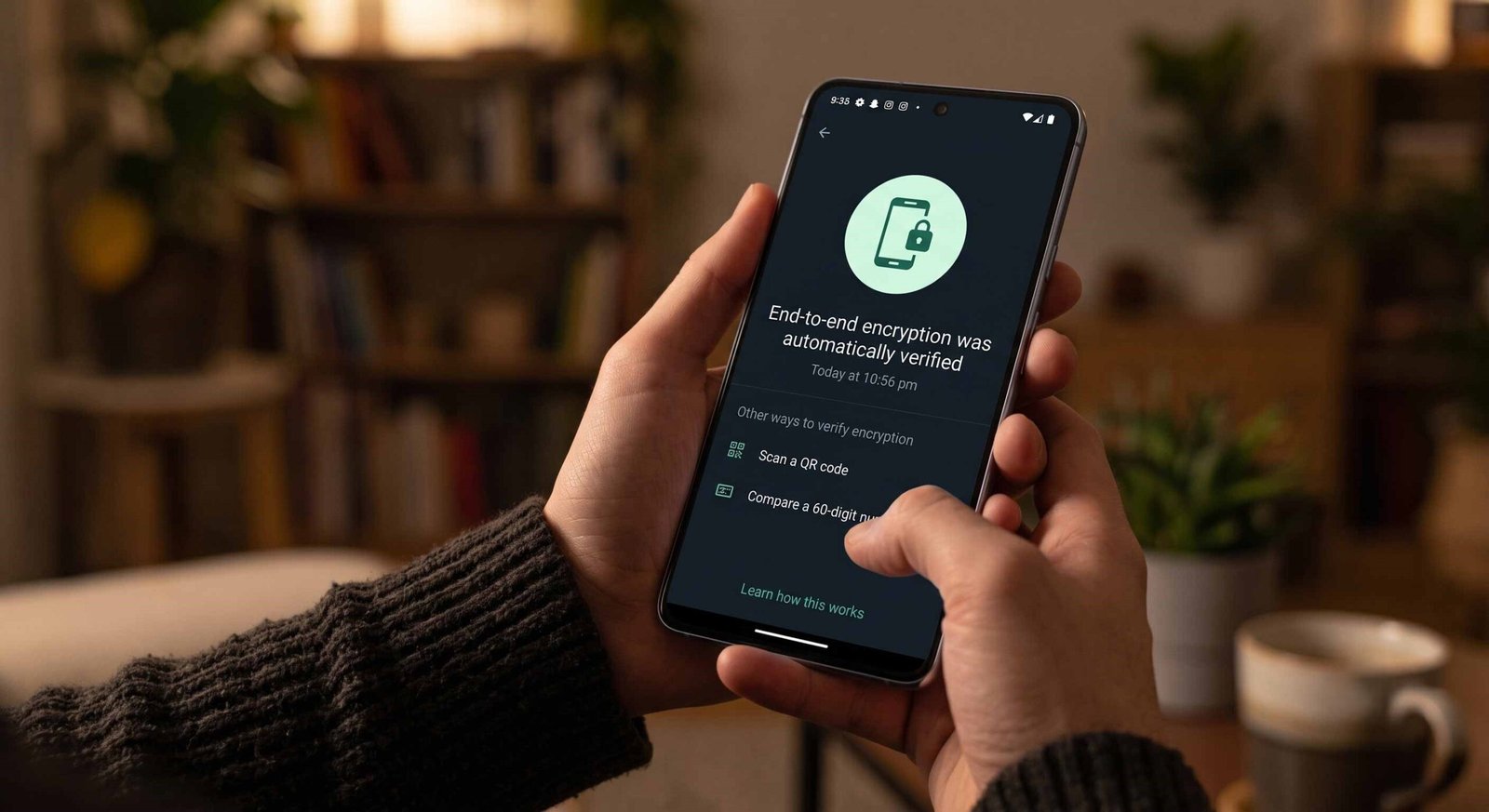
We will break down the precise, technical steps and behavioral shifts required to accurately assess your contact status without relying on guesswork.

The Vanishing Profile Picture Phenomenon
One of the earliest and most visible indicators of a potential block is a sudden shift in the contact’s profile photograph.
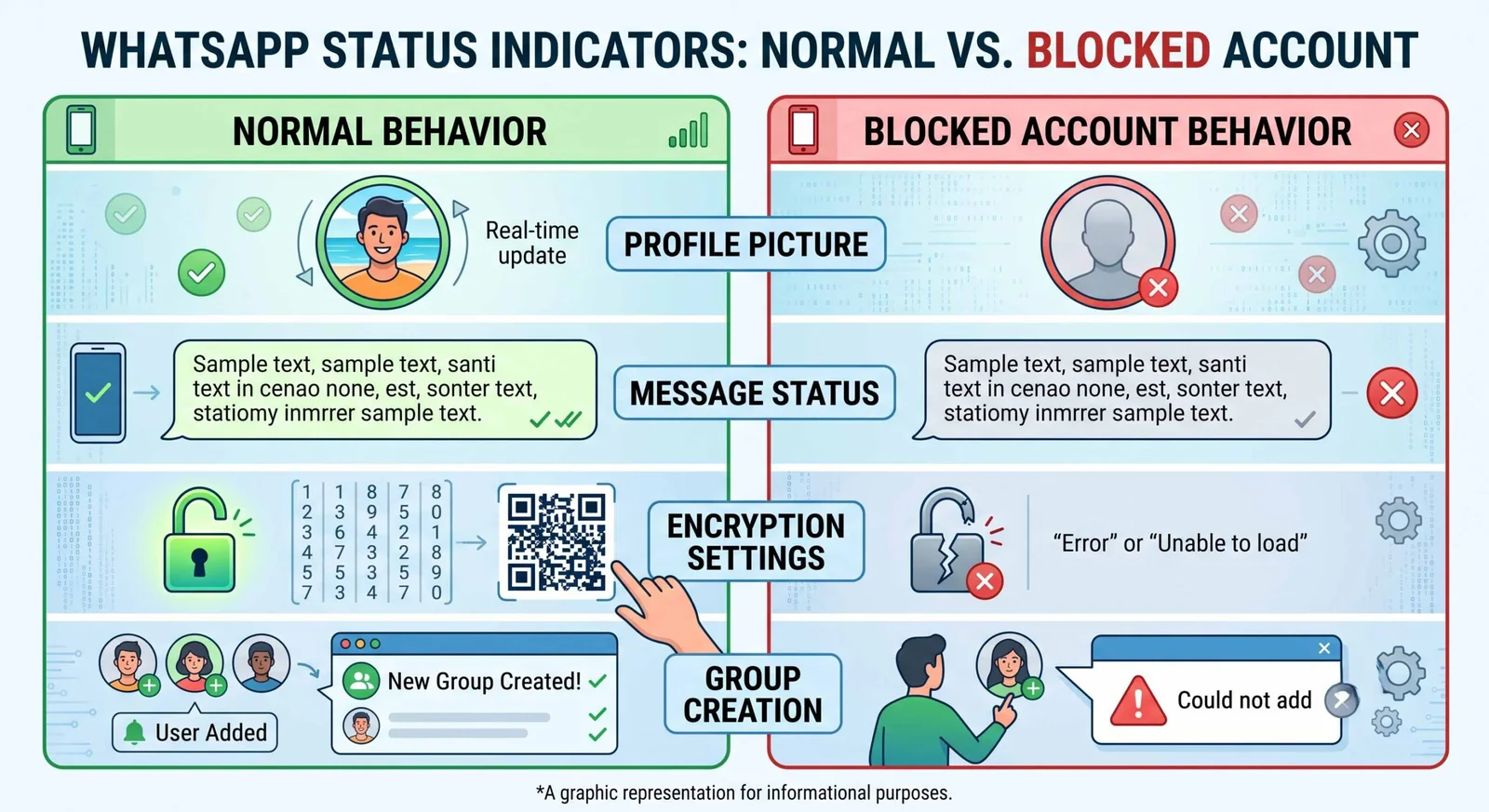
When an account is blocked, the server immediately restricts your access to that user’s updated profile media. Instead of the image they have chosen, you will typically see the default, gray silhouette icon provided by WhatsApp.
Why the Profile Picture Changes
- Privacy Protocols: The platform restricts all personal data transmission—including avatar updates—to blocked connections.
- Network vs. Block: If a contact deletes their profile picture, it vanishes for everyone. However, if it disappears exclusively for you while remaining visible to mutual contacts, a block is highly probable.
It is critical to note that a missing profile icon alone does not provide definitive proof. The user might have removed their photo, adjusted their privacy settings to “Nobody,” or removed you from their phone address book if their visibility is set to “My Contacts.” Therefore, we must cross-reference this visual cue with deeper technical metrics.
Analyzing Message Delivery Status and Tick Marks
To move beyond visual assumptions, we must examine WhatsApp’s message-delivery architecture. The platform utilizes a clear, three-tiered system of checkmarks to communicate the status of every outbound transmission. Understanding how these ticks function under restrictive conditions is essential.
The WhatsApp Tick Hierarchy
- Single Gray Tick: Indicates that the message has been successfully uploaded to WhatsApp’s cloud servers from your device.
- Double Gray Ticks: This indicates the message has been successfully routed from the server to the recipient’s active device.
- Double Blue Ticks: This confirms that the recipient has opened the specific chat thread and viewed the message.
When a user blocks your account, the server architecture permanently halts the routing process at stage one. Any text, media, or voice note you send will display a single gray tick indefinitely.
- [Your Device] —> (Sent: Single Gray Tick) —> [WhatsApp Server] –x (Blocked) x–> [Recipient Device]
Even if the recipient is actively online, browsing, and messaging other users, your outbound data remains stagnant on the server side. If a message maintains a single gray tick for several days and lacks a profile photo, the statistical likelihood of a block increases dramatically.
Testing the Settings Encryption Protocol
For users seeking an advanced, concrete method to verify their status, checking the end-to-end encryption security code provides an incredibly reliable diagnostic test. WhatsApp secures every individual chat with a unique, verified 40-digit security code and a corresponding QR code, ensuring no third party can intercept the transmission.
How to Verify Encryption Status?
To execute this diagnostic check, navigate directly to the conversation thread of the suspected contact. Click on their name at the top of the interface to view their contact information card. Scroll down and select the Encryption option.
Under normal circumstances, this action opens a screen displaying your unique security code pattern. However, if an account has been blocked, attempting to access or refresh these encryption settings will often result in a noticeable system delay or an explicit ‘failed to load‘ error message.
Because a block severs the cryptographic handshake between the two devices, the application cannot verify the active keys. If the system consistently fails to display or verify the encryption details for that specific contact, even though it loads correctly for others, it provides strong technical validation of a block.
Attempting a Group Invitation Check
If the previous steps leave any doubt, the definitive system test involves creating a WhatsApp group. The platform’s group architecture enforces strict authorization rules that cannot be bypassed by a blocked connection.
The Group Testing Method
- Open the application and select the option to create a New Group.
- Search for the contact in question and attempt to add them as an initial member.
- Assign a temporary name to the group and tap the finalize button.
If you are blocked, the application will allow you to create the group, but it will immediately generate a system alert stating “Could not add contact” or “Authorization Failed.”
While users can restrict group invitations via their standard privacy settings, a regular restriction typically prompts the system to offer an alternative: sending a private group invite link via direct message. If the system completely denies the addition without offering an invite link option, the server has flagged your account as blocked by that recipient.
Differentiating Between a Block and Network Issues
Before concluding, it is vital to eliminate alternative technical explanations. Several routine software or network behaviors can mimic the signs of a blocked account.
Common Misinterpretations
- Network Outages: A recipient traveling in an area with zero cellular service or data connectivity will experience a prolonged single gray tick status until their device reconnects to a network.
- Account Deactivation: If a user uninstalls the application or deletes their account entirely, their profile picture will vanish, and messages will stall at a single tick.
- App Inactivity: Modern operating systems aggressively restrict background data for unused apps. If a contact hasn’t opened WhatsApp in weeks, messages may be delayed indefinitely.
To rule out these anomalies, look for consistency over time. Network issues and app inactivity are temporary. If the combination of a missing profile picture, stalled ticks, and failed group invitations persists for more than a week, it rules out standard technical glitches.
Summary of Verification Indicators
Frequently Asked Questions
Can I see the “Online” or “Last Seen” status if I am blocked?
No. When an account restricts you, WhatsApp automatically masks their real-time connectivity status, preventing you from seeing if they are actively online or when they last opened the application.
Does a single tick always mean I am blocked?
Not necessarily. A single tick means the message is on the server. This happens if the recipient’s phone is powered off, lacks internet, or has uninstalled the application.
If I call a person who blocked me, what happens to the call?
The call interface will display “Calling” instead of “Ringing.” The connection will never successfully bridge to the recipient’s handset, and they will receive no missed call notification.
Can a blocked user see my status updates?
No. Once a block is active, all algorithmic data sharing ceases. Your text updates, photos, and video statuses will be completely invisible to them.
Will the contact know if I try to add them to a group?
No. If you are blocked, the system blocks the action locally on the server side. The target contact receives no notification or alert regarding your attempt to create a group.
Can I bypass a block by changing my profile information?
Changing your profile image, status, or name does not affect a block. The restriction is tied directly to your unique phone number identifier within the central database.
If the encryption check fails, is it 100% certain that I am blocked?
While it is an incredibly strong indicator, a failed encryption load can occasionally occur during major cloud server distribution outages. Retest after 24 hours to confirm.
Does deleting the chat thread remove the block?
No. Deleting the conversation history only clears the local database cache on your personal device. The server-side restriction remains active until the other party removes it.
If someone unblocks me, will my old messages deliver?
No. Messages sent while an account was blocked are dropped by the server architecture. They will never retroactively deliver once the restriction is lifted.
How can I message someone who has blocked me on WhatsApp?
You cannot contact them through the platform using that specific number. Any further communication would require using a different messaging protocol, such as standard SMS or cellular voice, or an entirely different social network.

Selva Ganesh is a Computer Science Engineer, Android Developer, and Tech Enthusiast. As the Chief Editor of this blog, he brings over 10 years of experience in Android development and professional blogging. He has completed multiple courses under the Google News Initiative, enhancing his expertise in digital journalism and content accuracy. Selva also manages Android Infotech, a globally recognized platform known for its practical, solution-focused articles that help users resolve Android-related issues.





Leave a Reply