
Five Things are better in Waze than Google Maps – Navigating modern traffic requires more than just a digital map; real-time traffic intelligence, crowdsourced road alerts, and dynamic route optimization determine whether you arrive on time or remain stuck in congestion. While both apps are owned by parent company Alphabet, Waze and Google Maps serve fundamentally different driving styles.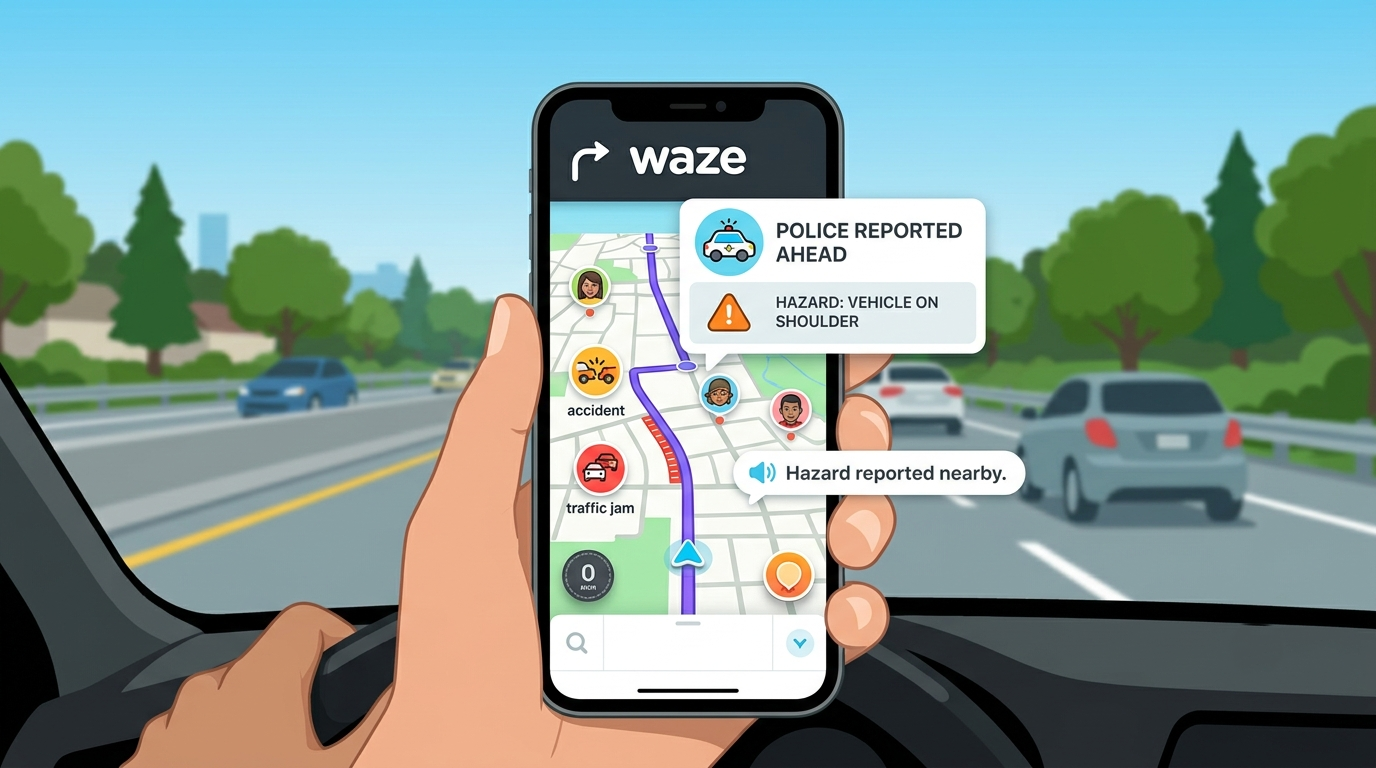
Google Maps excels as an all-in-one geographic atlas for discovering local businesses, public transit routes, and walking directions. Waze, by contrast, functions strictly as a community-powered co-pilot built exclusively for motorists. Below, we break down five major features where Waze delivers a superior navigation experience over Google Maps—explained in plain, accessible language for everyday drivers.

1. Real-Time Community Hazard and Police Alerts
The standout strength of Waze lies in its active driver network. Millions of everyday commuters continuously share live observations from the road, turning the app into a real-time information feed.
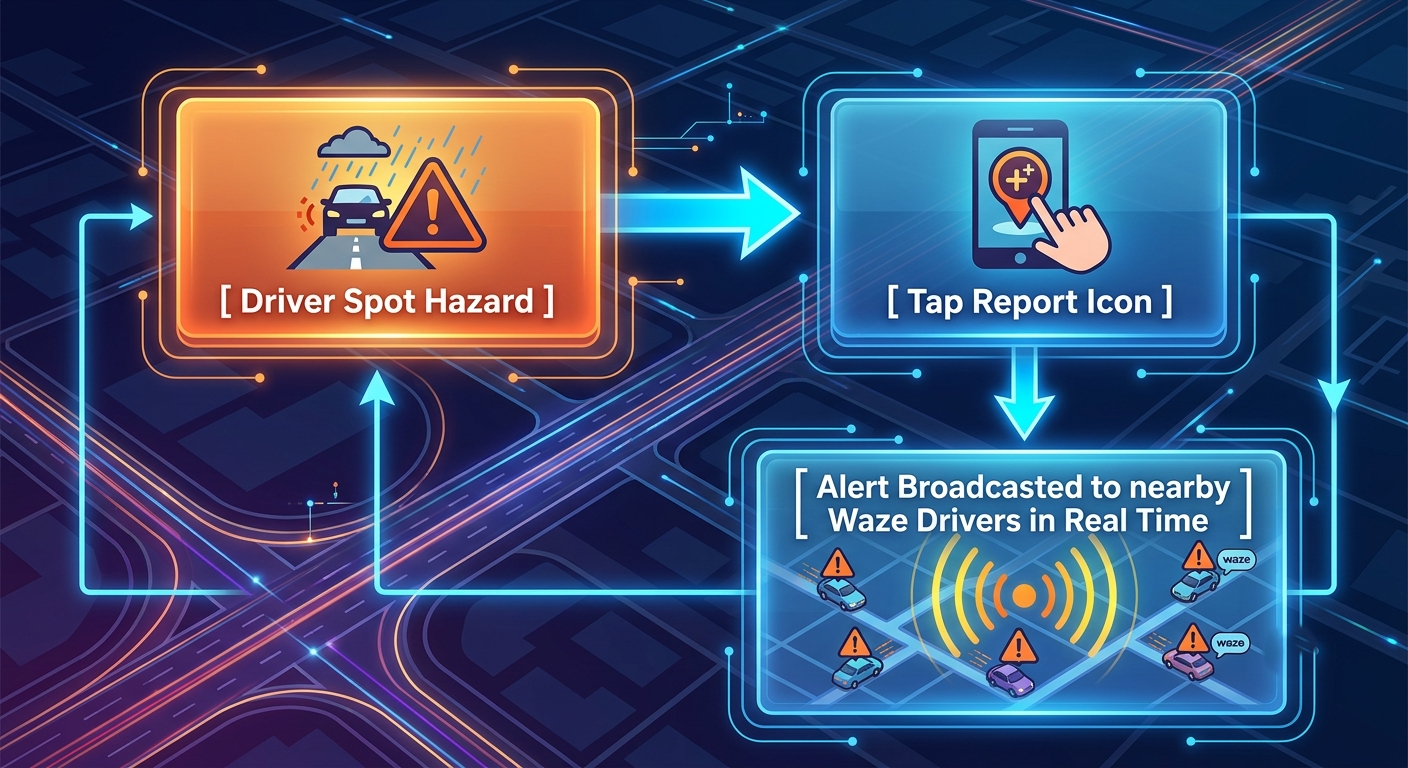
Instant Crowdsourced Reporting
Whenever a driver encounters a hazard—such as a hidden speed trap, stopped vehicle on the shoulder, pothole, debris on the road, or construction crew—they can report it with a simple tap. Waze instantly broadcasts these alerts to all incoming drivers on that route.
Proactive Voice Warnings
As you approach a reported hazard, Waze provides auditory alerts giving you plenty of time to slow down or change lanes safely. While Google Maps has added basic user reporting in recent years, its community engagement remains significantly lower, meaning warnings in Google Maps often lag behind real-time road conditions.
2. Dynamic Micro-Rerouting to Dodge Sudden Traffic Delays
When unexpected traffic jams occur due to accidents or sudden lane closures, Waze reacts faster than traditional navigation systems.
-
Aggressive Route Optimization: Waze continually recalculates your travel time every few seconds using live speed data from drivers ahead of you. If a bottleneck forms, Waze aggressively redirects you through side streets, residential shortcuts, and back alleys to save even two or three minutes.
-
Proactive Delay Evasion: Google Maps generally prefers staying on major highways and main avenues unless delays become severe. Waze prioritizes absolute time savings, actively keeping you moving rather than leaving you idling on clogged freeways.
Key takeaway: If arriving at your destination in the absolute shortest time possible is your top priority, Waze offers unmatched dynamic rerouting capabilities.
3. Seamless Cross-App Integration: Launching Waze Directly from Google Maps
One of the most practical yet overlooked features is the ability to share locations from Google Maps directly into Waze for turn-by-turn guidance, both on mobile devices and inside Android Auto.
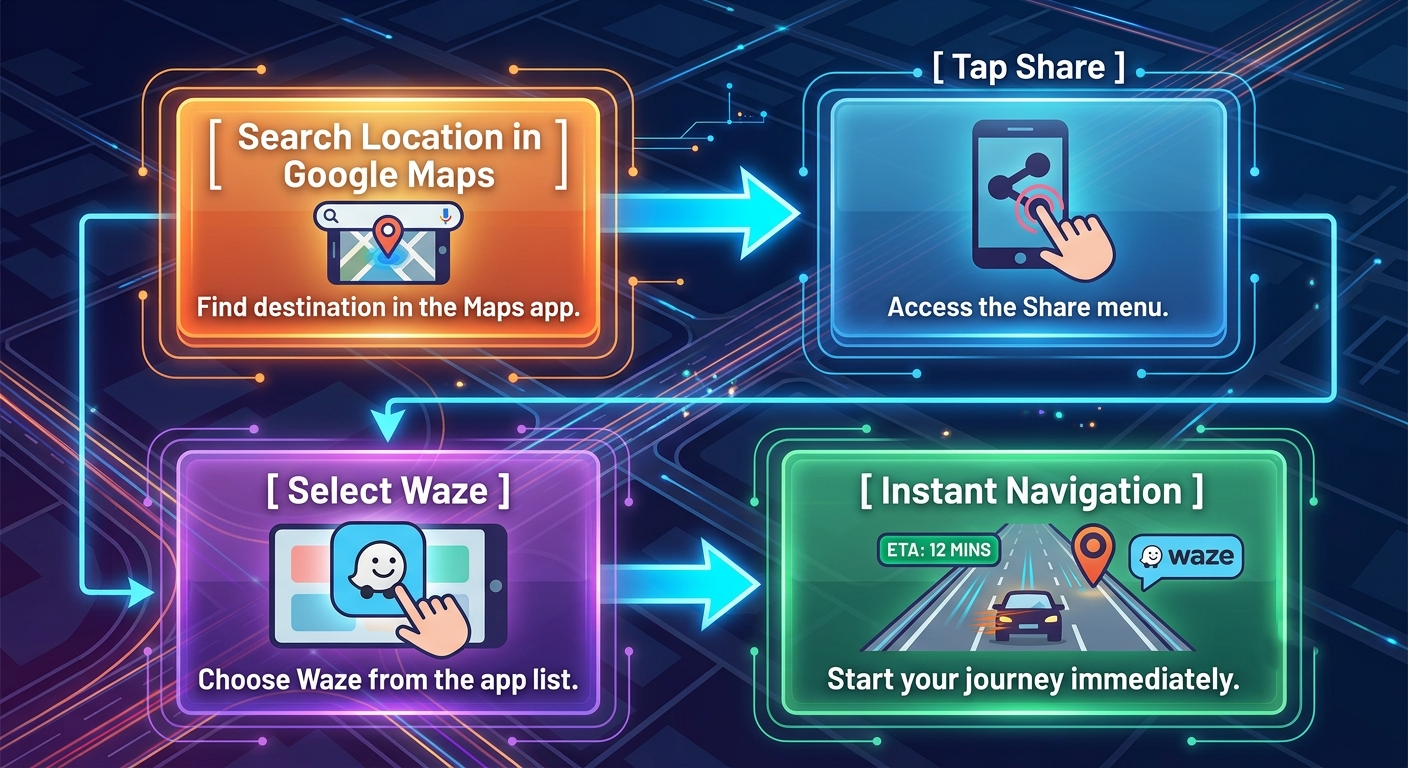
Many users prefer searching for places—such as restaurants, parks, or specialized businesses—on Google Maps due to its vast business directory and user reviews. However, once the destination is selected, you can immediately handover navigation to Waze.
How to Transfer a Destination to Waze in Seconds
-
Locate your destination inside the Google Maps app.
-
Tap the Share icon on the location card.
-
Select the Waze app icon from your sharing options menu.
-
Waze immediately launches with the exact address loaded, allowing you to tap Go Now or Add a Stop if you are already mid-drive.
This cross-compatibility bridges the gap between Google’s unmatched place search database and Waze’s superior live driving navigation.
4. Live Fuel Prices and Custom Vehicle Route Customization
Fuel expenses and vehicle restrictions play a massive role in daily driving decisions. Waze integrates cost-saving utilities directly into its active drive display.
Finding the Cheapest Fuel Along Your Route
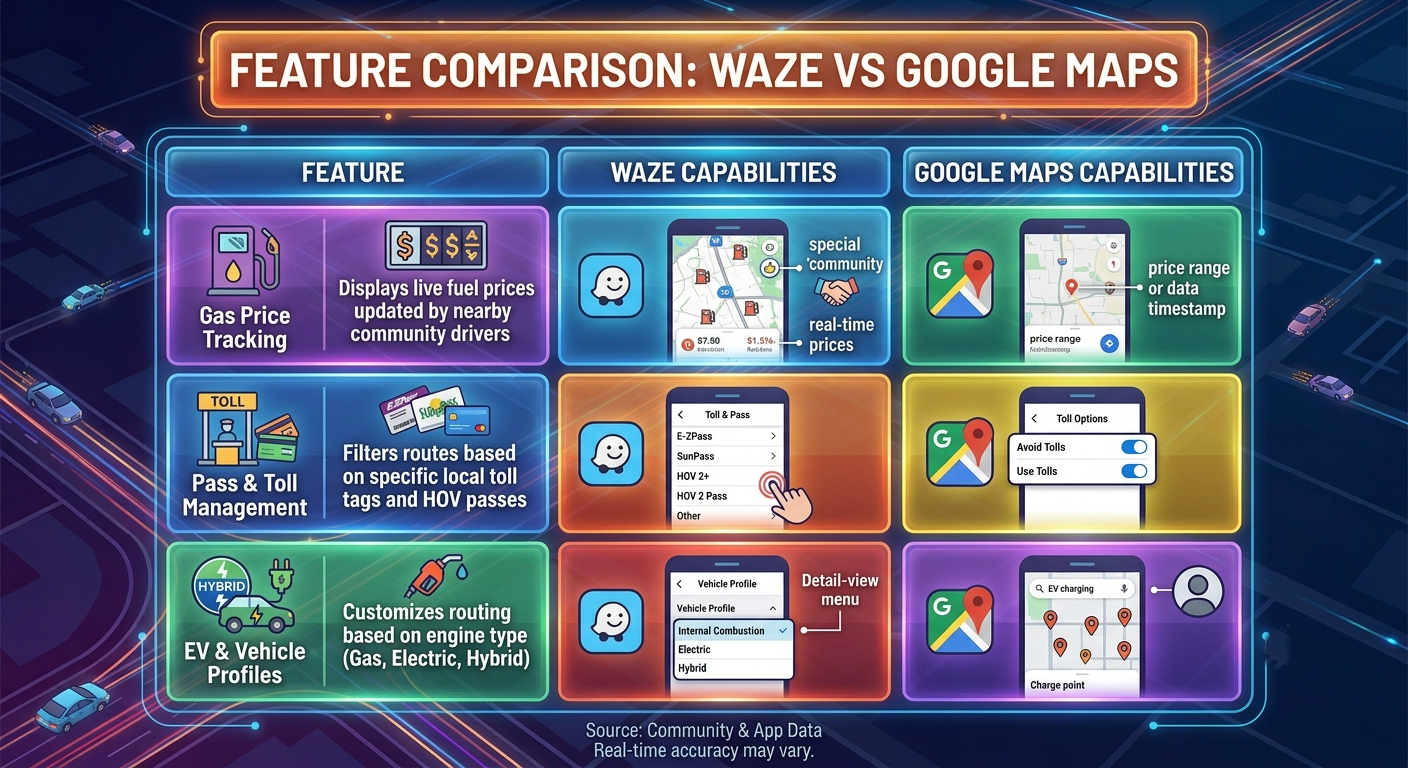
Waze displays live gas prices at nearby stations, sorted by price or distance. Because prices are frequently updated by community members, we can quickly identify which station along our path offers the cheapest fuel without adding significant travel time.
Tailored Navigation for Tolls and Carpool Lanes
Waze allows drivers to input their specific toll passes and HOV/carpool credentials. If you possess a regional fast-pass card, Waze factors eligible express lanes into your route calculation, ensuring you take full advantage of lanes restricted to pass holders.
5. Extensive Personalization, Custom Voices, and In-Car Entertainment Integration
Driving can often feel repetitive, especially during long daily commutes. Waze turns navigation into a tailored, enjoyable experience through deep customization features that go far beyond standard turn-by-turn prompts.
Voice Customization and Custom Audio Drives
Waze offers an extensive library of custom navigation voices, ranging from humorous characters and seasonal celebrity voices to the option of recording your own custom voice prompts for step-by-step guidance.
Embedded Audio Player
Through the integrated Waze Audio Player, drivers can control music, podcasts, and audiobooks directly within the map screen. The app pairs seamlessly with popular services like Spotify, Audible, YouTube Music, and NPR One, eliminating the need to constantly switch back and forth between media and navigation apps while driving.
Fun Driver Avatars and Moods
Users can customize their map presence with fun Mood icons, customized car icons, and rank badges based on their community contributions. This lightweight gamification creates a sense of shared community among drivers on the road.
Comprehensive Comparison Overview
To help you decide which app best fits your daily driving needs, we have summarized their core strengths below:
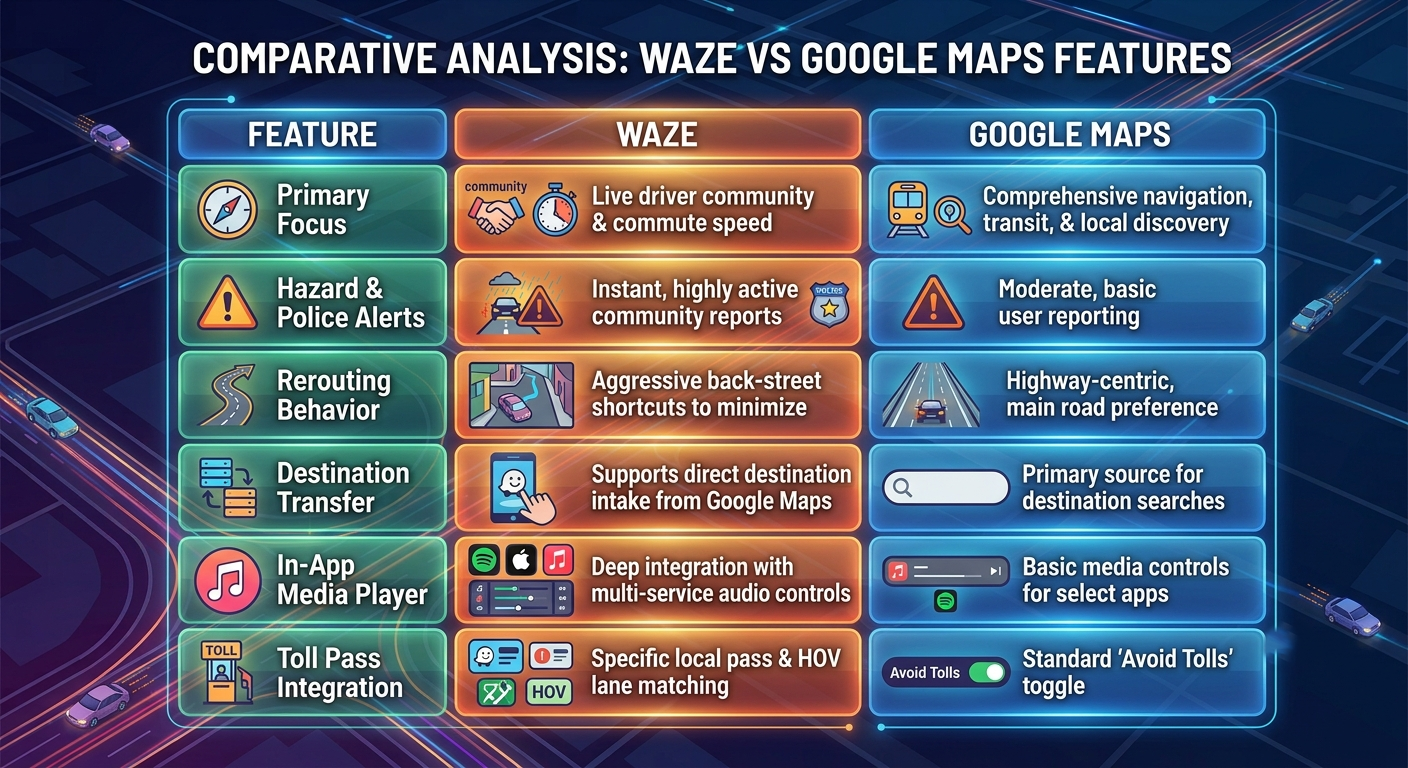
Final Verdict: Which Navigation Tool Should You Use?
While Google Maps remains an essential tool for exploring unfamiliar cities, finding business phone numbers, viewing street imagery, and planning public transit trips, Waze stands out as the ultimate driving assistant.
For daily commuters, rideshare drivers, and highway travelers, Waze provides unmatched peace of mind by keeping you aware of active hazards, speed checks, and unexpected slowdowns long before they appear in your windshield. By leveraging the option to search destinations on Google Maps and transfer them directly to Waze, you get the absolute best of both worlds.

Selva Ganesh is a Computer Science Engineer, Android Developer, and Tech Enthusiast. As the Chief Editor of this blog, he brings over 10 years of experience in Android development and professional blogging. He has completed multiple courses under the Google News Initiative, enhancing his expertise in digital journalism and content accuracy. Selva also manages Android Infotech, a globally recognized platform known for its practical, solution-focused articles that help users resolve Android-related issues.




Waze still feels more driver-focused with its live road alerts This comparison explained the differences clearly. I’ll probably keep using it for daily driving.
I didn’t realize how many unique features Waze still has Informative post. The feature list was easy to understand.
I’ve found Waze reroutes me quicker during traffic Nice explanation. Very useful tips for regular commuters.
I’ve found Waze reroutes me quicker during traffic Nice explanation. Very useful tips for regular commuters.
Real-time police and accident reports are very helpful Thanks for highlighting them. This was worth the read.
I switch between both apps depending on the trip Your points about Waze make a lot of sense. Thanks for the balanced review.
Voice alerts in Waze are very convenient while driving Good comparison overall. Looking forward to more comparison articles.
I didn’t realize how many unique features Waze still has Informative post. The feature list was easy to understand.
Waze has saved me from traffic many times Enjoyed reading this comparison. It answered my questions perfectly.
Real-time police and accident reports are very helpful Thanks for highlighting them. This was worth the read.
The community reporting feature is why I keep using Waze Nice article with useful examples. Keep sharing practical guides like this.