• Skip to primary navigation
  • Skip to main content
  • Skip to primary sidebar
  • Skip to footer
Android Infotech

Android Infotech

Android Tips, News, Guide, Tutorials

  • AI
    • Prompts
  • Firmware
  • Knowledge
  • News
  • Deals
  • Root
  • Tutorial
  • Applications
  • Opinion
  • Tools
    • YouTube Shorts URL Converter
    • YouTube Speed Control
    • Google Web Search
  • Search
  • Account
You are here: Home / AI / 10 Everyday Personal Things You Can Automate with Gemini Spark

10 Everyday Personal Things You Can Automate with Gemini Spark (July 2026)

6 hours ago by Selva Ganesh ✔ Fact Verified Leave a Comment

10 Everyday Personal Things You Can Automate with Gemini Spark – Managing everyday personal tasks often feels like a full-time job. Between keeping up with family schedules, organizing home repairs, staying on top of monthly bills, and planning family dinners, modern life requires constant digital multi-tasking. Most of us spend hours each week switching between email, calendar apps, digital note pads, and spreadsheets just to keep our daily lives running smoothly.

Spark Featured image 1

Buy Samsung Galaxy S26 Ultra

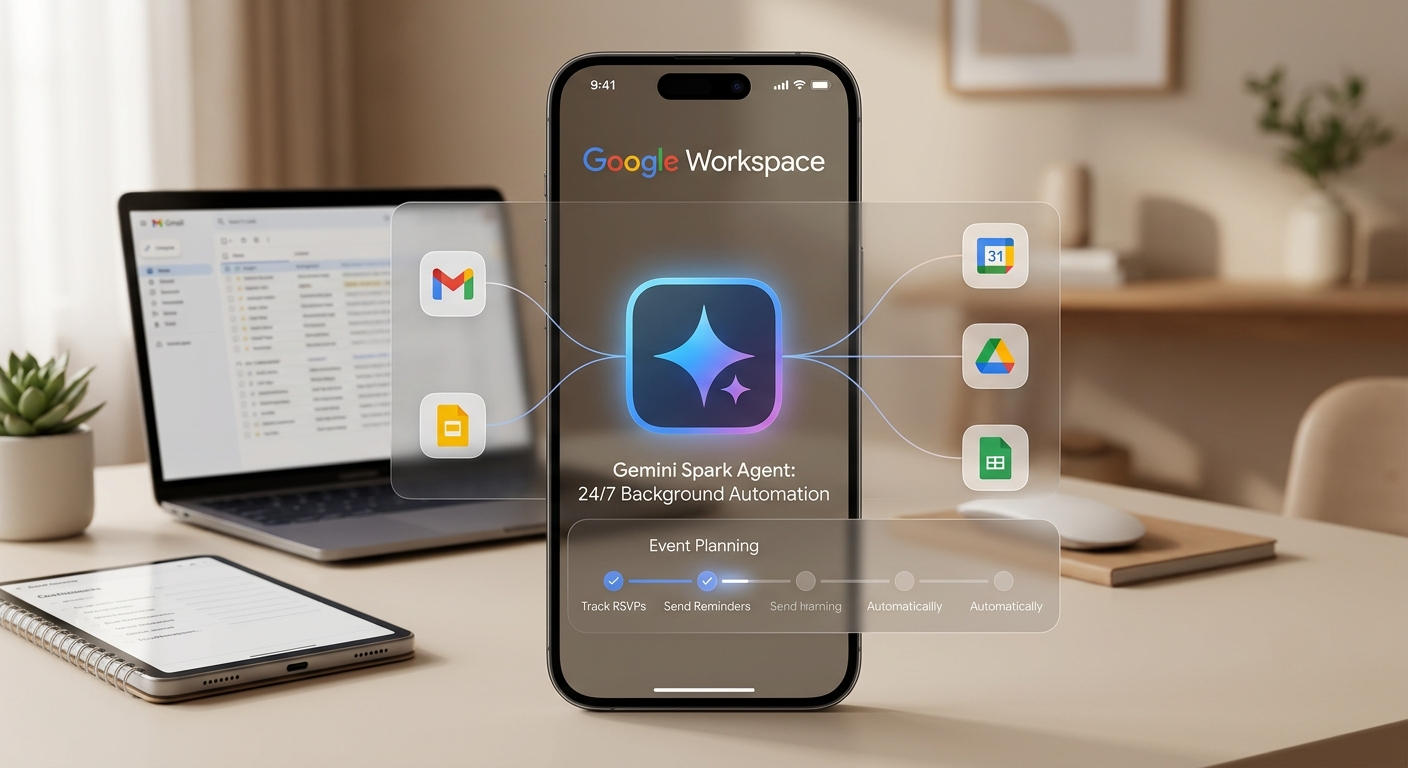
With Gemini Spark, Google introduces a fundamentally new way to handle daily personal admin. Unlike traditional voice assistants or chat tools that require you to type out step-by-step instructions every time you need help, Gemini Spark operates as an autonomous, background Google AI agent. Powered by Google AI Ultra infrastructure, it works quietly behind the scenes to link your everyday applications—such as Gmail, Google Calendar, Google Drive, Google Keep, and Google Docs—and complete entire multi-step projects automatically.

How Gemini Spark Changes Personal Automation

To understand Gemini Spark, it helps to look at how personal assistants have evolved. Traditional voice assistants wait for a voice command, answer a quick question, and then turn off. If you want to plan an event, you have to search for places yourself, send the invitations manually, record replies on a spreadsheet, and send reminder notes one by one.

Gemini Spark operates under a concept called goal-based delegation. Instead of giving the AI micro-instructions, we simply state the final goal in plain English. Gemini Spark breaks that goal down into individual steps and coordinates across all your favorite Google Workspace apps to get the work done. Because it runs continuously on secure Google Cloud servers, it works on your behalf 24 hours a day, requesting your confirmation only when key decisions or payments are involved.

10 Everyday Tasks You Can Hand Off to Gemini Spark

1. Fully Autonomous Party & Family Event Planning

Organizing a birthday party, anniversary dinner, or neighborhood gathering usually involves endless back-and-forth messaging, tracking replies, and updating lists.

  • The Old Way: You create an invite, text a dozen people, read through individual replies, and manually track headcount in your notes.

  • How Gemini Spark Handles It: You give Gemini Spark a simple instruction: “Help me organize a family reunion dinner for next month.” Spark creates a master RSVP tracker in Google Sheets, scans incoming confirmation emails in Gmail, automatically updates attendee statuses, and drafts friendly follow-up notes for guests who haven’t replied yet—all while keeping your master document perfectly organized.

2. Proactive Travel Planning & Price Monitoring

Planning a family vacation or weekend getaway often requires juggling flight details, hotel bookings, and activity ideas across multiple tabs.

  • The Old Way: You search multiple flight sites, forward confirmation emails to family members, and manually check back to see if prices have dropped.

  • How Gemini Spark Handles It: Whenever flight or hotel receipts arrive in your inbox, Gemini Spark automatically constructs a single master itinerary inside Google Drive. It actively tracks your flights for status updates or gate changes, monitors flexible bookings for price drops, and suggests local restaurant reservations that fit seamlessly around your planned activities.

3. Continuous Subscription & Monthly Bill Auditing

Unused streaming subscriptions, expiring promotional offers, and sneaky price hikes quietly drain household budgets every single month.

  • The Old Way: You periodically check bank statements to see which subscriptions are still active or try to remember when a free trial ends.

  • How Gemini Spark Handles It: Gemini Spark continuously reviews electronic receipts in your inbox to keep an updated list of active subscriptions, gym memberships, and utility bills. When a promotional rate is about to expire or an unexpected charge occurs, Spark alerts you immediately and can even draft cancellation or inquiry emails ready for your review.

4. Smart Household Maintenance & Contractor Coordination

Home upkeep—from servicing the air conditioner to fixing a leaky kitchen sink—requires finding local professionals, requesting quotes, and scheduling visits.

  • The Old Way: You search local review sites, send multiple email inquiries, track down price quotes, and try to match contractor availability with your work schedule.

  • How Gemini Spark Handles It: Simply add a quick note in Google Keep, such as “Leaky kitchen sink.” Gemini Spark cross-references your home location, identifies top-rated local repair services, drafts outreach emails to request pricing estimates, and presents clear options right inside your notes app.

5. Multi-Course Meal Planning & Automated Grocery List Sync

Deciding what to cook every night and gathering the right ingredients takes up significant time and mental energy every week.

  • The Old Way: You search for recipes online, write down ingredients on paper or in a phone app, and manually check off items you already have in your pantry.

  • How Gemini Spark Handles It: You ask Gemini Spark to set up a balanced weekly meal plan tailored to your family’s tastes or dietary preferences. Spark writes out full recipes into a clean Google Doc, checks your pantry inventory notes in Google Keep, creates a consolidated grocery list for missing items, and organizes ingredients by grocery store aisle for efficient shopping.

6. Personal Finance Expense Tracking & Receipt Archiving

Keeping track of home office costs, tax-deductible expenses, or shared family purchases can feel tedious and chaotic.

  • The Old Way: You collect paper and digital receipts in a folder, promising to type them into a spreadsheet at the end of the month.

  • How Gemini Spark Handles It: As digital invoices and e-receipts land in Gmail, Gemini Spark automatically identifies tax-deductible or reimbursable items. It extracts purchase totals, vendor details, and dates, appending them instantly into a master expense ledger in Google Sheets without manual data entry.

7. Vacation Budgeting & Dynamic Activity Curation

Staying within budget during a trip while ensuring everyone has fun requires real-time coordination and flexible planning.

  • The Old Way: You build a static vacation schedule before you leave, which quickly falls apart if bad weather hits or local attraction hours change.

  • How Gemini Spark Handles It: Provide Gemini Spark with your overall spending limit and destination. Spark creates a daily schedule that balances cost against activities. If real-time weather forecasts call for rain, Spark dynamically updates your daily itinerary with indoor alternatives while keeping overall trip spending within your target budget.

8. Family Medical & Appointment Scheduling

Coordinating doctor visits, dentist checkups, and school appointments across family members requires constant calendar monitoring.

  • The Old Way: You receive an appointment confirmation email, open your calendar app manually, create an entry, and manually check for conflicts with work meetings.

  • How Gemini Spark Handles It: When medical reminder emails arrive, Gemini Spark reads the dates, adds events to your Google Calendar, identifies any time overlaps with existing work commitments, and drafts polite schedule change requests when conflicts arise.

9. Customized Daily Micro-Lessons & Skill Building

Learning a new hobby, foreign language, or professional skill often stalls because finding high-quality study materials takes too much prep work.

  • The Old Way: You bookmark dozens of video links and articles, but struggle to find a structured daily routine to go through them.

  • How Gemini Spark Handles It: Tell Gemini Spark what skill you want to master. Spark curates top articles, pinpoints key timestamps in educational videos, and delivers a short, structured daily lesson directly to your personal summary digest every morning.

10. Intelligent Gift Selection & Event Reminders

Remembering birthdays, anniversaries, and special occasions—and picking out thoughtful gifts on time—can easily get lost in the busyness of life.

  • The Old Way: You set basic calendar reminders on the day of an event, often leaving you rushing for last-minute gift ideas or delayed shipping options.

  • How Gemini Spark Handles It: When event invites land in your inbox, Gemini Spark logs key dates, reviews online registries, suggests tailored gift ideas based on past family preferences, and alerts you well in advance so gifts arrive on time.

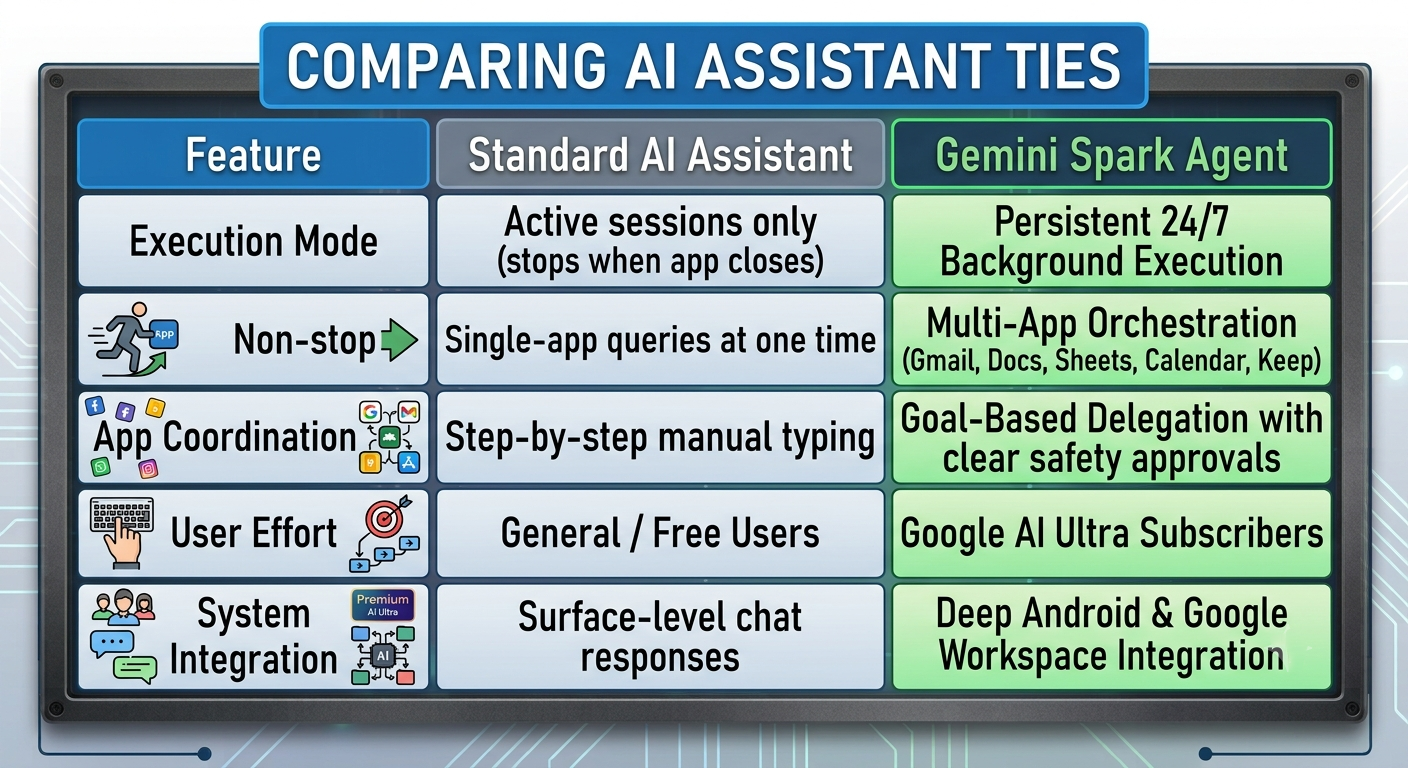
Comparing Traditional AI Assistants and Gemini Spark

To highlight how Gemini Spark changes everyday productivity, here is a direct comparison between conventional AI helpers and autonomous background AI agents:
Spark with other AI comparison

Getting Started with Gemini Spark for Daily Tasks

Gemini Spark brings enterprise-level automation into everyday home organization. By shifting from continuous manual prompts to goal-based delegation, you can hand off administrative tasks—from tracking monthly subscriptions to coordinating family schedules—to an intelligent agent that works continuously in the background.

To get started, consider picking one recurring routine, such as weekly meal planning or personal receipt tracking, and assign it to Gemini Spark. By letting your personal AI assistant manage complex step-by-step tasks across Google Workspace, you free up valuable time to focus on what matters most.

174884903535965
Selva Ganesh

Selva Ganesh is a Computer Science Engineer, Android Developer, and Tech Enthusiast. As the Chief Editor of this blog, he brings over 10 years of experience in Android development and professional blogging. He has completed multiple courses under the Google News Initiative, enhancing his expertise in digital journalism and content accuracy. Selva also manages Android Infotech, a globally recognized platform known for its practical, solution-focused articles that help users resolve Android-related issues.


Share This Post:

Related Posts

  • How to Setup Google Gemini Spark?
  • Screen Sharing for Gemini Live: Google’s Next Big AI Upgrade
  • AI Breakthrough: Transform Your Apps with Google's Gemini Integration for Android

Filed Under: AI Tagged With: Android Automation, Gemini Spark, Google AI Agent, Google AI Ultra, Personal AI Assistant

Reader Interactions

🙋‍♂️ Ask a Question

Ask Any Questions. Get Instant Answers with Google Gemini.

⏳ Gemini is analyzing...

Leave a Reply Cancel reply

Your email address will not be published. Required fields are marked *

This site uses Akismet to reduce spam. Learn how your comment data is processed.

Primary Sidebar

Join With Us

Advertisement

Recent Comments

  • Karan on 10 Things You Can Do with the Built-In Gemini in Google Chrome (July 2026)
  • Arjun on 10 Things You Can Do with the Built-In Gemini in Google Chrome (July 2026)
  • Pranav on 10 Things You Can Do with the Built-In Gemini in Google Chrome (July 2026)
  • Akash on 10 Things You Can Do with the Built-In Gemini in Google Chrome (July 2026)
  • Rekha on 10 Things You Can Do with the Built-In Gemini in Google Chrome (July 2026)

Today Trending News ⚡

How to Sign Up for Apple Upgrade Program (July 2026)

How to Sign Up for Apple Upgrade Program - The process of upgrading to … [Read More...] about How to Sign Up for Apple Upgrade Program (July 2026)

Footer

Galaxy AI promotional banner

Powered by Gemini AI

Ezoic Certified Publisher badge

Google Cloud official logo

Samsung Galaxy S26 Ultra Banner - Only $399

Copyright © 2015-2026. AndroidInfotech.com, All Rights Reserved. Iris Media MSME. Android Infotech is a Registered Enterprise. Android is a trademark of Google Inc. All contents on this blog are copyright protected and should not be reproduced without permission. Address: 96-A, CMC ROAD, Senjai, Karaikudi, Tamil Nadu, India-630001

  • Subscribe
  • Sitemap
  • About Us
  • Contact Us
  • Privacy Policy
  • Disclaimer
  • Our Image License
  • Hosted on Google Cloud
  • Ad Partner Ezoic
  • Corporate Office
  • Careers