
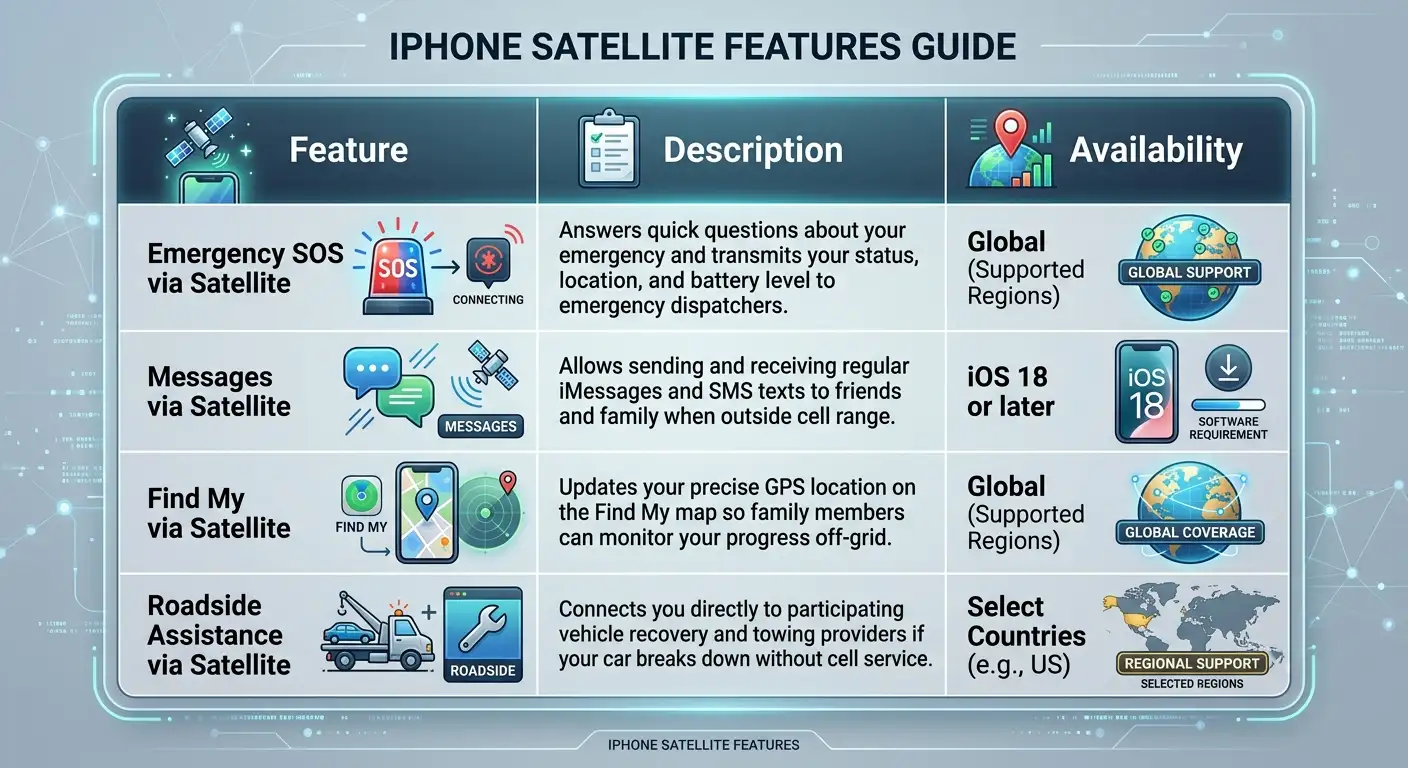
How to Confirm Your iPhone Still Gets Free Satellite Service This Year – When heading off the grid, traveling through rural highway dead zones, or preparing for severe weather outages, knowing whether your iPhone satellite features are active can provide immense peace of mind. Apple’s Emergency SOS via satellite, Messages via satellite, Find My via satellite, and Roadside Assistance via satellite allow you to reach help and stay in contact with loved ones even when traditional cellular service and Wi-Fi are completely out of reach.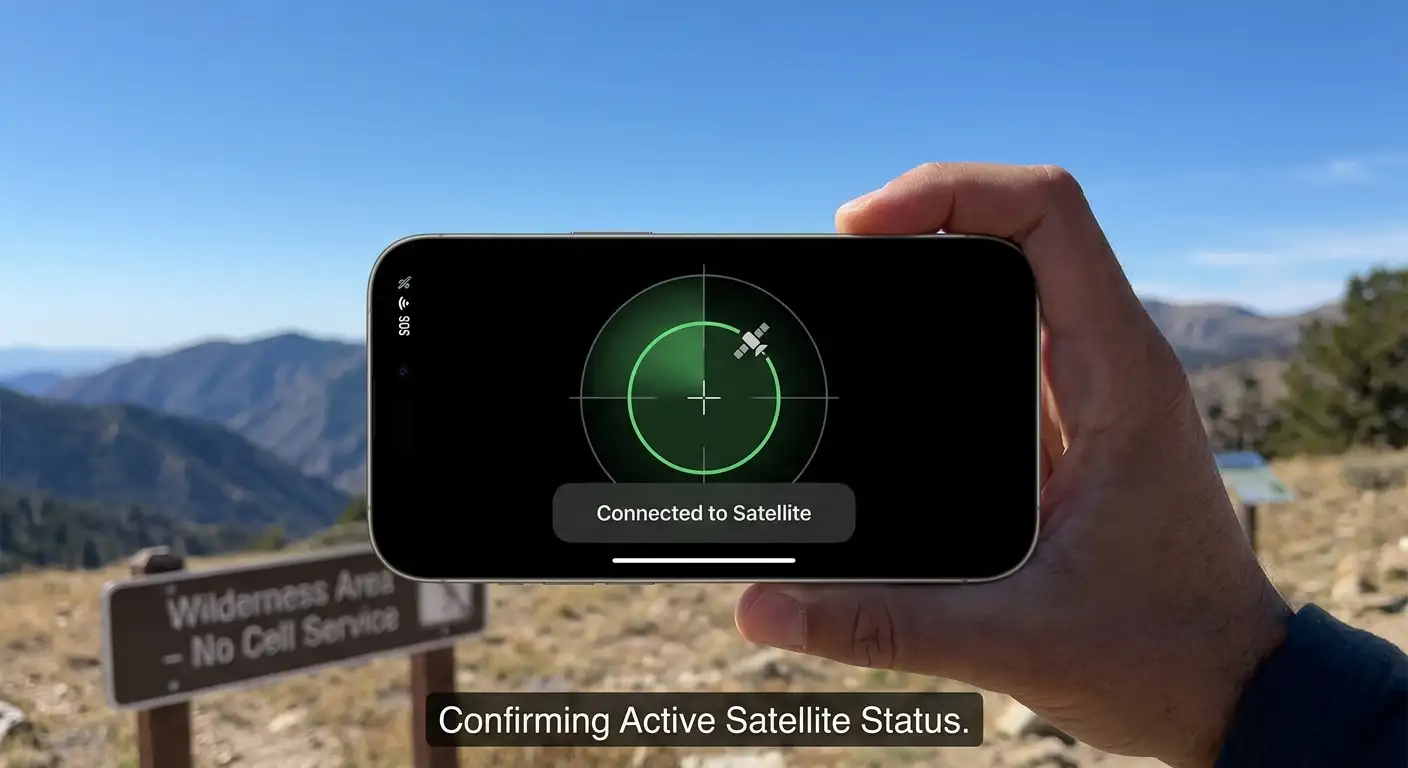
Many users worry that their initial two-year free trial has expired, leaving them vulnerable during off-grid emergencies. Fortunately, Apple has repeatedly extended free access for older devices, making it easy to confirm that your phone remains fully covered.

Complete List of Supported iPhone Models
To access satellite communication features, your device must contain specialized internal hardware designed to connect with low-Earth orbit satellites. The following iPhone generations feature built-in satellite support:
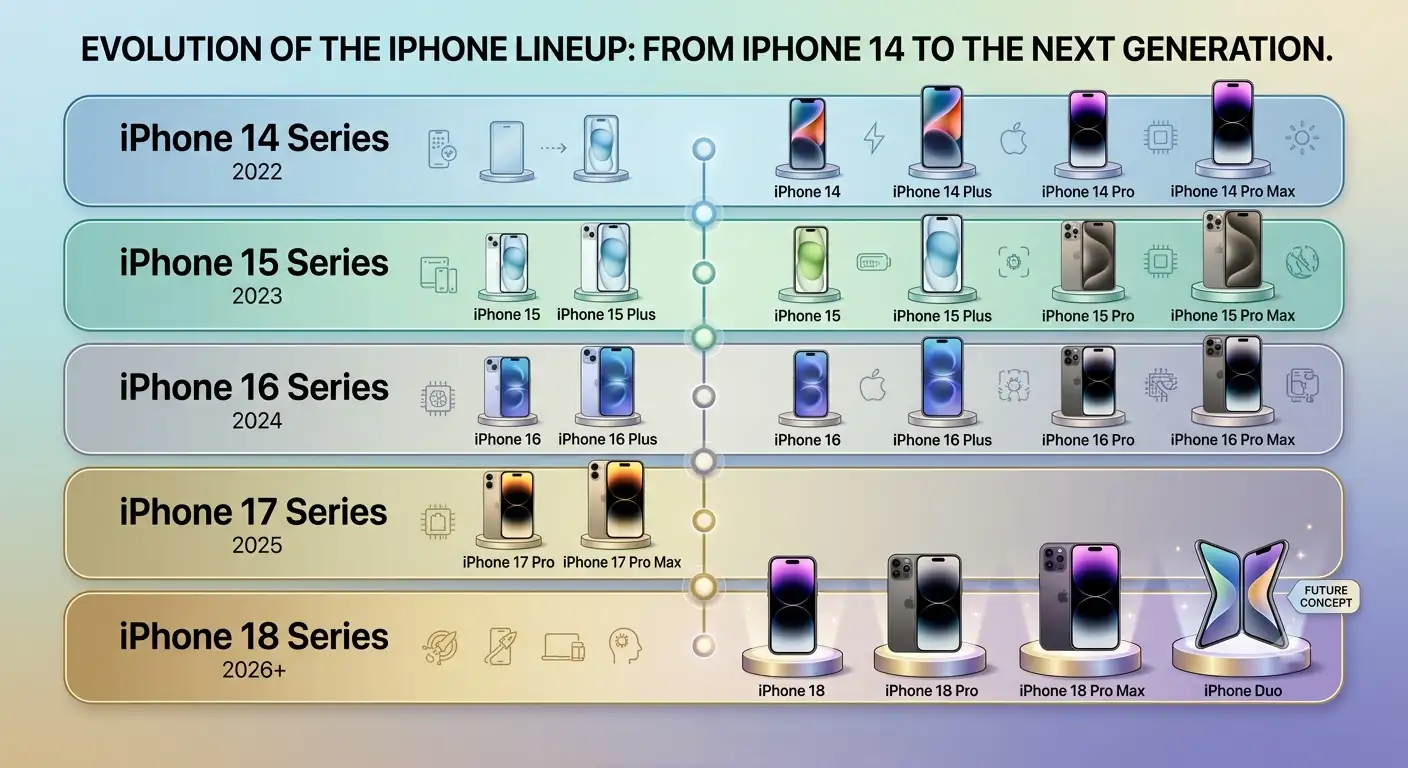
Note for Non-Tech Users: Older models such as the iPhone 13, iPhone 12, iPhone SE, or earlier lack the physical antenna hardware required for satellite connections. They cannot use satellite features regardless of software updates.
Understanding Apple’s Free Extension Policy
When Apple originally launched satellite connectivity with the iPhone 14, every new device came with a free two-year trial starting from the day the phone was activated. As those initial two-year periods began to approach their expiration dates, Apple granted multiple free extensions to existing owners.
-
Extended Access for Older Devices: Existing owners of the iPhone 14, iPhone 15, and iPhone 16 receive an additional year of free access.
-
Automatic Activation Requirements: If your eligible device was activated in a supported region prior to Apple’s policy updates, your extension is applied automatically without requiring extra sign-ups or payments.
-
Newer iPhones Included: Newer models like the iPhone 17 and iPhone 18 series include the standard two-year free trial out of the box upon activation.
At present, Apple has not introduced a paid subscription fee for satellite services, allowing eligible device owners to continue using the service without entering credit card details.
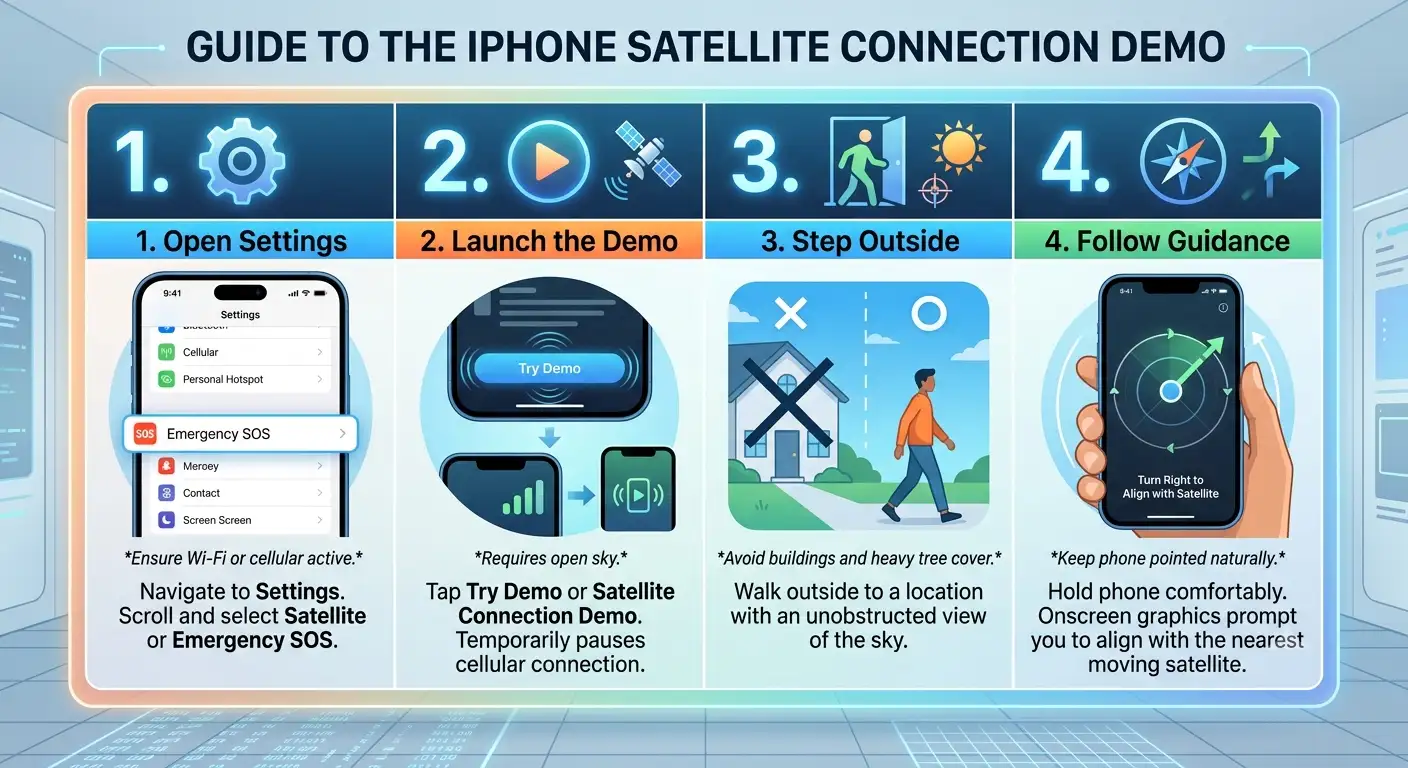
Step-by-Step Guide: How to Test Your Satellite Service
We recommend verifying your device’s connection before embarking on remote trips. Apple provides a built-in demo mode that tests satellite hardware without triggering real emergency services.
Best Practices for Satellite Connections
To ensure your messages transmit swiftly during an actual emergency, keep these basic guidelines in mind:
-
Maintain Sky Visibility: Satellites move rapidly across low-Earth orbit. Open fields, hilltops, and clear roads offer much faster transmission speeds than canyons or dense forests.
-
Avoid Obstructing Antennas: Hold your phone naturally without covering the upper edge with thick metal cases or heavy accessories.
-
Keep Software Updated: Apple periodically improves connection speeds and regional carrier routing through operating system updates. Always update to the latest version of iOS before traveling to remote regions.
FAQs
1. Which iPhone models support satellite connectivity?
Satellite features require specialized internal hardware available on the iPhone 14, iPhone 16, and newer generations. Older devices like the iPhone 13, iPhone 12, and iPhone SE cannot connect to satellites regardless of iOS updates.
2. How long is Apple’s free satellite service trial?
Every eligible iPhone receives a standard two-year free trial starting from the day the device is first activated.
3. Do older models like the iPhone 14 get extended free access?
Yes. Apple has repeatedly granted free extensions to existing owners of earlier satellite-compatible devices, adding extra time beyond the initial two-year trial period.
4. Do I need to enter credit card details or sign up for the extension?
No. If your eligible iPhone was activated in a supported country or region, extensions apply automatically without any manual sign-up, billing information, or hidden fees.
5. How much does Apple charge once the free satellite trial ends?
Apple has not yet rolled out a paid subscription tier or announced standard pricing for standalone satellite access. Eligible devices continue to access the features without payment.
6. What features are included in Apple’s satellite connectivity suite?
The suite includes Emergency SOS via satellite, Messages via satellite, Find My location sharing, and Roadside Assistance via satellite.
7. Can I test the satellite connection without calling emergency responders?
Yes. Apple provides a built-in demo mode in Settings that simulates satellite acquisition and test message delivery without contacting real dispatchers or emergency services.
8. Will satellite features work inside buildings or dense forests?
Satellite signals require a direct line of sight to low-Earth orbit satellites. Dense tree cover, deep canyons, or indoor spaces can weaken or completely block connections. Open fields, hilltops, and clear skies provide the best performance.
9. Can phone cases interfere with satellite connections?
Yes. Heavy-duty cases containing thick metal components or accessories covering the top edge of the device can obstruct the internal satellite antennas.
10. Do I need to be on the latest iOS version to use satellite features?
While basic SOS works on the base OS versions that introduced it, updating to the latest iOS release ensures the newest routing fixes, faster connection handoffs, and access to expanded tools like satellite text messaging.

Selva Ganesh is a Computer Science Engineer, Android Developer, and Tech Enthusiast. As the Chief Editor of this blog, he brings over 10 years of experience in Android development and professional blogging. He has completed multiple courses under the Google News Initiative, enhancing his expertise in digital journalism and content accuracy. Selva also manages Android Infotech, a globally recognized platform known for its practical, solution-focused articles that help users resolve Android-related issues.





Leave a Reply