
How to Turn a Photo into an AI Avatar in Google Vids? – Creating professional videos often feels like an uphill battle. Between scheduling studio time, setting up recording equipment, and editing footage, a simple presentation can consume days of work. Google Vids changes this dynamic entirely by introducing an intuitive feature that lets you transform a standard photo into a custom artificial intelligence avatar.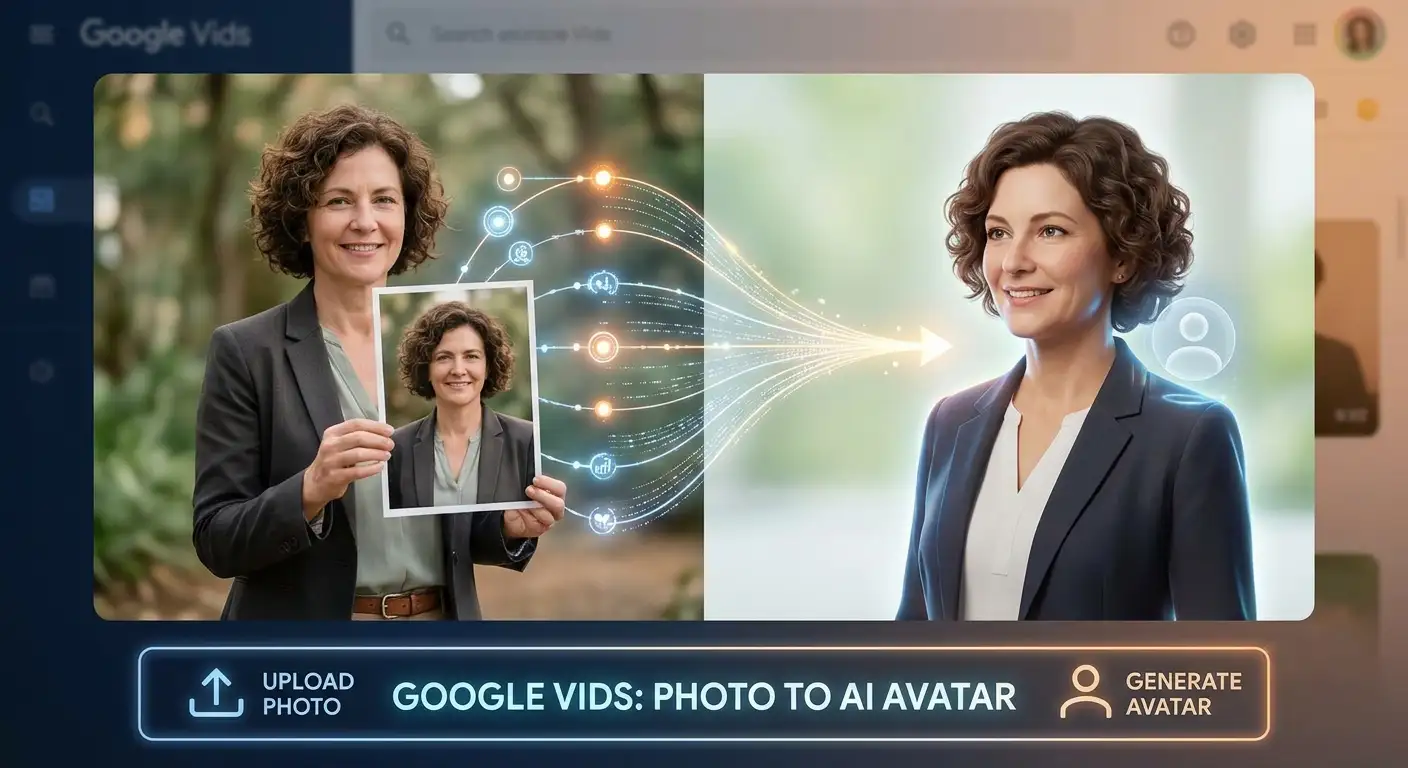
Whether you are building corporate training modules, product marketing explainers, or engaging customer pitches, this capability allows your audience to see a realistic presenter deliver your script without requiring a physical camera setup.

What Are Google Vids AI Avatars?
Google Vids is an artificial intelligence powered video creation platform integrated directly into the Google Workspace ecosystem. Within this environment, AI avatars act as your digital presenters. These virtual characters can be animated to speak clearly with natural expressions, bringing your typed scripts to life.
Previously, users were limited to choosing from a library of pre-designed digital presenters. While useful, those generic templates lacked a personal or brand-specific touch. The latest update allows you to upload a reference image to generate a customized avatar, opening up creative possibilities for personal branding and corporate storytelling.
Why Custom Photo Avatars Matter for Creators
Traditional video production scaling is expensive and slow. If you need to update a script, you typically have to re-record audio or bring a speaker back into a studio. Custom avatars built from photos solve this bottleneck.
-
Brand Consistency: Companies can design dedicated spokespersons that align with their brand identity, ensuring the same face delivers messages across multiple departments.
-
Time Efficiency: You type out what you want said, and the avatar delivers the narration cleanly, cutting out hours of editing.
-
Accessibility: Teams can create multi-language or comprehensive training tutorials effortlessly without needing professional on-camera talent for every single update.
Step-by-Step Guide: Turning a Photo into an AI Avatar
Getting started with this feature is straightforward. Because the tool is integrated directly into your workspace workflow, you do not need external software or complex video editing skills.
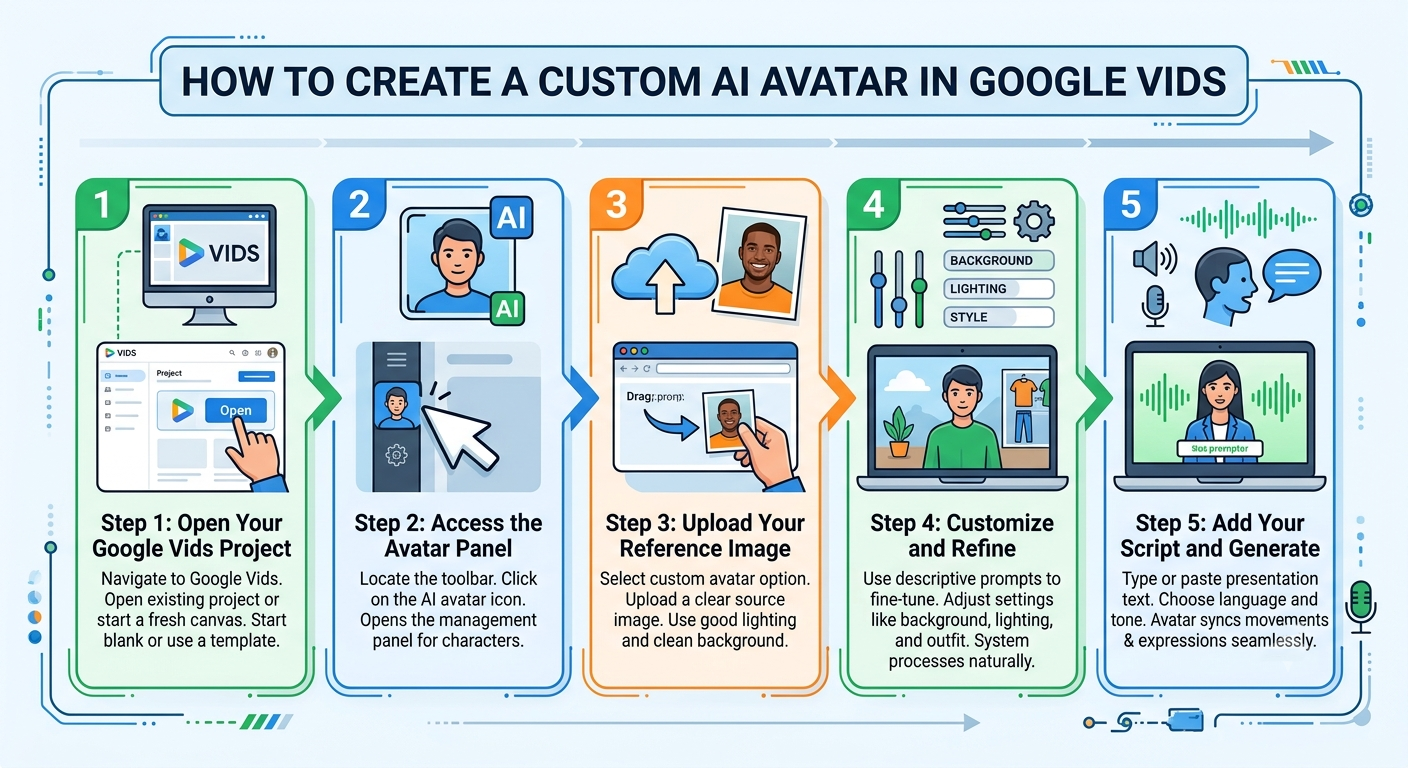
Step 1: Open Your Google Vids Project
Navigate to Google Vids within your account and open an existing project or start a fresh canvas. You can begin with a blank slate or use a template depending on your workflow preferences.
Step 2: Access the Avatar Panel
Locate the toolbar inside your editing interface and click on the AI avatar icon. This opens the management panel where you can browse existing characters or build something new.
Step 3: Upload Your Reference Image
Select the option to create a custom avatar. You will be prompted to upload a clear source image. Ensure the photo has good lighting and a clean background so the system can accurately map the features.
Step 4: Customize and Refine
Once the image is uploaded, you can use simple descriptive prompts to fine-tune aspects such as background settings, lighting adjustments, or outfit styles to match your exact vision. The system processes these requests naturally through conversational cues.
Step 5: Add Your Script and Generate
Type or paste your presentation text into the script block. Choose your desired language or tone, and let Google Vids synthesize the performance. The avatar will sync its movements and expressions to match the text seamlessly.
Best Practices for Great Results
To achieve the most professional output when turning photos into avatars, keep a few practical guidelines in mind:
-
Use High-Quality Photos: Blurry, low-resolution, or heavily filtered images will reduce the final quality of the animated character. Choose sharp, well-lit portraits.
-
Keep Expressions Neutral: A straight-facing portrait with a neutral or mild smile provides the cleanest foundation for artificial intelligence mapping.
-
Leverage Built-In Tools: Take advantage of the background refinement features within Vids to clean up any unwanted elements from the original photo before finalizing your presenter.
Safety, Security, and Watermarking
Google implements rigorous safety and fairness filters around its avatar technology to prevent impersonation and protect users. Additionally, videos generated using these avatars feature embedded SynthID watermarking, allowing viewers and platforms to verify that the content is artificially generated. This transparency ensures safe utilization across both internal enterprise communications and public marketing campaigns.
Looking Ahead at AI Video Creation
The ability to transform a simple photo into a responsive digital presenter marks a major shift in how everyday creators and businesses approach video production. By removing technical barriers and expensive studio requirements, tools like Google Vids democratize high-end video creation. Whether you are launching a startup product or compiling training resources for your team, turning a static image into an active storyteller is now faster and more accessible than ever.
Frequently Asked Questions
1. What is a custom AI avatar in Google Vids?
It is a digital presenter created by uploading a source photo into Google Vids, which the platform animates to speak scripts with natural expressions.
2. Do I need professional video editing skills to use this feature?
No. The system is designed to be intuitive, allowing you to generate professional video presentations simply by typing a script and selecting your custom avatar.
3. Can I reuse my custom avatar across multiple videos?
Yes. Once you create and save a custom avatar, it remains stored within your project library so you can use it consistently across future Vids documents.
4. What kind of photo should I use for the best results?
A clear, high-resolution portrait with good lighting, a neutral background, and a straightforward facial expression yields the cleanest animation results.
5. Are there safety measures built into Google Vids avatars?
Yes. Google applies strict safety and fairness filters to prevent unauthorized impersonation, and generated videos include SynthID watermarking for AI identification.
6. Can I change the clothing or background of my custom avatar?
Yes. You can use simple text prompts within the customization panel to modify outfits, adjust lighting, or change backgrounds to suit your project.
7. What types of projects are best suited for these avatars?
They work exceptionally well for product explainer videos, corporate announcements, sales pitches, customer outreach, and educational training modules.
8. Does Google Vids support multiple languages for avatar narration?
Yes. You can scale your content and narration across numerous languages to reach a broader, global audience efficiently.
9. How do I access the avatar creation tool?
Open a Google Vids project, click on the AI avatar icon in the toolbar, select change or create, and upload your reference image.
10. Can anyone access this feature in Google Vids?
Availability depends on your specific Google Workspace or account tier, as rollouts span various business, enterprise, education, and consumer plans.

Selva Ganesh is a Computer Science Engineer, Android Developer, and Tech Enthusiast. As the Chief Editor of this blog, he brings over 10 years of experience in Android development and professional blogging. He has completed multiple courses under the Google News Initiative, enhancing his expertise in digital journalism and content accuracy. Selva also manages Android Infotech, a globally recognized platform known for its practical, solution-focused articles that help users resolve Android-related issues.



Leave a Reply