
How to Manage the AI-Generated Profile Label on Instagram – Instagram has implemented strict guidelines regarding synthetic media and virtual personas. Accounts featuring an AI-generated persona must display the “AI-generated profile” label to remain eligible for recommendations and maintain their organic reach across feed suggestions, the Explore page, and Reels.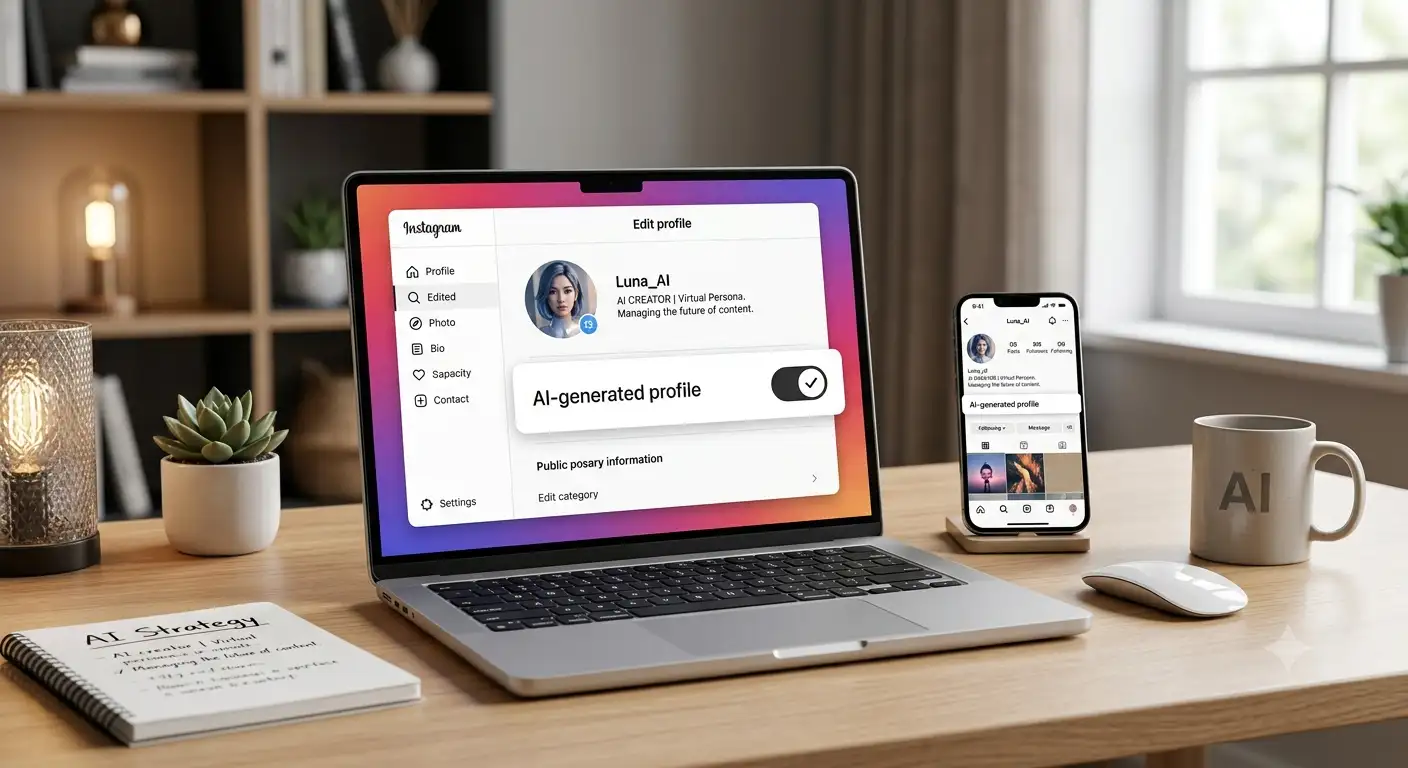
If you manage an account that relies on artificial intelligence to represent an individual, understanding how Meta detects and classifies these profiles is critical. Failing to comply with transparency rules can lead to silent account suppression, loss of recommendation status, and an immediate drop in overall engagement.

Below, we outline the step-by-step process to determine whether your account requires the AI-generated profile badge, how to configure the setting properly, and how to fix account reach if you have already been flagged.
Step 1: Determine If You Need the AI-Generated Profile Label
The primary purpose of Instagram’s policy is transparency. The platform wants users to know whether the person they are interacting with on their screen exists in real life or is a computer-generated entity.
You MUST Apply the Label If:
-
Your profile represents a virtual human: You have created a fictional persona, model, or influencer using AI image and video generators (e.g., Midjourney, Stable Diffusion, HeyGen) that acts as the primary face of the account.
-
The central entity is synthetic: Even if a human controls the text, strategy, and messaging behind the scenes, the visual identity of the persona is photorealistic or stylized AI.
-
The account features an AI brand ambassador: If your business uses an AI mascot or virtual spokesperson to deliver video content or interact with followers, this qualifies as an AI persona requiring disclosure.
You Do NOT Need to Apply the Label If:
-
You are a human creator using AI tools: You use AI assistance for photo retouching, background enhancement, voice cleaning, text writing, or generating creative graphics, but you are a real person appearing in your content.
-
You generate standalone digital art: An account dedicated to showing surreal artwork, fantasy landscapes, or non-human designs does not require a profile-level label, though individual posts may still carry automated content tags if Meta detects synthetic assets.
-
You use simple filters: Standard social media filters, color grading, or AR face masks applied over real human footage do not trigger the virtual persona requirement.
Step 2: How to Add or Update the Label on Your Instagram Profile
Adding the mandatory label is straightforward and takes less than a minute. Proactively adding the disclosure will protect your content from being demoted in user feeds or stripped from recommendation surfaces like Reels.
Follow these steps directly within the Instagram mobile application:
-
Open Instagram and navigate to your main account profile page by tapping your profile icon in the bottom-right corner.
-
Tap the Edit Profile button located right beneath your bio section.
-
Scroll down to find the “AI-generated profile” option. (Note: In older versions of the app, this was previously referred to as the “AI creator” tag).
-
Toggle the switch to ON.
-
Tap Save or the Checkmark icon in the top-right corner to lock in your changes.
Once enabled, a clear disclosure badge will display right on your main profile header. This tag communicates directly to the Instagram algorithm and your audience that the profile features a virtual identity. Applying this setting keeps your account fully compliant and protects your reach.
Step 3: How to Check Account Status and Restore Lost Reach
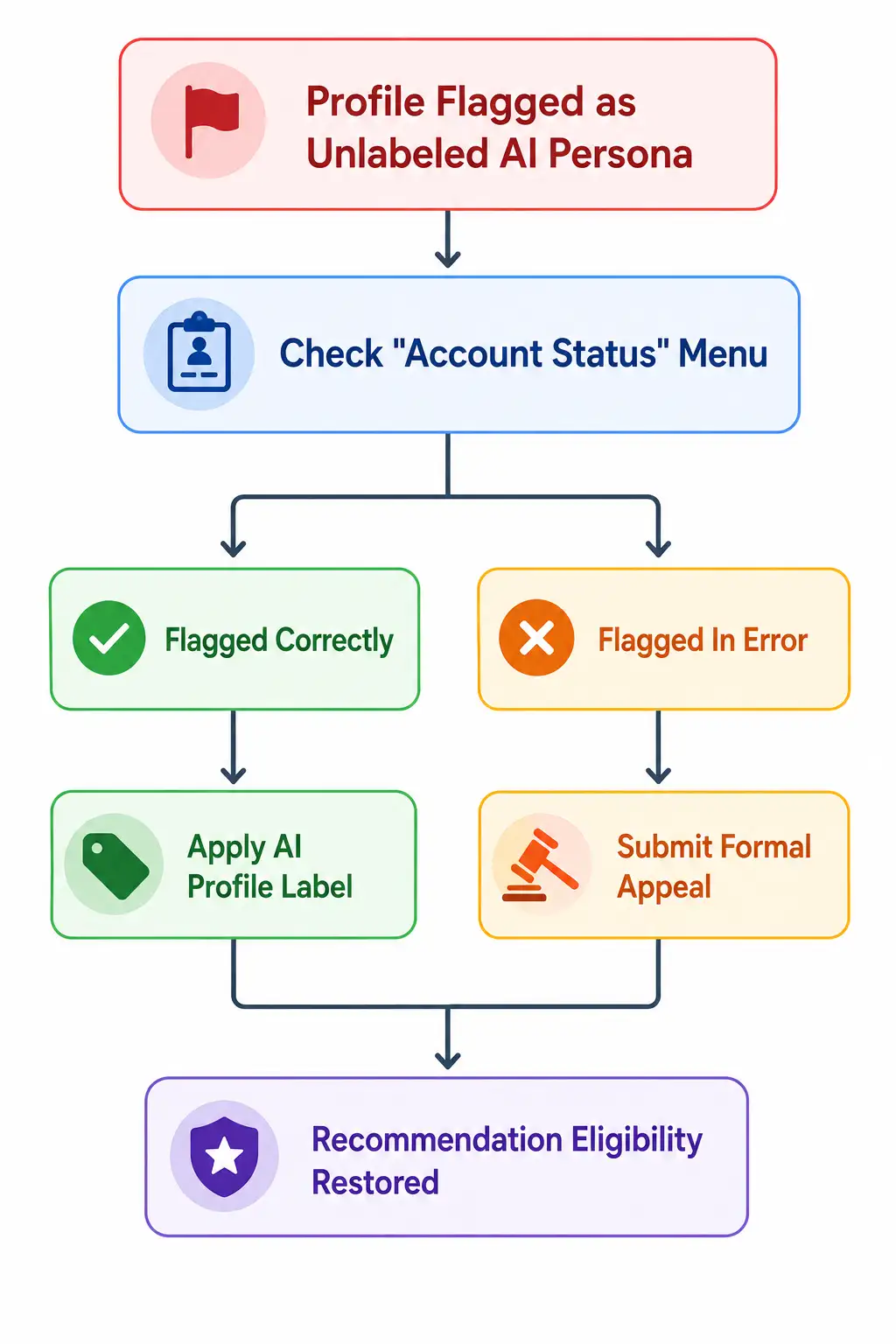
If your profile features an AI persona and you did not manually apply the label, Instagram’s automated detection systems may flag your profile as “Non-Recommendable”. When this happens, your posts will no longer show up on the Explore page, in suggested Reels, or in the feeds of users who do not already follow you.
If you notice a sudden, severe drop in non-follower reach, you must audit your account standing immediately.
1. Navigate to Account Status
-
Go to your profile and tap the Menu (three horizontal lines) in the top-right corner.
-
Tap Settings and Privacy.
-
Scroll down to the More Info and Support section and select Account Status.
-
Select Recommendations Eligibility.
2. Identify the Issue
If Instagram detected an unlabeled synthetic avatar on your account, you will see a yellow warning flag stating that your content cannot be recommended to non-followers.
3. Take Action to Fix Your Standing
You have two primary ways to resolve this restriction based on whether Meta’s automated systems were correct:
-
Option A: Apply the Label (If the flag is correct)
If your page indeed features an AI avatar, toggle on the “AI-generated profile” setting in your Edit Profile menu. Once applied, Instagram automatically lifts the reach restriction, returning your account to the recommendation pool without further penalty.
-
Option B: Submit an Appeal (If the flag is a false positive)
If Meta’s automated vision scanner mistakenly flagged a real human creator as an AI persona, tap the “Request a Review” button directly inside the Account Status screen. Provide any requested verification details. Upon manual review approval, your recommendation status and organic reach will be fully restored.
Why Transparency Protects Your Long-Term Instagram Growth
Many creators worry that displaying the AI-generated profile label will turn viewers away or lower their engagement. However, Instagram’s system architecture prioritizes user trust.
Attempting to hide an AI persona carries far greater risks than using the label transparently. Unlabeled synthetic accounts face ongoing algorithmic demotions, shadowbans from algorithmic recommendations, and potential permanent restrictions. By configuring your profile correctly today, you ensure your content remains eligible for distribution across the entire Instagram network.

Selva Ganesh is a Computer Science Engineer, Android Developer, and Tech Enthusiast. As the Chief Editor of this blog, he brings over 10 years of experience in Android development and professional blogging. He has completed multiple courses under the Google News Initiative, enhancing his expertise in digital journalism and content accuracy. Selva also manages Android Infotech, a globally recognized platform known for its practical, solution-focused articles that help users resolve Android-related issues.




Leave a Reply