
How to Activate Instagram Plus: Features, Pricing & Benefits – Social media platforms are changing how they offer services to users around the world. Meta has officially introduced a paid subscription tier called Instagram Plus. While the standard version of the app remains completely free, this new upgrade provides tools for content customization, enhanced privacy control, and deeper audience interaction.
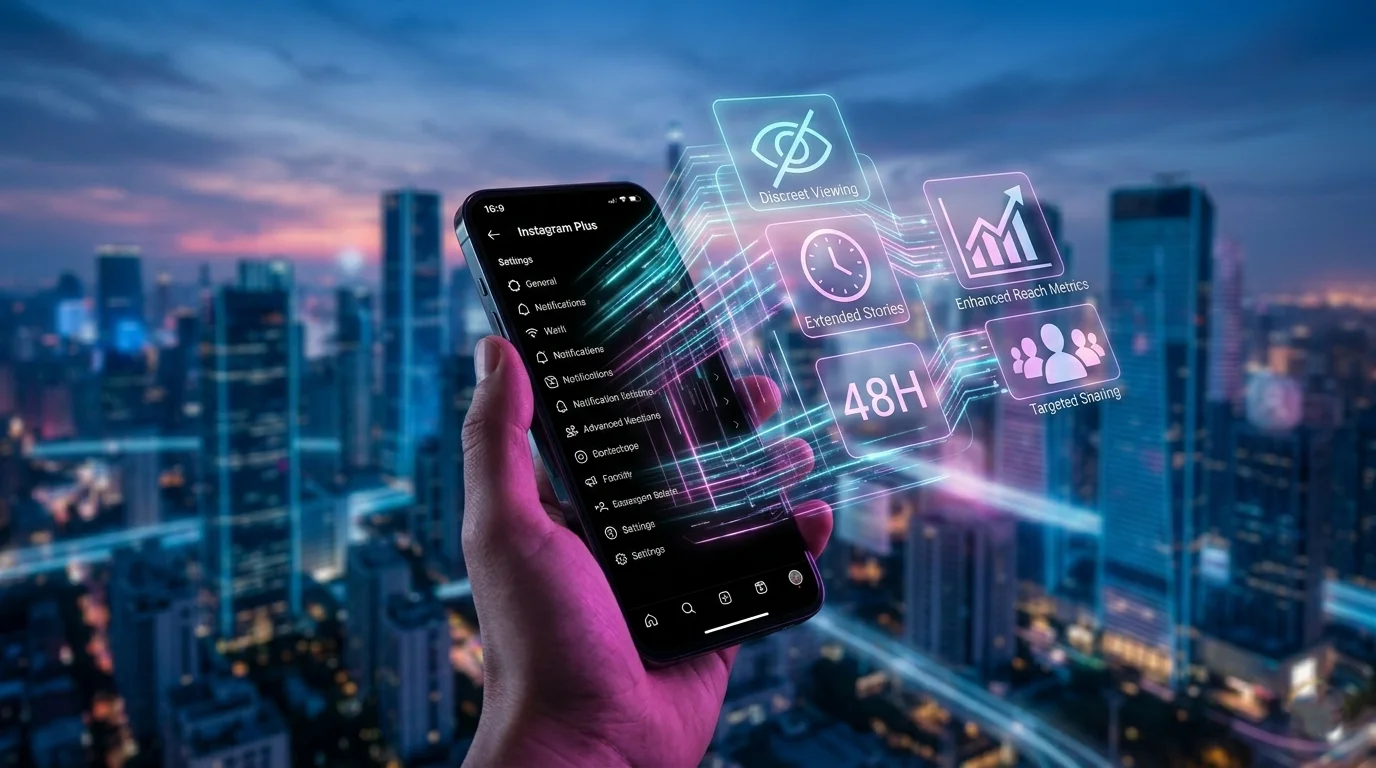

We have prepared this comprehensive guide to explain what Instagram Plus is, its features, what it costs across different global regions, and how to activate it on your mobile device. Whether you manage a small brand or use the app to stay in touch with friends, this guide explains everything in simple terms.
What is Instagram Plus?
Instagram Plus is an optional, paid monthly subscription that adds extra capabilities to your existing account. It is designed to give you more control over your experience on the platform without altering the fundamental way the application works.
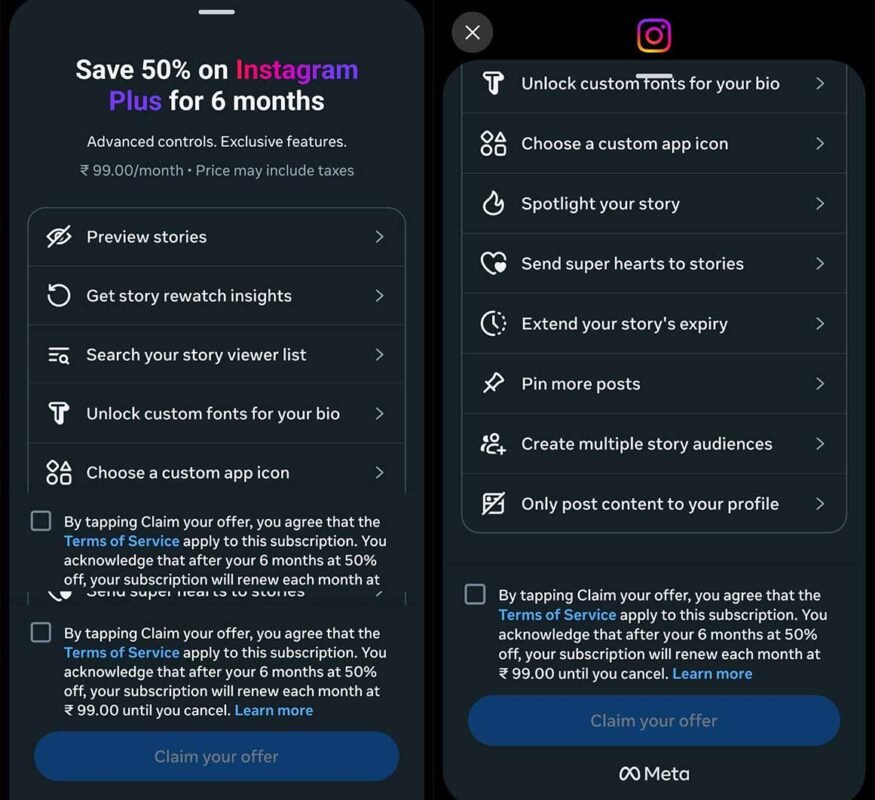
If you choose not to subscribe, your account continues to function exactly as it always has, supported by traditional advertisements. The premium layer focuses heavily on three core upgrades: advanced story management, profile personalization, and discreet content consumption tools.
Key Features of Instagram Plus
The paid tier unlocks a variety of tools built to enhance how you post content and view others. Below is a breakdown of the primary tools included in the subscription package.
1. Advanced Story Tools and Visibility Controls
Stories have become the primary method of daily communication on the platform. The premium upgrade adds significant flexibility to how these disappearing posts behave:
- Story Extend (48-Hour Stories): Standard stories disappear after 24 hours. Subscribers can use Story Extend to keep their updates visible to friends and followers for a full 48 hours, reducing the need to constantly post new content to maintain an active profile.
- Story Spotlight: This feature gives your temporary updates priority placement in the viewing rows of your followers. Your shared moments are pushed toward the front of their feeds, helping ensure your circle does not miss them.
- Multiple Story Audiences: Instead of being restricted to a single “Close Friends” list, you can now create unlimited custom sharing directories. This allows you to group people by specific categories, such as family members, local neighborhood groups, or specific business clients.
2. Deep Insights and Audience Metrics
Understanding who interacts with your profile becomes simpler with enhanced tracking metrics. These updates do not expose hidden personal identities but provide clearer ways to sort your viewer listings:
- Story Rewatch Insights: You can track the total volume of times a story frame has been rewatched in aggregate. This helps pinpoint exactly which photos or videos caught the highest interest among your followers.
- Search Viewer List: Checking to see if a specific friend, colleague, or family member saw your update no longer requires endless manual scrolling. The upgrade introduces a direct search bar inside your story view directory.
3. Discreet Viewing and Privacy Features
For users who prefer to browse the app quietly, the upgrade introduces tools to manage how your presence is recorded:
- Story Preview: By utilizing a simple long-press gesture on a story circle, you can read and preview another account’s frames. This action does not send a “seen” confirmation notification, allowing you to catch up on updates privately without leaving a permanent record in their viewer directory.
- Post Directly to Profile: You can upload new photographs or archive clips directly to your permanent grid or highlights without broadcasting them to your followers’ main feeds. This allows you to organize your profile aesthetic quietly.
4. Visual Personalization and Profile Styling
If you enjoy tweaking the appearance of your device and profile page, several aesthetic options are unlocked:
- Expanded Profile Pins: Standard accounts can only pin three priority posts to the top of their grid. Subscribing doubles this limit, allowing you to anchor up to six posts at the very top of your profile layout.
- Custom App Icons: You can change the actual application logo on your phone’s home screen, choosing from a curated library of designs created by internal teams and community artists.
- Custom Bio Fonts: You can change the typography and text styles within your account biography page to give your profile a unique appearance.
- Super Hearts: When reacting to a close friend’s update, you can send animated heart bursts that fill their screen during interactions.
Instagram Plus Pricing Breakdown
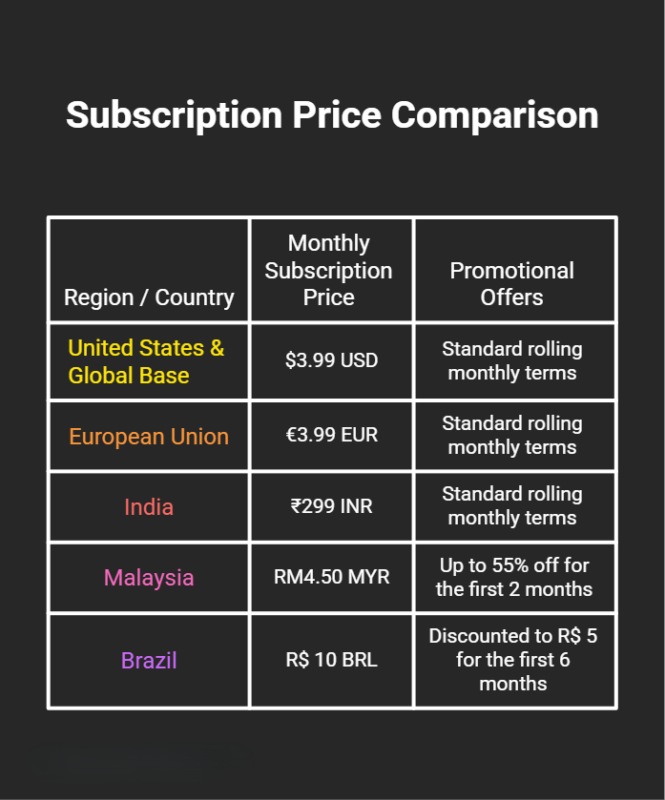
The service is rolling out globally with regional pricing structures designed to match local markets. Below is the standard cost breakdown across major international regions:
Important Distinction: Do not confuse Instagram Plus with Meta Verified. Meta Verified is a higher-priced business and creator tier focused on security, providing an official blue verification badge and direct 24/7 customer chat support. The Plus subscription is a low-cost package intended for everyday users who simply want better everyday app features.
Benefits of Upgrading
Is upgrading your account worth the monthly fee? The response depends entirely on how you use social applications every day.
- For Everyday Power Users: If you spend hours catching up with friends, the ability to view stories privately via Story Preview and search your viewer list adds real convenience. The option to stretch stories to 48 hours also means less pressure to post daily.
- For Casual Creators and Micro-Businesses: If you operate a small local shop, a home bakery, or an online garage sale page, the Multiple Story Audiences tool is highly beneficial. It allows you to separate your private personal life updates from your customer outreach announcements within the exact same account. Pinned slots for six posts also let you showcase more products or frequently asked questions at the top of your page.
Step-by-Step Guide: How to Activate Instagram Plus
Activating the premium version does not require downloading a separate app or running complex configurations. It is handled entirely inside the official app you already use on your Android or Apple iPhone device.
1.Update Your Application: Prerequisite.
Open the Apple App Store or Google Play Store on your smartphone. Search for the official application and tap update to ensure you are running the newest global version. The premium registration option will not appear on outdated software.
2.Access Your Profile Settings: Step 2.
Open the application and tap your miniature profile picture in the bottom right corner to view your personal grid. Look to the top right-hand corner of the screen and tap the menu icon (resembling three horizontal lines) to reveal your account management console.
3.Locate the Plus Membership Option: Step 3.
Scroll down the settings list until you locate a section labeled Instagram Plus or Subscription Management. Tap this button to open the introductory features screen detailing the monthly plans available in your region.
4.Confirm Payment Details: Step 4.
Review the localized pricing screen. Tap the activation button, which securely links directly to your native phone payment method (Google Pay or Apple ID). Complete the biometric verification or password check to authorize the monthly billing cycle.
5.Verify Your Premium Access: Step 5.
Once billing is confirmed, return to your main settings. Look for the newly unlocked personalization tabs, where you can modify your app icon, adjust your bio fonts, or begin organizing your new custom audience lists.
Important Safety Warning: Avoid Counterfeit Third-Party Apps
Because this service is highly discussed online, malicious developers often try to trick users. You must remember that the official upgrade exists inside your current app.
Warning: Never download files from external web browsers named “Instagram Plus APK” or “WhatsApp Plus Premium Installer.” These are illegal, altered modifications built by hackers. Downloading unofficial programs from outside official app stores will expose your phone to malware, risk the theft of your personal data, and lead to your account being permanently banned by Meta safety teams.
The authentic premium experience is safe, simple to activate, and can be toggled on or turned off at any time directly through your smartphone’s application settings.

Selva Ganesh is a Computer Science Engineer, Android Developer, and Tech Enthusiast. As the Chief Editor of this blog, he brings over 10 years of experience in Android development and professional blogging. He has completed multiple courses under the Google News Initiative, enhancing his expertise in digital journalism and content accuracy. Selva also manages Android Infotech, a globally recognized platform known for its practical, solution-focused articles that help users resolve Android-related issues.





Leave a Reply