
Android Can Help Reduce Motion Sickness While Traveling: Motion Sickness Relief and More – We are excited to break down the latest updates rolling out to your device. Google has officially released its feature update, packed with practical, real-world enhancements designed to make daily phone usage smoother, healthier, and far more intuitive.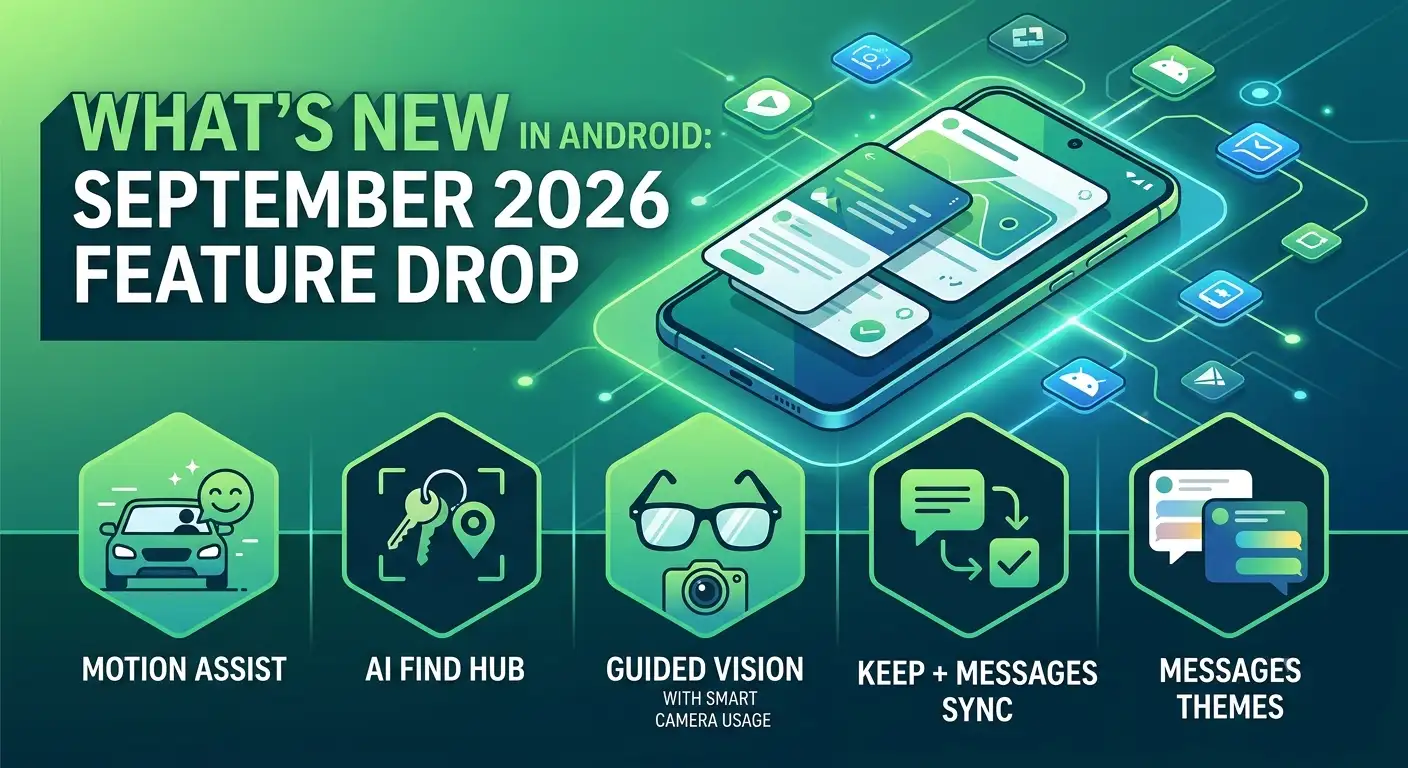
Whether you struggle with carsickness, constantly lose track of your everyday items, or rely on visual accessibility tools, this release has something for everyone. Best of all, we are explaining these upgrades in plain, everyday language—no complex tech jargon required.

Here is your complete guide to everything new on the latest release.
Say Goodbye to Carsickness with Motion Assist
For millions of people, checking a smartphone in the passenger seat or on a bus triggers instant nausea. This uncomfortable phenomenon—known medically as motion sickness or kinetosis—happens because of a miscommunication in your body. Your inner ear feels the turns, accelerations, and stops of the vehicle, but your eyes are fixed on a static screen. Your brain gets confused by these conflicting signals, causing dizziness and stomach discomfort.
To solve this widespread issue, Google introduced Motion Assist.
How Motion Assist Works for You
-
Real-Time Visual Cues: When enabled, your screen displays subtle, animated dots or bubbles along the edges.
-
Dynamic Syncing: These visual cues shift in real time to mirror the exact movements of your car, train, or bus. If the vehicle veers left, the subtle shapes shift accordingly.
-
Brain Alignment: By seeing movement on your display that matches what your body feels, your brain stays synchronized, preventing the sensory disconnect that causes nausea.
Easy Customization Options
We love that you do not need to be a tech wizard to use this feature. You can set Motion Assist to turn on automatically whenever your device senses that you are riding in a moving vehicle. Alternatively, you can toggle it on or off manually using your quick shortcut panel.
You can also customize how it looks on your screen. Adjust the bubble shapes, color schemes, and transparency levels so the visual overlay feels comfortable without distracting from your reading or video streaming.
Never Lose Your Stuff Again: AI Meets Find Hub
We have all experienced the panic of misplacing an essential personal item—like a passport, spare keys, or important paperwork. While bluetooth tracking tags exist for items like keychains or wallets, you cannot stick a digital tracker on every single physical object in your home.
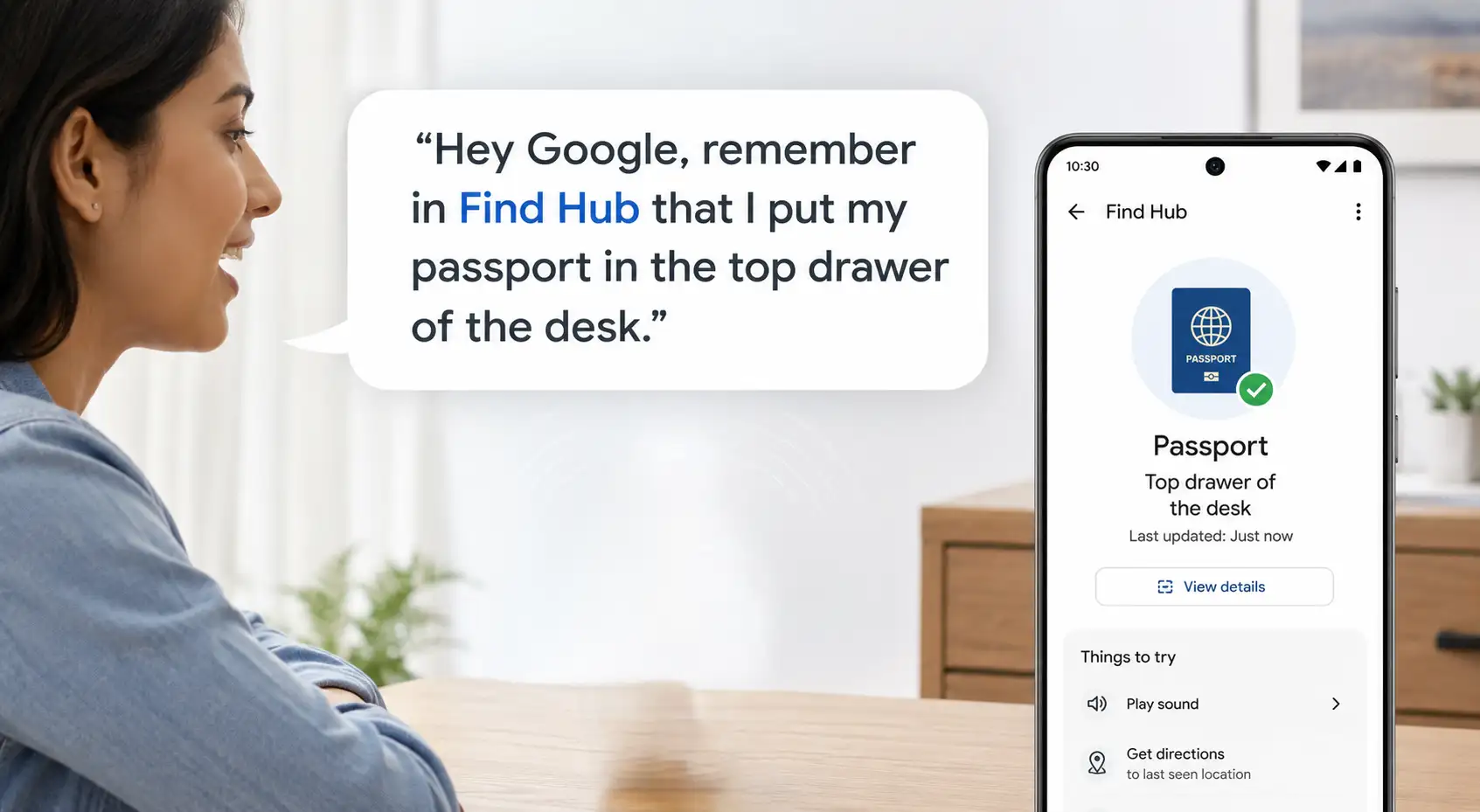
The new Find Hub Remembered feature bridges this gap by using artificial intelligence as your personal digital memory bank.
How to Track Untagged Items
-
Speak Naturally: Speak directly to your phone using voice commands. For example, tell your device: “Remember in Find Hub that I placed my spare keys in the kitchen pantry.”
-
Add Visual Proof: You can attach a quick photo to the note so you have visual confirmation of the location.
-
Instant Recall: When you need the item days or weeks later, simply ask your assistant where it is, or open the “Remembered” tab inside the Find Hub app to browse your saved items.
This straightforward tool removes the stress of remembering small details, organizing your household without requiring extra hardware purchases.
Guided Vision: Live Audio Descriptions for the Physical World
Accessibility takes a massive step forward with Guided Vision, built directly into Gemini Live. Designed alongside members of the blind and low-vision communities, this tool turns your smartphone camera into an intelligent set of eyes.
What Can Guided Vision Do?
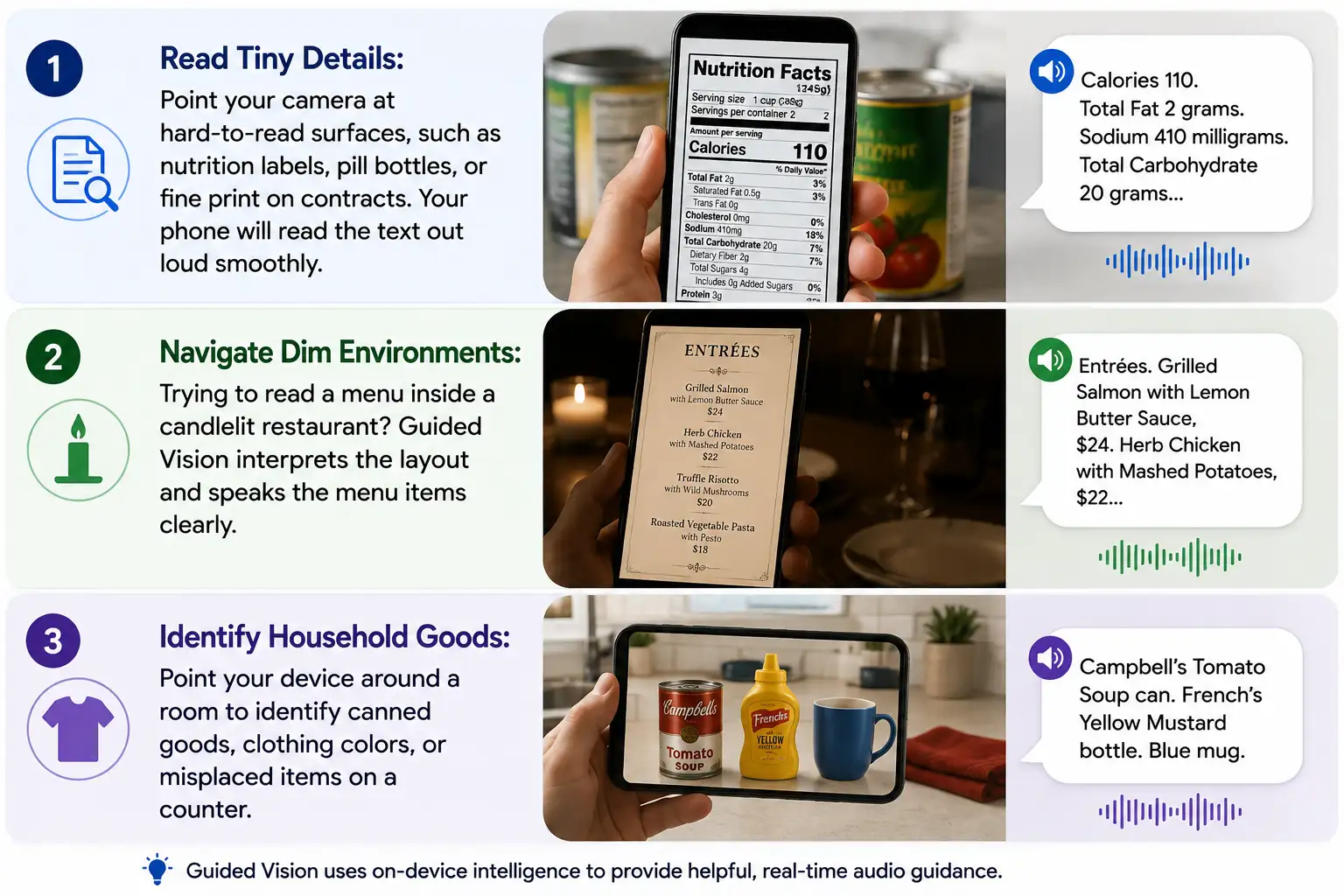
Real-Time Framing Assistance
What makes Guided Vision unique is its conversational positioning help. If you are holding the camera too close, too far, or off-center, your phone provides gentle spoken directions—such as “Pan slightly to the right” or “Move phone back”—ensuring the object is perfectly framed before reading the details back to you.
Seamless Collaboration in Google Messages
Staying on the same page with family members, roommates, or trip partners just got vastly simpler. Instead of switching back and forth between messaging tools and note-taking apps, Google has integrated Google Keep directly into Google Messages.
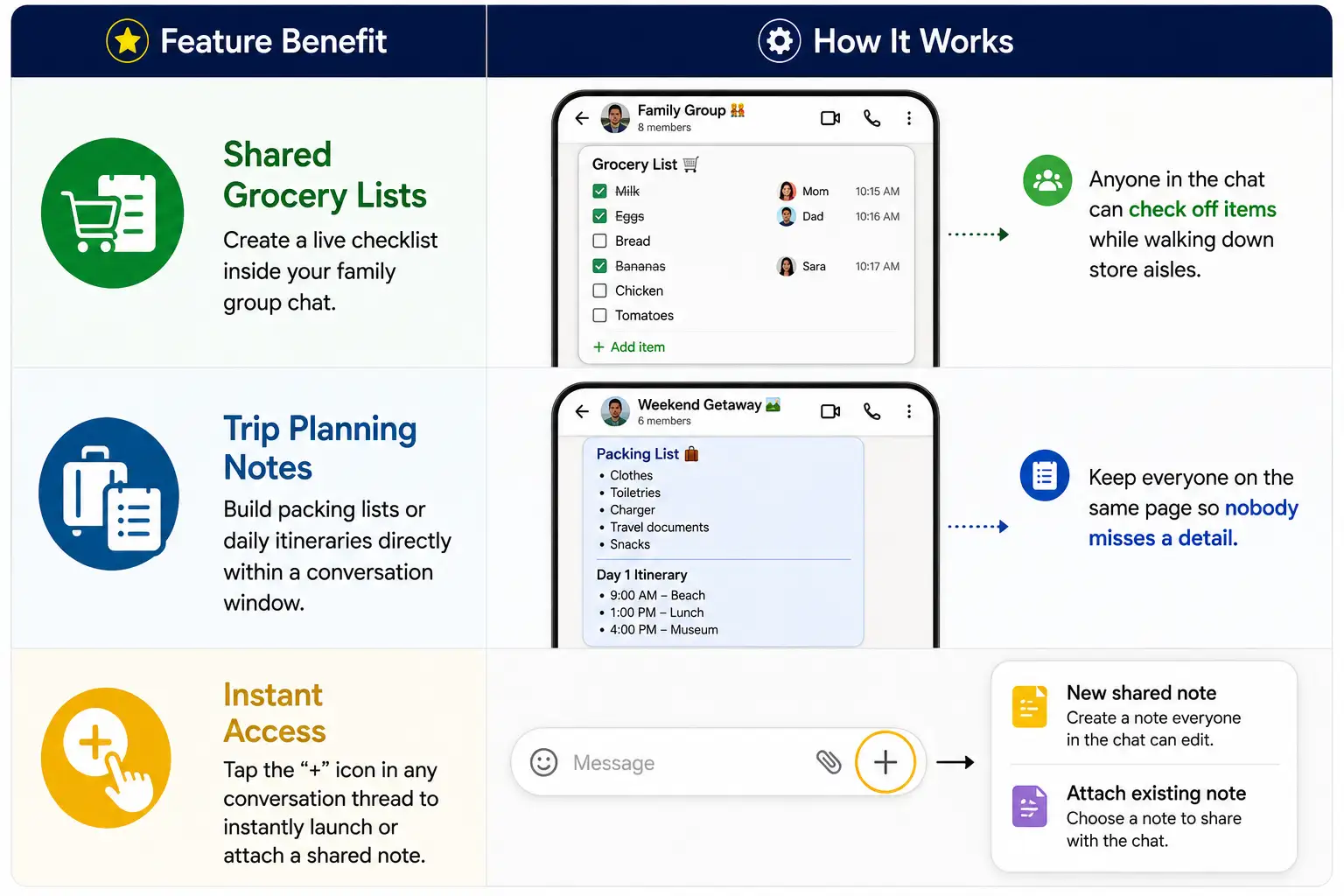
By keeping shared lists inside your active chat threads, everyone can view, edit, and contribute in real time without ever closing the conversation.
Express Yourself with Custom Chat Themes
Adding a touch of flair to your everyday conversations, Google Messages now includes full support for custom chat backgrounds and color themes.
-
Personalized Wallpapers: Assign distinct visual themes to individual contacts or group chats. Set a relaxing beach photo for your upcoming vacation group or a cozy coffee backdrop for your daily morning chat partner.
-
Dynamic Color Matching: When you choose a custom background image, your text bubbles automatically shift their shades to complement the colors of your wallpaper.
-
Private Views: Customization is entirely personal—your chosen themes affect your view only, allowing you to style your messaging screen without altering your contact’s screen layout.
Summary of Rollout Details
We want to make sure you know when and how these new tools will arrive on your phone. Here is a quick breakdown:
-
Motion Assist: Rolling out with the latest operating system updates, starting with Pixel devices and expanding to additional compatible smartphones soon.
-
Find Hub Remembered: Supported on devices using recent system updates wherever digital assistant features are enabled.
-
Guided Vision: Coming to a wide range of devices running standard operating systems with active assistant services.
-
Messages & Keep Integration: Rolling out globally starting today within your default messaging app.
Final Thoughts
This update focuses on solving genuine, everyday challenges. From eliminating motion sickness on long car rides to helping low-vision users read fine print, these features showcase how thoughtful software design can improve our daily lives.

Selva Ganesh is a Computer Science Engineer, Android Developer, and Tech Enthusiast. As the Chief Editor of this blog, he brings over 10 years of experience in Android development and professional blogging. He has completed multiple courses under the Google News Initiative, enhancing his expertise in digital journalism and content accuracy. Selva also manages Android Infotech, a globally recognized platform known for its practical, solution-focused articles that help users resolve Android-related issues.




Leave a Reply