
Apple Photo Is Real or AI-Generated?– In an era dominated by hyper-realistic synthetic media, telling genuine photographs apart from generative artificial intelligence renderings has grown exponentially difficult. We frequently encounter digital imagery that blurs the boundary between real-world light captured on a physical sensor and pixels synthesized by deep learning algorithms. While traditional inspection techniques like checking hand proportions, lighting direction, and text rendering are helpful, software-level manipulation has evolved past simple visual glitches.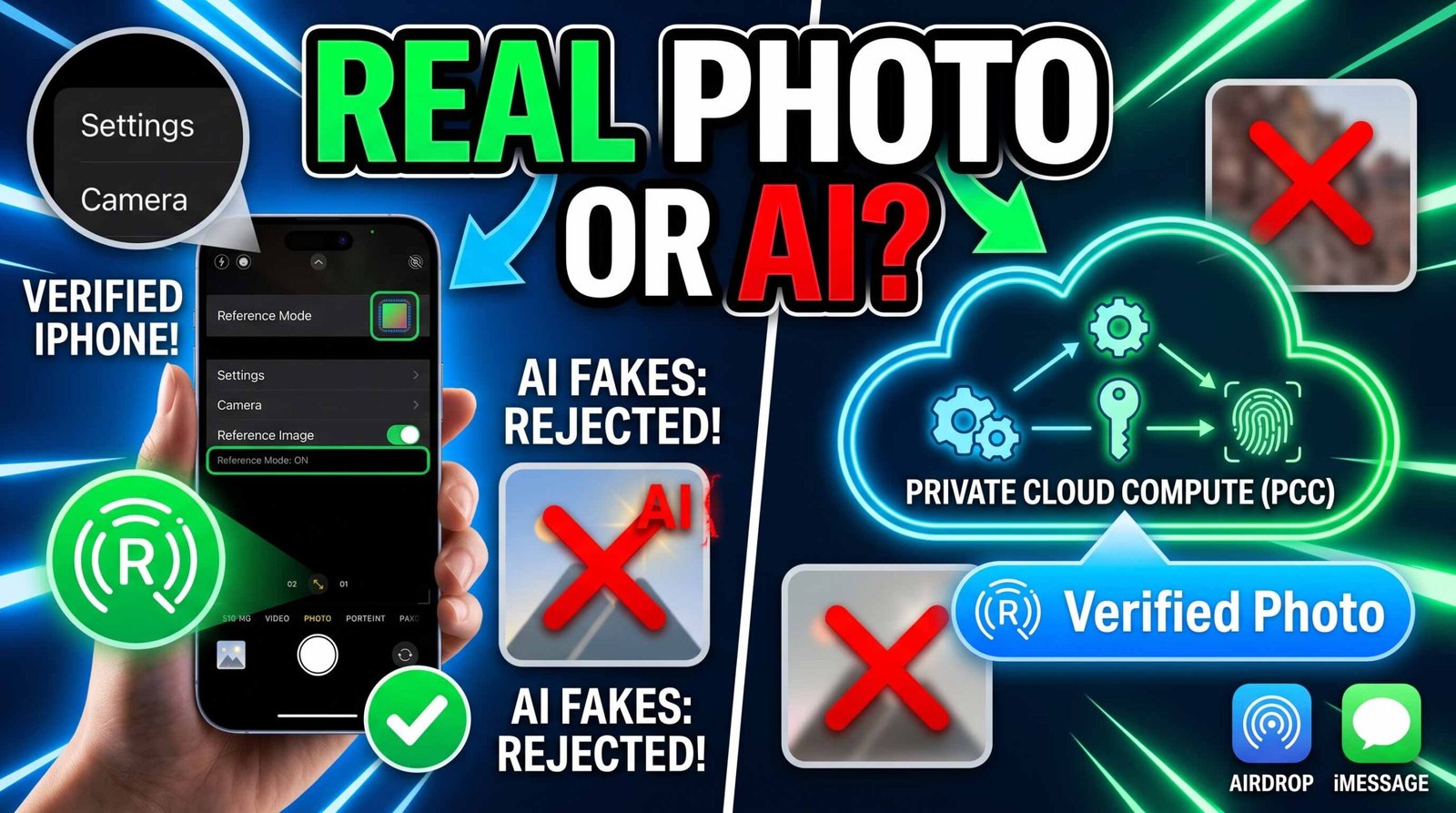
To definitively separate authentic real-world captures from AI generated files, we must evaluate both hardware-based cryptographic provenance and optical metadata signals. Apple’s recent framework developments—specifically the Apple Reference Image system spotted in iOS 27 beta 5—signal a major shift from reactive visual inspection to hardware-backed origin verification.

The Breakthrough: How Apple Reference Image Authenticates Photos
Rather than relying on post-capture detection algorithms that guess whether an image is synthetic, Apple Reference Image establishes absolute photo provenance at the precise moment of capture. Uncovered within pre-release code and privacy documentation, this security protocol leverages hardware-tied authentication directly embedded inside the physical camera sensor assembly.
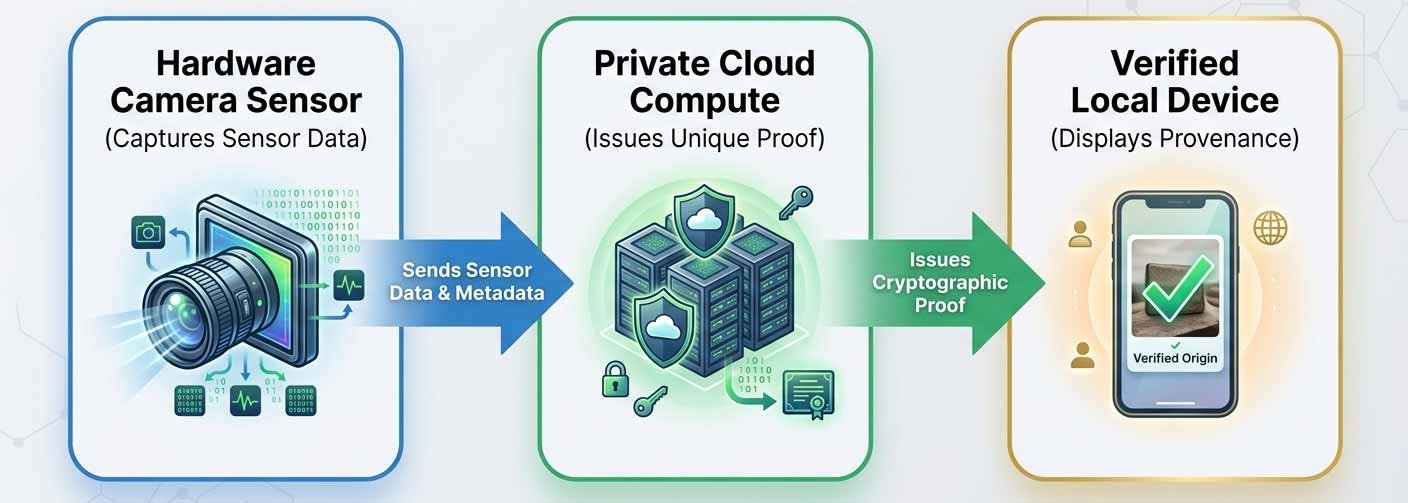
When an image is taken, unique optical telemetry, sensor noise patterns, and precise timing signatures are bound to the raw capture data. Generative AI engines create pristine pixel matrices that lack these microscopic physical sensor anomalies, rendering synthetic reproductions incapable of generating legitimate hardware signatures.
Activating and Utilizing Camera Reference Mode
To benefit from hardware provenance protection, we must explicitly capture media using the dedicated Reference Mode in iOS. Standard automated photo modes do not embed the complete cryptographic provenance stack into image metadata by default to maintain low file overhead during routine everyday photography.
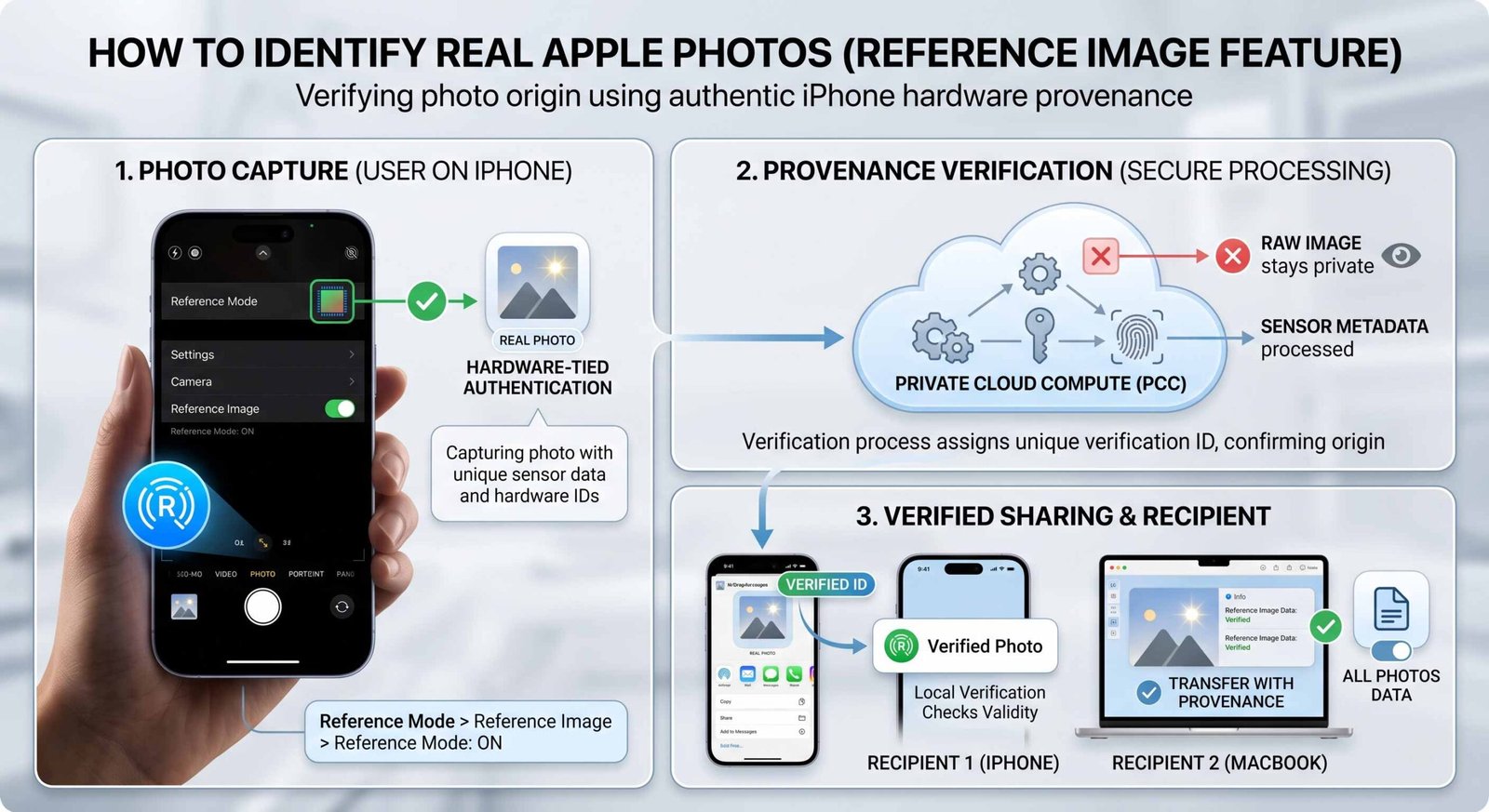
Step-by-Step Configuration Guide
-
Open System Settings: Navigate directly to Settings > Camera > Reference Image on your compatible device.
-
Enable Verification Capture: Toggle on Reference Mode.
-
Capture Process: Open the native Camera app, switch to the Reference shooting mode, and take your photo.
-
Inspect Provenance Badges: Locate the Reference Badge directly inside the native Photos app info pane to trigger local authenticity checks.
Settings ──► Camera ──► Reference Image ──► Toggle Reference Mode ON
Important Operational Distinction: Photos captured under standard photo modes, third-party social media camera wrappers, or basic screen recordings will not contain the cryptographic telemetry required for downstream hardware verification.
Private Cloud Compute and Sensor Security Protocols
Privacy remains paramount when verifying sensitive personal photography. Apple solves the privacy dilemma by routing cryptographic checks through Private Cloud Compute (PCC).
Raw Photo Privacy
During authentication, the actual raw image content is never exposed to Apple or third-party servers. Instead, the system constructs a secure hash derived from image structure and sensor telemetry. Only this non-reversible cryptographic hash and hardware identifier payload travel to the cloud. Private Cloud Compute evaluates the payload, assigns a unique verified ID, and transmits the signed verification status back to the client device.
Sensor Telemetry Revocation
To prevent malicious actors from extracting physical sensor signatures from compromised hardware to spoof synthetic media, Apple enforces dynamic sensor revocation. If security telemetry indicates a specific camera sensor hardware unit has been modified, tampered with, or jailbroken, Apple maintains the authority to revoke prior authentications linked to that physical unit, instantly invalidating synthetic payloads attempting to mimic that device ID.
Exporting and Verifying Real Apple Photos
Sharing authenticated files across networks requires preserving the embedded provenance chain without compromising security.
-
Local On-Device Verification: Shared images carrying Reference metadata permit receiving Apple devices (iOS, iPadOS, and macOS) to validate authenticity locally, ensuring external network tracking of user photo viewing is impossible.
-
Transfer with Provenance Over USB: When archiving or transferring imagery to professional desktop environments (Mac or PC), enabling Transfer with Provenance guarantees that raw hardware signatures remain attached to the exported media file.
-
AirDrop and Messages Distribution: To preserve verification capabilities when sending files wirelessly, we must select “All Photos Data” in the share sheet Options menu. This preserves uncropped sensor bounds alongside hardware identifiers required by the receiving recipient.
Visual and Metadata Markers: Real iPhone Photos vs AI Images
When automated provenance data is unavailable, we can systematically analyze technical indicators to distinguish physical captures from synthetic images:
| Feature Attribute | Real Apple iPhone Photo | Synthetic / AI Generated Image |
| EXIF & C2PA Metadata | Contains real lens model, aperture, shutter speed, ISO, and Apple device tags. | Lacks hardware camera tags; may carry C2PA synthetic metadata or no EXIF. |
| Sensor Grain Structure | Uniform, ISO-dependent luminance and chrominance hardware noise patterns. | Unnaturally smooth surfaces or floating mathematical noise artifacts. |
| Depth & Focus Mapping | Optical depth of field calculated via physical lens elements and LiDAR sensor. | Inconsistent background blur; selective focus ignoring true spatial depth. |
| Reflection Fidelity | Accurate reflections across metallic surfaces and pupil specular highlights. | Distorted reflection vectors; asymmetric catchlights in human eyes. |
| Edge Geometry & Detail | Crisp, mathematically true straight lines across architectural elements. | Warped lines, melted background textures, and irregular geometric patterns. |
Frequently Asked Questions
1. What is Apple Reference Image?
It is a hardware-tied photo provenance system introduced in iOS 27 code that authenticates whether an image was captured by a genuine iPhone camera sensor.
2. How does Reference Mode differ from standard shooting modes?
Reference Mode embeds full hardware telemetry, capture timestamps, and sensor cryptographic signatures into the image metadata required for official verification.
3. Does Apple view my personal photos during verification?
No. Private Cloud Compute processes non-reversible hardware hashes and metadata, ensuring raw image contents are never seen or stored remotely.
4. Can AI image generators fake Apple Reference signatures?
No. Cryptographic keys are bound directly to the physical silicon and hardware telemetry of the camera sensor, making synthetic duplication virtually impossible.
5. What happens if a camera sensor is hacked or tampered with?
Apple can remotely revoke authentications associated with compromised hardware sensors, invalidating fake credentials.
6. Will Reference Image data persist if I edit the photo?
Cropping or heavy third-party editing may alter pixel alignment, requiring export via “Transfer with Provenance” or sending “All Photos Data” to retain valid signatures.
7. Can non-Apple devices verify these photos?
While verification relies on Private Cloud Compute algorithms, exported files containing standardized C2PA metadata allow cross-platform systems to read basic origin status.
8. Does taking photos in Reference Mode increase file size?
Yes, embedding extended sensor metadata and cryptographic signatures slightly increases overall file size compared to standard compressed formats.
9. Why can’t we authenticate old photos taken before iOS 27?
Legacy photos lack the hardware-level cryptographic signatures generated at the moment of capture by Reference Mode.
10. Does Apple Reference Image support video files?
Initial documentation points primarily to still photography, though embedded sensor telemetry architecture establishes a framework adaptable for future video provenance.

Selva Ganesh is a Computer Science Engineer, Android Developer, and Tech Enthusiast. As the Chief Editor of this blog, he brings over 10 years of experience in Android development and professional blogging. He has completed multiple courses under the Google News Initiative, enhancing his expertise in digital journalism and content accuracy. Selva also manages Android Infotech, a globally recognized platform known for its practical, solution-focused articles that help users resolve Android-related issues.





Leave a Reply