
Every online interaction demands our personal contact information. Whenever we subscribe to a newsletter, purchase merchandise online, or test a new web application, our personal email address serves as a universal identifier. Over the years, we witnessed our primary inboxes degrade from organized communication hubs into overwhelming torrents of spam, marketing promotions, and aggressive tracking attempts. Even worse, that singular email string allows cross-site data aggregators to build comprehensive dossiers on our digital behavior.
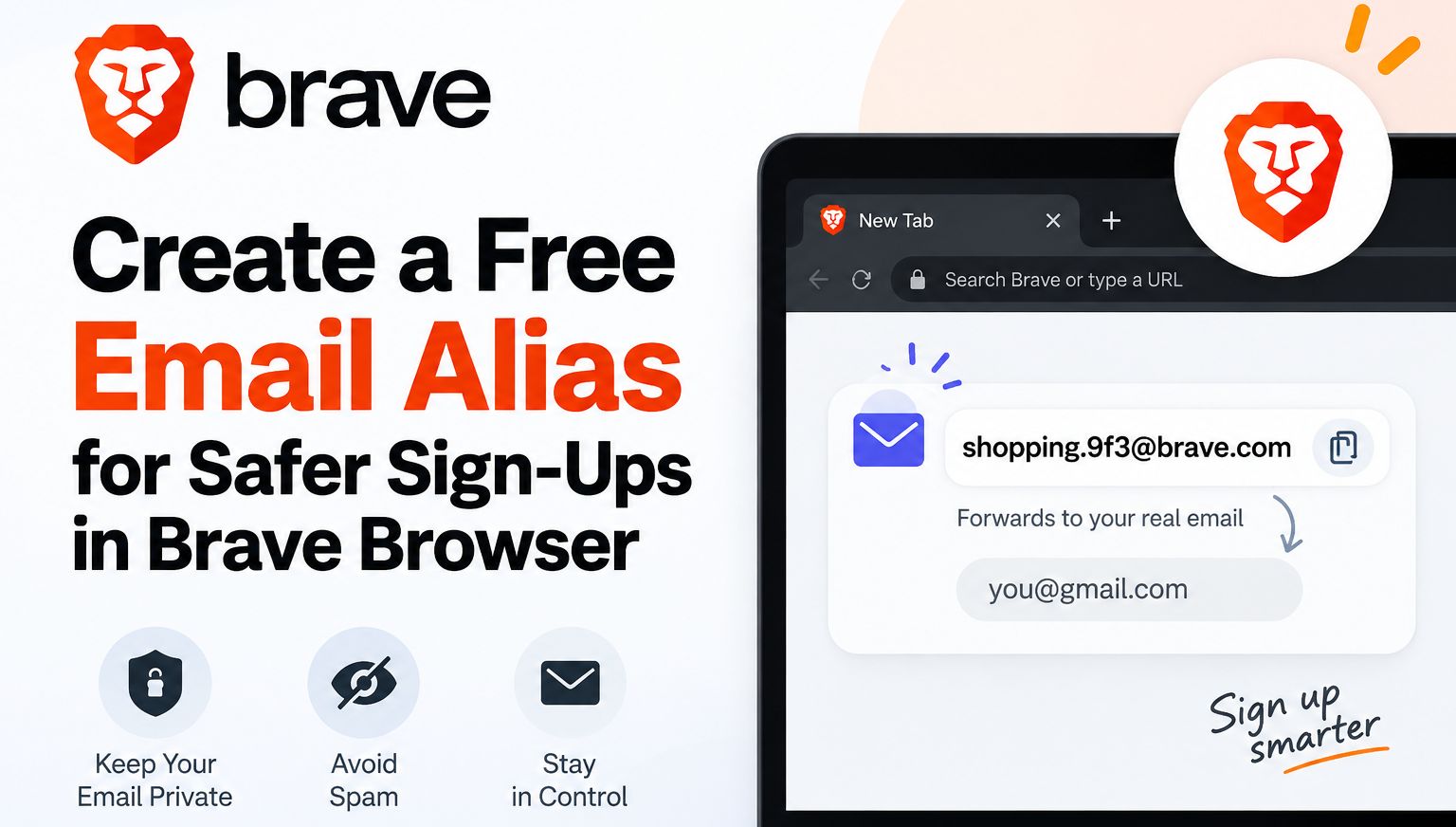

With the launch of Brave desktop version 1.94, we discovered an integrated, native solution designed to neutralize this exact threat: Brave Email Aliases. By creating dynamic forwarding masks on demand, we can now insulate our genuine identity, defeat server-side tracking, and retain absolute control over every incoming message.
The Hidden Threat of the Universal Email Identifier
For decades, third-party cookies served as the primary mechanism for tracking consumer activity across the internet. As browsers began aggressively blocking cross-site scripts and cookie files, advertising networks pivoted toward a far more resilient data point: your verified email address.
When you enter your primary email on an e-commerce storefront, that address is frequently converted into a cryptographic hash (such as SHA-256) and transmitted to data brokers, search platforms, and social media conglomerates through server-side APIs. If you use that identical email address anywhere else on the web, advertising networks instantly correlate both visits. They know what you purchased, which articles you read, and when your schedule peaks.
Furthermore, relying on a static email address increases your vulnerability to corporate security breaches. When a minor platform suffers a credential leak, your unmasked email address enters automated credential-stuffing dictionaries and public broker catalogs. We realized that preventing this required treating email addresses not as fixed identities, but as modular, disposable endpoints.
Understanding Brave Email Aliases
The Brave Email Alias infrastructure functions as a secure forwarding relay directly built into your web browser. Instead of revealing your personal inbox address during an account creation flow, Brave generates a unique, pseudorandom forwarding address on the fly.
When a website sends confirmation codes, receipts, or newsletters to that generated alias, Brave’s relay infrastructure receives the payload, verifies its integrity, and routes it directly to your primary destination email inbox. You receive your important correspondence without interruption, but the transmitting website never learns who you actually are.
If a particular vendor sells your alias to spam operations or bombards your inbox with unwanted promotions, you do not need to construct complex filtering rules in your email client. You simply sever the connection by disabling the specific alias directly inside Brave. The incoming messages vanish instantly at the perimeter.
Cryptographic Security via the OPAQUE Protocol
Most account-based browser services require users to trust a centralized server with authentication tokens or hashed passwords. When we examined how Brave Accounts handles user identity for email alias provisioning, we found a fundamentally superior approach rooted in advanced cryptography.
Brave utilizes the OPAQUE protocol, a cutting-edge Asymmetric Password-Authenticated Key Exchange (aPAKE). Under this architecture:
-
Zero-Knowledge Authentication: Your master password never leaves your physical device under any circumstance.
-
Server-Side Immunity: Brave’s authentication servers never store your plaintext password, nor do they possess password hashes vulnerable to offline brute-force cracking.
-
Local Cryptographic Proof: Authentication occurs through an interactive mathematical exchange between your browser and the server, establishing mutual trust without disclosing the underlying secret.
This cryptographic foundation ensures that even in the theoretical event of a catastrophic server compromise at Brave, malicious actors cannot retrieve user credentials or access linked forwarding mappings.
Strict Data Minimization and Ephemeral Processing
A common concern when routing correspondence through third-party relays is message privacy. We closely scrutinized Brave’s data handling policies and server lifecycle mechanisms to determine how messages are treated in transit.
-
Automated Hygiene Filtering: Incoming emails pass exclusively through memory-based scanning routines dedicated to detecting severe malware, malicious attachments, and mass phishing campaigns.
-
Zero Human Inspection: Brave does not scan, index, monetize, or harvest message contents, headers, or metadata for analytical purposes.
-
Immediate Server Deletion: Once an incoming email is successfully delivered to your primary inbox destination, the message payload is completely purged from Brave’s relay servers within seconds. No residual copies remain cached on the delivery infrastructure.
-
Local and Encrypted Notes: Any descriptive notes, labels, or tags you assign to an alias to remember its purpose are stored locally on your hard drive or synchronized between your authorized devices via end-to-end encrypted Brave Sync.
Step-by-Step Guide to Configuring Brave Accounts
Before deploying your first forwarding mask, you must establish an authenticated Brave Account to designate your primary inbox destination. We found the initial configuration process remarkably efficient.
Step 1: Accessing the Alias Configuration Dashboard
Launch your Brave desktop browser running version 1.94 or newer. In the address bar, paste the following internal URL and press enter:
- brave://settings/email-aliases
Alternatively, open your browser Settings, navigate to the Privacy and security tab on the left navigation panel, and locate the Email Aliases configuration block.
Step 2: Registering via OPAQUE
Click the prompt to create your Brave Account. Enter your primary, everyday email address—this is the trusted destination where your forwarded emails will ultimately arrive. Next, specify a strong, unique master password. Thanks to the OPAQUE protocol, this password will be processed entirely on your local machine to establish cryptographic keys.
Step 3: Verifying the Primary Destination
Check your primary email inbox for an automated confirmation dispatch from Brave. Click the secure verification link inside the message to validate that you hold legitimate ownership of the forwarding target. Once verified, your Brave browser automatically links your local session to your forwarding profile.
How to Generate an Email Alias While Browsing?
Once configured, creating an alias requires no manual copying, pasting, or navigation away from your current browsing session. Brave embeds the functionality directly into everyday web input fields.
Method 1: The Context Menu (Right-Click)
When you navigate to any online registration form, account creation screen, or newsletter submission box:
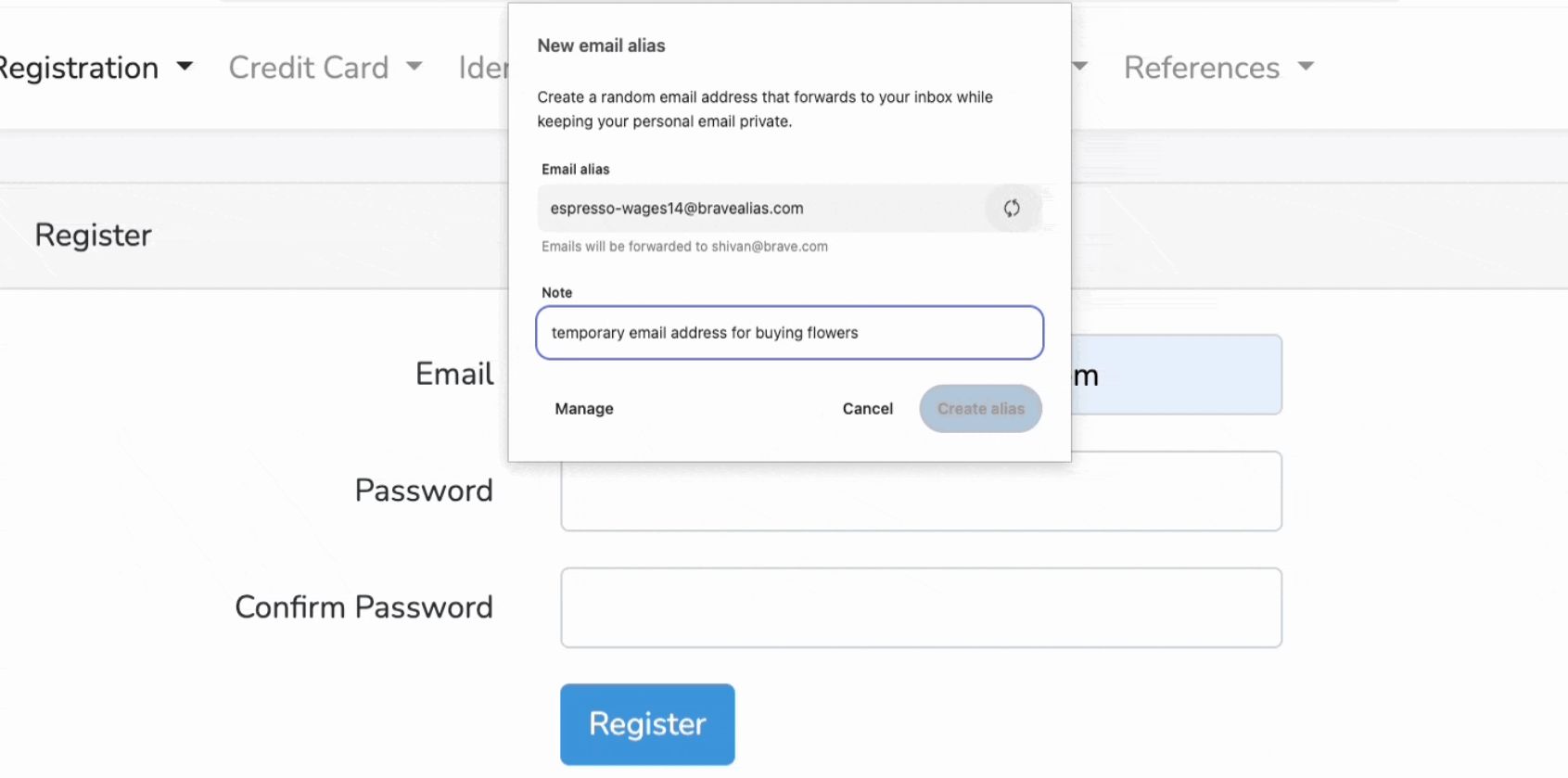
-
Click into the text field designated for your email address.
-
Right-click inside the field to invoke the context menu.
-
Hover over the Brave menu item and select New Email Alias.
-
Brave instantly generates a pristine, cryptographically random forwarding handle and populates the text field automatically.
Method 2: The In-Field Inline Hint
On modern web layouts, Brave displays a subtle inline shield icon directly inside recognized email input fields. Clicking this hint opens a compact popover window. Selecting the alias option immediately provisions a new address, records the domain you are visiting, and inputs the generated alias into the web form with a single click.
Managing, Renaming, and Deactivating Aliases
True privacy management requires simple administrative control. We regularly audit our active aliases to ensure obsolete accounts do not remain connected to our personal inboxes.
Navigate back to brave://settings/email-aliases to view your unified dashboard. Here, you will find:
-
Source Domain Correlation: Each generated alias lists the specific domain where it was initially deployed, making it effortless to identify the origin of incoming correspondence.
-
Custom Notes: You can add custom notes to each entry (such as “Temporary subscription for conference registration” or “Online electronics retailer”). These labels sync securely across your devices.
-
Instant Kill Switches: Beside each alias is an active toggle switch. If you determine that a specific platform has begun sending spam or has suffered a data breach, toggle the switch to Disabled. All future dispatches routed to that address are rejected at the edge of Brave’s network, ensuring complete inbox silence.
Current Limits and the Strategic Roadmap
In the initial release of desktop version 1.94, Brave includes five free email aliases per user account. We found this allocation sufficient for protecting our most critical accounts, high-risk registrations, and unfamiliar storefronts.
For power users who demand unique aliases for every single web account, Brave has architected an extensive expansion roadmap:
-
Mobile Parity: The engineering team is actively porting the Email Aliases interface and inline detection engines to Brave for Android and iOS, unifying protection across desktop and mobile devices.
-
Premium Tiers: A forthcoming subscription tier will eliminate alias quantity constraints, allowing unlimited alias creation, custom domain routing, and advanced delivery controls.
-
Two-Way Masked Replies: Future updates are planned to allow users to reply directly to forwarded emails from their standard email client while maintaining full alias masking on outbound delivery.
Comparing Brave Aliases with Alternative Solutions
| Feature | Brave Email Aliases | Traditional Disposable Inboxes | Dedicated Forwarding Services |
| Workflow Friction | Zero; generated natively in browser forms | High; requires visiting external websites | Moderate; requires extensions or dashboard logins |
| Authentication Model | OPAQUE Protocol; zero-knowledge local keys | None; public and unauthenticated | Standard passwords or bearer tokens |
| Data Retention | Seconds; discarded immediately post-relay | Days or weeks on public message boards | Varies by provider; often cached |
| Cross-Site Tracking Defense | Built-in; stops cross-domain email hashing | Partial; frequently blocked by site filters | Comprehensive; requires external setup |
| Native Integration | Directly embedded in Brave settings & context menus | None; disconnected from browser engine | Requires third-party browser add-ons |
Frequently Asked Questions
What is a Brave Email Alias?
A Brave Email Alias is a randomly generated email address created by the Brave browser that forwards incoming messages directly to your real inbox, concealing your personal email address from websites and advertisers.
Which browser versions support Email Aliases?
Email Aliases are available starting with Brave desktop version 1.94. You can verify your version by visiting brave://settings/help.
How much does it cost to use Brave Email Aliases?
Brave provides five active email aliases completely free of charge. An optional premium tier with unlimited aliases is planned for future releases.
How does Brave protect my login password?
Brave Accounts utilize the cryptographic OPAQUE protocol. This ensures that your master password is never sent across the internet and never stored on Brave’s servers.
Does Brave read or monetize my forwarded emails?
No. Brave processes incoming emails strictly in memory to run automated security, virus, and spam filters. Messages are completely deleted from Brave’s relay servers within seconds of delivery to your personal inbox.
Can I reply to emails sent to my alias?
In the initial release under version 1.94, the Brave Email Aliases function exclusively as an inbound forwarding relay. Native masked replies are scheduled for subsequent feature rollouts.
What happens if an alias starts receiving spam?
You can navigate to brave://settings/email-aliases and deactivate the compromised alias using the toggle switch. Once deactivated, all future incoming messages to that alias are permanently blocked.
Can websites detect and block Brave Email Aliases?
Brave configures its forwarding domains using industry-standard email protocols, including valid SPF, DKIM, and DMARC records, ensuring delivery rates match traditional corporate email addresses without triggering disposable domain blacklists.
Are my alias notes shared with Brave?
No. Any custom notes or labels you assign to your aliases are stored locally on your machine or end-to-end encrypted using Brave Sync, keeping your organizational notes private.
Can I use my Brave aliases on my smartphone?
The initial rollout of version 1.94 introduces the feature to desktop users on Windows, macOS, and Linux. Full mobile support for iOS and Android is actively under development.

Selva Ganesh is a Computer Science Engineer, Android Developer, and Tech Enthusiast. As the Chief Editor of this blog, he brings over 10 years of experience in Android development and professional blogging. He has completed multiple courses under the Google News Initiative, enhancing his expertise in digital journalism and content accuracy. Selva also manages Android Infotech, a globally recognized platform known for its practical, solution-focused articles that help users resolve Android-related issues.





Leave a Reply