
Expand Photos Using WhatsApp New AI Feature – Have you ever tried to share a favorite square or landscape photo on your phone, only to find that it gets awkwardly cropped to fit the screen? Changing photo sizes used to require downloading a separate editing app or awkwardly stretching your pictures out of shape. Now, a major update rolling out on Android is changing how we share images by introducing an intelligent photo-resizing tool right inside the app.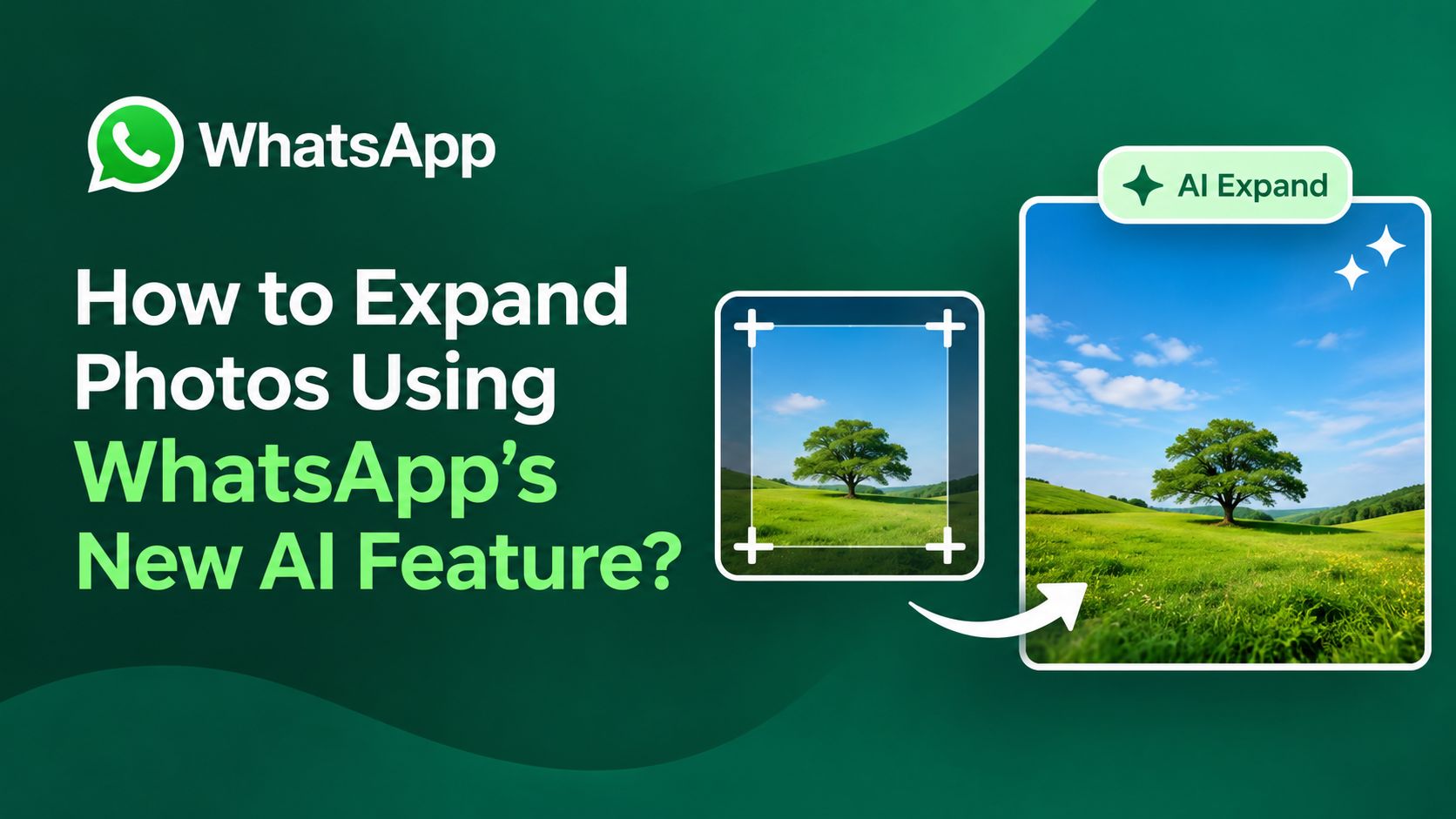
With the latest integration of Meta AI into the built-in drawing editor, users can expand their favorite pictures to a taller format with a single tap. Whether you want to share a memorable snapshot in your daily status update or send a polished visual to a friend, this tool makes picture resizing effortless for everyday users.

Understanding the New Photo Expansion Feature
The core idea behind this update is simplicity. Instead of forcing users to crop out important parts of an image or deal with awkward black borders, the application uses smart technology to add natural background details around the edges.
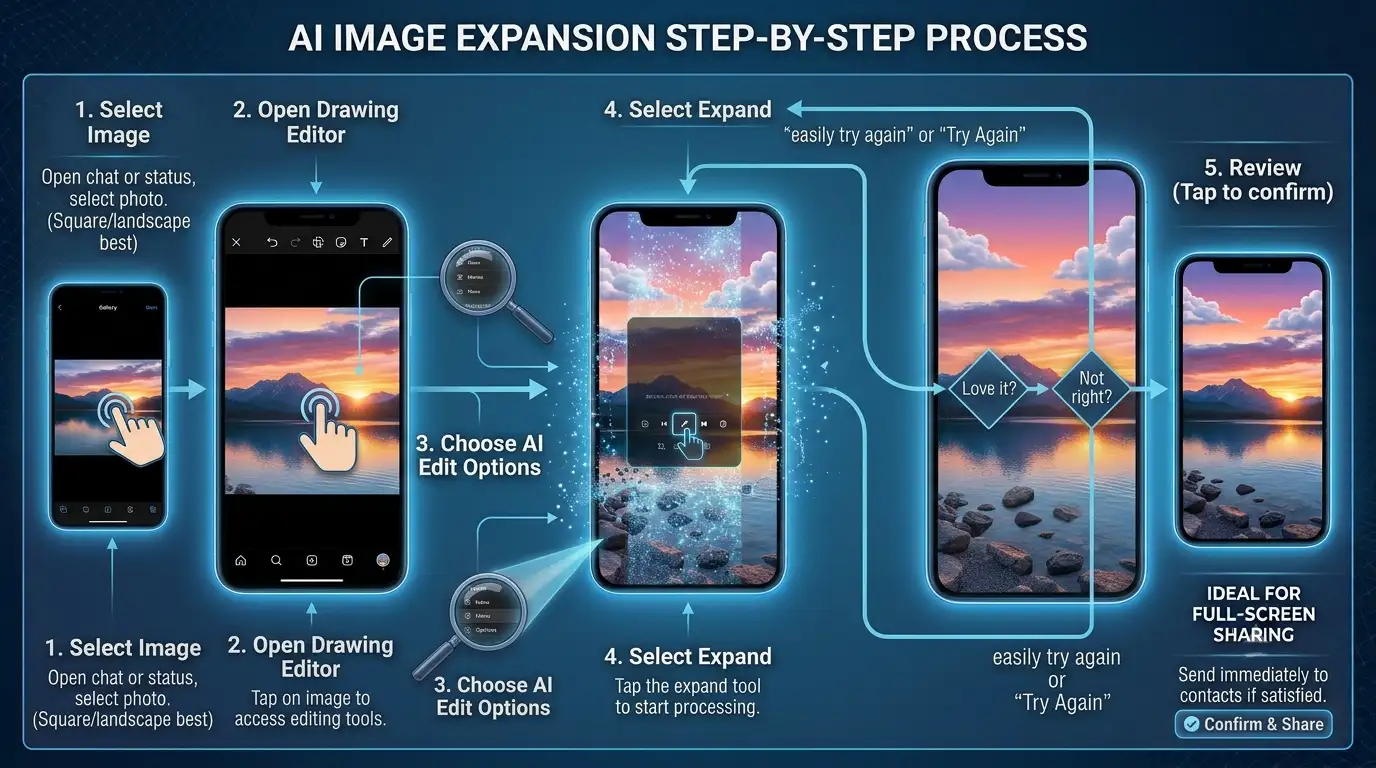
When you open an image inside the drawing editor, you can access editing options powered by artificial intelligence. By selecting the expansion option, the system analyzes the visual context of your photo and fills in missing space to fit a standard full-screen vertical format. This means your pictures look natural, balanced, and perfectly proportioned for modern smartphone screens without requiring any prior design experience.
How the Technology Works Behind the Scenes
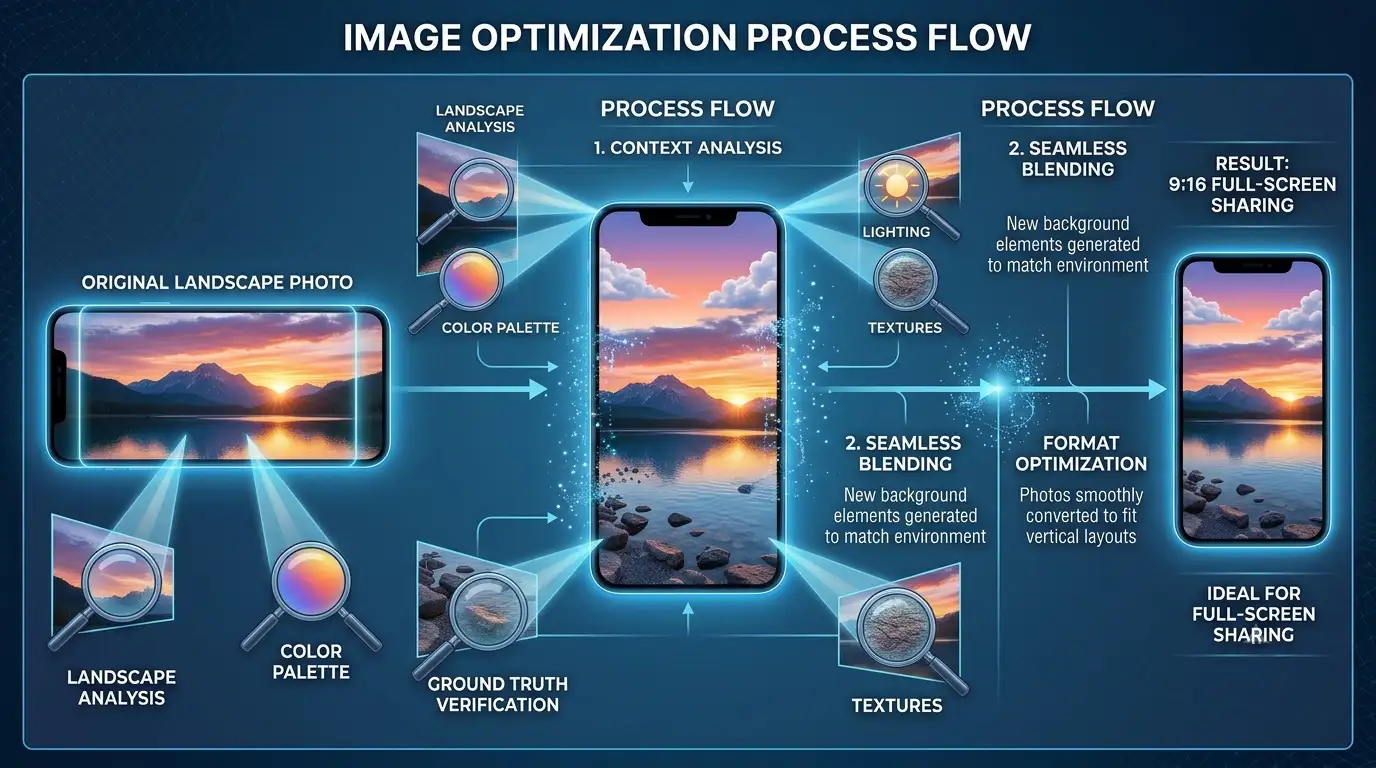
You do not need to understand complex computer science to appreciate how helpful this tool is. Essentially, the system looks at what is already inside your picture—such as a landscape, a room, or an outdoor background—and intelligently predicts what should naturally surround it.
Rather than simply stretching the original file, which often results in blurry pixels or warped shapes, it creates a seamless extension of the background.
-
Context Analysis: The software studies the colors, lighting, and textures near the borders of your picture.
-
Seamless Blending: New background elements are generated to match the existing environment.
-
Format Optimization: Photos are smoothly converted to fit vertical layouts like a 9:16 aspect ratio, which is ideal for full-screen sharing.
If an image is already in a tall vertical format, the option will simply remain hidden because no extra space is needed. However, square or landscape photos will immediately trigger the feature, giving you an instant way to resize them.
Step-by-Step Guide to Resizing Pictures
Using this tool takes only a few seconds once your device receives the update. Because it is integrated directly into the familiar drawing and editing suite, you do not have to learn a complicated new interface.
Practical Benefits for Everyday Users
The introduction of this resizing tool brings several distinct advantages for people who love sharing memories with friends and family:
-
No More Awkward Cropping: You can preserve the main subject of your photo without cutting off important details on the sides.
-
Perfect Status Updates: Vertical formats fill phone screens completely, making your status updates look professional and engaging.
-
Saves Time: You no longer need to switch between multiple apps just to change an image aspect ratio.
-
Beginner Friendly: The entire process is automated, requiring nothing more than a couple of simple taps on your screen.
Important Considerations and Availability
As with many modern software rollouts, features like this often arrive gradually. The photo expansion tool is currently rolling out to users on Android who are participating in beta testing versions. If you do not see the option immediately on your device, it is likely heading to your region over the coming weeks as the update expands globally.
Additionally, availability can sometimes depend on your app version, device settings, or regional rollout phases. Checking your app store for the latest official updates ensures you get new features as soon as they become public.
Frequently Asked Questions
1. What is WhatsApp’s new photo expansion feature?
It is a built-in tool that uses smart technology to automatically expand square or landscape photos into a taller vertical format without cutting off the main subject.
2. Do I need any technical skills to use it?
Not at all. The tool is designed for everyday users and works with just a single tap inside the standard photo editing screen.
3. Will my original photo get stretched out?
No. Instead of stretching, the tool analyzes your image and generates matching background content around the edges to fill the screen naturally.
4. Where can I find the expand option?
You can find it inside the drawing editor interface when editing a photo for a regular chat or a status update.
5. Why don’t I see the expansion option on my phone?
The feature is rolling out gradually to users, starting with Android beta testers. If it is not on your device yet, it should arrive in a future update.
6. Does it work on all photo sizes?
It works best on square and landscape images. If a photo is already in a tall vertical format, the option will not appear because no extra space is required.
7. Can I use this feature for status updates?
Yes, it is fully compatible with both regular text chats and daily status updates.
8. Do I need to download a separate app?
No external apps are required. Everything happens directly within the messaging application’s built-in editor.
9. How long does it take to expand a photo?
The processing happens automatically in just a few seconds after you select the expand option.
10. Is this update available to everyone immediately?
Because it is rolling out in stages, availability may vary by user and region, but wider availability is expected soon.

Selva Ganesh is a Computer Science Engineer, Android Developer, and Tech Enthusiast. As the Chief Editor of this blog, he brings over 10 years of experience in Android development and professional blogging. He has completed multiple courses under the Google News Initiative, enhancing his expertise in digital journalism and content accuracy. Selva also manages Android Infotech, a globally recognized platform known for its practical, solution-focused articles that help users resolve Android-related issues.




Leave a Reply