
Google Gemini AI Pro Perk Verizon for Five People for Just $10– We constantly search for ways to streamline digital productivity without inflating monthly household expenses. When cutting-edge artificial intelligence tools integrate with massive cloud storage, the price tag often climbs rapidly. Direct standalone subscriptions for elite AI tiers typically cost $19.99 every billing cycle for a single profile. However, through Verizon Wireless, we discovered a remarkable pathway: securing the comprehensive Google AI Pro perk for only $10 per month and extending those capabilities to five additional family members at no supplemental charge.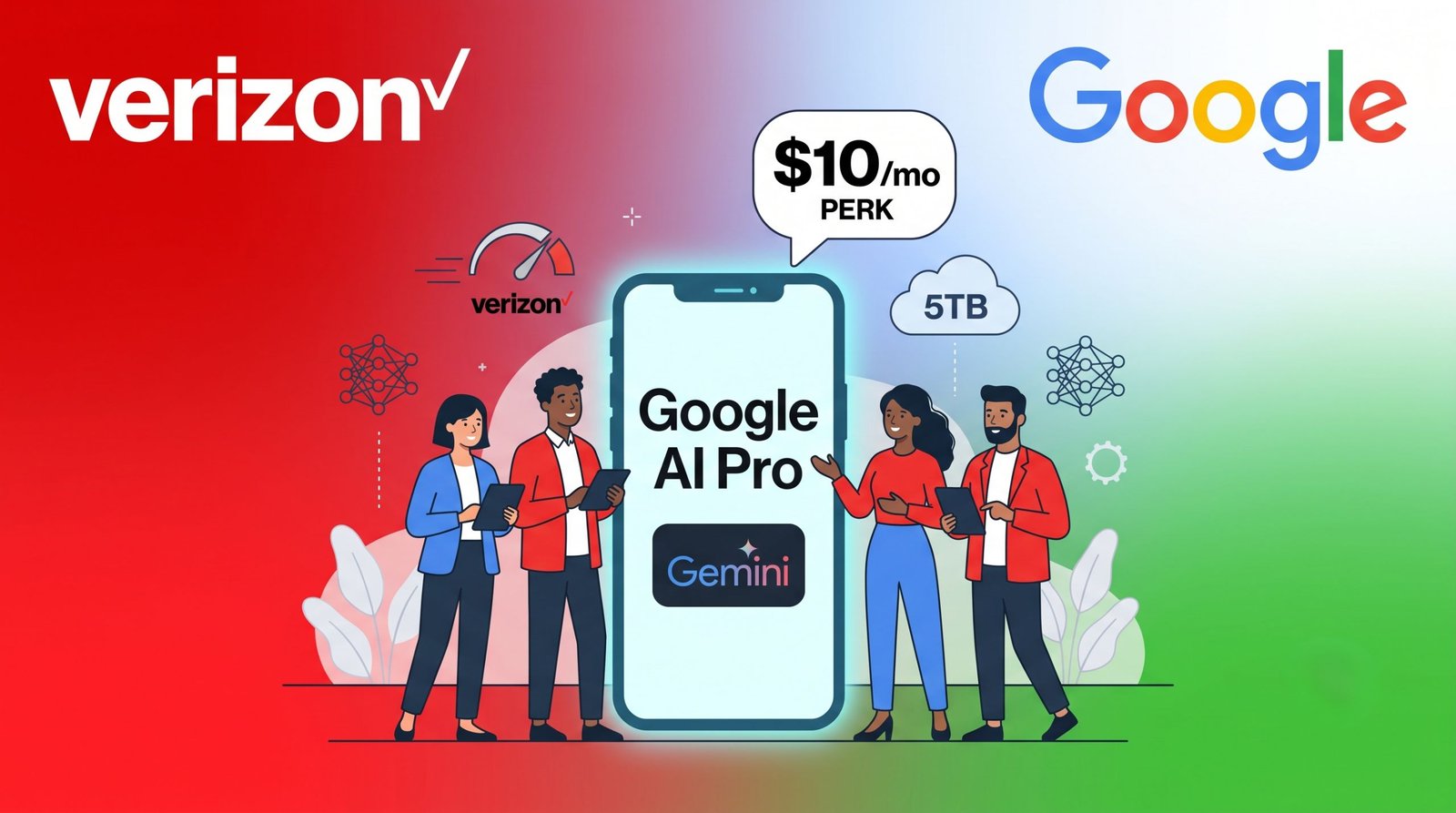
Here is our complete hands-on experience, breakdown of value, enrollment walkthrough, and management framework to help you maximize this partnership.

The True Value of the Verizon Google AI Pro Perk
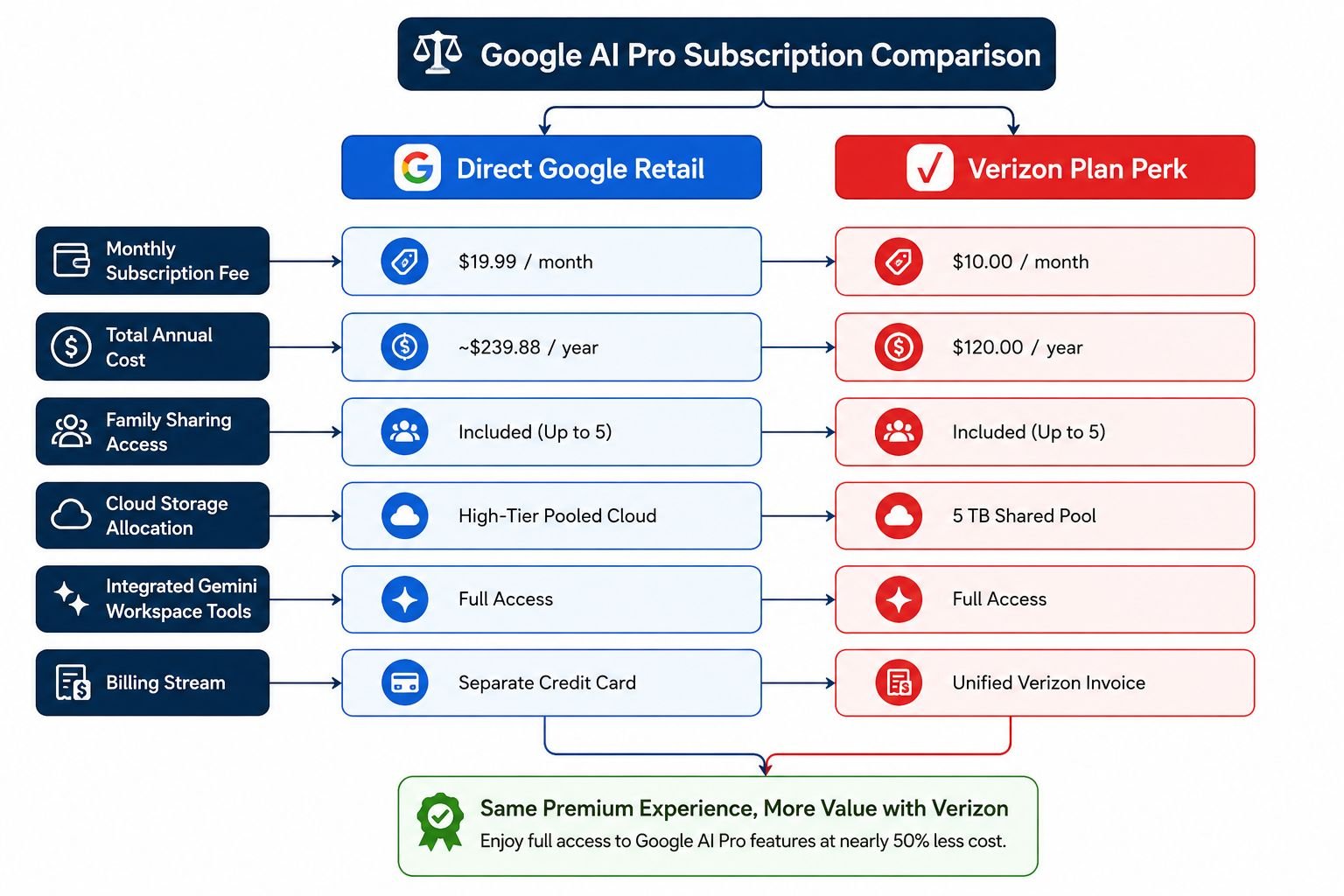
When evaluating household software subscriptions, cost-to-benefit ratios determine whether an add-on is worthwhile. Subscribing to Google AI Pro directly through standard channels requires a recurring investment of $19.99 per month. By utilising our Verizon mobile line or an eligible Fios home internet account, the monthly expense drops instantly to $10 per month, delivering a 50% direct savings.
The financial advantage compounds significantly when taking advantage of the family group sharing feature. Rather than purchasing separate standalone tools for multiple individuals across our home, a single $10 monthly charge covers up to six total users (the primary account manager plus five family group members).
Advanced AI Features and Shared Cloud Storage
The core asset of the Google AI Pro plan is unrestricted access to Gemini Advanced models, transforming everyday workflows across creative, analytical, and technical projects.
-
Next-Level Reasoning and Problem Solving: We rely on Gemini to synthesize complex research, analyze lengthy datasets, evaluate legal or technical text, and generate functional code snippets across diverse programming languages.
-
Seamless Google Workspace Integration: The tool works directly inside Google Docs, Gmail, Google Sheets, and Google Slides, drafting correspondence, creating automated templates, and summarizing document archives without switching tabs.
-
Collaborative Research with NotebookLM: The platform streamlines brainstorming and deep synthesis by creating structured notebooks loaded with citations from our source materials.
-
Massive Shared Cloud Capacity: The perk provides a massive 5 TB pool of cloud storage shared across the family group, eliminating storage warnings across Google Drive, Google Photos, and Gmail for everyone.
-
Private and Isolated Accounts: Even though the cloud pool and subscription are managed centrally, each family member’s files, emails, search history, and AI prompts remain completely private.
Plan Eligibility and Account Limitations
Before enrolling, we verified which specific services qualify for adding the perk. Verizon maintains clear operational rules regarding device lines and residential accounts:
-
Mobile Line Compatibility: Eligible plans include Verizon Unlimited Ultimate, Unlimited Plus, Unlimited Welcome, and Verizon Simplicity plans. The rule allows one perk per eligible mobile line.
-
Home Internet Compatibility: The perk can also attach to 5G Home Internet, LTE Home Internet, and eligible Fios Home Internet accounts (limited to one perk per Fios account).
-
Account Authorization Requirements: Only the Account Owner or designated Account Managers have permission to add, alter, or remove perks on the primary Verizon account.
-
Activation Time Window: Once the perk is ordered on Verizon, you must register and link it to your personal Google account within 90 days; otherwise, the pending subscription cancels automatically.
Step-by-Step Guide to Adding and Activating the Perk
Enrolling in the perk and linking it to Google takes only a few minutes. We completed the setup process using the My Verizon app:
-
Launch the My Verizon App: Sign in using your Account Owner or Account Manager credentials on your smartphone.
-
Access Account Perks: Tap the Services & Perks or Shop Products & Plan Perks section under your line overview.
-
Select Google AI Pro: Locate the Google AI Pro perk ($10/mo) and tap Add to Line.
-
Confirm Plan Changes: Review the monthly line adjustment on the summary page and confirm your order.
-
Begin Google Registration: Go to your Manage Products & Plan Perks dashboard, tap Set Up next to Google AI Pro, and select Register.
-
Link Your Google Account: You will be redirected to the secure Google sign-in portal. Sign in with your personal Google Account (work, enterprise, or school Workspace accounts cannot be used).
-
Complete Onboarding: Accept the terms to activate your premium status across all Google services instantly.
Claim Google Gemini AI Pro Perk Verizon
Setting Up Family Group Sharing for Five Members
Once our primary subscription went live, we distributed access across our household using the Google Family Group dashboard without incurring extra fees:
-
Open Google One Settings: Navigate to your Google One dashboard via a browser or the mobile app.
-
Initiate Family Sharing: Go to Settings, select Manage Family Settings, and toggle on Share Google One with family.
-
Send Member Invitations: Tap Manage Family Group and enter the email addresses of up to five people.
-
Member Acceptance: Each invited member opens their invitation email, clicks Join Family, and confirms their profile.
-
Immediate Access: Once accepted, every member gains instant access to their allocated share of the 5 TB cloud storage and integrated Gemini workspace enhancements.
To ensure a smooth connection, each invited family member must have a standard personal Google account, reside in the same country as the family manager, and not belong to another active Google Family group within the past twelve months.
Managing, Modifying, and Troubleshooting Your Subscription
Managing the subscription requires knowing which platform handles specific administrative tasks:
-
Centralized Billing: The monthly $10 fee appears directly on your standard monthly Verizon wireless or Fios invoice.
-
Canceling or Removing the Perk: You can turn the perk off at any time directly through the My Verizon portal. If canceled mid-cycle, charges are prorated accordingly.
-
Managing Storage Quotas: The family manager can view overall storage consumption across members in the Google One Storage Management tool.
-
Troubleshooting Link Issues: If you accidentally sign in with the wrong Google profile during activation, return to the My Verizon Products & Perks screen, tap the perk setup link, and re-authenticate with your intended primary personal profile.
Frequently Asked Questions
Can all five family members access advanced Gemini AI tools?
Yes. When the family manager shares the subscription through Google Family settings, linked members gain access to shared cloud storage as well as integrated AI features across supported Google Workspace tools.
What happens if I cancel my qualifying Verizon wireless plan?
Because the $10 monthly rate is tied directly to your active carrier service, canceling your eligible Verizon mobile line or Fios internet account automatically terminates the discounted perk at the end of the billing cycle.
Does sharing cloud storage compromise my personal privacy?
No. While the 5 TB storage pool is shared collectively, all individual files, photos, emails, and personal AI chat histories remain completely private to each specific account profile.
Can I use a Google Workspace business or student email address?
No. Google requires a standard personal Google Account (@gmail.com) to register the perk and manage the family group. Enterprise, school, and Workspace accounts are strictly ineligible.
Is there a long-term contract tied to the Google AI Pro perk?
No long-term commitment is required. The perk operates on a month-to-month basis, allowing you to add or remove it from your Verizon plan at any point without cancellation penalties.
How much cloud storage is included with this plan?
The Google AI Pro perk through Verizon provides an expansive 5 TB shared cloud storage allocation spanning Google Drive, Google Photos, and Gmail.
Can family members see each other’s Gemini AI prompts or outputs?
No. Every interaction with Gemini, including prompt entries, research documents, and generated outputs, is tied exclusively to the individual user’s personal profile.
What should I do if my activation link expires?
If you fail to register within the initial 90-day window, the perk will drop from your account. You can simply re-add the perk through the My Verizon application to generate a fresh activation link.
Does the $10 charge get billed by Google or Verizon?
The entire $10 monthly subscription charge is consolidated into your monthly Verizon wireless or Fios internet statement.
Can I add more than one Google AI Pro perk to a single mobile line?
No. Verizon enforces a strict limit of one Google AI Pro perk per eligible mobile line or one per eligible Fios internet account.

Selva Ganesh is a Computer Science Engineer, Android Developer, and Tech Enthusiast. As the Chief Editor of this blog, he brings over 10 years of experience in Android development and professional blogging. He has completed multiple courses under the Google News Initiative, enhancing his expertise in digital journalism and content accuracy. Selva also manages Android Infotech, a globally recognized platform known for its practical, solution-focused articles that help users resolve Android-related issues.




Leave a Reply