
How to Reserve Your WhatsApp Username – The global communication landscape is shifting away from traditional phone numbers toward secure, identity-based handles. We have observed that Meta has officially initiated the global rollout of WhatsApp usernames, allowing users to claim a unique identifier for their personal and business accounts. This transition represents one of the most critical security and privacy updates in the platform’s history, eliminating the historical requirement to share a private mobile phone number to connect with someone.
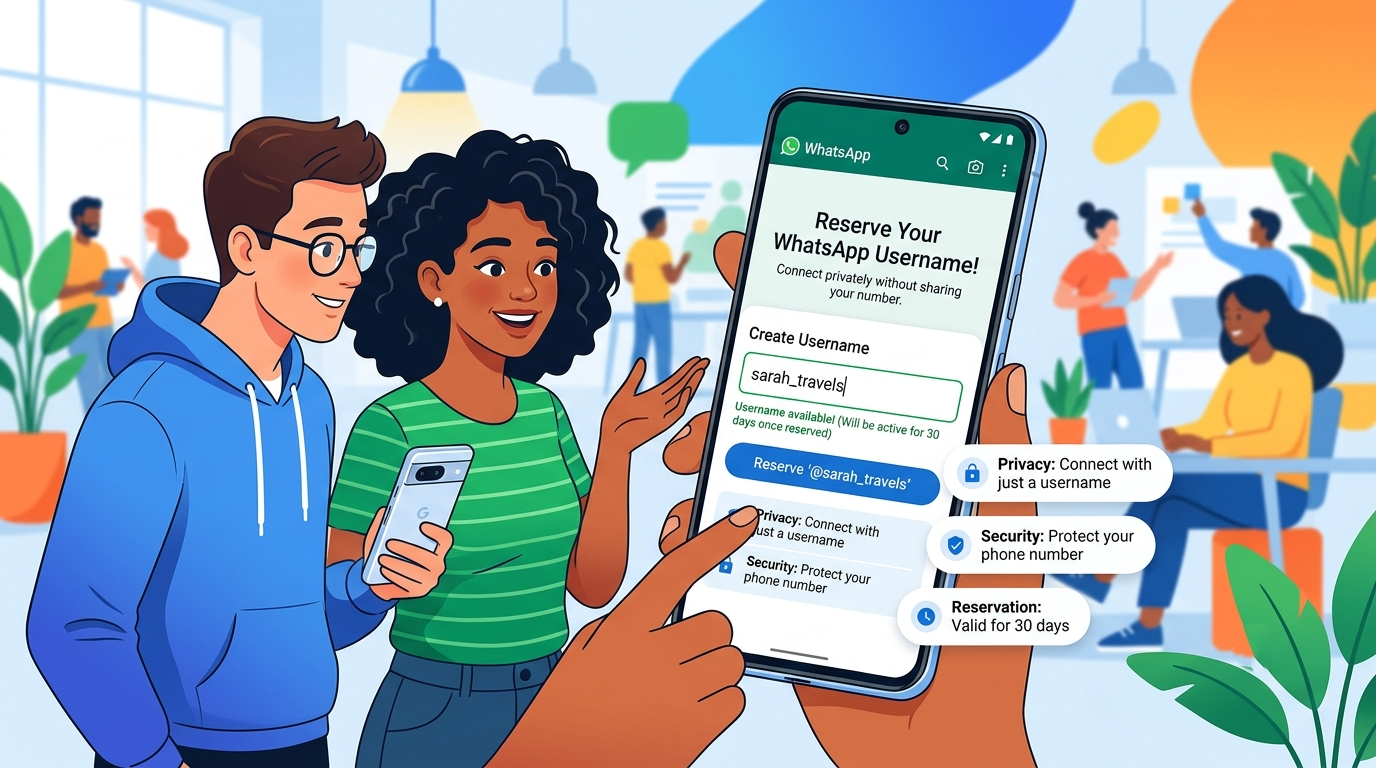

Securing a preferred digital handle early is essential for safeguarding personal branding, protecting business names, and preventing unauthorized impersonation. We have developed this comprehensive guide to walk you through the process of securing your specific profile handle immediately, keeping the technical details straightforward and highly accessible for everyday users.
Why Is WhatsApp Transitioning to Usernames?
For over a decade, the core architecture of WhatsApp relied completely on numerical phone digits. While simple, this approach presented distinct privacy vulnerabilities, as entering a group chat or messaging a local vendor exposed your personal phone digits to complete strangers.
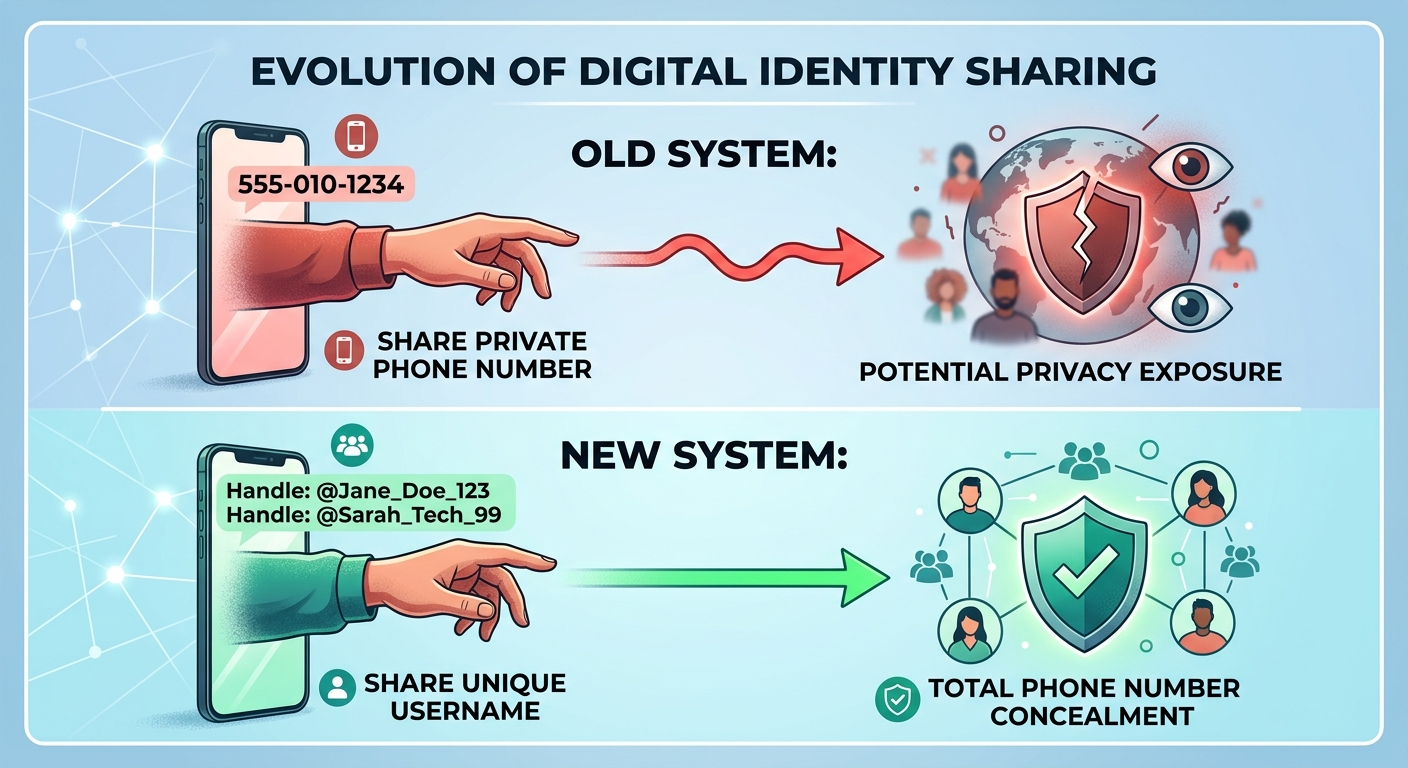
By introducing unique alphanumeric handles, Meta bridges the gap between convenient modern chat features and robust identity privacy. When you configure your custom name, it serves as a secure outer shield. Moving forward, people can search for you, initiate chats, and save your contact card using just this handle, keeping your underlying mobile registration completely invisible to the public.
The Official Step-by-Step Claim Process
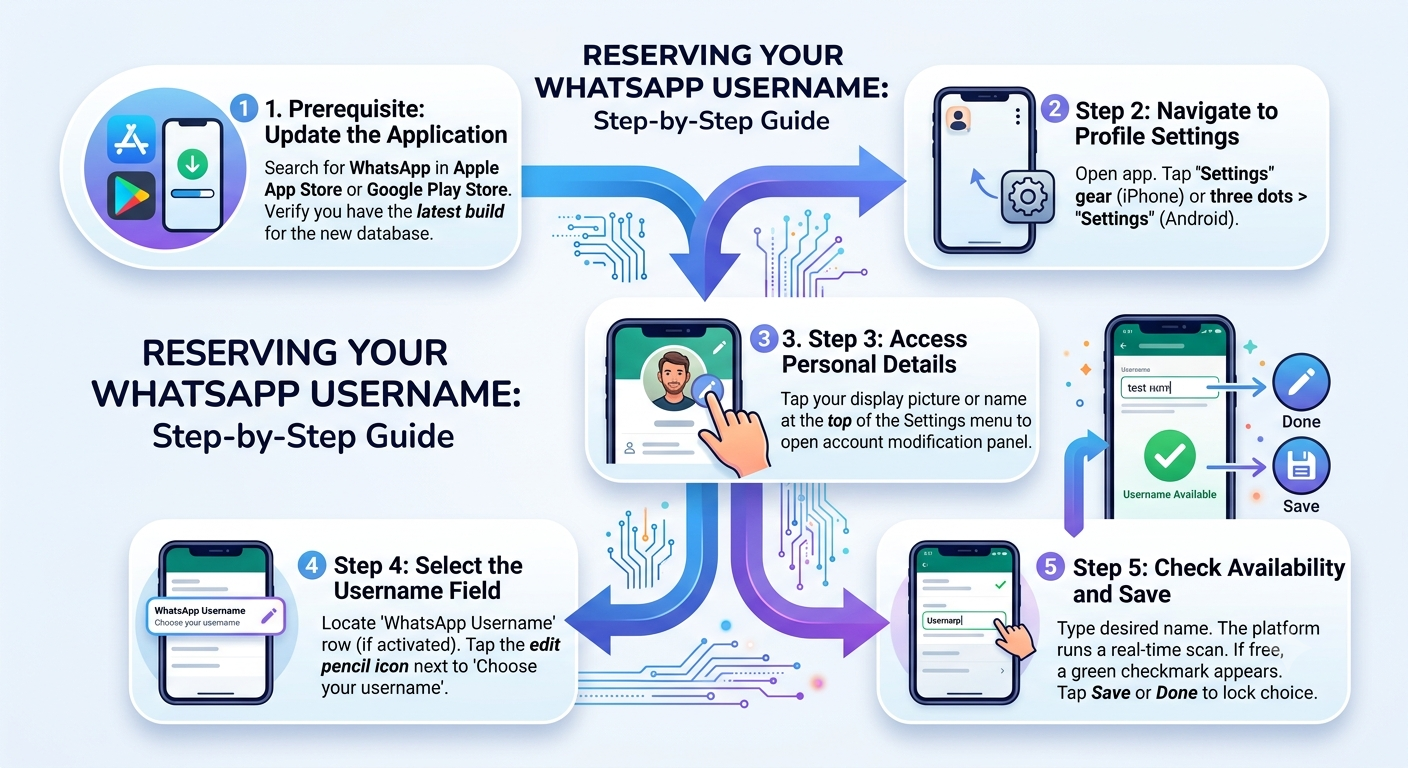
The update is deploying dynamically across iOS, Android, and desktop applications. To guarantee you claim your exact name before another party registers it, follow this sequential setup path.
Core Structural Rules for Creating Your Handle
The global registry employs fixed validation algorithms to ensure that every registered handle remains orderly, readable, and fully unique. When brainstorming your handle options, keep the following structural guidelines in mind:
-
Character Limits: Your handle must contain a minimum of 3 characters and cannot exceed a maximum length of 32 characters.
-
Allowed Symbols: You are permitted to use standard lowercase letters (a-z), numbers (0-9), and single periods (.) to separate words.
-
Case Sensitivity: The database treats letters uniformly. For example, registering @JohnDoe is identical to registering @johndoe. The system will automatically display it in lowercase format inside search engines.
-
Special Character Restrictions: Spaces, symbols like underscores (_), hyphens (-), and emojis are strictly forbidden to ensure clean search results.
The Phased Allocation Timeline
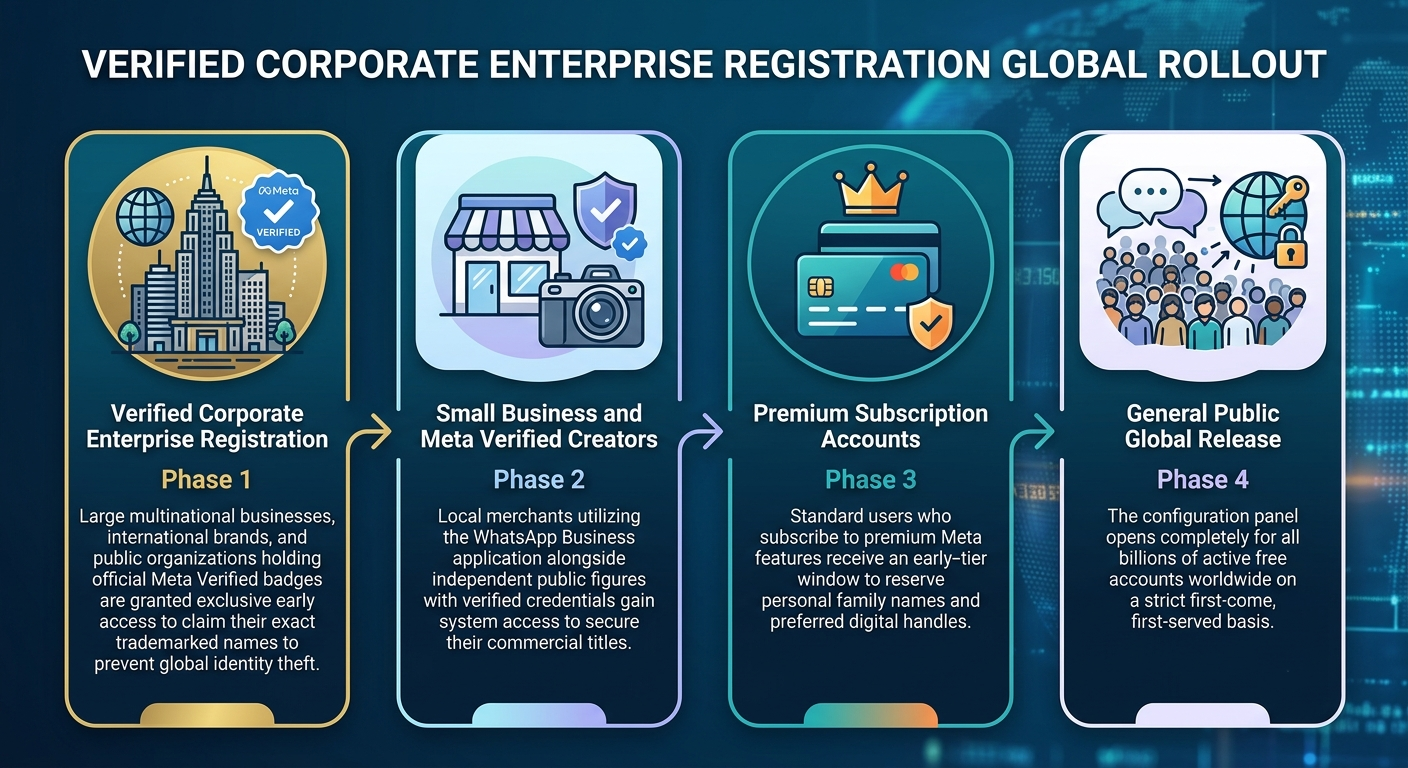
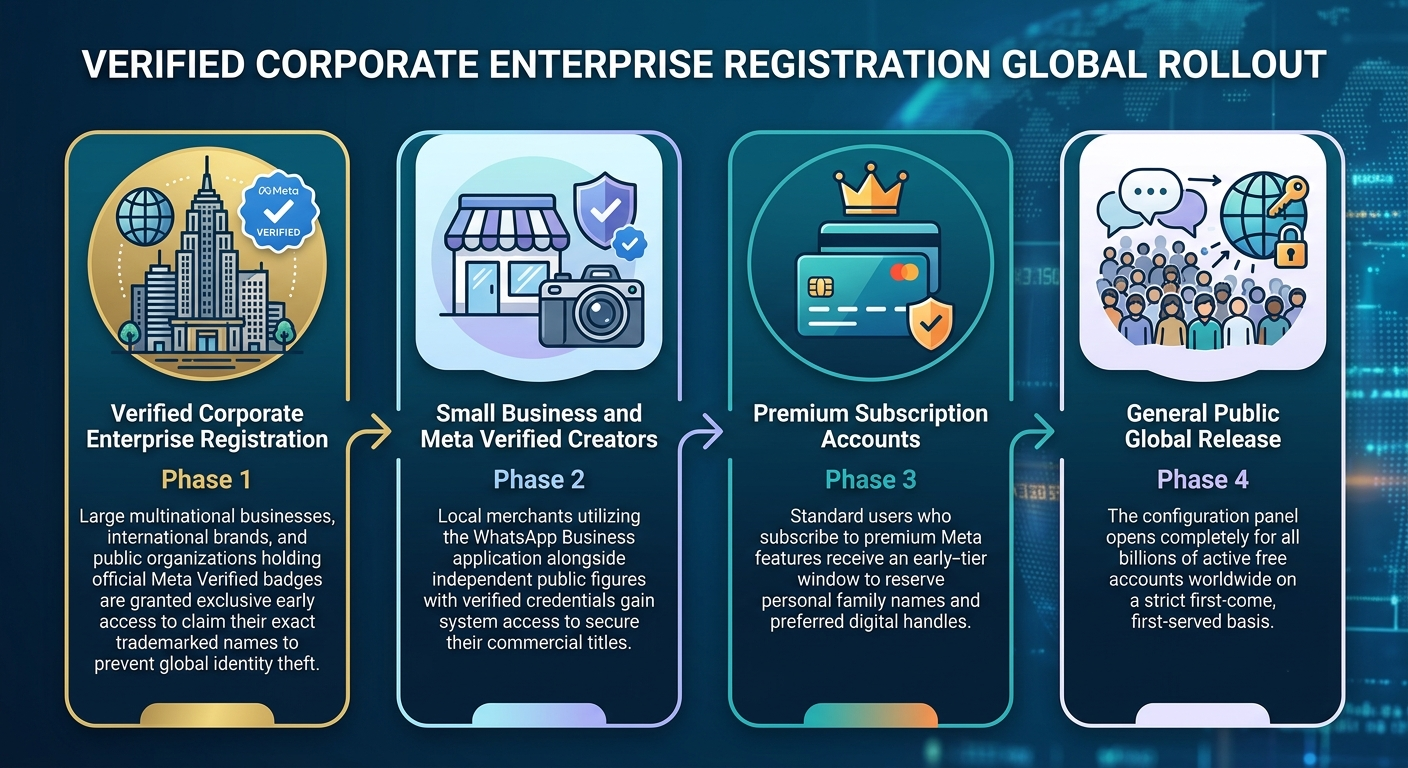
Meta is managing this platform update via a prioritized, multi-tier rollout sequence to minimize naming conflicts and protect established global brands. Understanding where you sit in this timeline allows you to gauge exactly when your specific registration window opens.
Critical Safety and Anti-Scam Precautions
Because digital handles are highly valuable assets, bad actors will inevitably attempt to exploit the transition phase. We urge you to implement these security principles to protect your account data.
Crucial Warning: Meta will never charge an individual fee to reserve a standard handle, nor will company representatives message you directly asking for verification codes to secure a name. All valid configuration happens solely inside your app’s native settings panel.
Identifying Registry Exploits
Be wary of third-party websites or marketplace forums claiming they can “pre-register” or sell you short, premium handles (like three-letter words or popular common first names). These entities have zero access to the official internal registry. Attempting to utilize these services often results in financial loss or complete account hijacking.
The Role of Two-Step Verification
When setting up your handle, ensure your account has Two-Step Verification turned on. This feature establishes a custom numerical PIN code that must be entered whenever your account is transferred to a new device, adding a vital layer of protection against unauthorized access.
Comprehensive Feature Comparison
To help clarify how this change impacts your everyday messaging experience, we have detailed how the new handle framework operates alongside the classic phone number model.
Managing Your Privacy in the New System
Once your handle is active, you retain full ownership over who can discover your account. The platform’s upgraded privacy settings give you granular control over how your handle interacts with the public directory.
Adjusting Discovery Toggles
Inside your privacy menu, you will find a new section titled Discoverability. Here, you can decide whether your profile should appear when someone types your exact name into the search bar. Disabling this toggle means that only individuals who possess your exact QR code or link can start a conversation, completely preventing random strangers from looking you up.
How Existing Chats Are Handled
Creating a handle will not alter or disrupt any of your active conversations. People you are already messaging will continue to see your chat history exactly as before. The username framework is purely designed to govern how brand-new connections are initiated, leaving your current contact list unaffected.

Selva Ganesh is a Computer Science Engineer, Android Developer, and Tech Enthusiast. As the Chief Editor of this blog, he brings over 10 years of experience in Android development and professional blogging. He has completed multiple courses under the Google News Initiative, enhancing his expertise in digital journalism and content accuracy. Selva also manages Android Infotech, a globally recognized platform known for its practical, solution-focused articles that help users resolve Android-related issues.





Leave a Reply