
Compared with the early days, WhatsApp has begun to provide better options for Real-world issues. Recently WhatsApp rolled out one new feature based on real-time usage. Form the intention; You can understand how much WhatsApp begins to understand user thoughts. In the Beta version, WhatsApp rolled out Message YourSelf Option. You can create your contact as Me and send the necessary details to your chat. Since it is end-to-encrypted, Your details are secure. But, some users may not know how to do this. So, To reduce the issues and further Steps, WhatsApp will roll out the Message YourSelf Option.
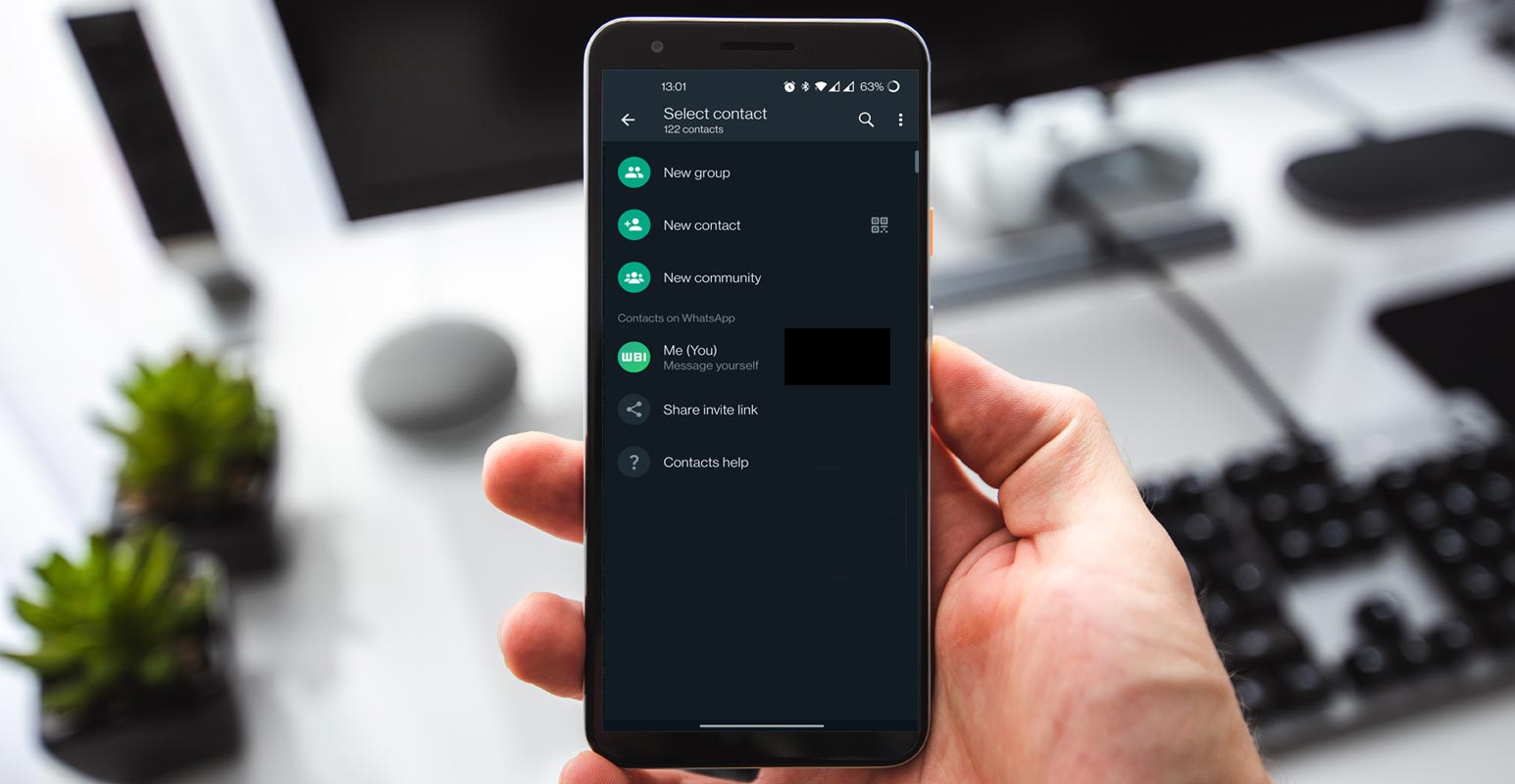
WhatsApp Message YourSelf
The feature is referred to as click-to-chat. It is an internet link that will let you start a chat with yourself using WhatsApp. However, according to WABetaInfo, Meta tests self-texting on WhatsApp Beta version 22.23.0.70 for iOS and Android.

How does it look?
Users of WhatsApp Beta can use the app to text themselves by selecting an additional entry in WhatsApp contacts called “Me” (You). To help clear any confusion, it automatically creates a card labeled with the “Message yourself” text, which lets you immediately know its purpose of it.
How to Use WhatsApp Message YourSelf Option?
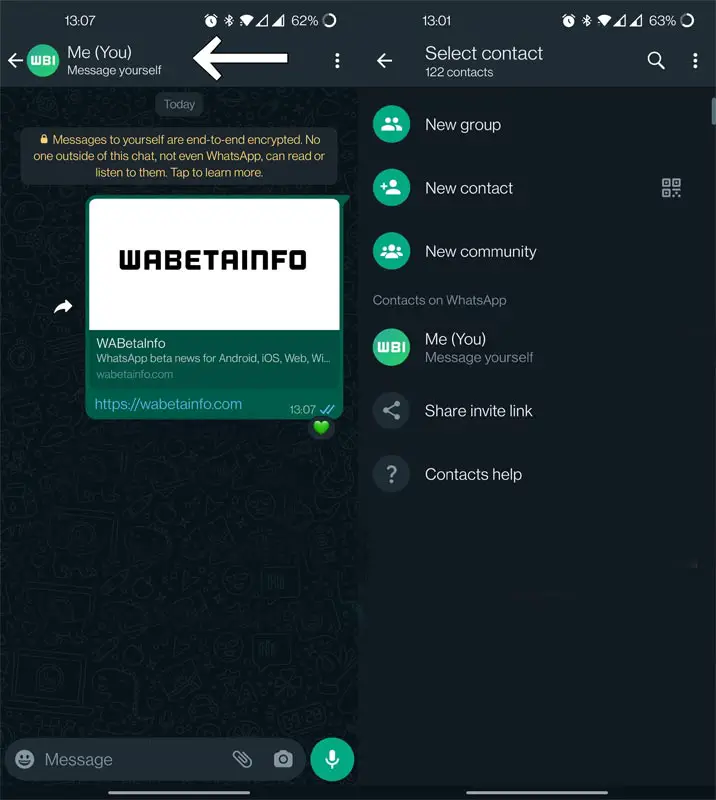
- Create a new chat on WhatsApp’s mobile application.
- Choose your Me account under the Contacts section on WhatsApp section.
- Enter your message, click the blue arrow and send your message to yourself.
How do they work?
Any text messages you send to your number will appear in the chat list along with conversations with your family and friends, but with a different caption to distinguish them. Like other messages, self-text messages are automatically synchronized to the other devices you have linked using WhatsApp’s multi-device feature.
Availability
The new feature was discovered inside the WhatsApp v2.22.24.2 beta release. WhatsApp v2.22.24.2 Beta version is part of this Android application. Furthermore, WABetaInfo also noted that only a handful of users have already been granted access to test out”Message yourself” feature “Message yourself” feature. In this case, WhatsApp has also added the option to chat “Me (You), which allows you to send messages directly to you.
Wrap Up
From the outside, Messages Yourself on WhatsApp may look unnecessary or not helpful. But it always comes in handy when you store or save essential things that are useful for the future. Also, We can forward the messages or quotes which need additional selection and copy to move to the third-party apps. What are your thoughts about WhatsApp Message YourSelf Option? Share it below.

Selva Ganesh is a Computer Science Engineer, Android Developer, and Tech Enthusiast. As the Chief Editor of this blog, he brings over 10 years of experience in Android development and professional blogging. He has completed multiple courses under the Google News Initiative, enhancing his expertise in digital journalism and content accuracy. Selva also manages Android Infotech, a globally recognized platform known for its practical, solution-focused articles that help users resolve Android-related issues.




Leave a Reply