
Convert Sign Language to Text on Google Pixel 11- For decades, digital interfaces have remained largely optimized for spoken and written languages, leaving sign language users reliant on third-party translation tools, manual typing, or slow transcription interfaces. With the release of the Google Pixel 11 and Google DeepMind’s Sign-Language-to-Text (SL2T) engine, we are witnessing a fundamental shift in mobile accessibility.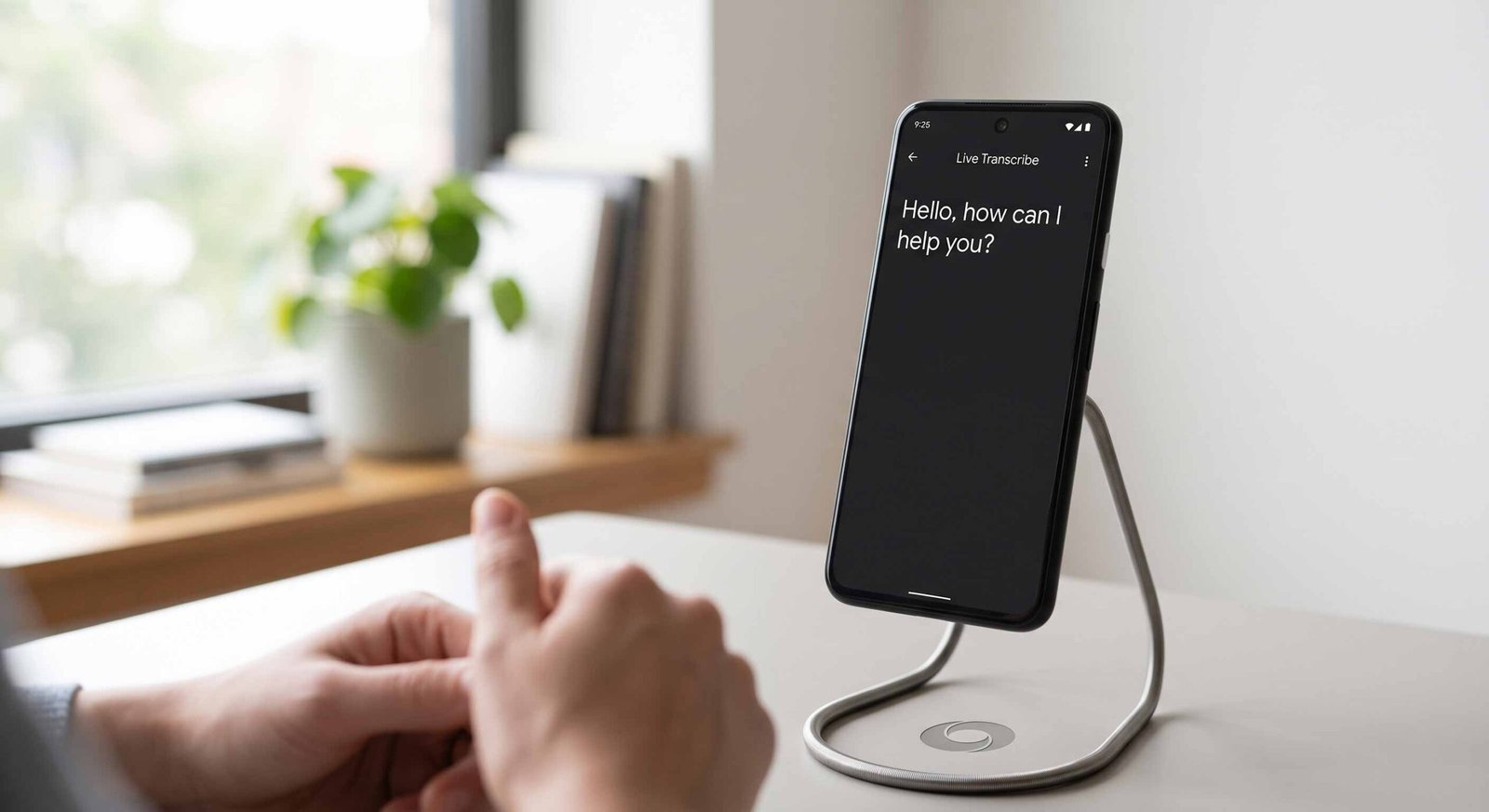
Our hands-on evaluation of the Pixel 11 reveals an architecture engineered specifically to bridge the communication divide. By integrating DeepMind SL2T directly into native applications like Gboard and Live Transcribe, Google provides an intuitive, high-speed dictation experience designed from the ground up for the Deaf and hard-of-hearing communities. We have thoroughly tested this system across diverse communication scenarios, from composing emails and drafting text messages to conducting live conversational queries using multimodal assistants.

Architectural Breakdown: Understanding DeepMind SL2T Core Mechanics
To fully appreciate the speed and precision of sign language text conversion, we must examine the underlying neural network powering the Pixel 11. Traditional computer vision approaches to sign language translation historically relied on intermediate representations known as glosses—written tokens that attempt to label individual signs sequentially.
The Limitations of Traditional Gloss Systems
Sign languages, such as American Sign Language (ASL), do not map directly to spoken word order. They utilize a non-linear, multi-channel spatial grammar where handshape, palm orientation, spatial location, movement dynamics, and facial markers convey simultaneous grammatical data. Conventional glossing systems create severe bottlenecks:
-
They strip out critical contextual subtleties such as movement speed, pauses, and intensity.
-
They struggle to represent spatial indexing and non-manual markers (such as eyebrow raises or head tilts).
-
They introduce multi-stage latency that hinders real-time conversational pacing.
The Direct Pose-to-Text Innovation
DeepMind SL2T solves these historical challenges by bypassing glossing entirely. The model employs a direct sequence-to-sequence translation architecture trained on more than 100,000 hours of continuous sign language data across more than 50 regional sign languages. By processing continuous spatial coordinates directly into natural English text, the model captures complete syntactical thoughts rather than isolated words, delivering fluent and contextually accurate transcriptions.
Privacy-First Architecture: On-Device Pose Landmark Extraction
A primary concern when using optical tracking sensors for personal dictation is data privacy. We observed that Google addressed this comprehensively through a robust edge-computing pipeline.
The raw camera feed on the Google Pixel 11 never leaves your device and is never stored on disk. Instead, the local Tensor G-Series Processing Unit (TPU) processes video frames in real time, converting the user’s upper-body movement into a stream of lightweight, anonymized geometric coordinate points (pose landmarks).
-
Instant Frame Processing: The front-facing optical sensor captures user movement at high refresh rates.
-
Landmark Extraction: The on-device vision model plots skeletal markers representing fingers, wrists, shoulders, and facial geometry.
-
Immediate Feed Deletion: The visual video frame is discarded from memory instantly after coordinate extraction.
-
Isolated Token Inference: Only mathematical vectors are parsed into the SL2T translation network, ensuring complete user privacy during every session.
How to Enable and Configure SL2T on Google Pixel 11
Setting up sign language text conversion requires only a few configuration steps within the device’s native software ecosystem. We have broken down the exact configuration pathway below.
1. Enabling Sign Dictation in Gboard
-
Open your Settings application on the Pixel 11.
-
Navigate to System > Languages & input > On-screen keyboard > Gboard.
-
Select Voice & Motion Typing.
-
Toggle the switch for Sign Language Dictation (SL2T) to the active position.
-
Select your primary sign language modality (initially configured for American Sign Language).
-
Set your camera activation preference (either a persistent keyboard icon or an automated palm-raise trigger).
2. Configuring Live Transcribe for Two-Way Conversations
-
Launch the Live Transcribe application from your app drawer or Accessibility shortcut.
-
Tap the Gear Icon in the lower-left corner to access Advanced Settings.
-
Under the Input Channels menu, switch the primary input from Microphone Only to Multimodal (Audio + Camera).
-
Grant the necessary hardware permissions for local camera access.
-
Place the Pixel 11 on a stable stand or hold it in a comfortable front-facing orientation to ensure your upper torso and hands remain fully framed.
Daily Practical Applications and User Experience
During our extensive real-world testing, the integration of SL2T into core software suites provided immediate improvements in communication workflows across several key domains:
Native Texting and Email Composition
Drafting long-form messages via typing on a mobile touchscreen often introduces physical strain. With Gboard Sign Dictation, we were able to sign fluidly at natural pacing. The system accurately transcribed complex compound sentences, inserted contextual punctuation based on natural signing pauses, and adjusted capitalizations seamlessly without manual intervention.
Interacting with Gemini and Google Search
The Pixel 11 integrates SL2T with Google’s on-device assistants. Rather than typing complex queries, users can sign natural-language questions directly to their phone. The model accurately parsed technical vocabulary, conversational questions, and multi-turn instructions, enabling true hands-free digital navigation.
Live Two-Way In-Person Interactions
In noisy environments where standard acoustic speech-to-text engines fail, the combination of Live Transcribe and visual SL2T tracking provides an uninterrupted channel for communication. Hearing and Deaf conversation partners can alternate between spoken voice and signed input, with instantaneous bidirectional text rendering on the split-screen display.
Handling Complex Real-World Signing Nuances
Natural sign language usage is dynamic, personal, and rarely executed under ideal studio conditions. DeepMind’s SL2T architecture accounts for real-world variations that previously caused machine vision systems to fail.
| Challenge | Traditional Computer Vision Systems | Pixel 11 DeepMind SL2T Engine |
| One-Handed Signing | High error rates due to missing bilateral markers | Context-aware completion trained on conversational shortcuts |
| Dominant Hand Switching | Required manual profile adjustment for left/right handedness | Automatic spatial orientation and dynamic hand-dominance tracking |
| Facial Grammar | Often ignored or misclassified as emotional noise | Integrated landmark scoring for eyebrows, mouth morphemes, and head tilt |
| Low-Light Environments | Complete tracking failure and frame dropping | Sensor-fusion enhancement leveraging ambient light compensation |
| Casual/Fast Signing | Dropped signs and syntax truncation | Temporal sequence attention models trained on continuous real-world dialogue |
Community-Driven Co-Design and Ethical Implementation
Technological innovation in accessibility is only as effective as its cultural relevance. The underlying systems of SL2T were developed through active collaboration with the Deaf community and the AI Sign Language Advisory Committee (AISLAC).
This collaborative approach shaped several critical design elements:
-
Respecting Regional Dialects: Avoiding prescriptivist language models in favor of diverse regional variations and conversational idioms.
-
Non-Manual Marker Precision: Ensuring facial expressions are recognized as grammatical markers rather than secondary emotional indicators.
-
User Agency and Autonomy: Designing interfaces that provide transparent indicators when confidence scores drop, allowing quick user corrections without disrupting conversation flow.
Best Practices for Optimal SL2T Performance
To achieve maximum accuracy and response speed when using sign language text conversion on the Pixel 11, we recommend observing the following operational guidelines:
-
Maintain Torso-to-Head Framing: Ensure the front camera has a clear view spanning from your waist to the top of your head to capture both high and low signing spaces.
-
Contrast and Lighting: Position yourself with light falling on your face and hands rather than directly behind you to prevent backlighting silhouettes.
-
Firm Device Positioning: Using a magnetic phone stand or kickstand case eliminates camera shake and maximizes pose tracking precision.
-
Natural Cadence: Avoid unnaturally slow or exaggerated movements; the model is specifically optimized for natural conversational velocities.
Frequently Asked Questions (FAQs)
What is Google DeepMind SL2T?
Google DeepMind SL2T (Sign-Language-to-Text) is an advanced deep-learning translation model that converts continuous sign language gestures into natural written text in real time.
How does SL2T work on the Google Pixel 11?
The Pixel 11 uses its front camera and on-device Tensor TPU to detect skeletal pose landmarks. These coordinate points are processed through the SL2T neural network to generate text within applications like Gboard and Live Transcribe.
Does the Pixel 11 record or upload my video for sign translation?
No. The translation pipeline is completely private. Video frames are processed strictly on the local hardware to extract geometric landmarks and are immediately erased from memory without being stored or uploaded.
Which sign languages are supported at launch?
The system launches with full real-time translation support for American Sign Language (ASL), with continuous model updates expanding capabilities across additional regional sign languages.
Can SL2T translate one-handed or left-handed signing?
Yes. DeepMind trained the model on extensive datasets specifically covering left-handed signing, one-handed signing, and casual conversational styles.
Does the system translate word-for-word glosses or natural sentences?
The system bypasses intermediate glosses to translate directly into fluent English sentences, preserving the spatial and contextual grammar of natural sign language.
Can I use SL2T without an internet connection?
Yes. The core landmark extraction and standard translation networks operate fully on-device via the Tensor G-Series processor, allowing offline dictation anywhere.
In which apps can I use sign language conversion on Pixel 11?
SL2T is natively integrated into Gboard for text input across any application, Live Transcribe for conversations, and the system-level Gemini assistant.
How does the model interpret facial expressions?
The landmark tracking module includes facial coordinate mapping to capture grammatical markers such as raised eyebrows, mouth movements, and head tilts, which are integral to sign language syntax.
What should I do if the camera struggles to track my signing?
Ensure adequate front lighting, avoid busy or moving backgrounds, position the phone so your upper body and head are visible, and wipe the camera lens to prevent visual distortion.

Selva Ganesh is a Computer Science Engineer, Android Developer, and Tech Enthusiast. As the Chief Editor of this blog, he brings over 10 years of experience in Android development and professional blogging. He has completed multiple courses under the Google News Initiative, enhancing his expertise in digital journalism and content accuracy. Selva also manages Android Infotech, a globally recognized platform known for its practical, solution-focused articles that help users resolve Android-related issues.





Leave a Reply