
Google has introduced Google AI Edge Foresight, an advanced, offline-first artificial intelligence note-taking application specifically engineered for Mac devices powered by Apple silicon. By shifting intelligence directly to local hardware, this application redefines how professionals, students, and researchers capture, transcribe, and synthesize information without relying on an active internet connection. As local processing becomes increasingly vital for privacy and speed, applications like Google AI Edge Foresight represent a significant shift in personal knowledge management software.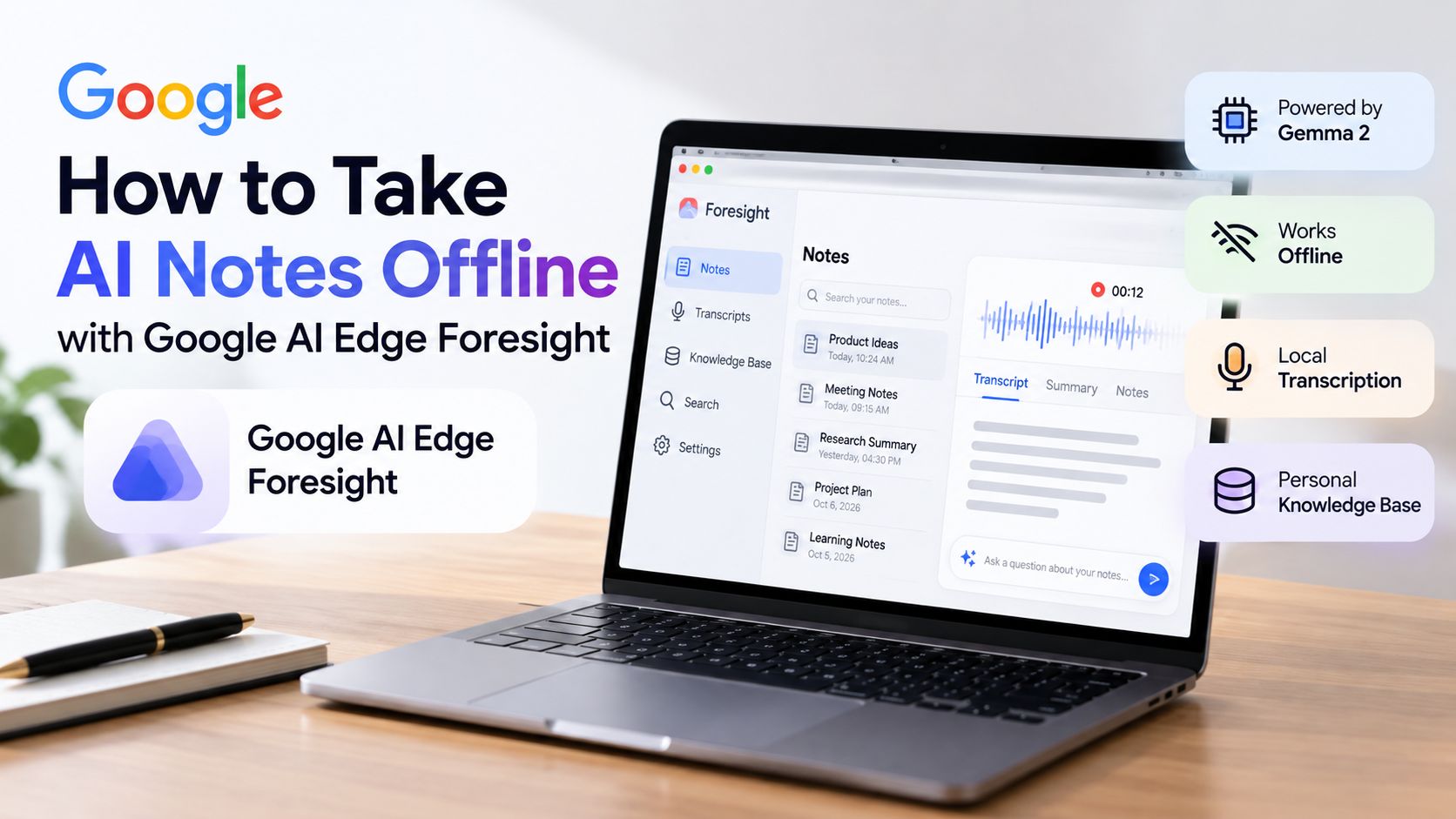
Understanding Google AI Edge Foresight
Google AI Edge Foresight is designed to operate completely on-device. This architecture ensures that sensitive notes, audio transcripts, and proprietary documents never leave the user’s Mac. By leveraging the unified memory and high-performance neural engines found in Apple silicon chips, the application delivers rapid text generation, accurate transcription, and deep semantic retrieval with zero cloud latency.

The software bridges the gap between raw note-taking and intelligent synthesis. Rather than acting as a simple text editor or a standard cloud-connected transcription tool, Google AI Edge Foresight functions as a localized cognitive assistant. It combines cutting-edge small language models with multi-modal embedding architectures to make large collections of personal files fully searchable and interactive.
Core Technical Highlights and Capabilities
The performance and versatility of Google AI Edge Foresight stem from a robust set of local features and specialized models:
-
Offline Functionality: The application runs entirely on-device, allowing users to transcribe meetings, take notes, and search through extensive archives without requiring an internet connection. This makes it ideal for travel, remote locations, and high-security environments.
-
On-Device AI Models: At the core of the system is a lightweight yet powerful 740-million-parameter Gemma 2 model, which handles text generation, summarization, and notes analysis efficiently. Alongside it, EmbeddingGemma 2 maps text, audio, images, and video into a shared vector space, allowing the app to retrieve context and surface relevant insights accurately.
-
Granola-Like Interface: The application features an intuitive split-screen design. Users can write manual shorthand notes on one side of the screen while viewing structured, AI-generated notes on the other. Alternatively, users can interact directly with the assistant via a chat interface for real-time answers during active sessions.
-
Personal Knowledge Base Integration: Users can upload local files—including PDFs, Google Docs, Microsoft Office formats, Markdown, plain text files, and web bookmarks—to establish a comprehensive personal knowledge base that provides instant context and answers specific questions about past meetings or research materials.
-
Future Outlook: Industry reports indicate that Google may eventually introduce a consumer-facing version integrated with cloud-based Gemini models across various video-calling platforms, bridging the gap between standalone local notes and real-time collaboration.
Practical Applications and Workflow Integration
Integrating Google AI Edge Foresight into a daily workflow transforms how information is processed and stored. In professional environments, meetings often generate hours of unstructured audio and disjointed notes. With local transcription and real-time summarization, users can focus entirely on the conversation rather than administrative documentation.
Furthermore, researchers and writers benefit immensely from the personal knowledge base feature. By ingesting reference materials, research papers, and web bookmarks into the application’s local vector space, users can query their entire library instantly. The system retrieves precise excerpts and synthesizes answers while maintaining strict data privacy, ensuring that proprietary research or confidential client notes remain entirely secure on the host machine.
Frequently Asked Questions
1. What is Google AI Edge Foresight?
Google AI Edge Foresight is an offline, on-device AI note-taking application designed for Mac devices powered by Apple silicon, combining local transcription, AI summarization, and personal knowledge retrieval.
2. Does the application require an internet connection?
No, the application runs entirely on-device, enabling users to transcribe, take notes, and search their knowledge base without an internet connection.
3. Which AI models power the application?
It is powered by a 740-million-parameter Gemma 2 model for text generation and analysis, alongside EmbeddingGemma 2 for semantic retrieval across text, audio, images, and video.
4. What file formats are supported for the personal knowledge base?
The application supports a wide range of formats, including PDFs, Google Docs, Microsoft Office documents, Markdown files, plain text, and web bookmarks.
5. How does the interface work?
It features a split-screen layout that allows users to write manual shorthand notes on one side while viewing real-time, AI-generated structured notes on the other.
6. Is user data sent to cloud servers?
Because the core models and transcription run locally on Apple silicon, user notes, transcripts, and uploaded files remain private and localized on the machine.
7. Which devices are currently supported?
The application is optimized specifically for Mac computers running Apple silicon processors.
8. Can I chat with the AI assistant about my notes?
Yes, the interface includes a chat assistant that provides real-time answers and context based on your active notes and uploaded personal knowledge base.
9. Will there be future cloud integrations?
Reports suggest that Google may explore consumer versions integrating cloud-based Gemini models with video-calling platforms in the future.
10. How does EmbeddingGemma 2 improve search?
EmbeddingGemma 2 maps text, audio, images, and video into a shared vector space, enabling the system to understand relationships across different media types for precise context retrieval.

Selva Ganesh is a Computer Science Engineer, Android Developer, and Tech Enthusiast. As the Chief Editor of this blog, he brings over 10 years of experience in Android development and professional blogging. He has completed multiple courses under the Google News Initiative, enhancing his expertise in digital journalism and content accuracy. Selva also manages Android Infotech, a globally recognized platform known for its practical, solution-focused articles that help users resolve Android-related issues.




Leave a Reply