
Since Google Office-related platforms work with the Internet, they are rolling out more real-time features like Autocorrect and Grammar check. The features are already available in All Google Docs, Sheet Platforms. Now Google Docs Comments Section got Smart Compose and Auto-Correction. Even if it looks like a small update, It is useful to avoid Grammar mistakes when you type the important comments in the documents. When a Document is typo-free, you made a mistake in the comments section is not good for Official related documents. With the help of this new comment section feature, we can avoid most of the errors.
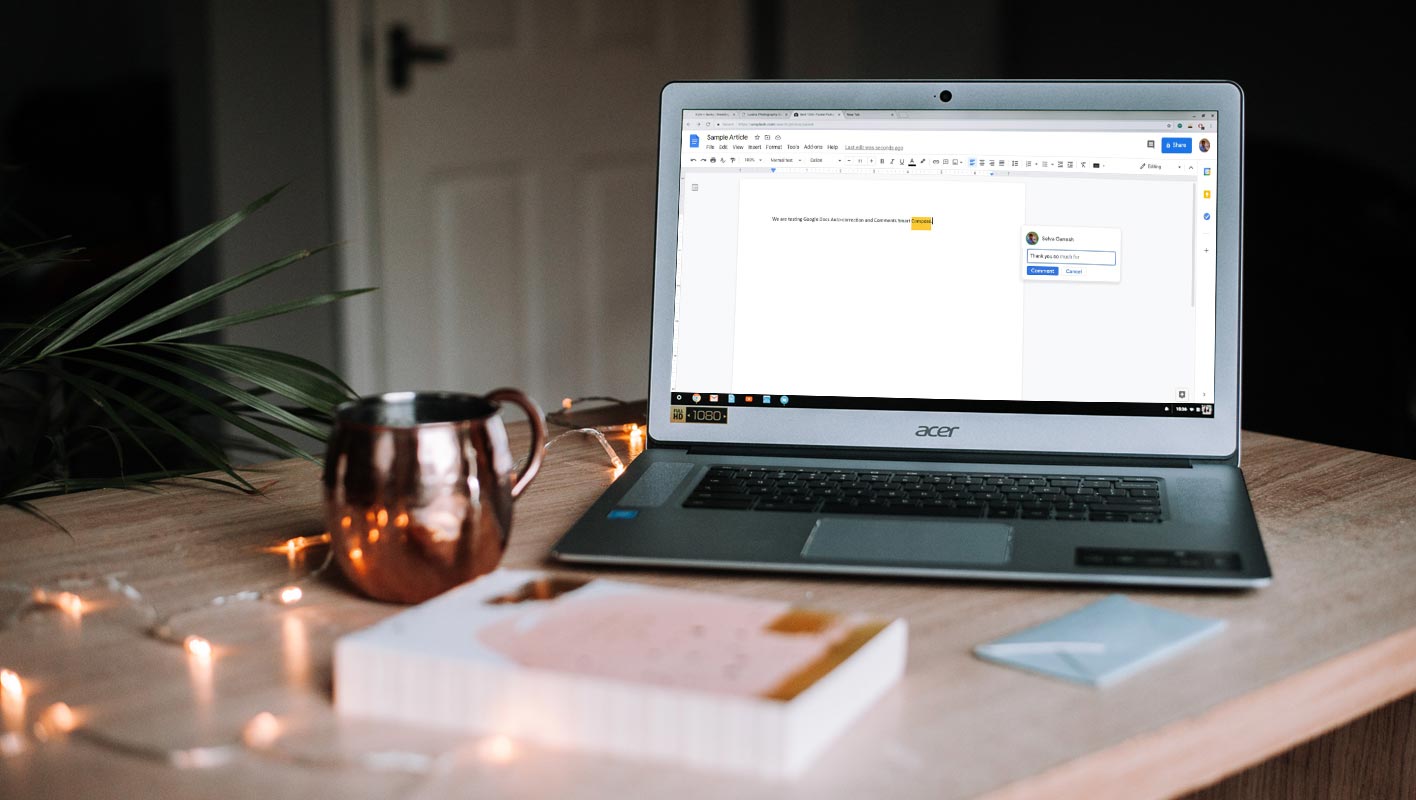
Smart Compose and Auto-Correction features in Google Docs Comments Section
Google Docs has become an important tool for educators, editors, and professionals in the current working environment. And it looks awkward if there are spelling mistakes or your comments are not well composed. Now you don’t need to worry about comments look as Google has rolled out two new features Smart Compose and Spelling Autocorrect, to Google Docs that give a stylish and error-free look to your comments.
Smart Compose
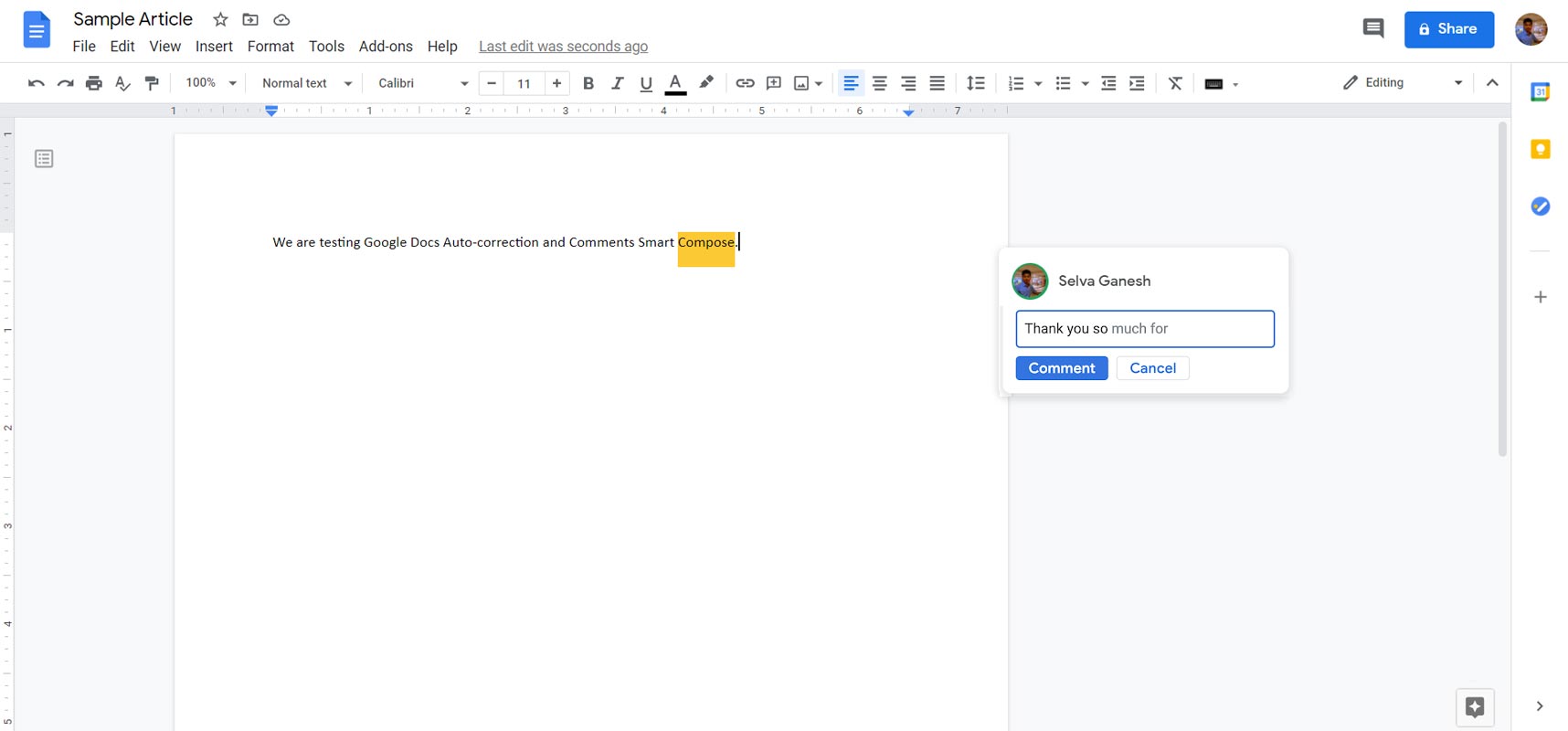
The first feature that Google rolled out today is Smart Compose. Google added this feature in Gmail two years back in 2018. The Smart Compose suggests relevant contextual phrases while writing your Email. This suggestion makes you compose your Emails a lot quicker with a stylish writing look.
Later in 2019, Google added Smart Compose in Google Docs. In Google Docs, it works the same and helps you write long-form and automatically tailor your context and writing style by adding repetitive phrases.
Now Google introduced the Smart Compose to Comments in Google Docs. The Smart Compose suggestion appears in light grey color as you type across all Google platforms, and you can select these phrases by hitting the “tab” key.
Spelling Autocorrect
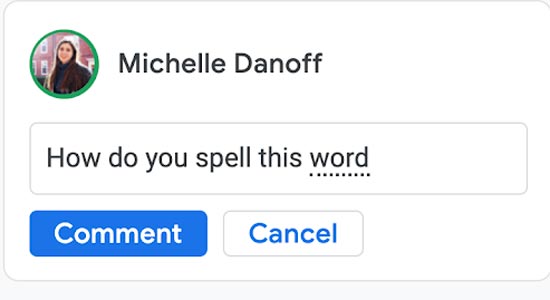
Spelling Autocorrect is the second feature that Google added in the Docs Comment section. This feature helps you to write your comments with confidence without any chance of spelling and grammatical errors. It saves you a lot of time and effort.
While typing the comments, misspelled words are corrected automatically and appear as a grey dashed underline. If you accept the suggestion and continue typing, the dashed line disappears.
How to use Smart Compose and Auto-Correction features in Google Docs Comment Section?
You can use these features on all Google platforms. To use the suggestion while typing on the desktop, press the “tab” or the “right arrow” key. And for using the suggestion while typing on a mobile phone, swipe right.
How to get these features in Google Docs?
You don’t worry about getting these features on your device. It is a system update, and these features will be ON by default on your device when you get the system update and install. However, you can disable these features if you don’t want them to use. You can use this link for turning on or off the Smart Compose and Autocorrect feature as it is an extended roll out so it will take up to 15 days to reach you starting from January 5, 2021.
Availability
The new roll out features Smart Compose and Spelling Autocorrect are available to Workspace categories, including
- Google Workspace Essentials
- Enterprise (Essentials, Standard, Plus)
- Business (Starter, Standard, Business Plus)
- G Suite (Basic, Business, Education, Enterprise for Education, Nonprofits customers)
Wrap Up
Google always facilitates its users with Artificial Intelligence (AI) and Machine learning (ML) technologies, and you get these facilities from productivity to entertainment platforms. To stand on any platform, You have to do something new and useful. Google already integrated Google Docs and Google Meet in Gmail.
The new rollout features in the Google Docs Comment section uses AI and ML technologies to make your comments error-free from spelling or grammatical errors without any extra effort. The Spelling Autocorrect feature corrects your spelling mistakes, and Smart Compose suggests phrases to make your text more stylish. It saves you precious time and extra efforts as Google stated that Smart Compose saved more than 3 billion keystrokes only in Gmail in 2020. Do tell us in the comments if you find these features helpful for you.

Selva Ganesh is a Computer Science Engineer, Android Developer, and Tech Enthusiast. As the Chief Editor of this blog, he brings over 10 years of experience in Android development and professional blogging. He has completed multiple courses under the Google News Initiative, enhancing his expertise in digital journalism and content accuracy. Selva also manages Android Infotech, a globally recognized platform known for its practical, solution-focused articles that help users resolve Android-related issues.




Leave a Reply