
McLaren F1 Car in Google Maps– Formula 1 fans navigating city streets can now bring the thrill of motorsport directly to their daily commute. Google Maps has introduced a limited-time driving avatar featuring a Google-sponsored McLaren Formula 1 car, allowing users to replace their standard navigation arrow with an iconic race car. This temporary feature arrives just in time to celebrate the United States Grand Prix in Las Vegas, transforming routine navigation into an engaging experience for racing enthusiasts.
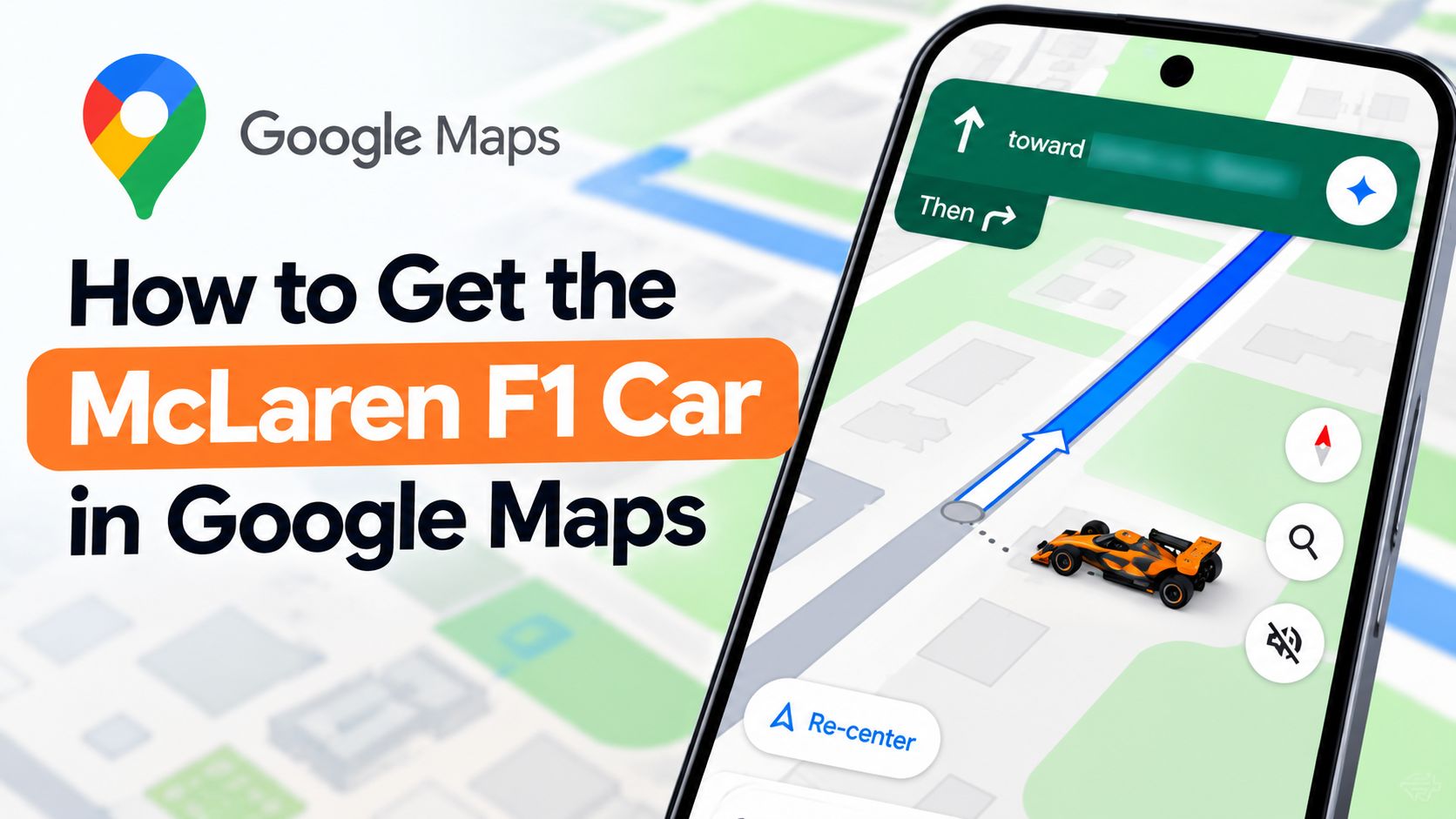

Available across mobile devices and in-dash vehicle infotainment systems, the feature brings high-performance motorsport aesthetics to everyday journeys. Whether you are commuting to the office or heading out on a road trip, enabling the McLaren F1 vehicle icon takes only a few taps within the application settings.
How the McLaren F1 Car Avatar Works in Google Maps?
The introduction of promotional vehicle avatars in Google Maps offers a fresh way to customize the navigation interface. Rather than settling for the traditional blue chevron or standard sedan icons, users can display a meticulously rendered McLaren Formula 1 car as their position marker on the map.
This rollout coincides with major motorsport events, specifically designed to coincide with the high-profile United States Grand Prix in Las Vegas. Google frequently introduces seasonal and event-driven Easter eggs to its navigation platform, but high-performance partnerships like this bring a unique level of excitement for motorsport followers.
Platform Support and Compatibility
One of the standout aspects of this update is its broad compatibility across multiple operating environments. The McLaren F1 avatar is not restricted solely to handheld mobile screens; it extends seamlessly to connected vehicle displays.
-
Mobile Devices: Supported on both iOS and Android smartphones running the latest version of the Google Maps application.
-
In-Dash Infotainment: Fully compatible with connected car interfaces via Android Auto and Apple CarPlay, enabling drivers to view the race car icon directly on their vehicle’s built-in touchscreen dashboard.
Step-by-Step Instructions to Enable the McLaren F1 Avatar
Activating the new driving avatar requires navigating through the standard settings menu within the Google Maps app. Because the feature is rolling out as a server-side update, ensure your application is updated to the latest version available on your device’s app store if the option does not appear immediately.
Follow these simple steps to set up your new navigation icon:
-
Open the Google Maps application on your mobile device.
-
Tap on your profile picture or initials located in the top right corner of the search bar.
-
Select Settings from the drop-down menu.
-
Scroll down and tap on Your vehicles.
-
Select Driving avatar and choose the McLaren Formula 1 car from the available options.
Once selected, the icon updates instantly, reflecting your vehicle position with the custom F1 graphics across both your phone and connected dashboard displays.
Availability and Duration
As a special promotional release tied to the Grand Prix season, the McLaren F1 car avatar is available for a limited time only. Google has confirmed that the feature will remain active through November 23, 2026. After this date, the special avatar will be removed, and navigation icons will revert to standard vehicle options unless otherwise updated by Google.
Because the rollout is managed via a server-side update, users who do not see the option immediately under their vehicle settings should verify their app version, restart the application, or allow a short period for the update to propagate to their account.
Frequently Asked Questions
1. How long will the Google Maps McLaren F1 avatar be available?
The temporary driving avatar is available through November 23, 2026, celebrating the United States Grand Prix in Las Vegas.
2. Can I use the McLaren F1 icon on Apple CarPlay?
Yes, the avatar displays on mobile devices as well as on in-dash vehicle screens via both Android Auto and Apple CarPlay.
3. How do I enable the McLaren F1 car in Google Maps?
Navigate to Settings, select Your vehicles, and choose Driving avatar to activate the McLaren Formula 1 car icon.
4. Is the McLaren F1 avatar available for free?
Yes, this promotional feature is available at no cost to all users as part of a limited-time Google Maps update.
5. Why can’t I find the Driving avatar option in my settings?
The feature is delivered via a server-side update. If it is missing, ensure your Google Maps app is updated to the latest version.
6. Does the avatar affect navigation routing or GPS accuracy?
No, the driving avatar is purely a visual customization and does not impact routing, traffic data, or GPS tracking precision.
7. Will my navigation icon revert automatically after November 23?
Yes, once the promotional window closes on November 23, 2026, the temporary vehicle icon will be removed from the application.
8. Do I need an internet connection to see the custom car icon?
An active internet connection is required to load map graphics and server-side updates, though standard offline navigation functions independently.
9. Can I keep the McLaren F1 icon permanently after the promotion?
No, the promotional rights for sponsored avatars are temporary, meaning the icon will expire at the end of the scheduled period.
10. Are there other vehicle icons available in Google Maps?
Google periodically introduces seasonal and event-based icons alongside standard vehicle options like sedans, trucks, and SUVs.

Selva Ganesh is a Computer Science Engineer, Android Developer, and Tech Enthusiast. As the Chief Editor of this blog, he brings over 10 years of experience in Android development and professional blogging. He has completed multiple courses under the Google News Initiative, enhancing his expertise in digital journalism and content accuracy. Selva also manages Android Infotech, a globally recognized platform known for its practical, solution-focused articles that help users resolve Android-related issues.




Leave a Reply