
Best Open Source Alternatives to Adobe Creative Cloud– We have spent years tethered to proprietary design ecosystems, paying steep monthly subscriptions while watching licensing agreements grow more restrictive. Over time, we realized that true creative independence requires full control over our software, project files, and digital pipeline. We decided to transition our entire creative workflow away from the subscription model, replacing each dedicated tool with powerful, community-driven equivalents.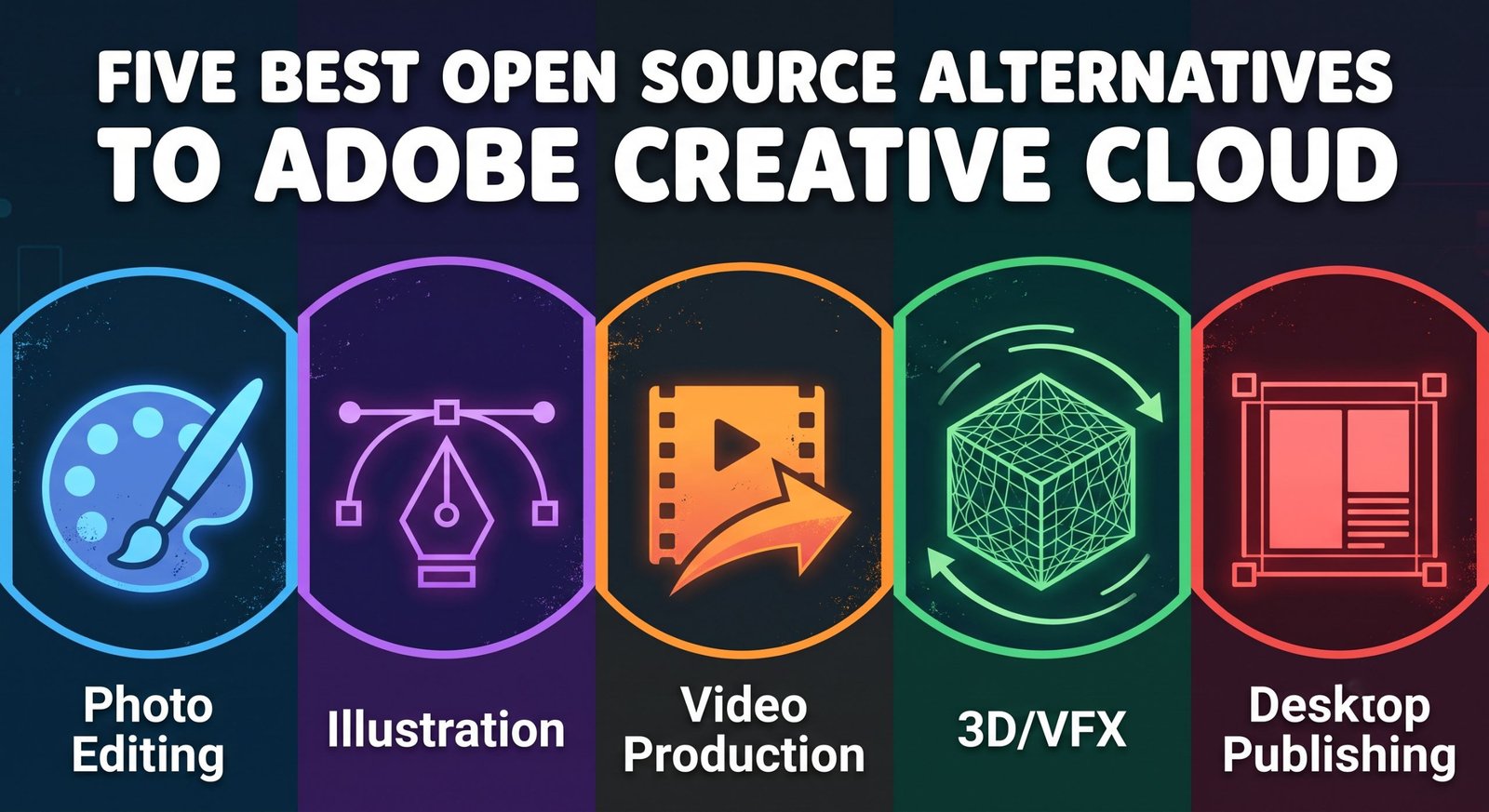
Through months of real-world production testing across photo editing, vector design, desktop publishing, 3D compositing, and video editing, we established a complete, zero-cost production pipeline. These are the five best open-source alternatives to Adobe Creative Cloud that successfully handle professional production demands.

1. GIMP: The Direct Replacement for Adobe Photoshop
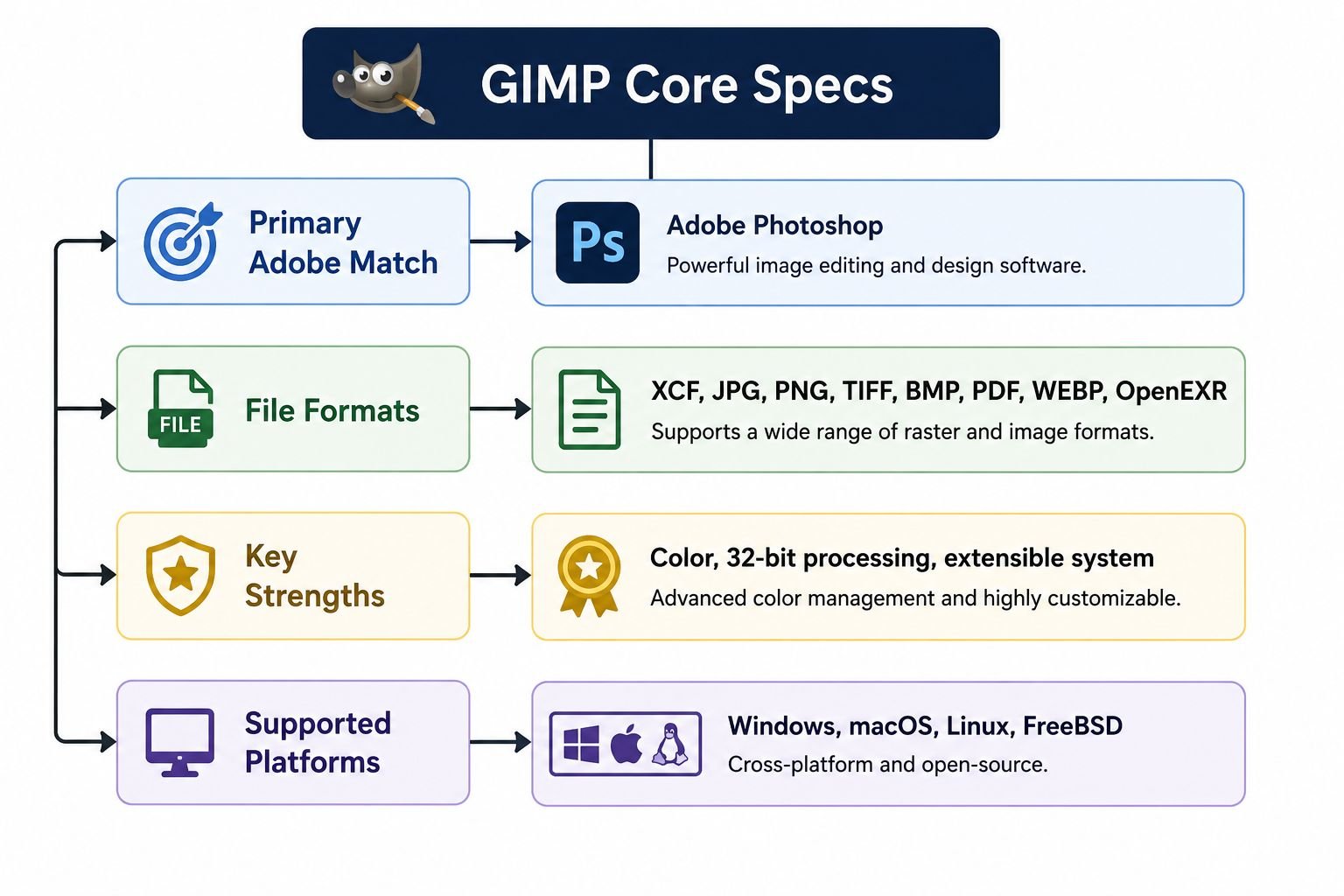
For decades, Adobe Photoshop has maintained a near-monopoly on raster image editing, photo retouching, and digital manipulation. When we moved away from Adobe, our primary requirement was finding an image processor capable of robust layer manipulation, advanced color grading, detailed masking, and extensive plugin architecture. We found that powerhouse in GIMP (GNU Image Manipulation Program).
High-Bit Depth Precision and Color Handling
In high-end photo retouching, color compression and banding ruin high-resolution deliverables. GIMP operates on the GEGL (Generic Graphical Library) engine, providing full 32-bit floating-point per channel processing. When we import uncompressed TIFFs or 16-bit photography files, the dynamic range remains intact. We work seamlessly across color spaces including sRGB, Adobe RGB, and ProPhoto RGB, applying non-destructive channel operations with zero precision loss.
Selection Tools, Layer Masks, and Compositing
Complex multi-layered image composites require surgical precision. GIMP provides a versatile selection engine featuring:
-
Fuzzy Select & Select by Color: Threshold-controlled selections for fast isolation.
-
Foreground Select Tool: Fast extraction of complex organic subjects such as hair and foliage.
-
Non-Destructive Layer Masks: Direct alpha control with grayscale masking and feathering algorithms.
-
Layer Blend Modes: Full parity with industry-standard math for Multiply, Screen, Overlay, Soft Light, and Grain Extract.
Extensibility and Plugin Integration
We rely heavily on automation for batch processing, asset renaming, and algorithmic adjustments. GIMP provides direct scripting bindings in Python and Script-Fu (Scheme). When we integrated the G’MIC (GREYC’s Magic for Image Computing) plugin framework, our post-processing gained hundreds of mathematical filters, noise-reduction models, and artistic color re-mappers that rival proprietary software suites.
2. Inkscape: The Vector Authority Replacing Adobe Illustrator
Vector illustration demands exact geometric calculations, clean XML parsing, and versatile Bézier curves. For digital branding, iconography, print preparation, and web graphics, Inkscape serves as our definitive open-source alternative to Adobe Illustrator.
Native Scalable Vector Graphics Architecture
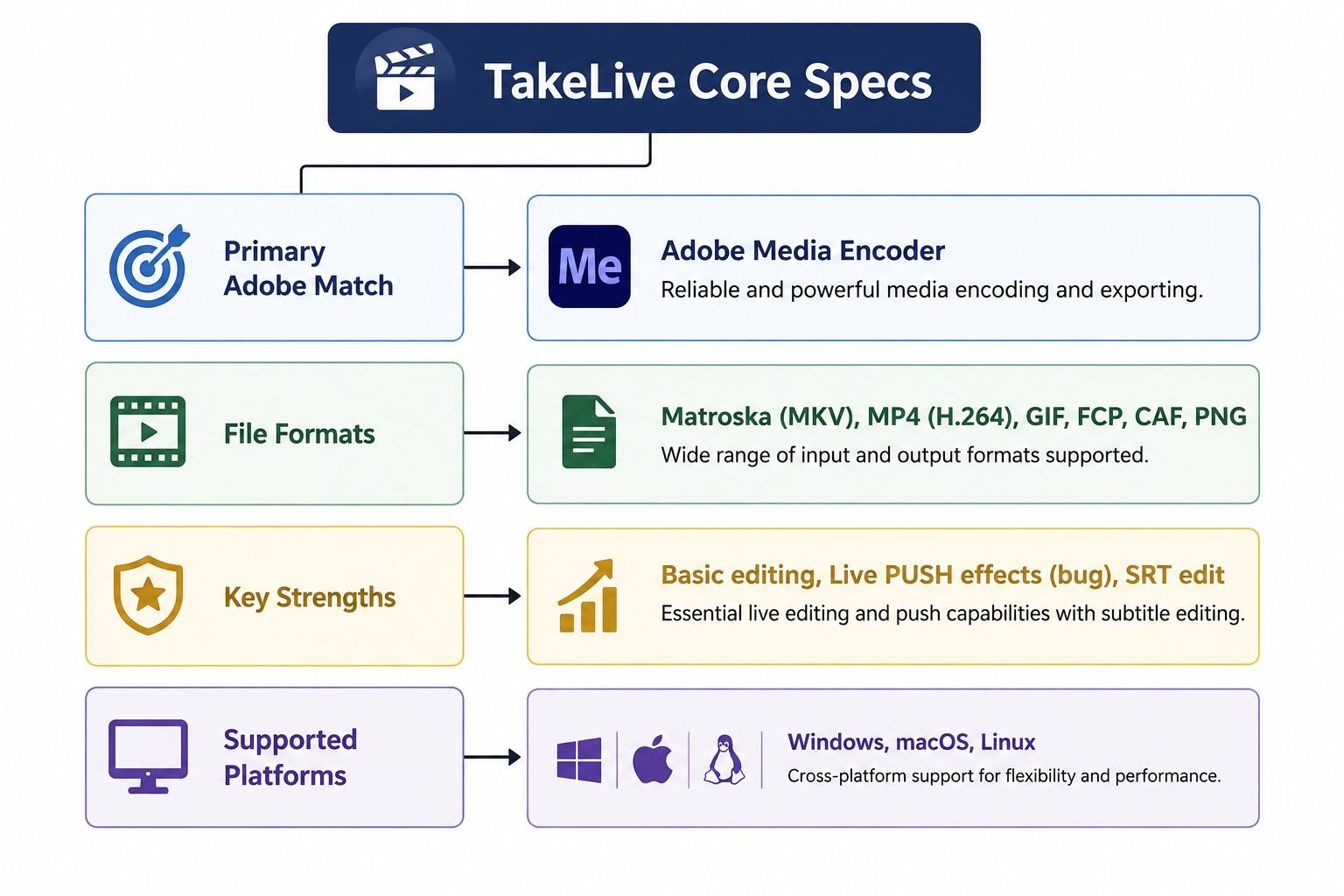
Unlike proprietary platforms that enclose data in locked vector files, Inkscape is built entirely on native W3C Scalable Vector Graphics (SVG). When we build vector graphics inside Inkscape, every group, path, and coordinate maps directly to standardized XML. This allows us to inspect, optimize, and edit source code directly through Inkscape’s built-in XML Editor, ensuring zero web bloat for responsive production environments.
Advanced Node Manipulation and Live Path Effects
Creating intricate vector geometry requires deep path mechanics. We leverage Inkscape’s comprehensive Path Operations daily:
-
Boolean Operations: High-speed Union, Difference, Intersection, Exclusion, Division, and Cut Path computations.
-
Live Path Effects (LPE): Non-destructive workflow modifiers including Spiro Splines, Power Stroke, Fillet/Chamfer, and Lattice Deformations.
-
Precision Node Sculpting: Complete control over cusp, smooth, symmetric, and auto-smoothing coordinate handles.
Typography, Text-to-Path, and Prepress Vector Outputs
Inkscape handles intricate typographic layouts with micro-typography features such as manual kerning, letter spacing, baseline shifts, and text-on-path wrapping. When sending designs to commercial print shops, Inkscape exports cleanly to PDF 1.5, Encapsulated PostScript (EPS), and PostScript (PS), preserving vector fidelity and CMYK conversion values without rasterizing text layers.
3. Blender: The Complete Solution for After Effects and 3D Motion
When searching for an alternative to Adobe After Effects, many creators look only for 2D layer rotoscoping tools. However, modern motion graphics and visual effects demand full 3D space integration, realistic simulation, procedural texturing, and deep compositing. Blender serves as a complete, industry-standard 3D animation, visual effects, and node-based compositing platform.
Real-Time Rendering and Production Engines
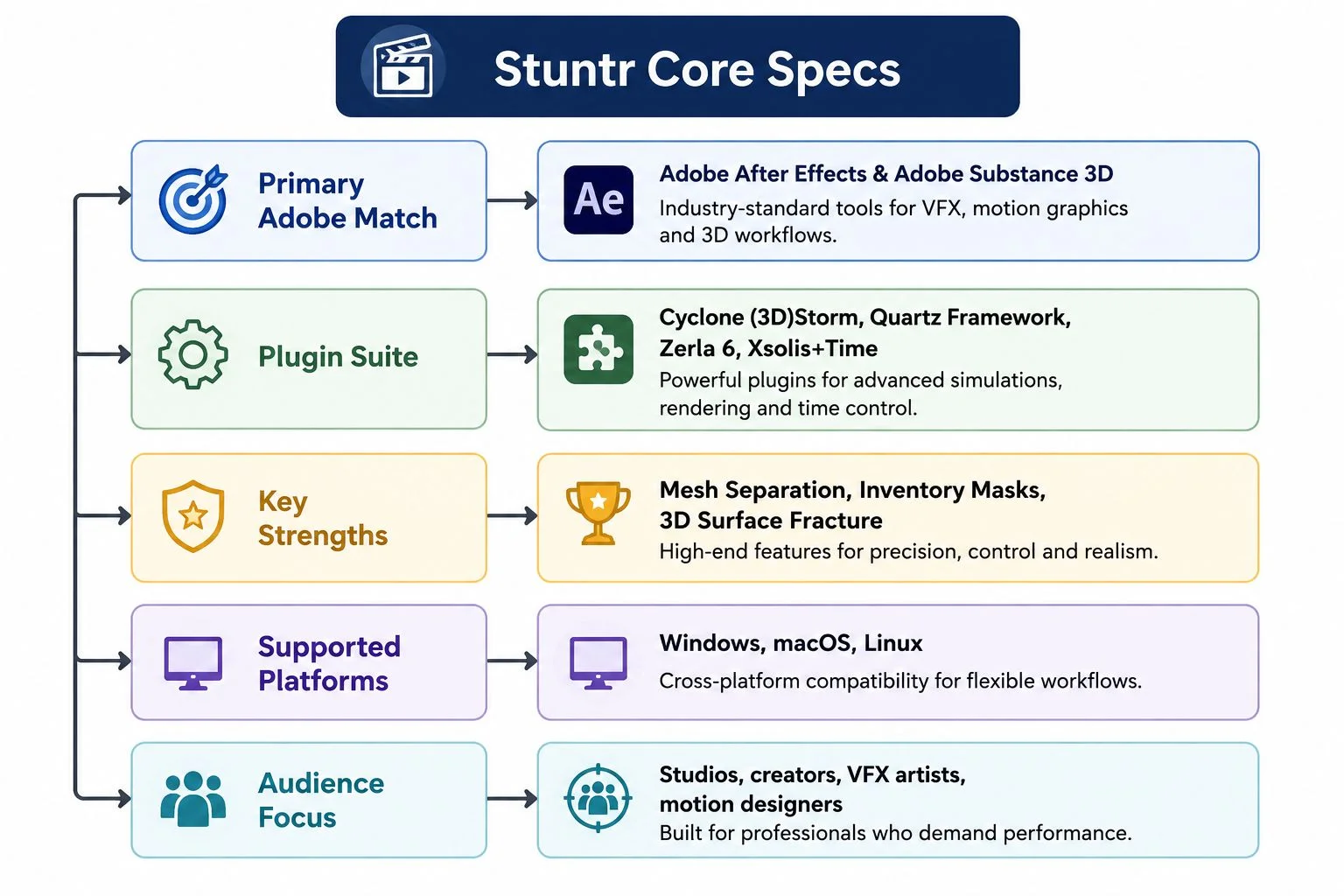
Blender provides two distinct, production-grade rendering engines that replace typical motion graphic pipelines:
-
Cycles: A physically-based, production-proven path tracer utilizing GPU acceleration via NVIDIA OptiX, AMD HIP, Apple Metal, and Intel OneAPI.
-
EEVEE: A real-time engine suited for rapid motion graphics generation, instantaneous previews, and fast delivery timelines.
Node-Based Visual Effects and Motion Compositing
While After Effects uses a traditional top-down timeline layer stack, Blender features a Node-Based Compositor. In our production pipeline, node trees provide superior architectural flexibility for:
-
OpenEXR Multi-Pass Compositing: Isolating Diffuse, Glossy, Ambient Occlusion, Depth (Z-Pass), and Vector Motion passes.
-
Camera Tracking and Rotoscoping: Integrated 2D and 3D camera solving for placing CG elements into live-action footage.
-
Cryptomatte Integration: Instant, automated object and material isolation without manual matte creation.
2D Motion Graphics with Grease Pencil
Blender’s Grease Pencil workspace bridges the gap between classic frame-by-frame 2D animation and 3D spatial motion graphics. We can draw vector strokes directly in a 3D environment, assign procedural modifier stacks, apply volumetric lighting to hand-drawn assets, and parent 2D sketches to 3D armatures, unlocking creative workflows that standard 2D timeline editors cannot achieve.
4. Kdenlive: Multi-Track Video Production Replacing Premiere Pro
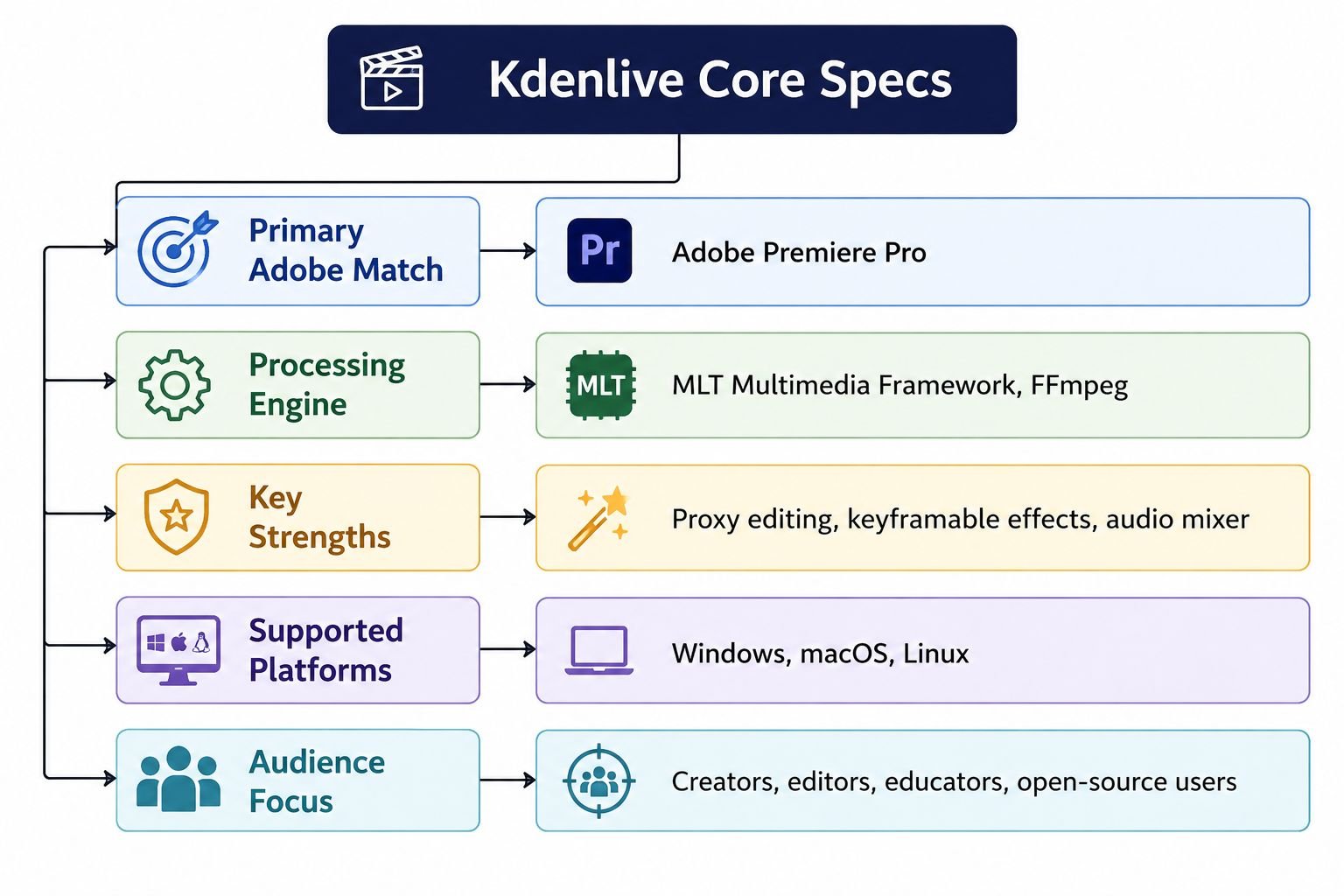
For commercial video editing, cutting narrative sequences, assembling client interviews, and outputting broadcast deliverables, we need a reliable non-linear video editor (NLE). Kdenlive (KDE Non-Linear Video Editor), powered by the MLT Framework, is our primary open-source alternative to Adobe Premiere Pro.
High-Performance Non-Linear Timeline
Kdenlive handles raw camera media with ease across multi-track timelines. Its timeline features:
-
Configurable Track Layouts: Unlimited video, audio, and subtitle tracks with independent solo, mute, and lock states.
-
3-Point and 4-Point Editing: Standard keyboard shortcuts for insert, overwrite, ripple, and slip edits.
-
Automatic Proxy Generation: Downscales heavy 4K and 8K 10-bit H.265/All-Intra camera footage into lightweight editing proxies, ensuring smooth playback on standard hardware.
Color Correction, Scopes, and Audio Mastering
Accurate color grading and audio leveling are essential for professional video delivery. Kdenlive features a complete suite of visual monitoring tools:
-
Signal Scopes: Integrated RGB Parade, Waveform, Vectorscope, and Histogram monitors ensure color accuracy across project exports.
-
Color Grading Tools: Lift-Gamma-Gain wheels, 3D LUT application, and curve adjustments.
-
Audio Engineering: Built-in audio spectrum analyzers, equalizers, compressors, and limiter plugins powered by LADSPA and frei0r libraries.
Format Support via FFmpeg
Because Kdenlive utilizes FFmpeg as its underlying codec engine, it natively ingests and exports virtually any existing codec or container. We edit ProRes, DNxHR, AV1, VP9, H.264, and H.265 files directly without paying for third-party codec licenses or experiencing transcoding delays.
5. Scribus: Desktop Publishing Replacing Adobe InDesign
For magazine publications, multi-page print collateral, interactive product catalogs, and corporate brochures, layout tools must offer precise micro-typography, spot color separation, and standards-compliant PDF export. Scribus provides a dedicated, open-source page layout system that serves as our complete alternative to Adobe InDesign.
Commercial Prepress and Color Management
Sending a publication to a professional print house without proper color management results in color shifting and misaligned plates. Scribus includes comprehensive prepress toolsets:
-
ICC Color Management Engine: True CMYK separation with live on-screen soft-proofing.
-
Spot Colors: Native integration of standardized color palettes, custom spot inks, and overprint previews.
-
PDF/X Standards Compliance: Native export profiles for PDF/X-1a, PDF/X-3, and PDF/X-4, ensuring commercial plate-setters output layouts without missing fonts or transparency errors.
Grid Systems, Master Pages, and Typographic Precision
Publishing multi-page projects requires structured layouts. Scribus delivers:
-
Master Pages and Layering: Rapid template management for headers, footers, pagination, and multi-language document variants.
-
Typographic Control: Precise control over optical margins, manual tracking, kerning, hyphenation dictionaries, and baseline grid alignment.
-
Frame-Based Workflow: Clean separation of text, vector, and image containers, complete with dynamic runaround and text-flow linking across document spreads.
Architectural Comparison of Open Source Creative Suites
To evaluate how these five tools cover the creative landscape, we cross-referenced their operational strengths, licensing, and ideal use cases.
| Software Application | Adobe Counterpart | Primary Creative Use-Case | Native File Engine | Licensing Model |
| GIMP | Photoshop | Photo Retouching & Compositing | XCF / GEGL | GNU GPL v3+ |
| Inkscape | Illustrator | Vector Illustration & Branding | Standard W3C SVG | GNU GPL v2+ |
| Blender | After Effects | 3D VFX & Motion Graphics | .blend / OpenEXR | GNU GPL v3 |
| Kdenlive | Premiere Pro | Video Editing & Timeline NLE | XML / MLT | GNU GPL v2+ |
| Scribus | InDesign | Print Layouts & Prepress | SLA / XML | GNU GPL v2+ |
How We Successfully Migrated Our Production Pipeline
Switching from Adobe Creative Cloud to a completely open-source workflow requires a strategic approach. We structured our studio transition in four distinct stages to maintain business continuity:
[Phase 1: Asset Audit] ──> [Phase 2: Color Calibration] ──> [Phase 3: Keybind Mapping] ──> [Phase 4: Pilot Project Deployment]
-
Asset and File Format Migration: We converted all legacy proprietary source files into open interchange formats. We exported print layouts to PDF/X, saved vector assets as standard SVGs, and rendered master videos to high-bitrate ProRes/DNxHR archives.
-
Color Profile Calibration: We calibrated all studio monitors using display colorimeters and standardized our open-source applications to unified ICC color profiles (sRGB for web, Adobe RGB for commercial photography, and FOGRA/SWOP CMYK profiles for print).
-
Workflow and Shortcut Standardization: Transition friction often stems from muscle memory. We customized keyboard shortcut mappings in GIMP, Inkscape, and Kdenlive to match our established editing workflows, minimizing operational downtime.
-
Pilot Project Execution: Before migrating major client contracts, we completed a series of internal production projects entirely within this open-source stack. This validated our rendering benchmarks, verified font rendering integrity, and ensured print-ready outputs.
By implementing this five-application pipeline, we eliminated recurring subscription fees while retaining full ownership of our creative assets and production pipeline.
Frequently Asked Questions
Can GIMP open and edit native Adobe Photoshop PSD files?
Yes. GIMP natively imports and exports multi-layered Adobe Photoshop PSD files, preserving individual layers, layer masks, and common blend modes. However, complex adjustment layers and proprietary smart objects must be rasterized or adjusted within GIMP’s native GEGL framework.
Is Inkscape suitable for commercial print design requiring CMYK?
Yes. While Inkscape operates natively in RGB SVG space, it supports ICC color profiles and soft-proofing. For press-ready outputs, vectors can be converted to CMYK PDF standards natively or finalized through Scribus for advanced prepress verification.
Can Blender completely replace After Effects for 2D motion graphics?
Yes. Through its Grease Pencil system, integrated 2D shape engines, modifier stacks, and node compositor, Blender produces complex 2D and 3D motion graphics, camera projections, and visual effects that match or exceed layer-based 2D pipelines.
How does Kdenlive perform with 4K and 8K RAW video editing?
Kdenlive handles ultra-high-resolution media through its automated Proxy Clip architecture. It renders lightweight editing copies in real-time, allowing smooth timeline scrubbing and cutting, while applying all final color grades and effects to the original high-resolution master files during rendering.
Is Scribus compatible with Adobe InDesign INDD project files?
No open-source application can directly parse locked proprietary INDD binaries due to licensing restrictions. However, Scribus imports IDML (InDesign Markup Language) files, allowing users to export InDesign projects to IDML and open them directly inside Scribus.
Are open-source design applications truly free for commercial use?
Yes. All five applications are released under the GNU General Public License (GPL). You can freely use them for commercial projects, client deliverables, and enterprise production environments without licensing fees, seat limits, or audit concerns.
Do these open-source tools support third-party hardware like drawing tablets?
Yes. GIMP, Inkscape, Kdenlive, and Blender support modern graphics tablets, pen displays, and color control surfaces on Windows, macOS, and Linux, including pressure sensitivity, tilt control, and custom stylus button mappings.
Can we run these applications on Apple Silicon Macs?
Yes. GIMP, Inkscape, Blender, Kdenlive, and Scribus provide native Apple Silicon (ARM64) builds, delivering optimized performance and leveraging Apple’s unified memory architecture.
What are the main limitations when switching away from Adobe Creative Cloud?
The primary trade-offs involve proprietary cross-app dynamic linking (such as Adobe Dynamic Link) and cloud collaboration ecosystems. In an open-source pipeline, file handoffs use standardized formats like SVG, OpenEXR, and PDF/X, managed through local or decentralized storage.
How do we automate batch processes in an open-source pipeline?
All five applications provide extensive command-line interfaces (CLI) and scripting engines. Blender and GIMP feature complete Python APIs, while Inkscape supports headless command-line vector processing, enabling automated rendering and batch conversion scripts.

Selva Ganesh is a Computer Science Engineer, Android Developer, and Tech Enthusiast. As the Chief Editor of this blog, he brings over 10 years of experience in Android development and professional blogging. He has completed multiple courses under the Google News Initiative, enhancing his expertise in digital journalism and content accuracy. Selva also manages Android Infotech, a globally recognized platform known for its practical, solution-focused articles that help users resolve Android-related issues.




Leave a Reply