
Google always tries its best to give better sharing options like Apple AirDrop. With the help of Nearby Share, Google is slowly moving toward improvement and doing its best to provide a better ecosystem. With every successor version, We can see lots of minor enhancements. Now, Google Play services v22.15 allows Nearby Share Files without Additional Authentication. You need to log in with every device with the same Google account for a smooth process. Compared with previous add-on features, This 22.15 update is a massive jump toward the real purpose of Nearby Share.
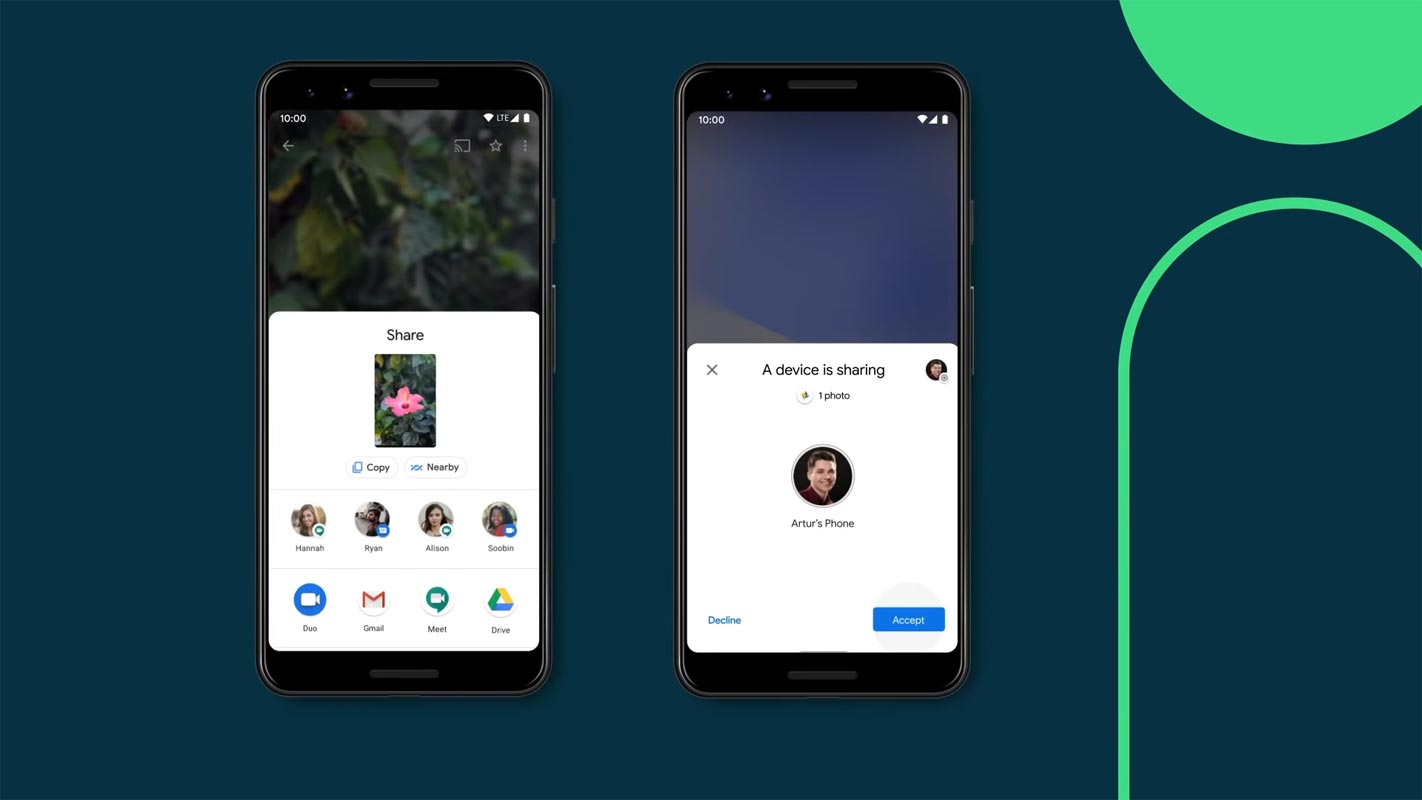
Google Play services v22.15 Nearby Share Update
The most significant feature of the May 2022’s Google Play updates is the introduction of self-sharing in Nearby Share. Self-sharing will make it easier to transfer documents, links, and even text from your device to another without accepting the share on the device receiving it. If you’ve never experienced the benefits of Nearby Share on your Android phone, it provides the same experience as AirDrop for Apple devices. It is compatible with Chromebooks as well as Windows desktops.

Here's a demo of "self share" in Nearby Share (ie. no authentication needed to share files between devices signed into the same Google Account) as well as a look at a new "completion" screen. pic.twitter.com/zPHMI0IvGH
— Mishaal Rahman (@MishaalRahman) May 2, 2022
In Google Play Services v22.15, Nearby Share users will be able to transfer files using Bluetooth between their tablets, phones, Android Auto units, and Android TV sets without signing in. They’re signed into identical Google login on both the sending and receiving gadgets.
How do I check what version of Google Play Services is available? Google Play Services version?
Google Play system update. The most efficient way to determine whether you require an update for Google Play Services on your phone is to go directly to the application’s Play Store page and update it if it’s available. To upgrade to the latest version of the Play Store, tap your avatar at the bottom of the screen and then “Settings.” Under the “About” section, you’ll find a choice to “Update Play Store.” Additionally, Google Play system updates are available within your Settings app, located under the section “About phone” Android version.
Requirements for app version to access Nearby Share Files without Additional Authorization
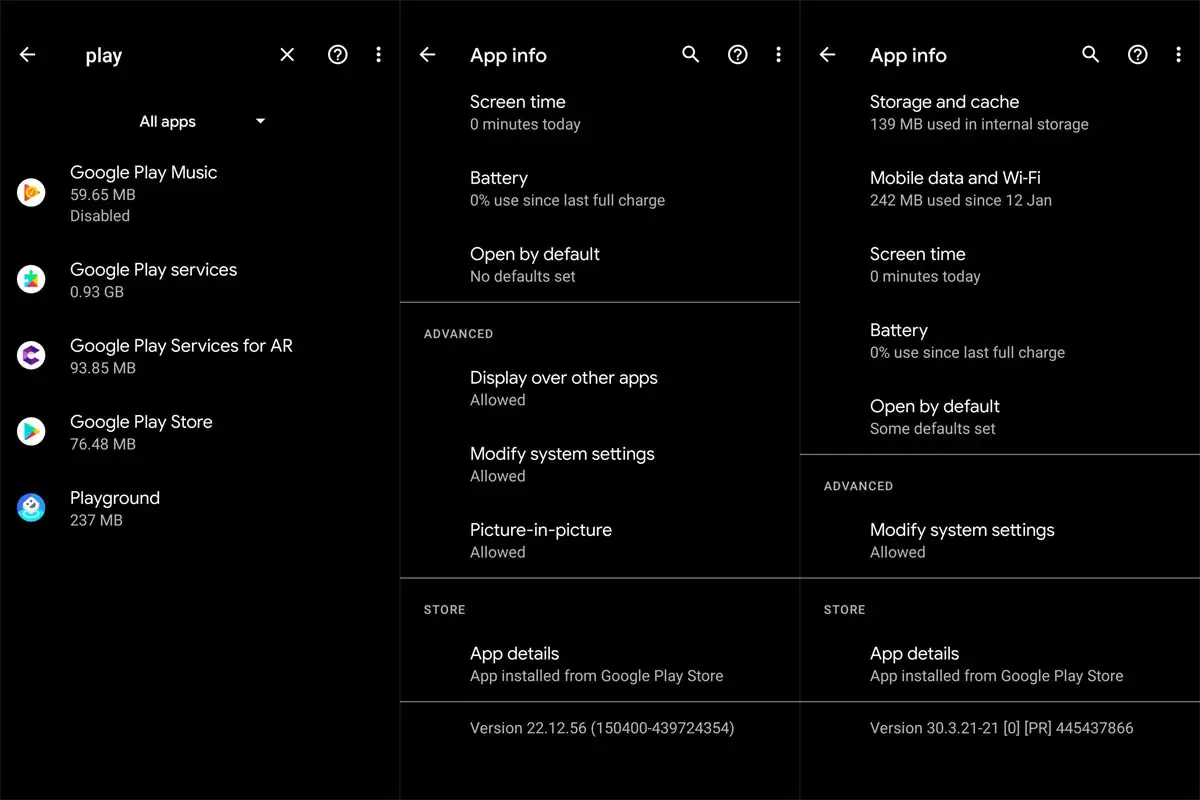
Google Play system update. To access these new features, enhancements, and other features on your device, you’ll need to be running Google Play Services version 22.15 and Play Store version 30.3, each of which should be released by May 2. As of now, no date isn’t yet been announced for the update in May.
Wrap Up
The success of Apple is its ecosystem. Apple device scans work with each other without issues, and they have its advantage. But, Since Google have different OS devices, They have to make bridge apps two or with each other. Fortunately, Google accounts can help them here, and they worked as a bridge between any device and made the ecosystem possible. But, If they want to succeed like Apple, They have to use a similar OS to all Chromebook, Pixel, and Android Auto Devices. When Fuchsia OS becomes successful, They may adapt it in the future. Did you try out the new Nearby Share Files without Additional Authentication? Share your experience below.

Selva Ganesh is a Computer Science Engineer, Android Developer, and Tech Enthusiast. As the Chief Editor of this blog, he brings over 10 years of experience in Android development and professional blogging. He has completed multiple courses under the Google News Initiative, enhancing his expertise in digital journalism and content accuracy. Selva also manages Android Infotech, a globally recognized platform known for its practical, solution-focused articles that help users resolve Android-related issues.




Leave a Reply