
MacBook Pro 2026: 5 Big Upgrades Explained – Apple has once again shifted what we can expect from a portable computer. The newly unveiled MacBook Pro lineup brings significant hardware and software milestones, led by a brand-new display technology and direct touch capabilities on a Mac for the first time. Designed for professionals, creators, and everyday power users alike, this release focuses heavily on visual fidelity, intuitive interaction, and raw processing efficiency.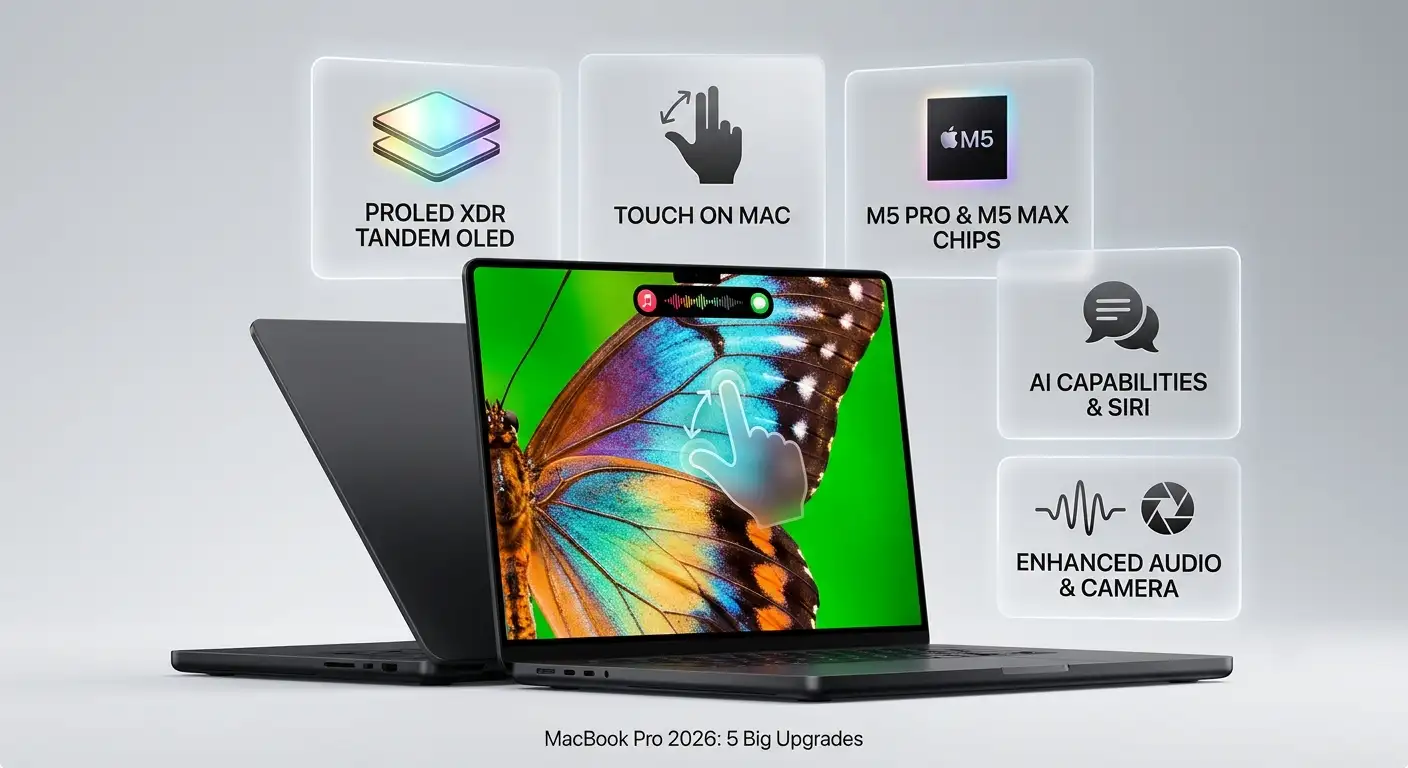
Here is a breakdown of the five major upgrades that define the 2026 MacBook Pro.

1. The PROLED XDR Display with Tandem OLED
The most striking upgrade is the introduction of the PROLED XDR display. Moving past traditional display limitations, Apple has utilized a groundbreaking tandem OLED technology that layers two self-illuminating pixel layers together.
This dual-layer approach provides extraordinary brightness uniformity and true-to-life color reproduction without the blooming or halos often seen in older backlit screens.
-
Extreme Brightness and Contrast: The display reaches up to 2000 nits of peak HDR and SDR brightness, paired with an industry-leading 10,000,000:1 contrast ratio. Deep blacks sit directly beside brilliant highlights, revealing hidden details in shadows.
-
Pro Color Gamut: It covers both the P3 and Adobe RGB color spaces, offering over 80 percent Rec. 2020 coverage for professional video editors, photographers, and colorists who require reference-grade accuracy on the go.
-
Enhanced Outdoor Clarity: An advanced anti-reflective coating and an available nano-texture glass option ensure the screen remains easy to read even under direct sunlight or bright studio lighting.
2. Touch Arrives on Mac for the First Time
For the first time ever, Apple has brought Multi-Touch capabilities directly to the MacBook Pro screen, opening up entirely new ways to interact with content.
Unlike traditional touchscreen implementations that layer sensors on top of the glass, the touch sensor here is built directly into the display panel itself. This engineering choice significantly reduces latency, making every swipe and tap feel remarkably responsive.
-
Natural Gestures: Users can naturally scroll through long web pages, pinch to zoom in on high-resolution photos, or drag and drop items seamlessly between application windows.
-
Specialized Workflows: Graphic designers can use the entire screen as a direct canvas, software developers can test touch interactions for their applications right on the device, and musicians can manipulate on-screen sliders and virtual instruments with their fingertips.
3. M5 Pro and M5 Max Performance Powerhouses
Under the hood, the new MacBook Pro is powered by the M5 Pro and M5 Max chips, built on advanced architecture designed to handle heavy computational workflows effortlessly.
These processors feature robust single- and multi-threaded CPU performance paired with high-bandwidth unified memory configurable up to 128GB, alongside massive storage options reaching up to 16TB.
-
Next-Generation Graphics: Enhanced GPU shader cores and a third-generation hardware ray-tracing engine allow 3D artists, animators, and game developers to render complex scenes and play demanding AAA titles with exceptional frame rates.
-
Thermal Efficiency: A redesigned thermal architecture ensures that the laptop maintains peak performance whether operating on battery power or plugged into a wall outlet, delivering up to 24 hours of battery life.
4. Dynamic Island and Integrated AI Capabilities
Borrowing a popular hardware-software integration from the iPhone, the Dynamic Island makes its debut on the Mac. Positioned at the top of the display, it serves as an interactive hub for system notifications, Spotlight searches, and Live Activities.
-
Siri AI and Apple Intelligence: Powered by on-device processing and Private Cloud Compute, the updated Siri AI acts as a conversational assistant capable of searching personal files, managing tasks across apps, and drafting content while maintaining strict user privacy.
-
Smart Automations: Safari features like “Notify Me” monitor web pages for updates, while natural language shortcuts allow users to automate multi-step daily workflows instantly.
5. Upgraded Audio, Camera, and Connectivity
Rounding out the hardware refresh are notable improvements to everyday usability, connectivity, and communication.
-
Immersive Audio System: A redesigned six-speaker sound system features custom woofers and tweeters that deliver 50 percent deeper bass alongside remarkable sound clarity and Spatial Audio support.
-
Advanced Camera and Mics: The 12MP Center Stage camera keeps users perfectly framed during video calls, while a studio-quality three-microphone array ensures crisp audio capture. Desk View and advanced video stabilization keep the feed steady even when interacting with the screen.
-
Modern Ports: Connectivity includes Thunderbolt 5 ports, an HDMI port, an SDXC card slot, an audio jack, and support for Wi-Fi 7 and Bluetooth 6 for fast peripheral connections and external displays.
Frequently Asked Questions
1. What sizes are available for the new MacBook Pro?
The new MacBook Pro is available in 14-inch and 16-inch models, featuring thin, lightweight aluminum enclosures weighing approximately 3.0 pounds and 4.0 pounds respectively.
2. How does tandem OLED improve screen quality?
Tandem OLED uses two self-illuminating pixel layers stacked together. This design allows for higher peak brightness, improved grayscale uniformity, and deep contrast without light bleed or halo artifacts.
3. Can I use standard touch gestures on the screen?
Yes. You can scroll, pinch to zoom, rotate, and swipe naturally. The touch sensor is integrated directly into the display panel to minimize latency.
4. What chip options are available?
The laptop can be configured with either the M5 Pro or M5 Max chip, tailored for demanding creative, engineering, and scientific workloads.
5. How long does the battery last?
The MacBook Pro delivers up to 24 hours of battery life on a single charge, maintaining identical performance levels whether running on battery or plugged into power.
6. What is the purpose of the Dynamic Island on Mac?
The Dynamic Island houses Spotlight search, Live Activities, and Siri AI controls, giving you quick access to notifications and system tasks directly from the top of your screen.
7. Does the display support wide color gamuts for professional design?
Yes. The PROLED XDR display supports both P3 and Adobe RGB color spaces, making it ideal for photography, print design, and HDR video grading.
8. What audio upgrades are included?
The laptop features a redesigned six-speaker sound system that delivers 50 percent deeper bass and enhanced clarity for media playback and video conferences.
9. What connectivity options are provided?
It includes Thunderbolt 5 ports, an HDMI port, an SDXC card slot, a headphone jack, and support for Wi-Fi 7.
10. When will the new MacBook Pro be available?
It is available for pre-order starting October 28, with official store availability beginning Friday, November 6.

Selva Ganesh is a Computer Science Engineer, Android Developer, and Tech Enthusiast. As the Chief Editor of this blog, he brings over 10 years of experience in Android development and professional blogging. He has completed multiple courses under the Google News Initiative, enhancing his expertise in digital journalism and content accuracy. Selva also manages Android Infotech, a globally recognized platform known for its practical, solution-focused articles that help users resolve Android-related issues.




Leave a Reply