
How to Make a WhatsApp Call Using a Guest Account – Connecting with friends, family, colleagues, or clients has become significantly simpler. Traditionally, joining a WhatsApp call meant everyone involved needed to have the application installed and an active account registered on their mobile device. For non-tech-savvy individuals or people who prefer not to download extra software, this requirement often created an unnecessary hurdle.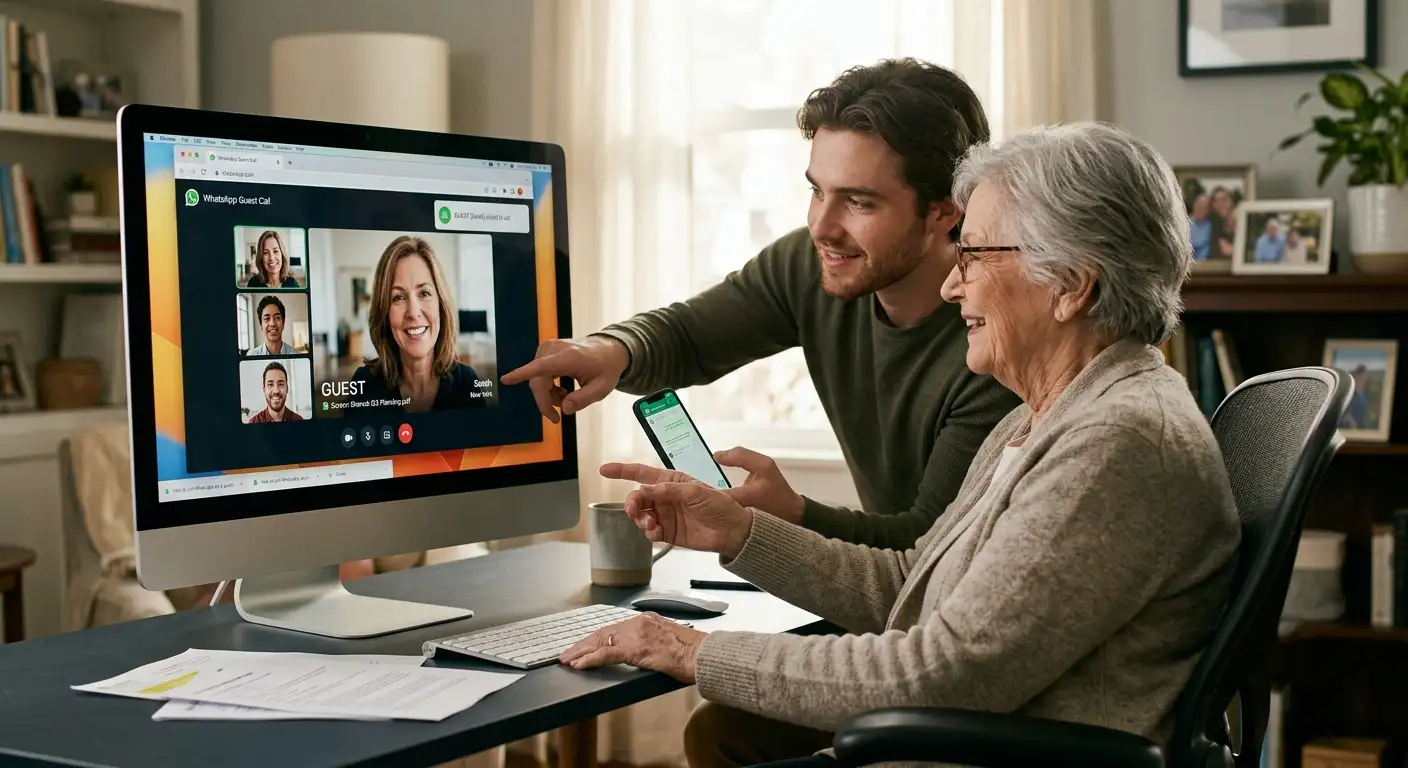
WhatsApp has introduced guest calling to bridge this gap. This feature allows anyone to join a secure voice or video call directly through a web browser on their computer, completely free of charge, with no time limits and zero application downloads required. This comprehensive guide walks you through everything you need to know about setting up and participating in these guest calls, written in clear, everyday language without confusing technical jargon.

What is a WhatsApp Guest Call?
A WhatsApp guest call is a feature that opens up communication for people who do not use the application. If you have the WhatsApp app on your smartphone, you can generate a special web link and share it with anyone. The recipient can click that link, open it in their computer web browser, type their name, and join the conversation instantly.
The person hosting the call manages the link, while the guest requires no account, password, or application installation. It works smoothly for both one-on-one conversations and group discussions accommodating up to 32 participants. Whether you are catching up with an elderly relative who only uses a desktop computer, collaborating with a freelance professional, or coordinating with a classmate, this feature removes traditional software barriers.
Key Benefits of Guest Calling
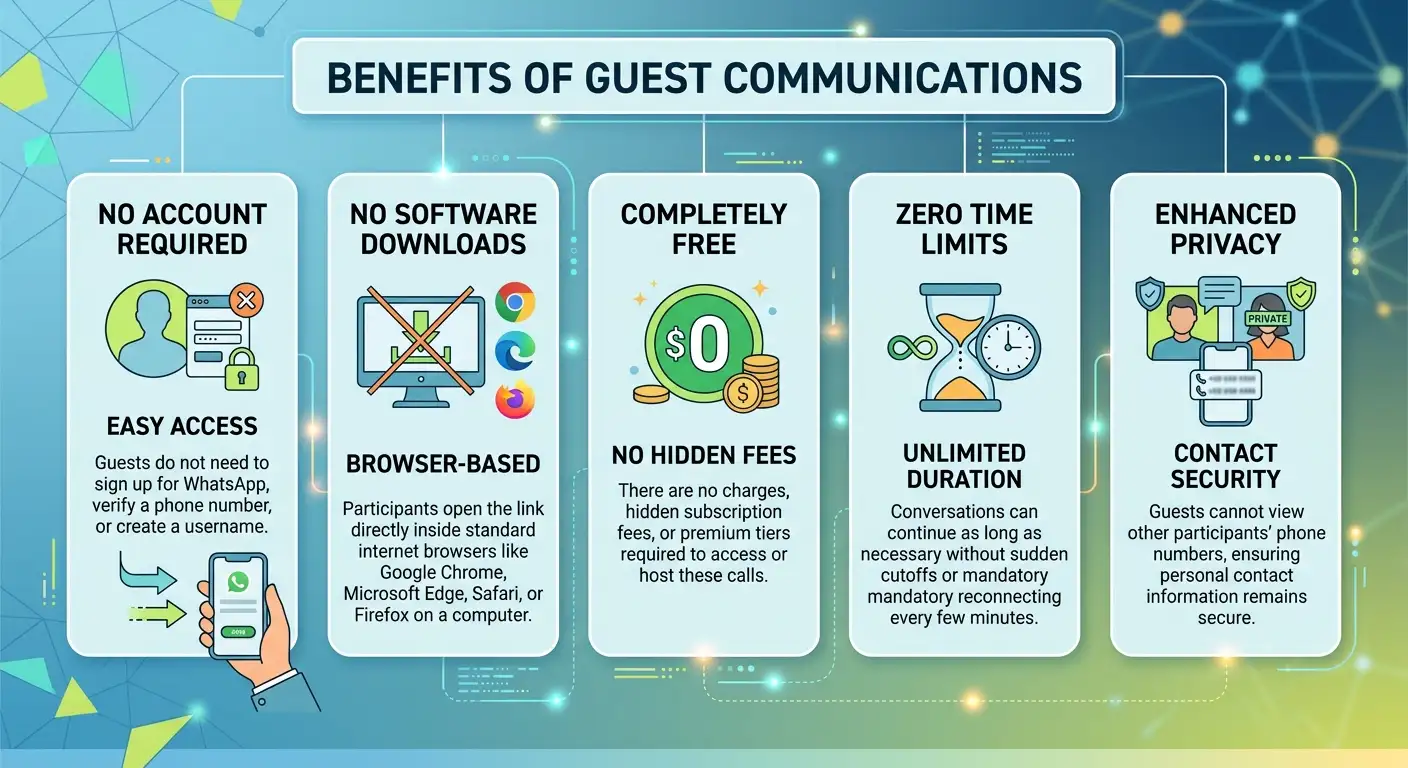
The introduction of guest calling brings several practical advantages to everyday communication:
How to Create a WhatsApp Guest Call Link
If you have WhatsApp on your smartphone, generating and sharing a guest call link takes only a few seconds. Follow these simple steps:
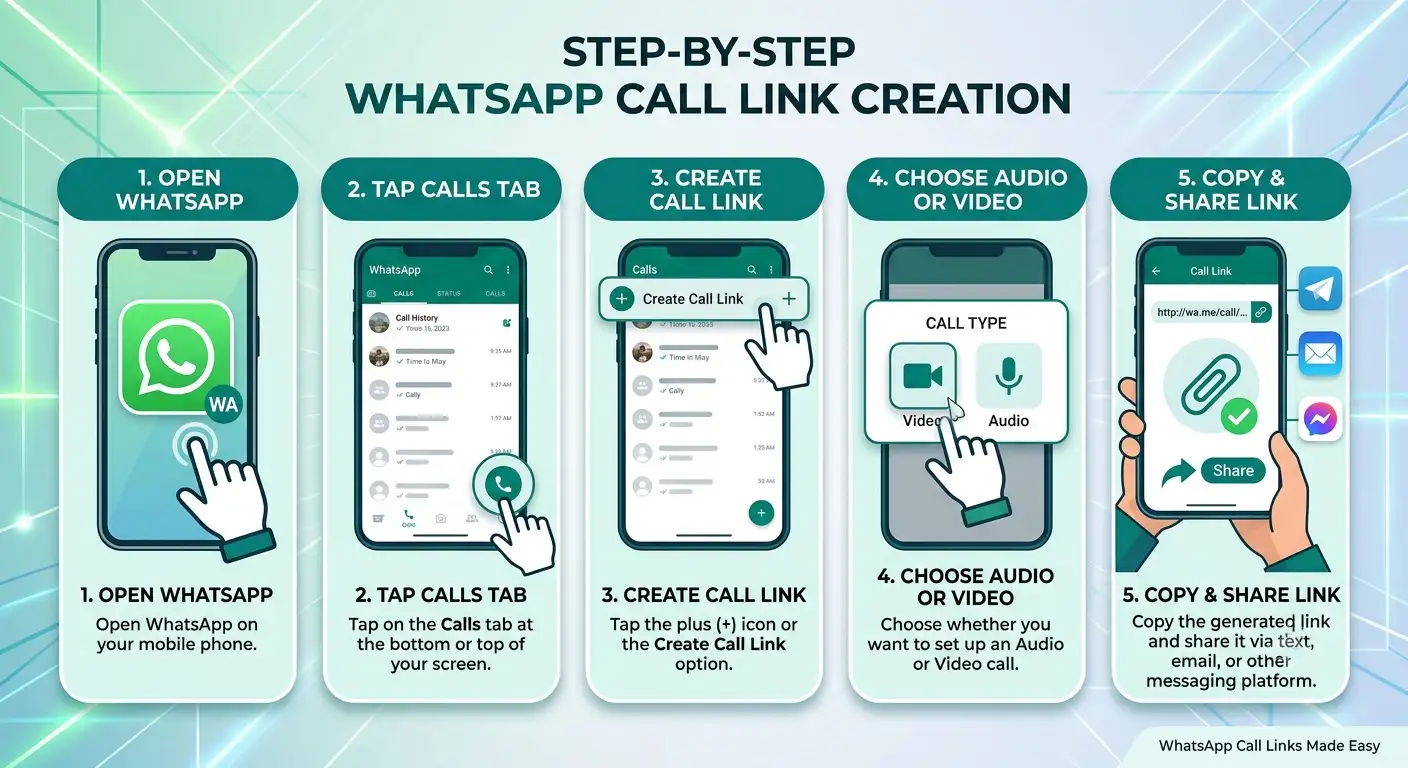
Once sent, your guest can use that link at the scheduled time of the conversation.
How to Join a WhatsApp Call as a Guest
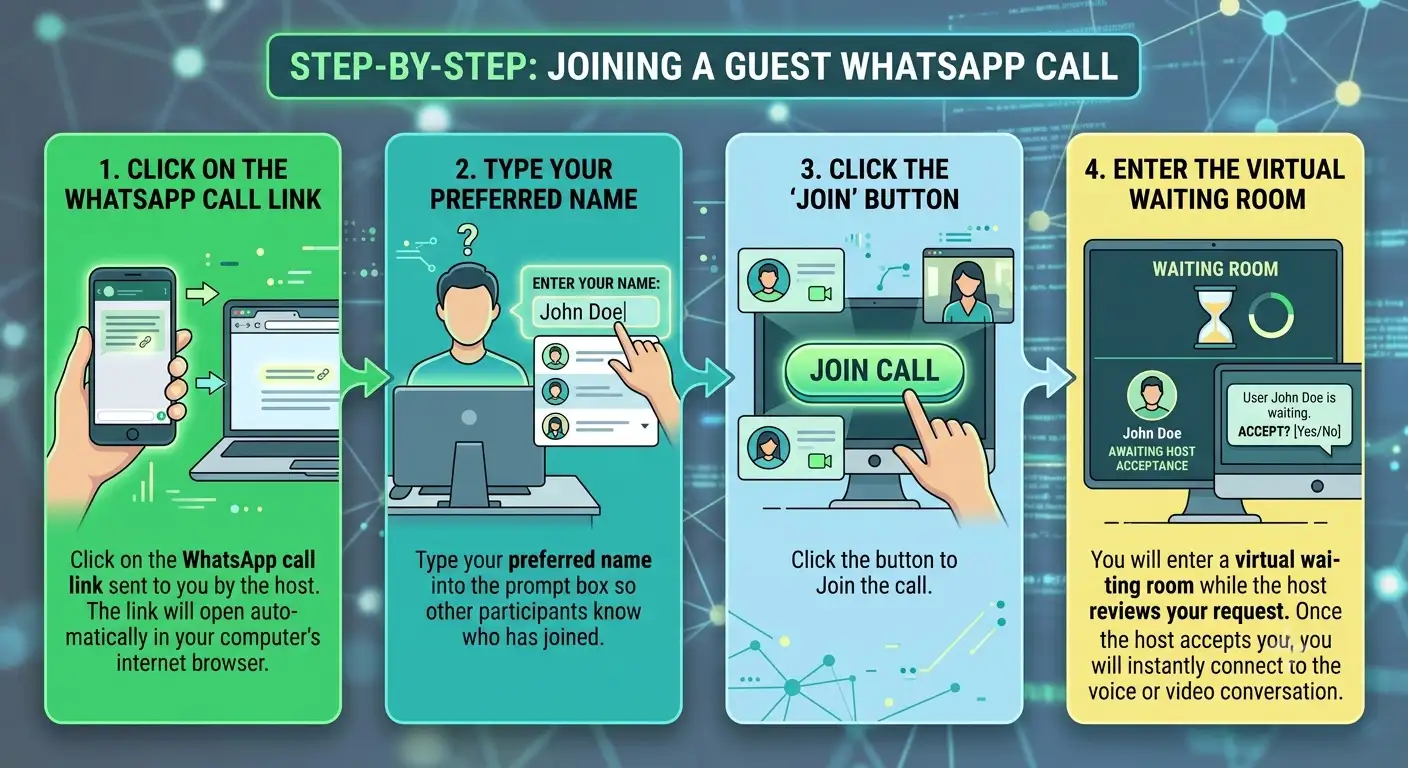
If someone has sent you a WhatsApp call link and you do not use the application, joining the conversation from your computer is straightforward:
Useful In-Call Features for Guests
Even without an active account or downloaded application, guests can utilize several helpful tools during their web browser call:
-
Screen Sharing: Participants can share their computer screen to display documents, photos, or presentations, making remote assistance and collaboration effortless.
-
Interactive Reactions: Express agreement or appreciation instantly using emoji reactions like thumbs up or hearts.
-
Raise Hand: Signal to the group that you would like to speak next without interrupting the current speaker.
Upcoming Calendar Integrations
To make scheduling even more convenient, calendar integrations are rolling out. Users will soon be able to generate WhatsApp call links directly from tools like Google Calendar or Outlook. By installing a simple plugin and connecting your account, you can attach a WhatsApp call link straight to a meeting invite. Anyone invited can then click the calendar event to join easily, whether they use WhatsApp daily or participate as a guest via their web browser.
Frequently Asked Questions
1. Do I need to install WhatsApp to join a call as a guest?
No. Guests can join directly through a standard web browser on a computer without downloading any apps or software.
2. Is there any cost associated with guest calling?
No. Guest calling is completely free of charge for both the host and the invited guests.
3. Are there time limits on guest calls?
There are no time limits. Calls can run as long as needed without automatic disconnections or cutoffs.
4. Can other participants see my phone number when I join as a guest?
No. Your phone number remains completely hidden from other participants to protect your personal privacy.
5. How do I get into the call after clicking the link?
After clicking the link in your browser, you type your name and click join. You will wait in a virtual room until the host lets you in.
6. Can anyone create a guest call link?
Only users who have an active WhatsApp account and the mobile application can create and share call links.
7. What web browsers are compatible with guest calling?
Guest calls work smoothly on most modern computer web browsers, including Google Chrome, Microsoft Edge, Safari, and Firefox.
8. Can guests send text messages during the call?
No. For security reasons, guests cannot send chat messages or add other people to the ongoing conversation.
9. What happens if the host disconnects from the call?
If the host leaves or disconnects, the call session typically ends for safety and moderation reasons, ensuring proper control remains in place.
10. Can I join a guest call using a mobile phone browser?
The feature is primarily optimized for computer web browsers to provide a stable screen sharing and video calling experience.

Selva Ganesh is a Computer Science Engineer, Android Developer, and Tech Enthusiast. As the Chief Editor of this blog, he brings over 10 years of experience in Android development and professional blogging. He has completed multiple courses under the Google News Initiative, enhancing his expertise in digital journalism and content accuracy. Selva also manages Android Infotech, a globally recognized platform known for its practical, solution-focused articles that help users resolve Android-related issues.




Leave a Reply