
UPDF AI PDF Editor– We navigate an era where digital documentation forms the bedrock of professional communication, corporate governance, and academic research. Managing these files efficiently dictates organizational velocity. For years, enterprise ecosystems and independent professionals endured the financial burden and rigid architectures of legacy PDF utilities. We recognize that modern workflows demand agility, intelligence, and frictionless cross-platform operability.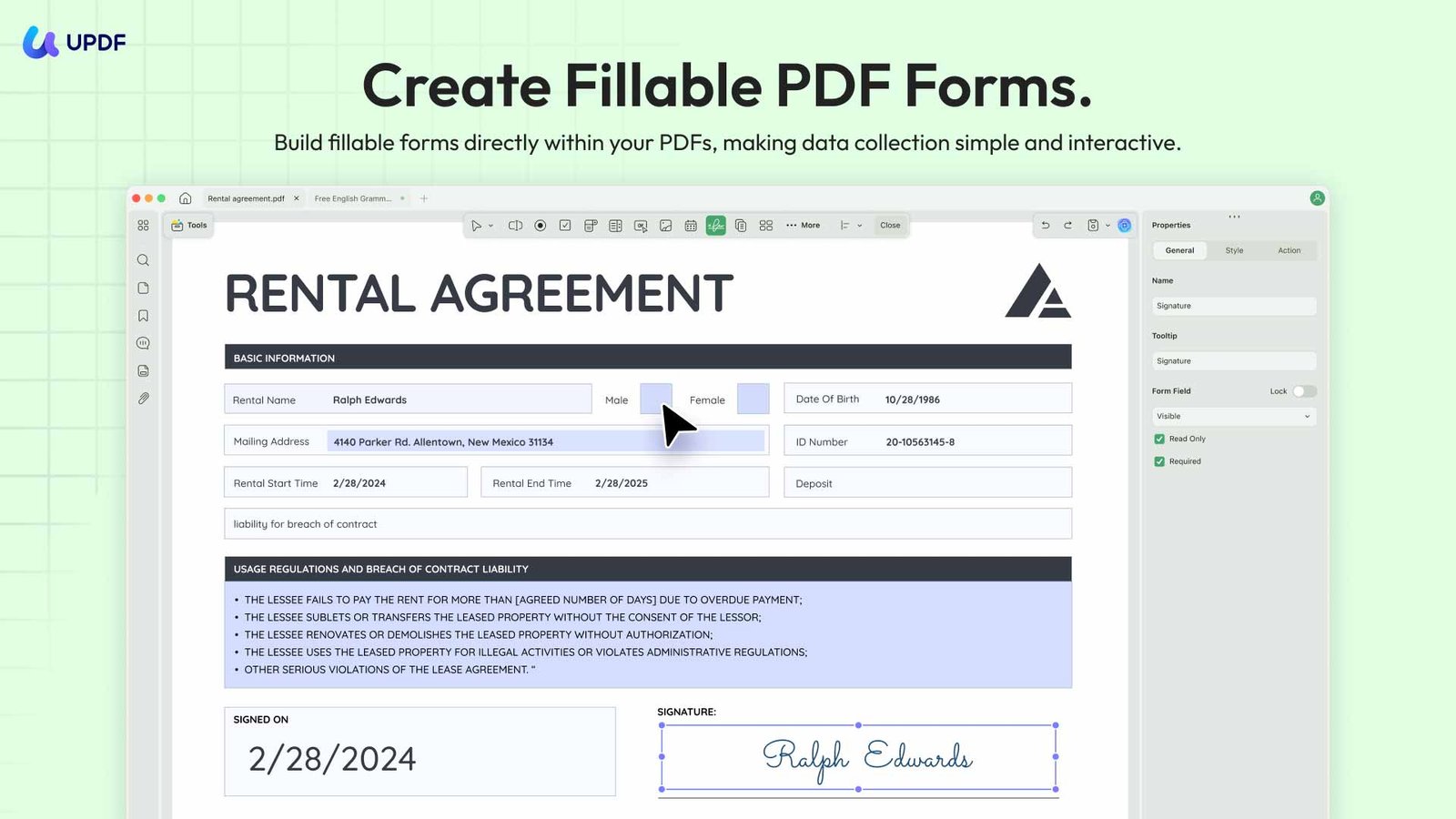
Through rigorous stress-testing and deployment within intensive data environments, we have identified UPDF as the foundational tool, shifting the paradigm of document management. By seamlessly fusing advanced semantic processing with an intuitive user interface, this utility optimizes how we interact with digital assets. We will analyze the core architecture of UPDF, detailing how its specialized toolsets—anchored by groundbreaking AI integrations—outperform traditional platforms while offering unmatched fiscal efficiency.

Next Generation Intelligent Document Processing with Advanced AI Agents
The integration of artificial intelligence within document management systems has transitioned from an experimental luxury to an operational necessity. We observe that typical PDF AI workflows suffer from fragmentation; users must constantly switch between reading panes, translation software, and external generative models. UPDF eliminates this friction by embedding native AI capabilities powered by the latest foundational language models.
Multi-Document Synthesis and Contextual Intelligence
We regularly manage vast libraries of research papers, corporate disclosures, and legal contracts. Traditional readers limit AI interaction to a single open window. UPDF fundamentally changes this by supporting simultaneous AI execution across up to 100 PDFs.
- Holistic Data Extraction: We can upload entire project directories containing financial ledgers, legal briefs, and operational manuals into a single chat project. The AI synthesizes data across disparate files, pinpointing structural contradictions or extracting cross-referenced metrics in seconds.
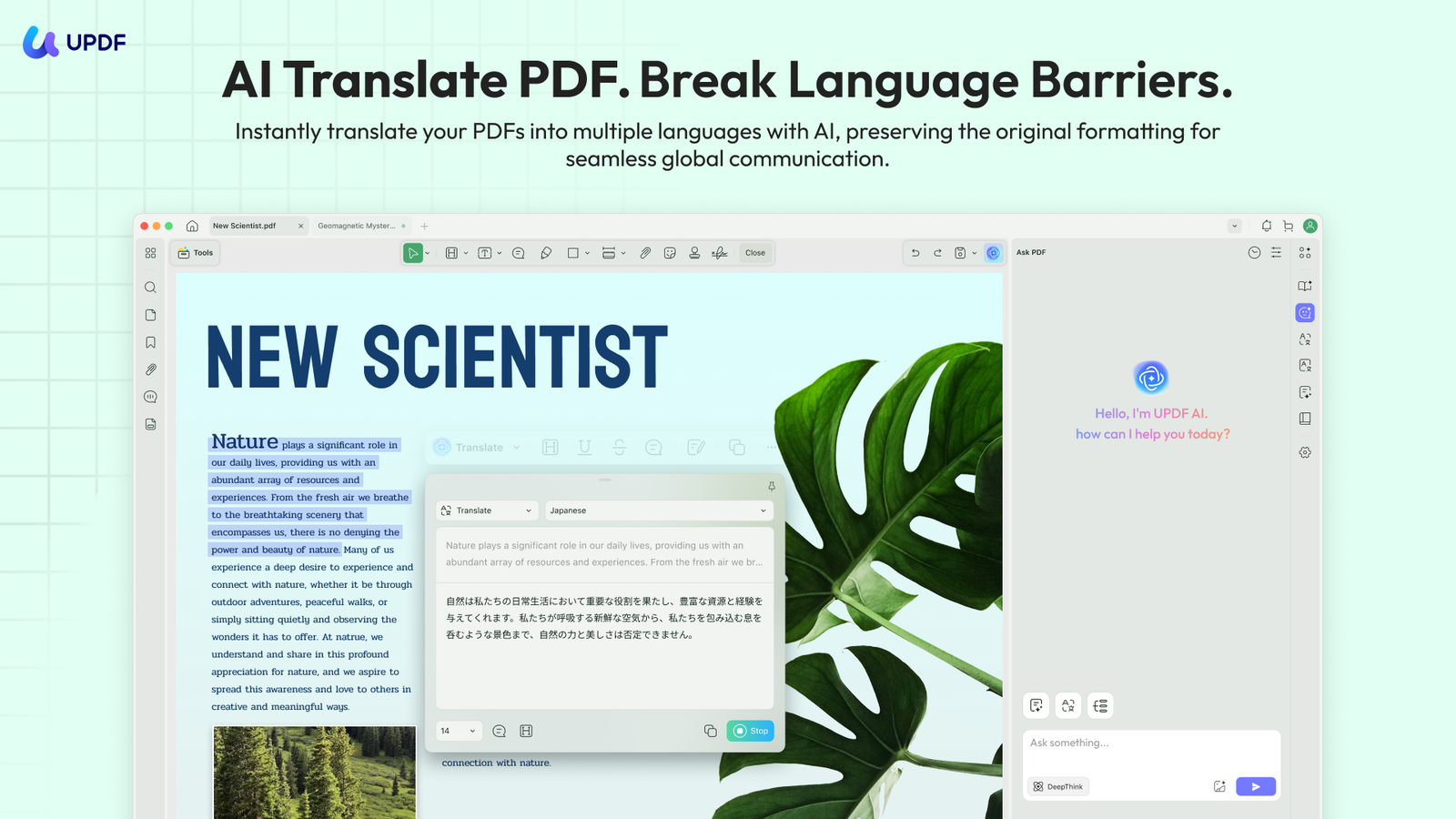
- Precision Summarization and Translation: Complex jargon is instantly distilled into actionable executive summaries. With globalized operations requiring real-time localization, the native translation matrix preserves technical nuances across dozens of languages without losing document context.
- PDF to Mindmap Transformation: For visual analysts, the platform transforms dense, text-heavy chapters into dynamic structural mindmaps. This feature maps complex relationships and hierarchies instantly, accelerating cognitive retention and strategic planning.
The Version 2.5 AI Agent Ecosystem
With the deployment of version 2.5, we gain access to specialized automated agents engineered for granular document manipulation. These modules move beyond simple text generation to actively restructure and optimize workflows:
- AI Bookmark Agent: Automatically analyzes document hierarchies to build logical, intuitive navigation indexes for thousand-page manuscripts.
- AI Semantic Search: Replaces rigid keyword matching with intent-based query recognition. It identifies conceptual answers even when the exact search terms are absent.
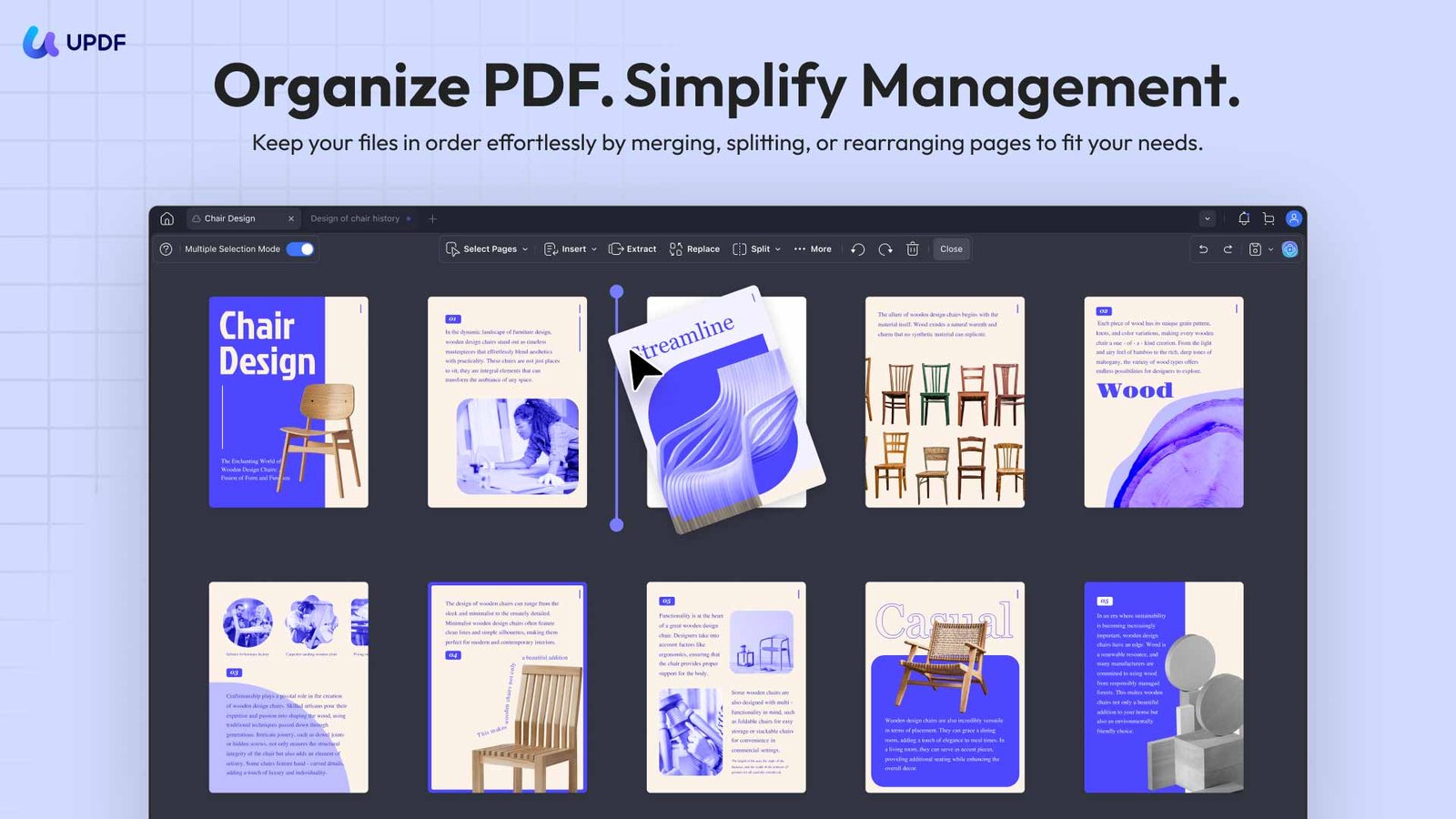
- AI Page Management: Dynamically suggests optimal structural layouts, sorting, and grouping pages based on topical flow and context.
- Access UPDF AI PDF Editor
Universal Edit and Seamless Cross-Platform Integration
Document workflows are rarely confined to a single workstation. We frequently initiate contracts on a desktop, review structural markup on a tablet during transit, and execute quick verifications on a smartphone. UPDF enables absolute mobility through its unified platform ecosystem, allowing a single license to operate across four separate devices simultaneously.
Absolute Text and Graphic Manipulation
The editing engine functions with the fluidity of an advanced word processor. We can modify text strings, alter typographic variables, and adjust formatting layout without compromising the underlying PDF structure.
- Dynamic Asset Realignment: Images can be cropped, rotated, replaced, or extracted directly within the workspace.
- Link Management: Web URLs and internal page-to-page jumps are easily embedded to streamline reader navigation.
- Adaptive Display Architecture: The reading environment features customizable layout skins alongside dedicated eye-protection modes. This system actively mitigates ocular strain during prolonged review sessions of technical documentation.
High Precision Optical Character Recognition and Batch Processing Units
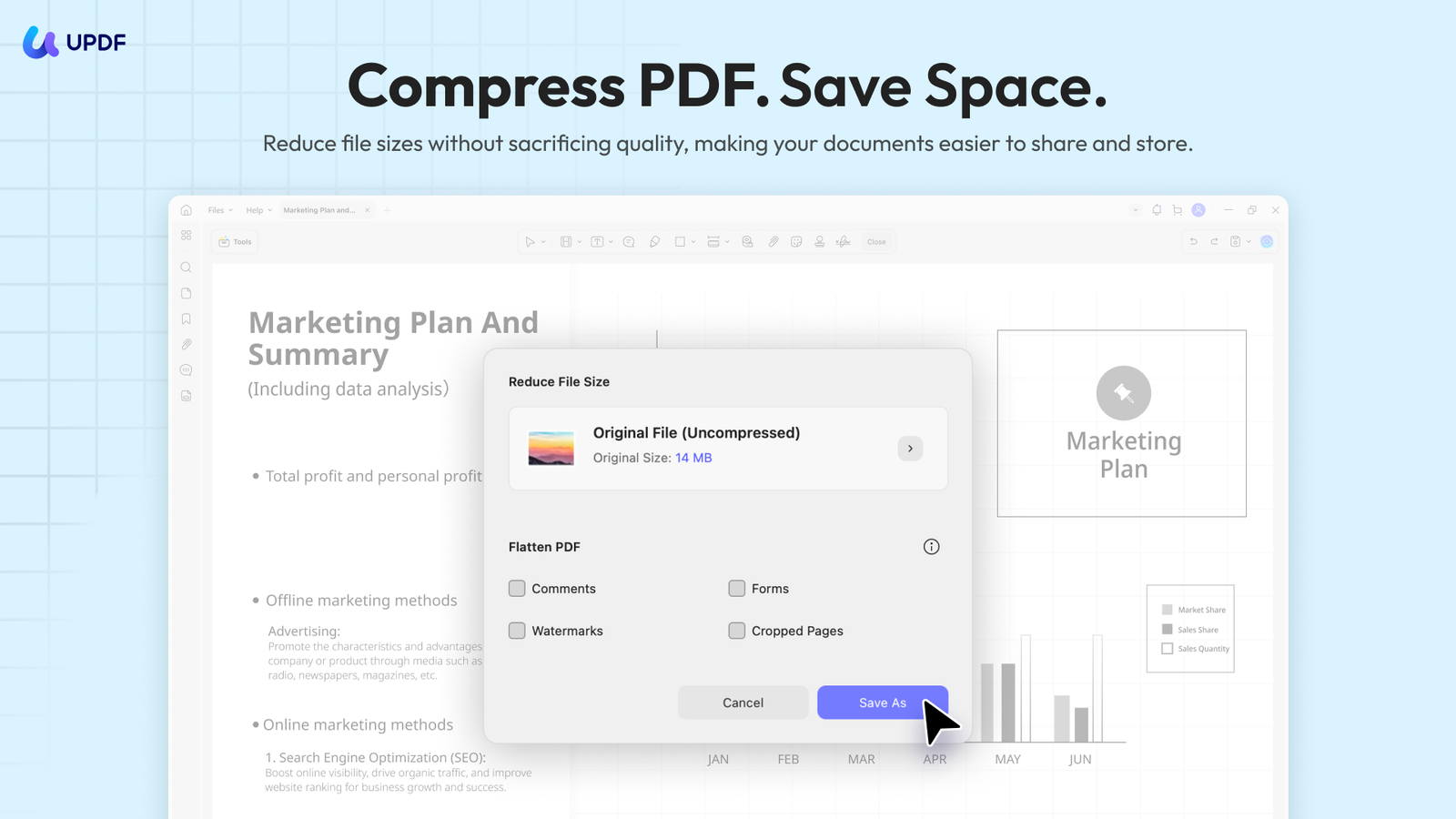
Legacy data archives often lock critical information inside unsearchable scanned documents and static image files. We require robust extraction systems to bring these dead assets back into active digital workflows. UPDF deploys an enterprise-grade OCR engine that accurately transforms static imagery into fully searchable, editable text layers.
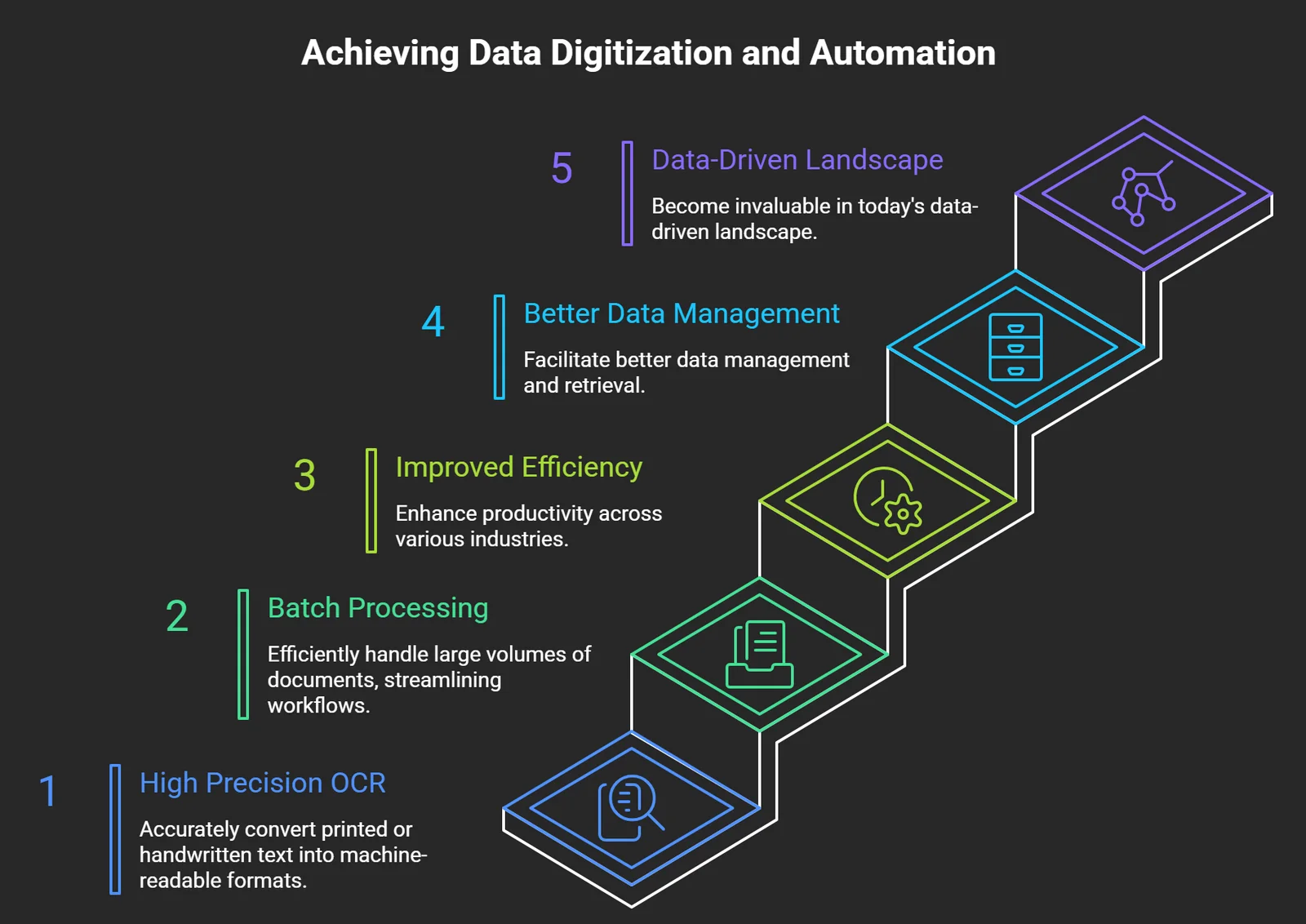
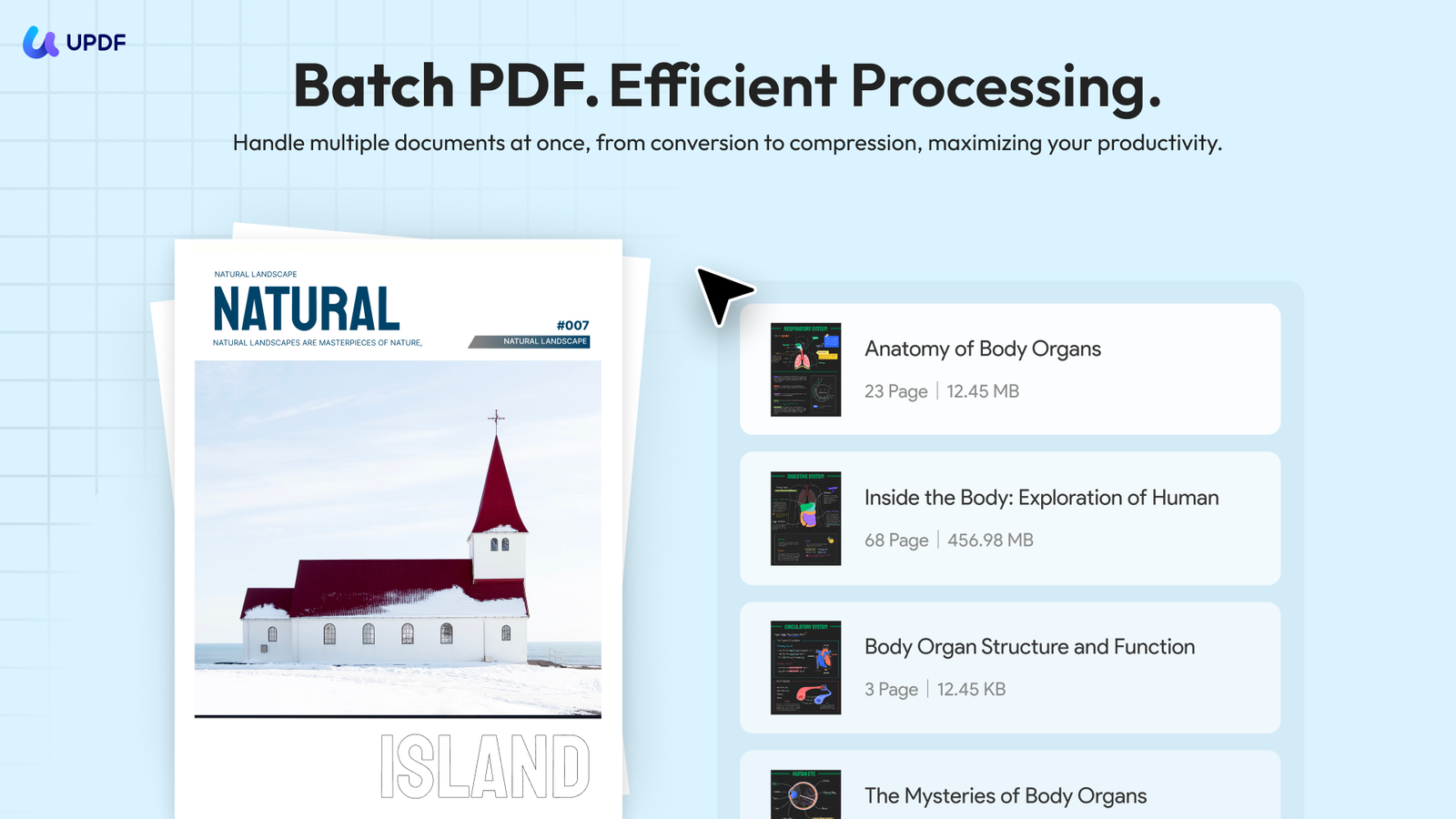
When dealing with large volumes of data, processing files individually creates an operational bottleneck. The advanced batch processing matrix allows users to convert, compress, encrypt, or combine hundreds of documents simultaneously. This dramatically cuts down manual processing times, freeing up teams to focus on core analytical tasks.
Enterprise Grade Privacy Protocols, Secure Forms, and Digital Signatures
Data integrity and absolute confidentiality form the cornerstone of modern corporate compliance. Document distribution carries inherent risks regarding unauthorized alterations and data leaks. We mitigate these vulnerabilities by exploiting UPDF’s advanced security architecture.
Two-Tiered Password Cryptography and Redaction
To protect intellectual property, we implement two distinct layers of cryptographic protection:
- Access Permissions: Document-open passwords prevent unauthorized viewers from accessing the file contents.
- Action Restrictions: Master passwords turn off printing, text copying, and modifications, ensuring the document remains exactly as intended.
For public distributions containing personally identifiable information (PII) or sensitive financial figures, the native redaction suite permanently purges underlying data bytes. This ensures deep-string scanning tools cannot recover the protected information.
Interactive Forms and Legally Binding Digital Signatures
The platform incorporates intelligent form-field recognition, automatically transforming static tables into interactive, fillable digital forms. This streamlines client onboarding and data collection pipelines.
Once form data is compiled, users can execute legally binding digital signatures directly within the interface. These digital signatures provide a verifiable cryptographic seal that guarantees document authenticity, validating corporate sign-offs and vendor agreements according to international compliance standards.
Dismantling the Monopolistic Pricing Paradigm
For decades, organizations accepted high software overhead as an unavoidable cost of document management. Software excellence should not require fiscal exploitation. A comprehensive cost analysis highlights how UPDF disrupts this landscape by offering premium features at a fraction of standard market rates.
The 1/6th Cost-Benefit Analysis
Operating at approximately one-sixth the price of legacy alternatives, the platform democratizes access to elite document tools. Instead of forcing teams into restrictive subscription loops that drain annual capital, it introduces a one-time lifetime purchase option. This guarantees long-term software access with zero hidden costs or surprise renewals.
Total Cost of Ownership Features
- Lifetime Free Upgrades: Perpetual licenses include continuous software updates, ensuring compatibility with future operating system versions without upgrade fees.
- Simplified Enterprise Licensing: Authorization models empower IT departments to manage, deploy, and reallocate user seats through a clean, centralized administrative dashboard.
- Risk Mitigation Guarantee: A 30-day money-back guarantee allows enterprises to conduct full-scale internal validation studies before making a permanent financial commitment.
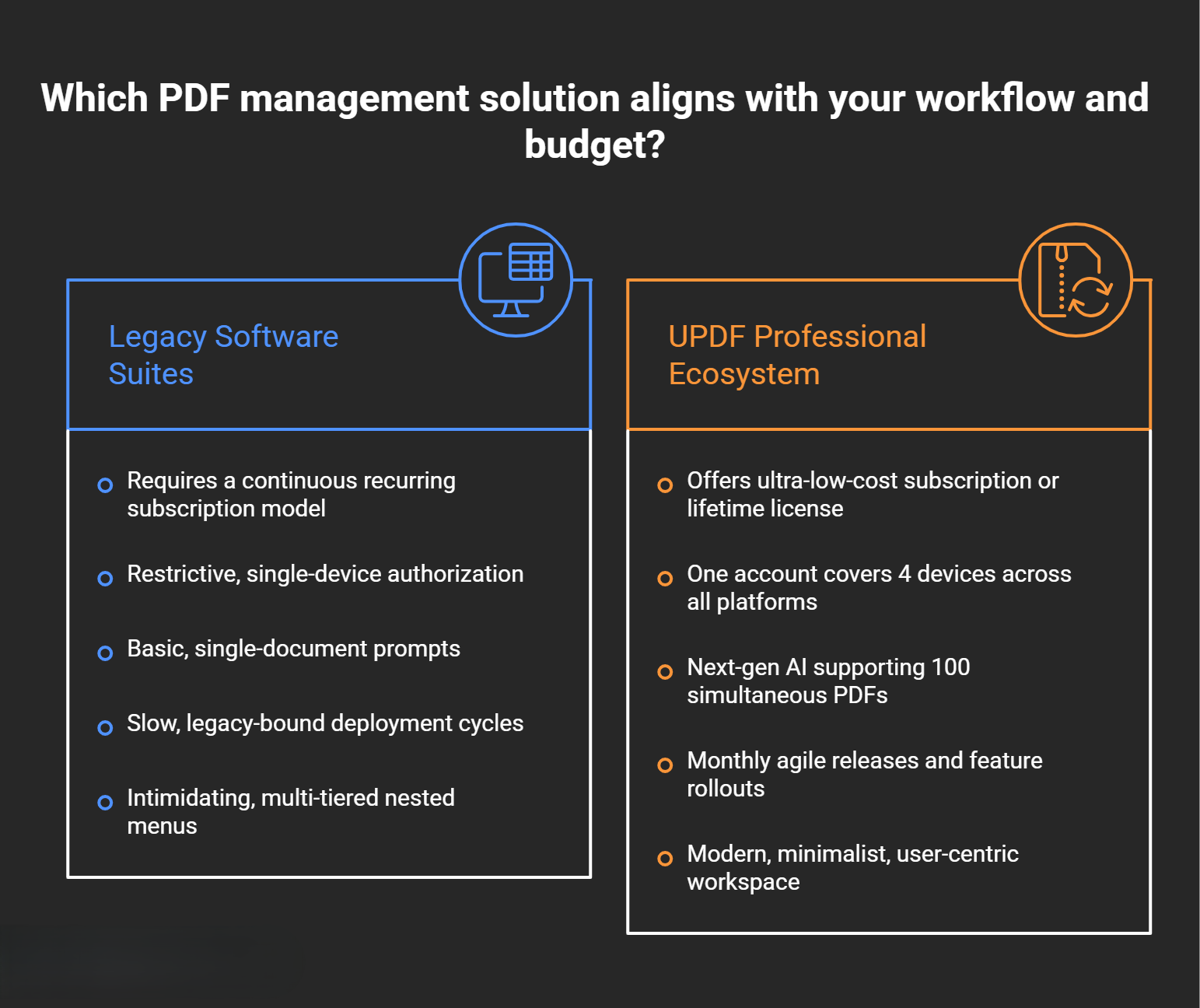
UPDF vs. Legacy Software Suites
To help you choose the right solution for your workflow, we have compiled a head-to-head architectural comparison. This highlights the clear differences between legacy platforms and the modern design of UPDF.
Frequently Asked Questions
1. How does the AI model handle multiple PDFs at the same time?
The system utilizes an advanced contextual architecture that maps and indexes up to 100 uploaded documents simultaneously. This lets the AI pull data, cross-reference statistics, and spot contradictions across your entire file collection in a single session.
2. Can one license be used across different operating systems?
Yes. A single account supports simultaneous login on four separate devices, providing full access across Windows, macOS, iOS, and Android platforms with no additional licensing fees.
3. What makes the lifetime purchase option different from a subscription?
Unlike traditional annual subscriptions that lock your data behind recurring payments, the lifetime option grants permanent access to the software with a single upfront payment. This includes all future feature rollouts and version upgrades for life.
4. How secure is the document redaction feature?
The redaction engine permanently removes the chosen text and image bytes from the file structure. This is a destructive security process, meaning the blacked-out data cannot be recovered by deep-string text scraping or forensic document tools.
5. Does the OCR tool support multi-language documents?
Yes, the enterprise-grade OCR engine recognizes and processes text across dozens of languages. It accurately preserves multi-column layouts, custom fonts, and embedded graphics during conversion.
6. What AI models power the document analysis features?
The platform integrates cutting-edge language models, including GPT-5 and DeepSeek architectures, to power its AI agents. This combination ensures highly accurate summarization, translation, and semantic search.
7. Are signatures created within the app legally binding?
Yes, the platform supports certified digital signatures that create a secure cryptographic seal. This seal verifies document integrity and author authenticity, meeting international electronic signature standards for corporate and legal agreements.
8. What formats can files be converted into?
The high-fidelity conversion engine exports PDFs into all major editable formats, including Microsoft Word, Excel, PowerPoint, rich text, CSV, and standard image formats, while maintaining your original layout.
9. How frequently is the platform updated?
The product follows an agile development cycle, rolling out monthly updates. These releases quickly bring new features, security patches, and performance optimizations to users without extra upgrade charges.
10. Is there an enterprise management option for large teams?
Yes, the platform offers a simplified enterprise authorization system. This centralized portal allows IT administrators to deploy software, track usage, and reallocate team licenses across the organization effortlessly.
Conclusion: The Strategic Transition to Modern PDF Infrastructures
Continuing to use outdated PDF tools limits team agility and creates unnecessary financial overhead. Transitioning to a modern, intelligent platform streamlines how an organization edits, secures, and analyzes its documentation.
By combining cutting-edge AI processing with an intuitive, affordable cross-platform experience, UPDF sets a new benchmark for professional document management. We advise forward-thinking enterprises, researchers, and creative professionals to update their digital toolkit by consulting the comprehensive UPDF Pro User Guide and exploring the capabilities detailed in the AI Agent User Guide.

Selva Ganesh is a Computer Science Engineer, Android Developer, and Tech Enthusiast. As the Chief Editor of this blog, he brings over 10 years of experience in Android development and professional blogging. He has completed multiple courses under the Google News Initiative, enhancing his expertise in digital journalism and content accuracy. Selva also manages Android Infotech, a globally recognized platform known for its practical, solution-focused articles that help users resolve Android-related issues.





Leave a Reply