
Google Gemini in Android Auto– We are witnessing a monumental shift in how we interact with our vehicles. The integration of Google Gemini into the automotive ecosystem marks the evolution from static voice commands to a multimodal AI experience. As we transition away from the traditional Google Assistant, we find ourselves at the forefront of a new era where generative AI manages our navigation, communication, and vehicle diagnostics with unprecedented fluidity. Understanding how to harness this power is essential for any modern driver looking to optimize their time on the road.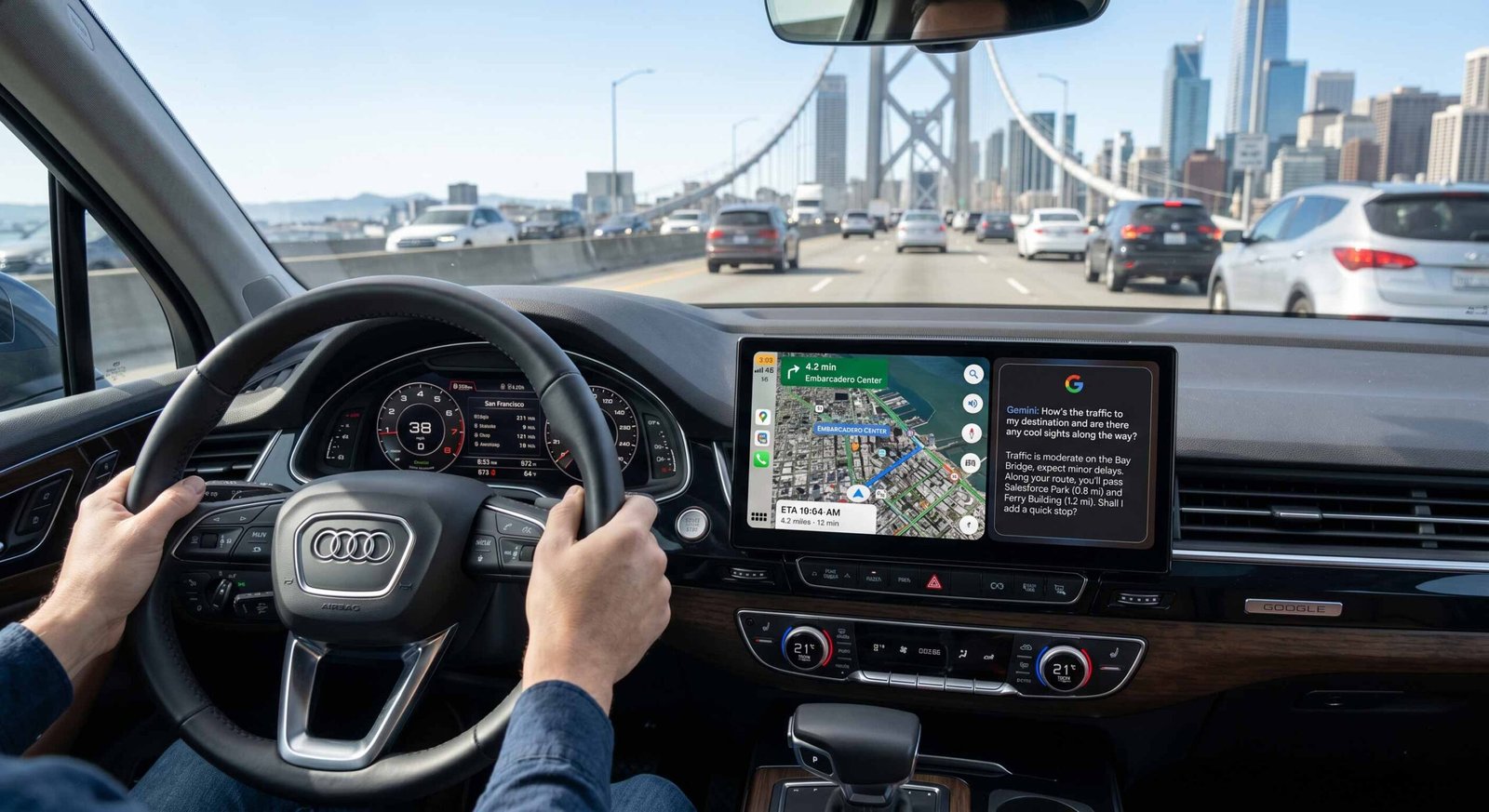
The Evolution from Google Assistant to Gemini
For years, we relied on Google Assistant for basic tasks like setting reminders or sending short text messages. However, the architecture of Gemini allows for a much deeper level of context. When we use Gemini in Android Auto, the system does not just listen for keywords; it understands intent. This transition is currently rolling out to vehicles with Google built in, transforming the dashboard into a proactive digital companion. We no longer need to memorize specific phrases; instead, we can speak to our cars as we would to a co-pilot.

Initial Setup and Vehicle Compatibility
Before we can leverage the full suite of AI-driven features, we must ensure our hardware and software are properly aligned. Google Gemini is primarily being introduced to vehicles with Google Automotive Services (GAS), often referred to as Google built-in. This includes brands like Polestar, Volvo, General Motors, and Renault.
To begin, ensure your vehicle’s infotainment system is updated to the latest firmware. You must be signed into your primary Google Account, as Gemini utilizes your personal Knowledge Graph to provide tailored responses. Once the update is available for your region, a notification prompt will appear on your center display. By accepting this prompt, you authorize Gemini to replace the legacy Assistant as your primary interaction layer. We recommend checking your system settings under the “Google” or “Voice” tab to confirm that Gemini is active and has the necessary permissions for contacts, location, and calendar access.
Mastering Google Gemini Voice Commands
The true power of Gemini lies in its Natural Language Processing (NLP) capabilities. We have moved beyond the “command-and-control” era. Now, we can engage in multi-turn conversations. For example, rather than saying “Navigate to the nearest coffee shop,” we can say, “We need a coffee shop that is open now, has high ratings, and is on the way to our next meeting.”
Gemini will parse these multiple constraints simultaneously, cross-referencing your Google Calendar and Google Maps data to provide the most efficient route. If you need to change your music, you can tell the AI, “Play something more upbeat for this traffic,” and it will curate a playlist based on your YouTube Music or Spotify history. This level of contextual awareness reduces cognitive load, allowing us to keep our eyes on the road while the AI handles the logistics.
Integrating Gemini with Google Maps for Smarter Navigation
Navigation is the cornerstone of the Android Auto experience. With Gemini, Google Maps becomes more than just a digital map; it becomes an advisory tool. When we are planning a long road trip, we can ask Gemini to “Plan a route with EV charging stops and suggest a good place for lunch near the second charger.”
The AI analyzes real-time traffic patterns, charger availability, and restaurant reviews to build a comprehensive itinerary. Furthermore, Gemini can provide summarized insights about your destination. If we are driving to a new city, we can ask for a summary of local parking regulations or the best entrance to use for a specific venue. This proactive information delivery ensures that we are never caught off guard by local nuances.
Managing Vehicle Settings and Diagnostics
In vehicles with deep Google integration, Gemini can access In-Car Functionality. This means we can control the physical environment of the car using conversational AI. We can instruct the system to “Set the temperature to 72 degrees and turn on the seat heaters,” or “Check if we have enough range to reach our destination without stopping.”
If a warning light appears on the dashboard, we no longer need to fumble for a physical manual. We can ask, “What does the yellow tire pressure light mean, and what is the recommended PSI for our vehicle?” Gemini will extract the relevant information from the digital vehicle manual and provide a clear, concise explanation. This integration bridges the gap between the software in our pockets and the hardware of the vehicle.
Communication and Productivity on the Go
Staying productive during a commute is a priority for many of us. Gemini excels at managing communication without requiring manual input. When a long email arrives, we can ask Gemini to “Summarize the last email from the marketing team.” The AI will provide a bulleted summary of the key points, allowing us to stay informed without reading text on a screen.
If we need to respond, we can dictate complex messages. Unlike the old system, which often struggled with punctuation and nuance, Gemini’s generative capabilities allow it to draft professional replies. We can say, “Tell them we will review the proposal after the 3 PM meeting and suggest a follow-up for Tuesday morning.” The AI will format this into a coherent message, maintaining a professional tone.
Privacy and Data Security in the AI Era
We recognize that the transition to a more powerful AI raises questions about data privacy. When using Gemini in Android Auto, Google employs industry-standard encryption for data in transit and at rest. Your voice recordings are processed to improve the model, but we have the power to manage these interactions through the Google My Activity portal.
We can opt to have our voice history deleted automatically or choose to use the AI in a more restricted mode. It is important to remember that Gemini is designed to be a personal assistant; the more it knows about your preferences, the better it performs, but the user always retains the final say over data sharing permissions.
Troubleshooting Common Gemini Issues
While the rollout has been smooth, some users may encounter hurdles. If Gemini is not responding, we suggest first checking the data connection. High-speed LTE or 5G is required for the cloud-based processing that Gemini utilizes. If the system feels sluggish, a simple infotainment reboot often clears the cache and restores performance.
Another common issue is account syncing. If Gemini cannot access your calendar, ensure that the Google app on your smartphone is updated and that you are signed into the same account on both your phone and the car. We have found that “re-pairing” the phone via Bluetooth or USB can often trigger a refresh of the security tokens required for AI functionality.
The Future of Gemini in the Automotive Space
We are only at the beginning of the AI revolution in cars. Looking ahead, we expect Gemini to integrate even further with augmented reality (AR) heads-up displays. Imagine a world where Gemini highlights your turn directly on the windshield or identifies points of interest as you drive past them.
The goal is a zero-distraction interface. By moving toward a model where the AI understands our needs before we even voice them—predicting our destination based on the time of day or automatically adjusting the cabin environment—Google is redefining the concept of the “smart car.” We are moving toward a future where the vehicle is not just a tool for transportation, but an extension of our digital identity.
Frequently Asked Questions
1. Is Gemini available on all Android Auto-enabled cars?
Currently, Gemini is rolling out to vehicles with Google built in (Google Automotive Services). Standard Android Auto users who rely on their phones may see a “Gemini-powered” Assistant update, but the full integrated experience is focused on built-in systems.
2. Do I need a separate subscription for Gemini in my car?
No, the standard version of Gemini is included with your Google Account. However, some advanced features may eventually require a Gemini Advanced (Google One) subscription.
3. Can I switch back to the old Google Assistant?
In most systems, once you upgrade to Gemini, it becomes the default. However, you can manage voice settings in the Google menu to adjust how the AI interacts with you.
4. Does Gemini work without an internet connection?
Gemini requires an active data connection for its complex processing. For basic offline tasks like “Call Mom,” the system may fall back on basic on-device voice recognition.
5. Which languages are supported?
The initial rollout is focused on English, with support for additional languages expected throughout 2026.
6. Can Gemini control my car’s windows and sunroof?
This depends on the manufacturer’s integration. Brands like Volvo and GMC allow for climate and some hardware control, but it varies by model.
7. How do I know if my car has “Google built-in”?
If your car has Google Maps and the Play Store natively installed in the dashboard without needing to plug in a phone, it has Google built in.
8. Can Gemini read messages from WhatsApp and Signal?
Yes, Gemini can access notifications from any app that is compatible with the Android Auto framework, providing summaries and dictation.
9. Is my voice data shared with the car manufacturer?
No, your voice interactions are processed by Google. The manufacturer only receives the specific command strings needed to adjust vehicle hardware (like temperature).
10. How do I trigger Gemini?
You can use the physical voice command button on your steering wheel or say the “Hey Google” wake word.

Selva Ganesh is a Computer Science Engineer, Android Developer, and Tech Enthusiast. As the Chief Editor of this blog, he brings over 10 years of experience in Android development and professional blogging. He has completed multiple courses under the Google News Initiative, enhancing his expertise in digital journalism and content accuracy. Selva also manages Android Infotech, a globally recognized platform known for its practical, solution-focused articles that help users resolve Android-related issues.





Looking forward to more updates like this.
Helpful for beginners like me.
This helped me a lot, thanks!
Looking forward to more updates like this.
Nice walkthrough, appreciate it.
Looking forward to more updates like this.
Thanks for sharing this update.
Good to see AI evolving in cars.
Great explanation, very helpful!
Helpful for beginners like me.
Great explanation, very helpful!
Great explanation, very helpful!
Helpful for beginners like me.
Interesting insights about Gemini.
Really informative article.
Looking forward to more updates like this.
Simple and useful content.
This makes Android Auto much smarter.
Clear and easy-to-follow guide.
Good to see AI evolving in cars.