
The Ultimate Guide to Watching the 2026 FIFA World Cup on Amazon Fire TV – The 2026 FIFA World Cup is officially the largest soccer tournament in history, bringing together 48 teams to compete across 104 matches hosted by the United States, Canada, and Mexico. Navigating such a massive sports tournament can be overwhelming, especially when trying to figure out which applications to open, how much subscriptions cost, or how to avoid missing your favorite country’s match.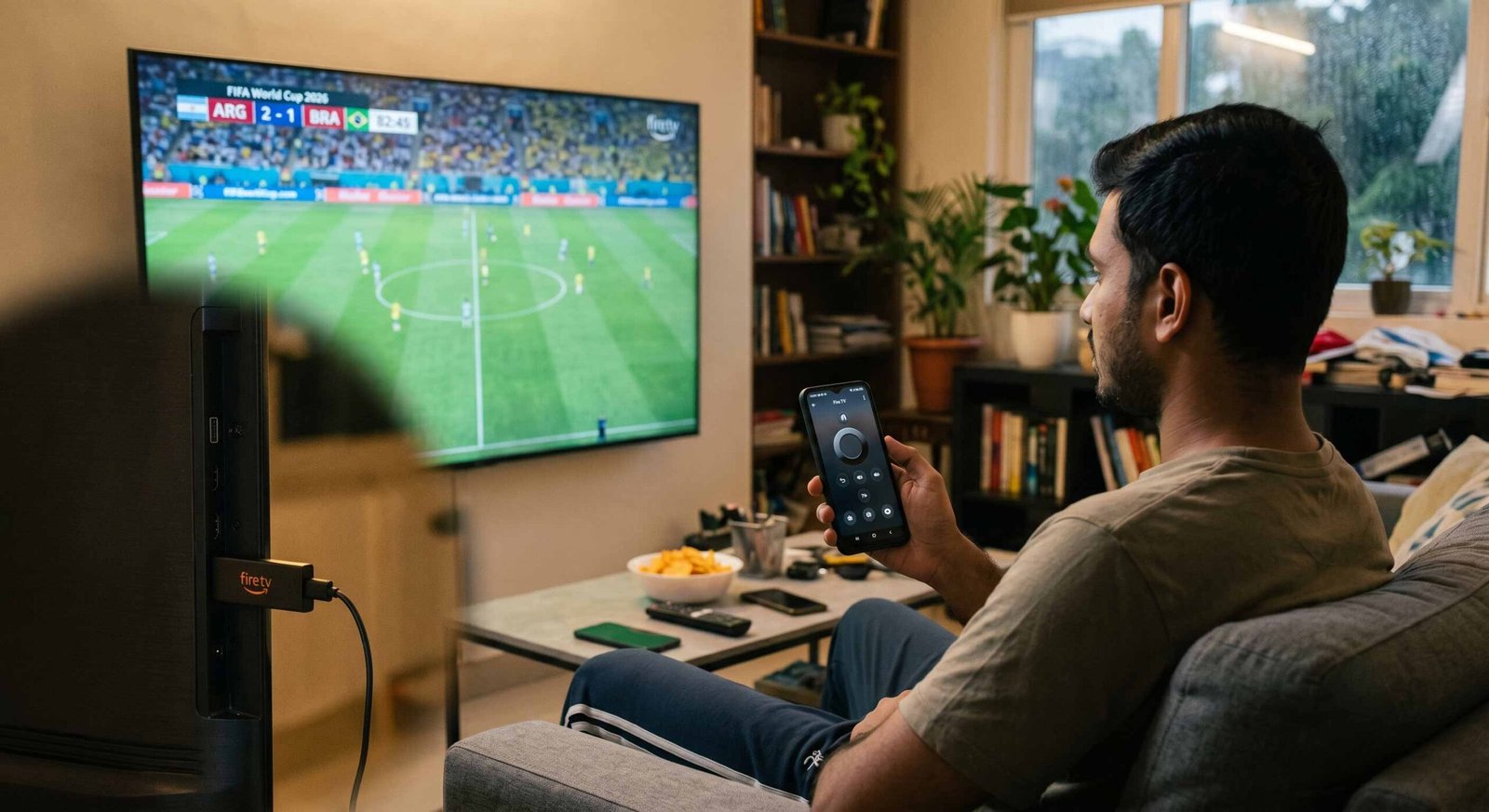
We have built this absolute blueprint to show you exactly how to stream every single goal, penalty kick, and trophy presentation directly from your Amazon Fire TV or Fire TV Stick. Whether you are using a top-of-the-line Fire TV Stick 4K Max, a portable Fire TV Stick HD, or a smart television with Fire TV built directly into the glass, this guide is written in plain, straightforward English so that you can set everything up in minutes—zero technical expertise required.

Exploring the New Fire TV FIFA World Cup Hub
Amazon has entirely updated its television interface specifically for this tournament, introducing a centralized FIFA World Cup Hub. This means you no longer have to spend time opening different applications, guessing which channel holds the broadcasting rights, or digging through confusing menus just to find a live kickoff.
How to Find the World Cup Hub on Your Screen
When you turn on your television, you will see the main dashboard. We can access the dedicated tournament space through three separate, simple routes:
- The Navigation Bar: Look at the top of your screen. A temporary, dedicated tournament section is clearly visible next to your standard menu options.
- The Sports Tab: Scroll down to your usual sports row, where the tournament has been given priority placement.
- Featured Home Screen Banners: The large rotating images at the very top of your home screen will automatically feature live matches as they happen.
This specialized space consolidates FOX One, Tubi, and every major streaming service into one single dashboard. Clicking on any match card inside this hub immediately opens the correct stream, saving you from navigating separate apps.
How to Stream the 2026 World Cup Using FOX One
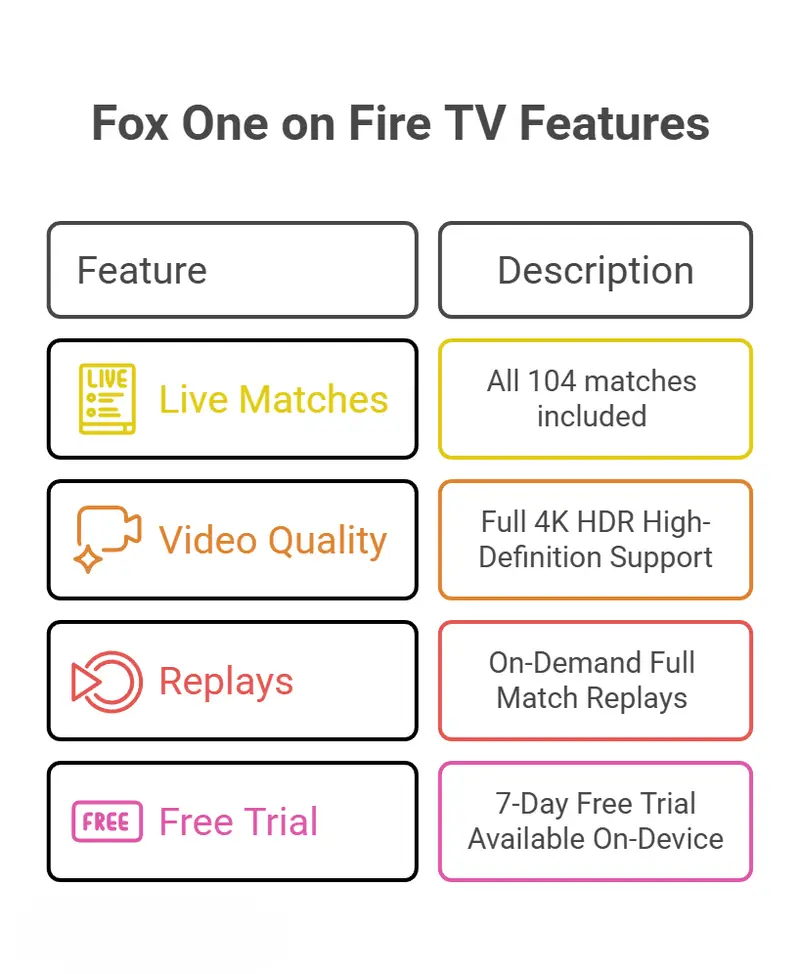
For viewers inside the United States, FOX One serves as the official English-language streaming service for all 104 matches of the tournament. If you want the most complete, highest-quality experience without missing a single second of coverage, this is your primary destination.
Premium Features and 4K Viewing
Every single match on FOX One is produced in stunning 4K High-Definition. To view the games in this ultra-clear quality, you simply need a Fire TV Stick 4K or Fire TV Stick 4K Max connected to a television that supports 4K resolution. The application also provides immediate access to daily highlight packages, breaking news desks, and full on-demand replays if you need to catch up on a match that played while you were at work.
Step-by-Step Guide to Installing Streaming Apps on Fire TV
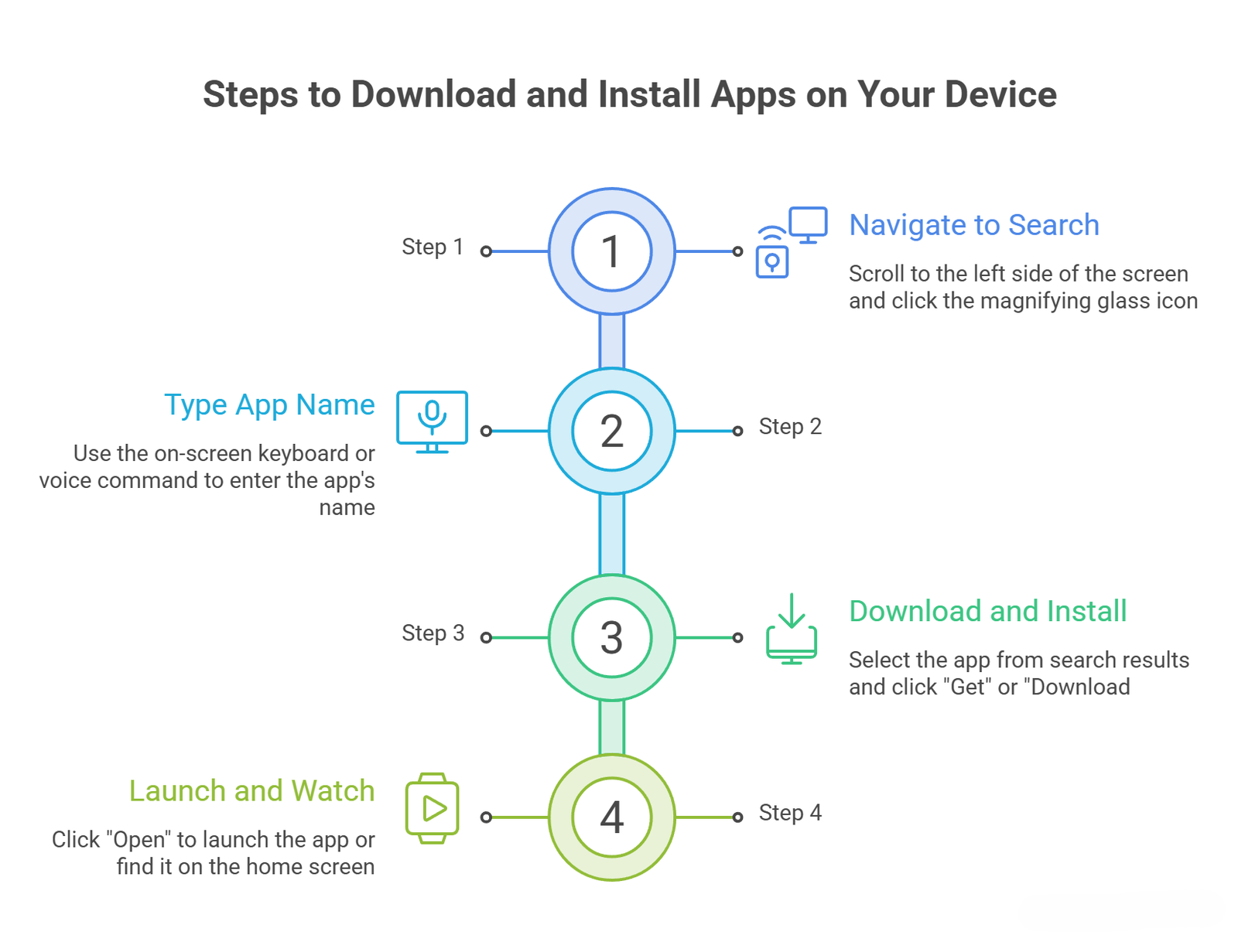
If you need to install FOX One or any other live television application onto your device, the process takes less than two minutes. We have broken this down into simple actions you can take with your standard remote control.
How to Watch Selected Matches Completely Free
You do not need an expensive cable subscription or a premium monthly plan to enjoy the tournament. Amazon has coordinated free viewing options directly through pre-installed applications.
Free Live Streaming on Tubi
The popular free streaming platform Tubi has secured the rights to broadcast major monumental matches live at no cost. You can open the Tubi application on your Fire TV to watch:
- The Opening Match: The historic tournament kickoff featuring Mexico vs. South Africa.
- The U.S. Men’s National Team Debut: The highly anticipated opening group match featuring the United States vs. Paraguay.
Because Tubi is completely ad-supported, you do not even need to type in a credit card or sign up for a paid plan. You simply open the app and select the live broadcast.
The Fire TV Channels App
Every Fire TV device comes built-in with the Fire TV Channels app, which requires no separate download. Throughout the entire tournament, this application will stream free, non-stop coverage including:
- Official Tournament News: Continuous daily updates on team standings and injury reports.
- Expert Commentary: Expert tactical analysis from journalists at The Athletic Show.
- Cup Classic Rewind: Condensed highlights and historic breakdowns of famous matches from previous tournament years.
Using Alexa Voice Commands for Instant Access
Amazon has deeply integrated its updated voice assistant, Alexa+, into the tournament experience. This allows you to completely bypass typing on keyboards or navigating complex menus by simply speaking into your remote control.
Instant Match Navigation
If you are a Prime member and have an active live TV subscription connected to your device, you can hold down the voice button on your remote and say:
- “Alexa, take me to the soccer match on now.” (This bypasses all menus and instantly launches the live game).
- “Alexa, what live soccer matches are on today?” (This displays a clean, visual schedule on your screen).
Live Stats and Questions
You can also treat your remote control as a live sports encyclopedia while watching a game. Try asking:
- “Alexa, what was the score of the South Korea match?”
- “Alexa, when is Argentina’s first match?”
- “Alexa, which team has scored the most goals ever?”
- “Alexa, show me soccer movies to get me ready.”
Alternative Live TV Subscription Options
If you prefer to use a live television replacement service that you already pay for, several popular apps are completely compatible with the Fire TV World Cup Hub.
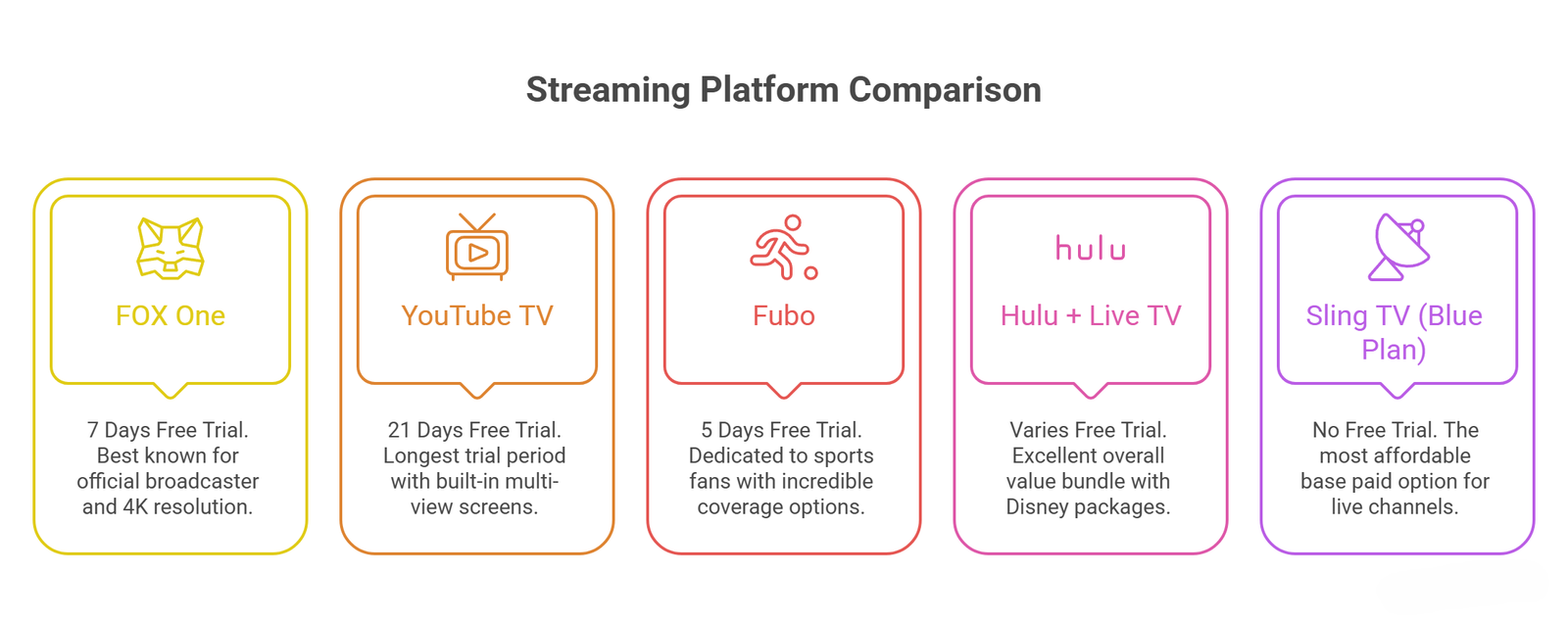
To ensure a smooth experience on match day, we highly recommend downloading your preferred application from this list and logging in with your account credentials a day before the games begin.
International Streaming Support and Local Broadcasters
The tournament is a global celebration, and Amazon has launched identical integrated hubs across multiple countries outside of the United States. If you live in or travel to any of these regions, your Fire TV will automatically highlight your local official broadcasters:
- Canada: Streams are fully integrated via TSN applications.
- Mexico: Local coverage is readily accessible through TUDN and free broadcasts.
- United Kingdom: Complete free English-language coverage is split cleanly between the BBC iPlayer and ITVX applications, requiring only a free regional account.
- Brazil: Viewers can watch live matches completely free via CazéTV on the platform.
- European Regions: Dedicated localized experiences are fully functional across Germany, France, Italy, and Spain, ensuring fans worldwide stay connected to every single goal.

Selva Ganesh is a Computer Science Engineer, Android Developer, and Tech Enthusiast. As the Chief Editor of this blog, he brings over 10 years of experience in Android development and professional blogging. He has completed multiple courses under the Google News Initiative, enhancing his expertise in digital journalism and content accuracy. Selva also manages Android Infotech, a globally recognized platform known for its practical, solution-focused articles that help users resolve Android-related issues.





Leave a Reply