
How to Use Google Gemini Omni? Features, Requirements – Artificial intelligence has entered a completely new era with the launch of Google Gemini Omni. Moving far beyond basic text chats or simple image generation, this revolutionary model family represents a unified creative ecosystem capable of processing text, images, audio, and video inputs to generate cohesive, high-quality, physics-aware video outputs. Developed by Google DeepMind, this technology transforms the way we interact with digital media, changing filmmaking, video editing, and content creation into a conversational process.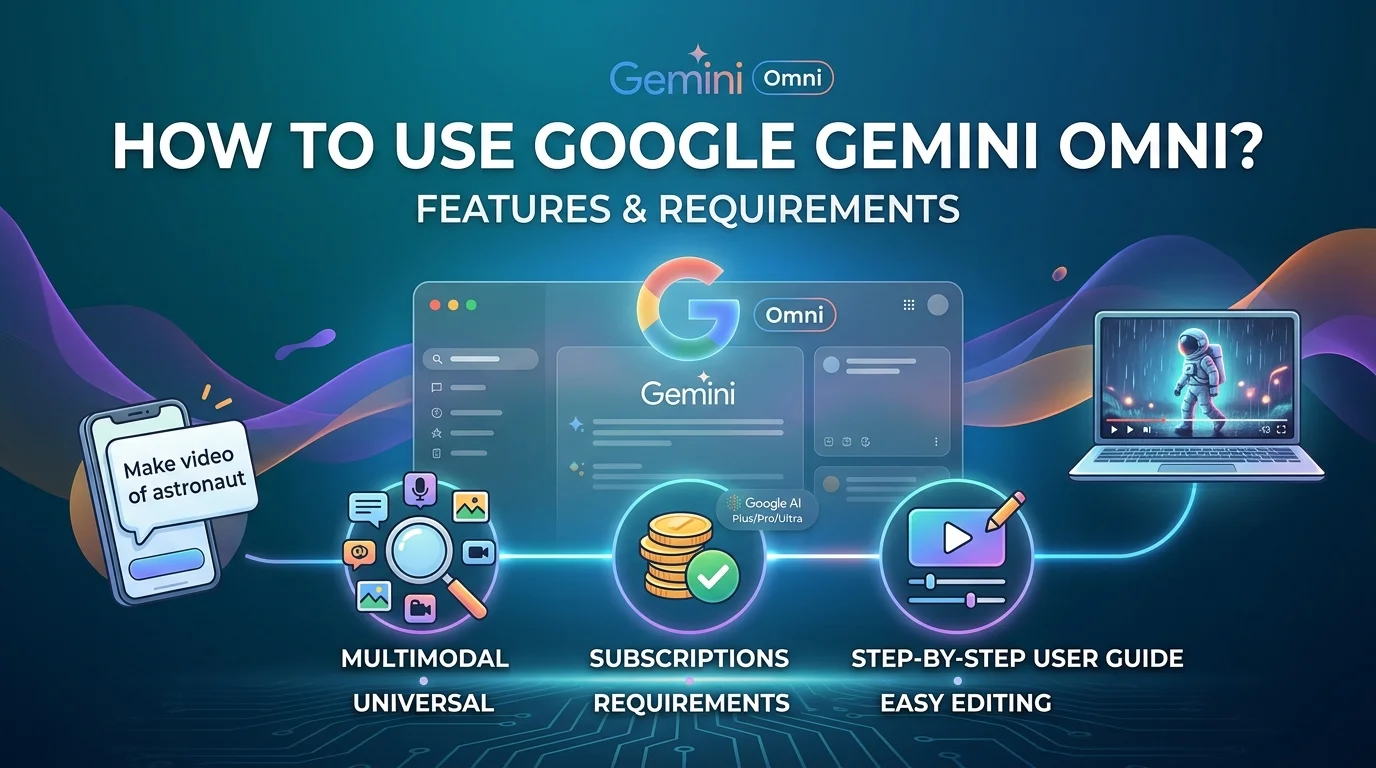
We have prepared this comprehensive blueprint to explain exactly what Google Gemini Omni is, explore its groundbreaking features, break down its subscription and system requirements, and provide a step-by-step roadmap so that anyone—including non-tech users—can master this tool effortlessly.

What Is Google Gemini Omni?
Google Gemini Omni is the first true “any-to-any” AI system developed by Google. In the past, if you wanted to work with artificial intelligence, you had to use one tool for writing text, another for generating images, and a completely different software for video production. Google Gemini Omni unifies these separate layers into one single, powerful engine.
To achieve this, Google combined several of its finest frontier technologies into a single architecture:
-
The Reasoning Layer (Gemini): This serves as the brain, understanding your natural language, your creative intent, cultural contexts, historical facts, and general science.
-
The Video Rendering Backbone (Veo): This handles the actual visual quality, frame-by-frame details, and camera movements.
-
The Simulation Engine (Genie): This calculates how real-world objects interact, ensuring that motion and collisions mimic real-world rules.
-
The Visual Editor (Nano Banana): The technology that enables conversational adjustments.
The first model released in this family is Gemini Omni Flash. It is engineered to accept any mix of media assets you throw at it and quickly return an optimized, fully synchronized video clip up to 10 seconds long.
Core Features of Google Gemini Omni
Understanding what this tool can do is the first step toward unlocking your creative potential. We have outlined the major capabilities that set this platform apart from older AI systems.
1. True Multimodal Input Flexibility
Traditional video generators only let you type in text. Google Gemini Omni allows you to blend your inputs freely. You can upload a photo of a character, drop in an audio file containing a specific music beat, add a short video clip of a location, and type text directions like “Make this character walk down this street matching the rhythm of the music.” The model reads all these inputs simultaneously and merges them into one harmonious scene.
2. Conversational Video Editing
Perhaps the most liberating feature for everyday users is the ability to edit videos through natural conversation. You do not need to learn complex timeline tracks, cutting tools, or masking effects. Once a video is generated, or after you upload your own footage, you can simply type changes. For example, you can say, “Change his blue shirt to a green jacket,” or “Make it rain in the background.” Every instruction builds on the top of the previous one, allowing for interactive, multi-turn adjustments.
3. Real-World Physics and Environmental Realism
One major issue with older AI video tools is that objects often float unnaturally or morph into strange shapes. Google Gemini Omni possesses an intuitive understanding of physical forces such as gravity, weight, momentum, and fluid dynamics. If a ball drops in the video, it bounces correctly; if water spills, it flows realistically around obstacles. This grounding in real-world science helps create believable visual storytelling.
4. Visual and Character Consistency
When creating a sequence of clips, keeping characters looking the same across different shots has historically been a massive challenge. Gemini Omni maintains consistent facial structures, clothing elements, and environmental lighting across multiple edits. The system remembers what came before, preventing characters from magically changing their appearance when the camera angle updates.
5. Personalized AI Avatars
For creators who want to establish a digital presence, the Avatar feature allows you to build a secure digital twin. By providing a brief authorized recording of your own likeness and voice, the system can generate videos where your avatar speaks and acts naturally according to your script, entirely eliminating the need to set up cameras and microphones for every single video update.
System and Eligibility Requirements
Because Google Gemini Omni handles heavy visual processing, Google runs the model on its advanced data centers. This means you do not need an incredibly powerful, expensive computer to use it; however, there are strict regional, age, and subscription requirements to keep in mind.
General Platform Availability
The tool is split across free consumer ecosystems and premium creative suites:
-
YouTube Shorts & YouTube Create App: Gemini Omni Flash features are available at no additional cost for quick short-form video remixing and social content creation.
-
The Gemini App & Google Flow: Full feature access, extended multi-turn editing, and professional creations are reserved for paid Google tiers.
Subscription Tiers
To unlock the unrestricted workspace, users must be subscribed to a qualifying plan through the official Google Subscriptions channel. The features scale across three premium tiers:
-
Google AI Plus: The entry-point subscription ($7.99/month) which unlocks core video generation and conversational editing.
-
Google AI Pro: Designed for frequent creators, offering faster processing speeds and higher priority access during peak hours.
-
Google AI Ultra: The highest premium tier, offering maximum context windows for uploading heavy source assets, ideal for enterprise use and advanced digital workflows.
Strict Regulations for the Avatar Feature
Due to strict safety policies, the AI Avatar tool comes with a specific set of eligibility gates:
-
Age Limit: Users must be 18 years or older.
-
Geographic Restrictions: Available for residents in the United States and non-EEA (European Economic Area) countries. Users inside the European Union cannot access the Avatar creation tool at launch due to regional privacy frameworks.
-
Language Support: The system operates exclusively in English for initial deployment.
-
Identity Verification: A mandatory identity verification check is required during setup to ensure you only create an avatar of yourself.
-
SynthID Watermarking: Every video produced using an avatar carries an unremovable, invisible digital watermark developed by Google DeepMind to verify its AI origins for security purposes.
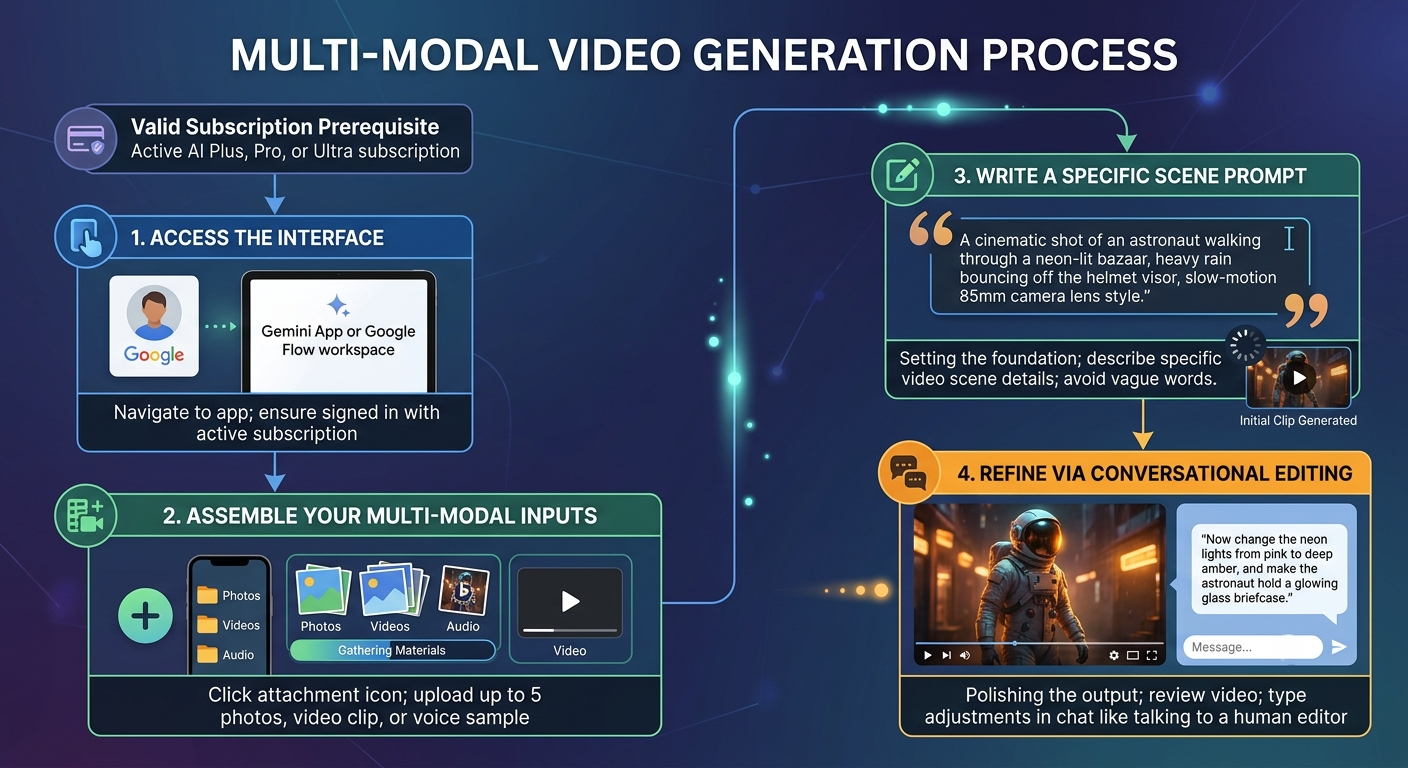
Step-by-Step Guide: How to Use Google Gemini Omni
We have structured the ideal workflow into clear, sequential steps. Follow this process to build your very first physics-aware video clip.
Practical Application Strategies
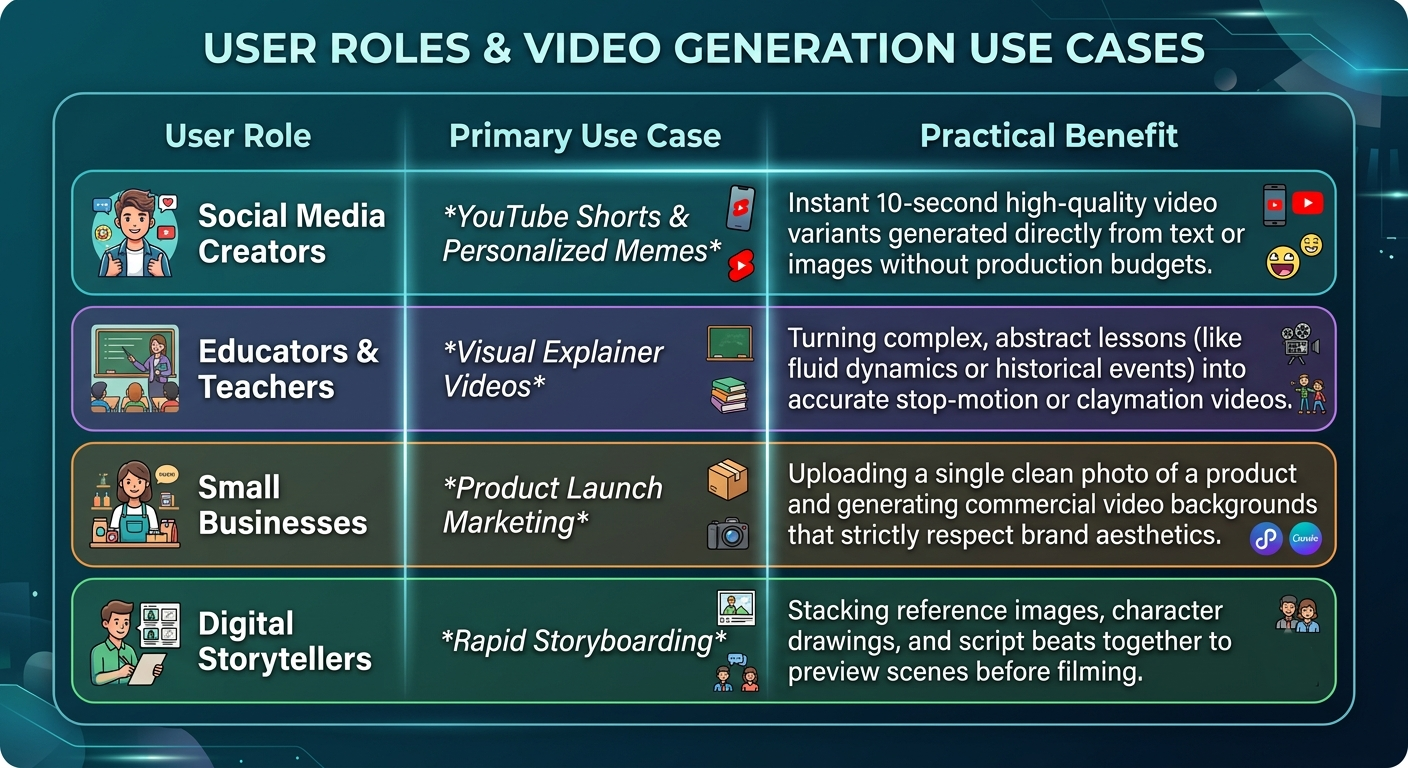
To help you visualize how to integrate this tool into your daily routines, we have compiled a quick overview of how different industries and everyday individuals use the platform.
Navigating Current System Limitations
While Google Gemini Omni is an incredibly advanced model, it is important to understand its boundaries so you can avoid common pitfalls.
-
The 10-Second Boundary: At launch, individual video clips generated by Omni Flash are strictly capped at 10 seconds. This is designed to manage immense computational demands and keep processing speeds fast. For longer videos, you must generate multiple scenes and stitch them together.
-
Resolution Caps: Initial public access offers optimized resolution up to 720p for fast experimental rendering, while professional developer pipelines scale up to higher resolutions.
-
Text Rendering Errors: Generative AI still struggles to write crisp, legible text inside moving videos. We advise avoiding complex text commands like “Write the words ‘Grand Opening Sale’ on a moving billboard” as the letters will often appear distorted or scrambled.
-
The 3-Turn Editing Window: Conversational editing is highly reliable through roughly three rounds of back-and-forth chat adjustments. After three turns, the system’s memory may begin to drift, and minor visual inconsistencies might appear in the background textures or fine details.
By understanding these parameters, aligning your creative assets correctly, and utilizing natural language commands, you can instantly harness the power of Google Gemini Omni to bring your ideas to life.

Selva Ganesh is a Computer Science Engineer, Android Developer, and Tech Enthusiast. As the Chief Editor of this blog, he brings over 10 years of experience in Android development and professional blogging. He has completed multiple courses under the Google News Initiative, enhancing his expertise in digital journalism and content accuracy. Selva also manages Android Infotech, a globally recognized platform known for its practical, solution-focused articles that help users resolve Android-related issues.





Leave a Reply