
Using the below guide, You can find your My Mobile Phone is Carrier Locked/Unlocked. If you’re using a device locked to a particular carrier network, no other carrier network can be used besides the integrated one. This can be beneficial and not beneficial sometimes; it is because you may travel to a destination, and your phone’s default carrier network service won’t be available in the location; thus, you need to switch to another carrier that’s functional in your new destination. Well, this will be an extensive article that will teach you many things about locked and unlocked devices.
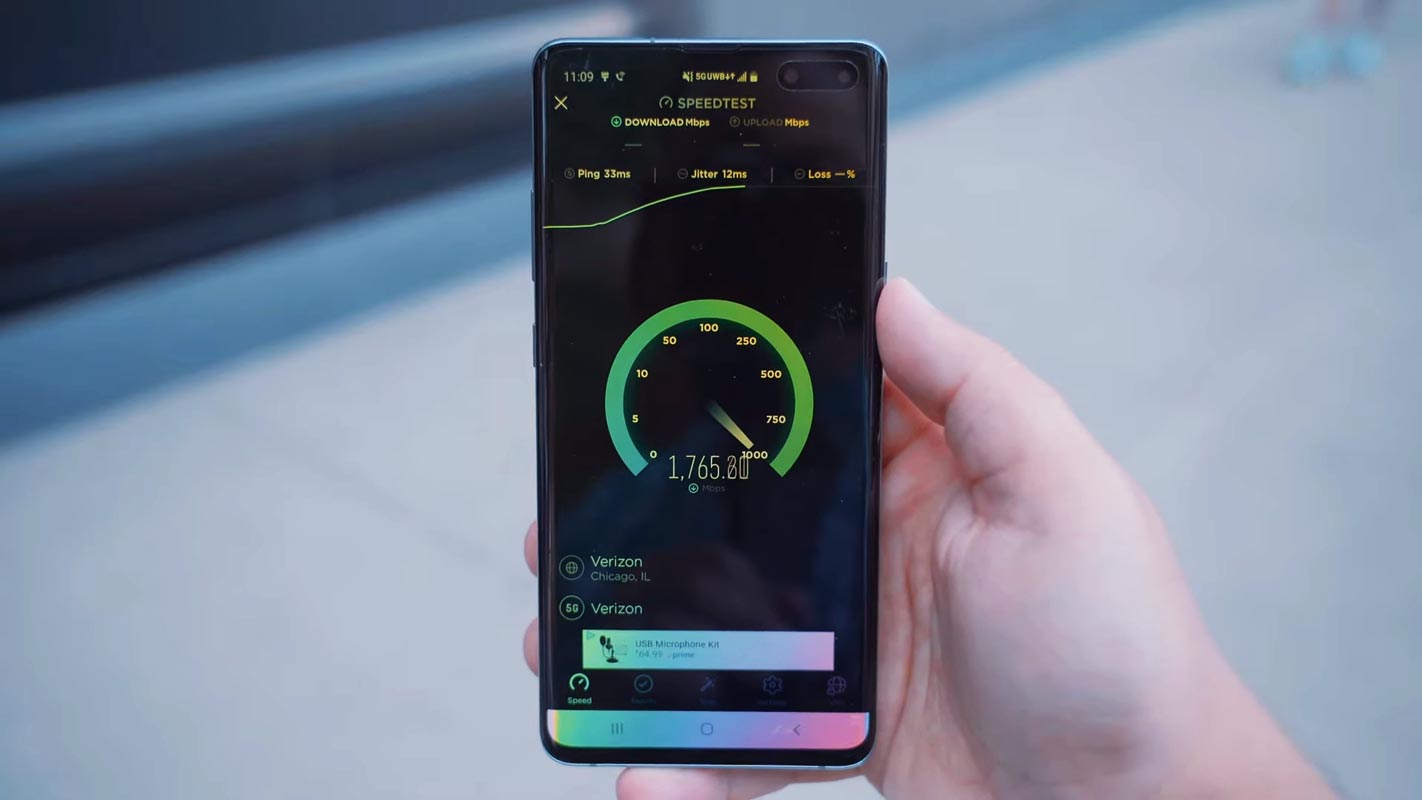
Carrier locked devices
Just expounding on what is said above, carrier-locked devices are devices that do not allow users to use any other network asides from the one built-in on the device. These devices are somewhat safer to use if you aren’t planning to travel abroad, where you may not have the network service of your phone’s built-in carrier.

What is carrier unlocked: devices with unlocked carrier
This is the opposite of what we have above. A device is said to be “unlocked” when you can use different mobile carriers on it. Thus, a carrier-unlocked device allows you to use any network service of your choice without restrictions. Mobile devices that are carrier-unlocked offer more flexibility to users, especially those who travel abroad frequently.
For more enlightening, A carrier unlock device allows you to use Verizon, T-Mobile, AT&T, or any other network SP of your choice.
This flexibility offered by a carrier-unlocked device is one of the reasons many people want their mobile phone(s) to be carrier unlocked. Well, if you just got a new device and are wondering if it is locked to a particular page, here are the various possible ways to check it out.
But before checking out the methods and steps, why not check out the PROS and CONS of using a carrier-locked device vs. a carrier-unlocked device?
Why are some devices Locked?
If you buy your phone from Amazon or other top sites/resellers, you’ll be notified if the device is locked or unlocked. Some devices are locked because the owner is yet to complete the payment for owning the device. Most times, when you complete the price for a branded device, the company unlocks the device to allow you to use other networks. However, if your device is yet to be unlocked even after completing its payment, then you should contact your carrier provider to unlock the device. The law in the US says that all locked devices can be unlocked at the owner’s request; however, terms and conditions apply.
Furthermore, it is essential to say that locked mobile phones are more secure than unlocked devices. Once your device is unlocked, some exclusive benefits are stripped off, and you must be more careful using the device.
Comparison: Carrier-locked vs. Carrier-unlocked devices
Carrier-locked mobile phones come with flexible EMI and friendly (cheaper) plans. Also, you will get exclusive offers and plan deals from your carrier. But this is not so with carrier-unlocked mobile phones; you can use different mobile carriers but won’t get most of the enticing exclusive offers.
How Do I Know My Phone is Carrier Unlocked?
If you’re using an Android device, the method(s) to check for this differs from that of an iPhone. However, we will discuss how to check if your iPhone and Android devices are unlocked. Let’s do this together! Ready?
Method One: Using Mobile Carrier Logo
You can determine if a mobile phone is a carrier locked by checking the carrier logo on the back of the device. Many mobile carriers put their logo on the back of the mobile phone to identify it as part of their network. If the logo is present, it is likely that the device is carrier locked and can only be used with that specific carrier.
It’s essential to remember that not all carriers put their logos on the back of the mobile phone and that some carriers may have logos that are not easily recognizable. In such cases, it is always best to check with the carrier or the manufacturer and boot screen to confirm the carrier lock status of the device. Additionally, it’s possible for a device to be carrier unlocked even if it has a carrier logo on the back. Hence, verifying the lock status using other methods is always good.
Method Two: Only for Android devices with dual SIM slots
Most Android devices released in recent years feature dual SIM slots; typically, these devices with dual SIM are unlocked; however, to rest assured of this fact, below is how to confirm if your Android device is carrier-locked or carried unlocked.
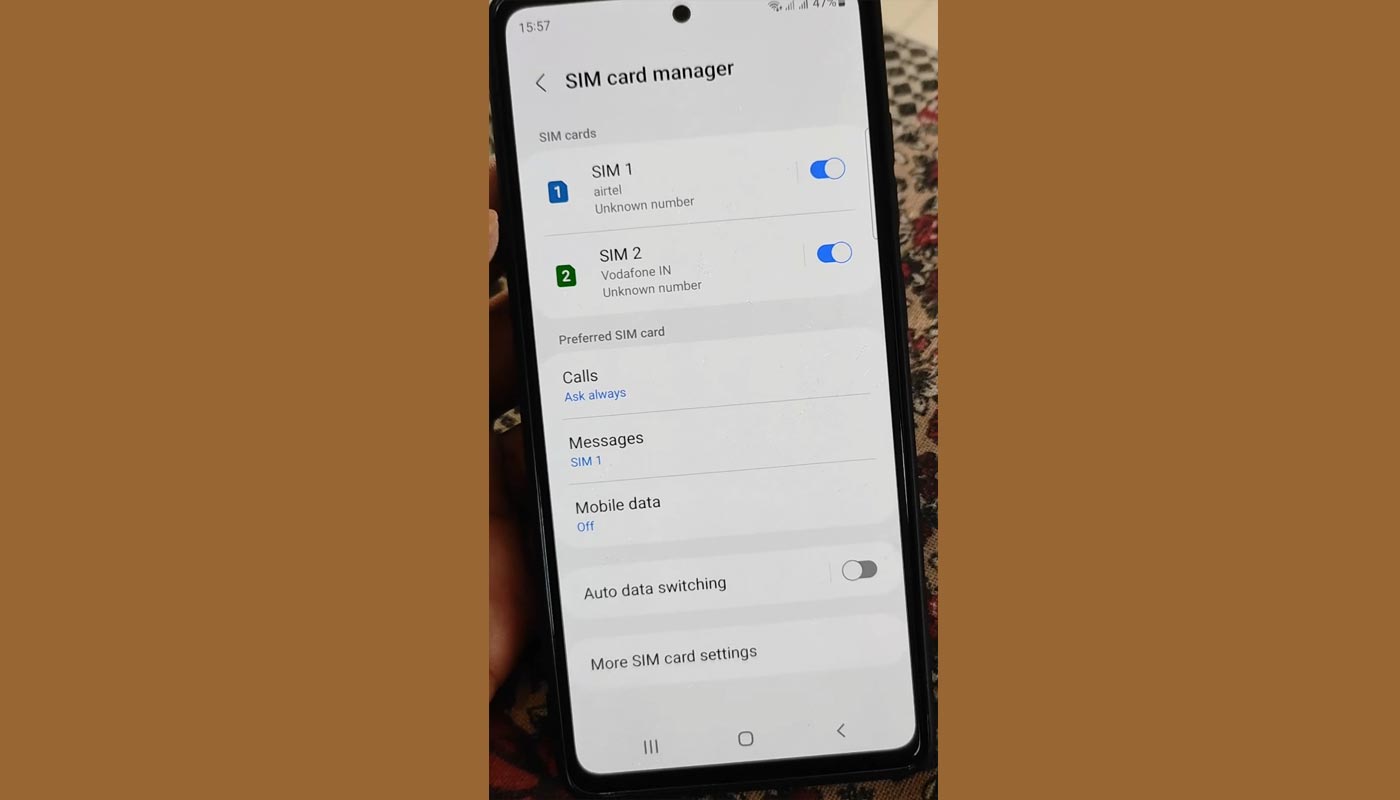
Steps
- Power off the Android device and stick out the SIM card tray.
- Enter two different SIM cards from other carriers.
- Reboot the Android device.
- Check if the different carrier names of the networks are shown on top of your screen.
- Now dial any mobile number and see if it will go through.
If you can make calls successfully, your device is unlocked and can accept any network carrier. However, if you’re unable to make calls or send SMS, it may imply that your device is locked, or you can call your carrier and see if the issue is from their end.
Alternatively, try the following method below
Method Three: Check Other Network Options
This method will prove if your device is locked or unlocked. Kindly follow the steps carefully.
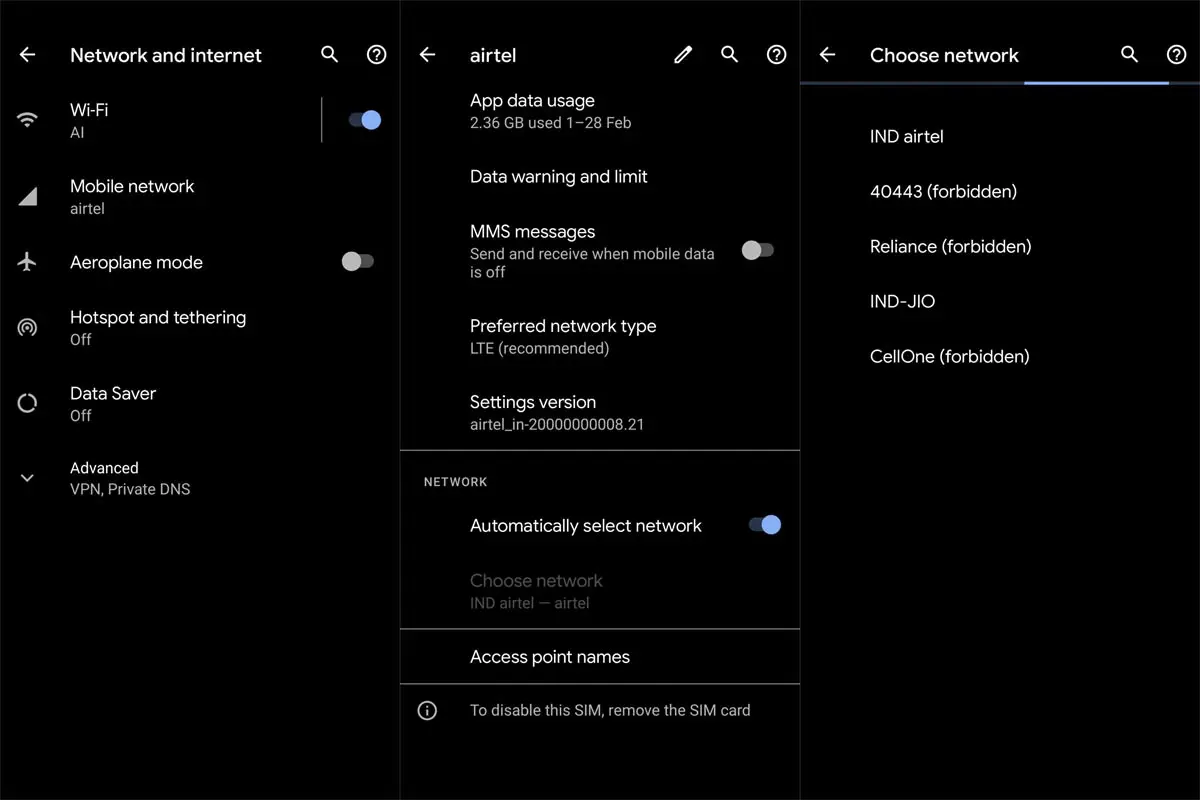
Steps:
- Go to your mobile device settings.
- Click on the “Networks” or “Connections” tab.
- Select “Mobile Networks” or “Cellular Networks.”
- Then click on “Network Operators.”
When you click on “Network Operators,” wait for your device to run a scan and fetch the carrier networks. If your device was able to detect multiple carriers, then the device is most apparently unlocked. Nevertheless, on the other hand, if you cannot run this action, then the device is locked.
Method Four: iPhones
This method will work on all iPhones irrespective of the model and iOS version. It is similar to the 2nd method discussed above. Follow the steps below to check if your iPhone device is carrier unlocked.
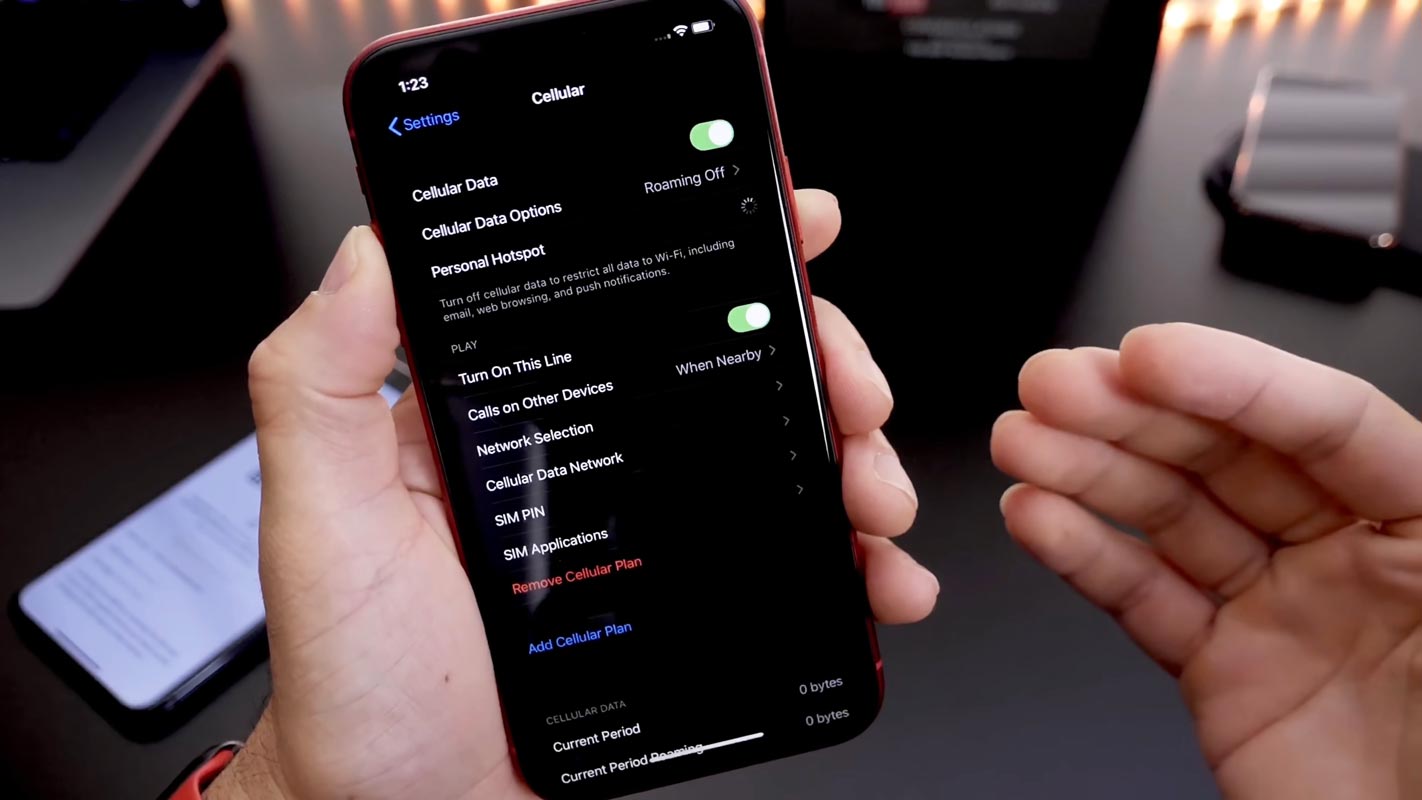
Steps:
- Go to your iPhone device setting.
- Navigate to the “Cellular” option and click on it.
- Activate the “Cellular Data” option by toggling the switch.
- If you can see “Cellular Data Options,” your iPhone is unlocked.
If you didn’t see “Cellular Data Options,” your device is locked. You need to contact your carrier for guidelines on how to unlock it.
Method Five: Using Model Numbers
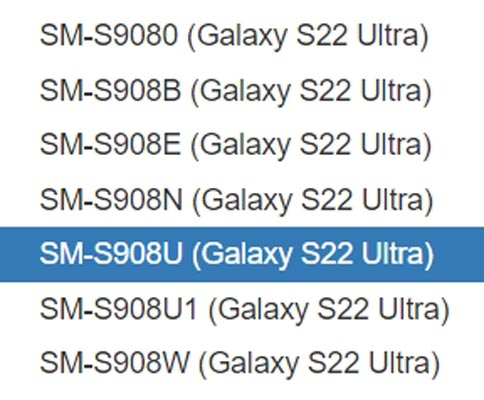
Finding out if a mobile phone is carrier locked or unlocked can be determined by its model number. In Samsung Galaxy devices, the model number can often indicate the carrier lock status. If the model number ends with “U,” it is typically carrier-locked. It is restricted to a carrier network and can only be used with that carrier’s services. However, if the model number ends with “U1”, it is carrier unlocked. It can be used with any carrier network and switched between mobile operators. It is important to note that these rules may not apply to all Samsung Galaxy devices. The best way to verify the carrier lock status is to check directly with the carrier or the manufacturer.
Wrap Up
Ensure the best mobile experience by determining whether your phone is carrier locked or unlocked. A carrier-locked phone only operates with its original carrier, whereas an unlocked phone works with any carrier compatible with its specifications.
An unlocked phone can benefit a frequent traveler or someone who spends time in remote locations. It allows you to switch carriers to find the best coverage. Thus, checking and confirming your phone’s carrier status is always wise before making plans. By following these methods and steps, check if your device is locked to a particular carrier or unlocked for use on any network. We know some questions will go through your mind now, and we will clear them up.

Selva Ganesh is a Computer Science Engineer, Android Developer, and Tech Enthusiast. As the Chief Editor of this blog, he brings over 10 years of experience in Android development and professional blogging. He has completed multiple courses under the Google News Initiative, enhancing his expertise in digital journalism and content accuracy. Selva also manages Android Infotech, a globally recognized platform known for its practical, solution-focused articles that help users resolve Android-related issues.




Leave a Reply