
The success of streaming devices purely depends on the services and contents they are providing. Even if the device is good and lacks some content, People will move away from those devices. Google knows it. They are slowly bringing popular channels and services one by one to a new Google TV Chromecast. Unlike a regular Chromecast, It is a Standalone device, So, You have to get certified to use the services. After a few popular services add-on, Now you can access BBC iPlayer in Google TV Chromecast. BBC is famous for its documentary related contents, and most of the people love it. Getting certified for BBC iPlayer is another improvement for Google TV.
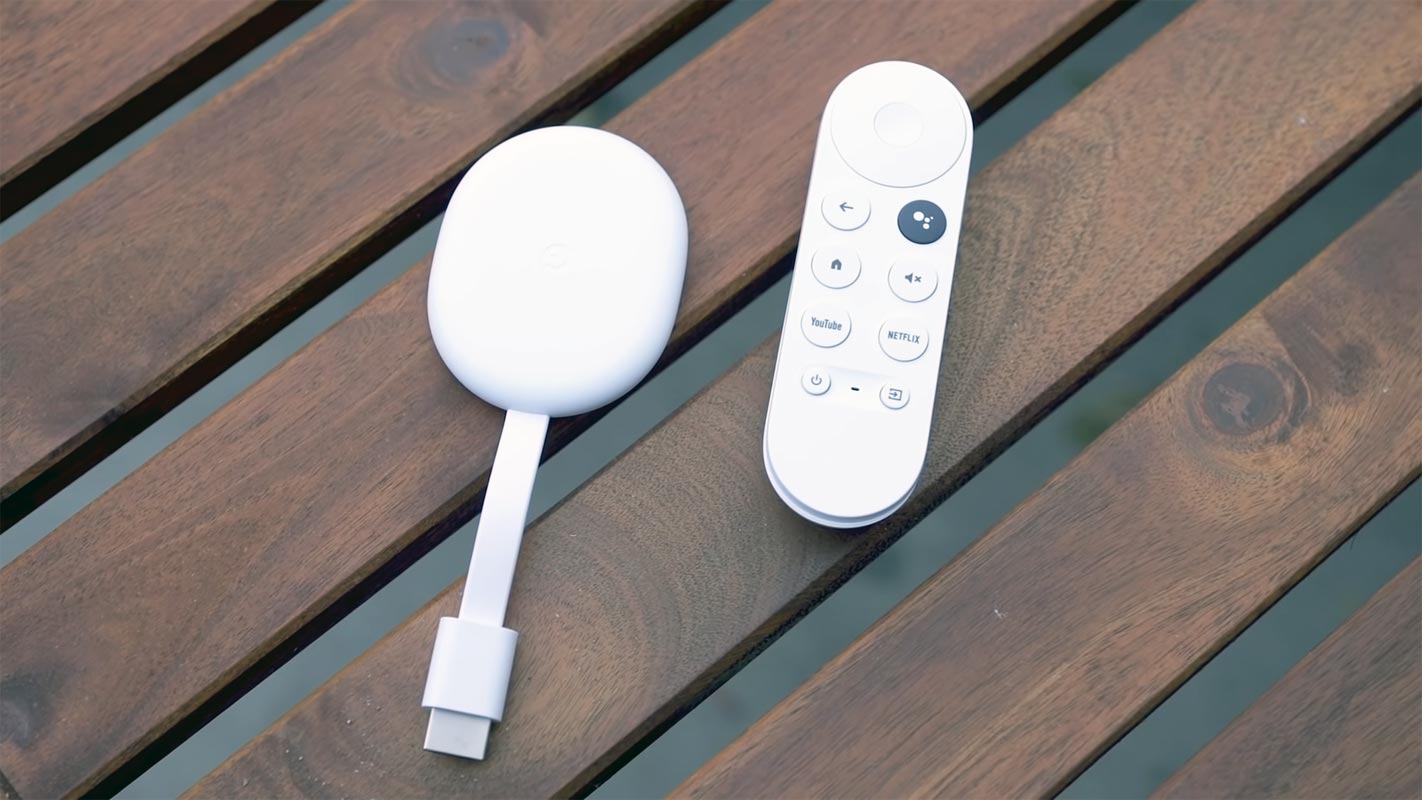
The BBC has officially certified the Google Chromecast with Google TV as the certified device for the BBC iPlayer. Google submitted the new Chromecast to the BBC as it met all the BBC standards and passed all required tests.
What is the BBC iPlayer?
BBC iPlayer, a former BBC radio service, is a streaming service famous for its greatest tv shows and documentaries. The BBC iPlayer is a UK based streaming service available on various devices like mobile phones, tablets, personal computers, laptops, and smart televisions.
With the BBC iPlayer app, you can enjoy live news coverage, music events, great comedies, stunning documentaries, and unforgettable dramas in the palm of your hands. You can install this app from the Google play store, or you can use the desktop version to enjoy all these on your laptop or PC. BBC has CBBC and CBeebies that stream fun and learning programs for your kids.
BBC iPlayer on Google TV Chromecast

The New Google TV Chromecast 2020 version is a standalone Android TV device. You don’t need any additional source devices to make stream content. You can stream contents from the respective apps with installation from Play Store. With BBC iPlayer certification, you can now stream content from BBC Channels.
BBC iPlayer had a specific version for specific hardware like one version for Nvidia Shield that exclusively works with Nvidia devices only. One for Sony TVs, etc., but there is still no generic version of BBC iPlayer available that works with all devices.
How to access BBC iPlayer on Google TV?
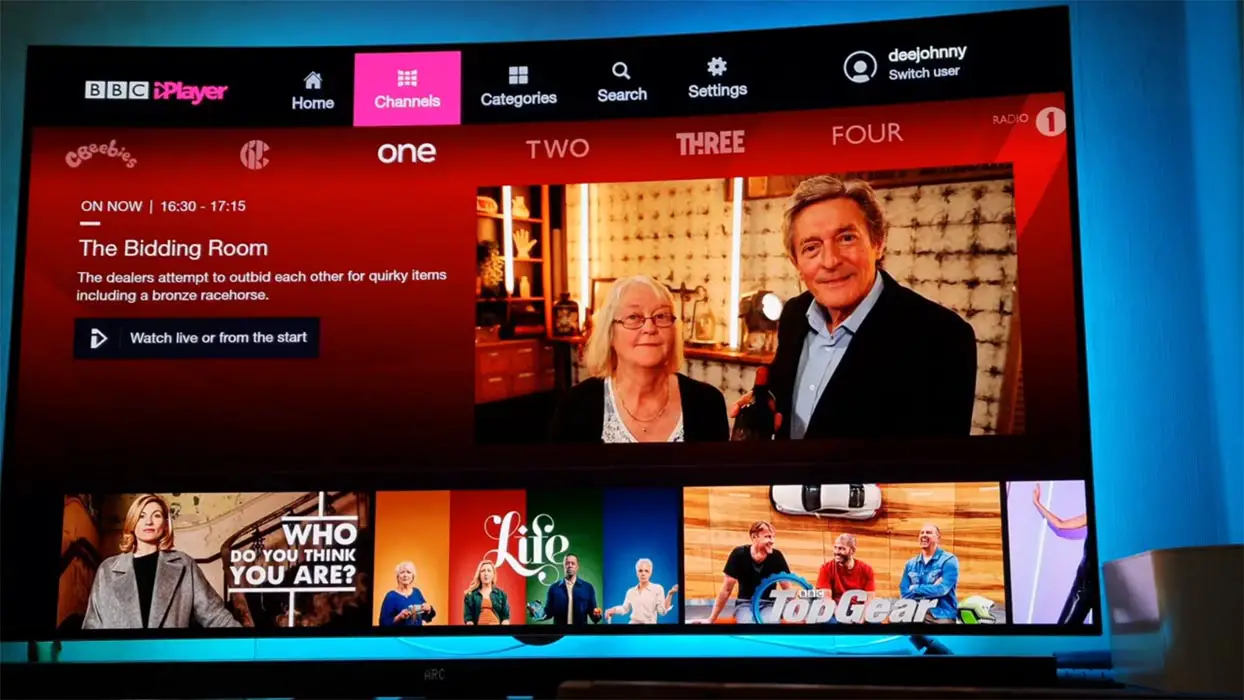
The previous models of Chromecast that was operated by your mobile phone had the support for BBC iPlayer for many years. So, no one overlooked the iPlayer support in the new Chromecast with Google TV when launched in the UK this month. The new Chromecast has the support for all native streaming services, but one of the users noticed that there is no support for BBC iPlayer app in the new Chromecast.
Luckily BBC took notice of this bug and fixed it by certifying Chromecast with Google TV as a verified device and officially announced it. Now you can access the BBC iPlayer streaming with the Chromecast. You can install the app from Google Play Store within your Google TV. Or you can alternatively sideload the app.
Will this app support all Android devices?
Currently, it works with only Chromecast and Google TV devices. There are mixed working and not working status in some Chromecast built-in devices. The official certification of Chromecast with Google TV announced recently, so it is yet not clear its support for other devices. Apparently, it seems that it will support all Android devices, but it is only speculation right now. There are possibilities that Google has pushed this app by BBC to maintain compatibility with the previous models of Chromecast. Its support for Xiaomi’s Mi Box and Nvidia shield is yet to be confirmed. Also, Most of the contents are country restricted.
Missing Feature
The main screen of the new Google TV displays all contents from Netflix, Prime Video, or Disney+ all mix together. The new iPlayer app doesn’t support this feature. It is supposed to be fixed later, but the main thing was the accessibility of iPlayer on Chromecast. All those Android TVs that are not supported by the iPlayer app still can use iPlayer from their mobile phone app, although native app support is totally different.
Wrap Up
Google wanted to promote Google TV widely. So that they provide lot o promotions like free YouTube TV subscriptions. Also, YouTube added famous Sports Channels to enjoy NFL League. No support for BBC iPlayer was sad news for those addicted to BBC nail-biting dramas, but the wait is over. Now you can enjoy the stunning documentaries and BBC drama series on your Chromecast with Google TV. Do tell us your views about this new Chromecast certification by the BBC. Did the app work for you? Tell us in the comments below.

Selva Ganesh is a Computer Science Engineer, Android Developer, and Tech Enthusiast. As the Chief Editor of this blog, he brings over 10 years of experience in Android development and professional blogging. He has completed multiple courses under the Google News Initiative, enhancing his expertise in digital journalism and content accuracy. Selva also manages Android Infotech, a globally recognized platform known for its practical, solution-focused articles that help users resolve Android-related issues.





Leave a Reply