
The success of third-party apps is stock apps from manufacturers that failed to deliver what users want. When you search for the voice recorder app in Play Store, you will get tons of apps. The base operation of Voice Recorder is to record the environment sound and speech. But the additional featured provide by the app makes them popular. Google released its official Recorder app will Pixel Phones. The features like Real-Time Transcript and Audio word search make it worthy of considering. Now Google Recorder 2.1 got External Mic and Bluetooth Headphones support. It will be useful for journalists and reporters who are struggling to record clear audio. So, based on the hardware you are using, the audio recording quality will improve.
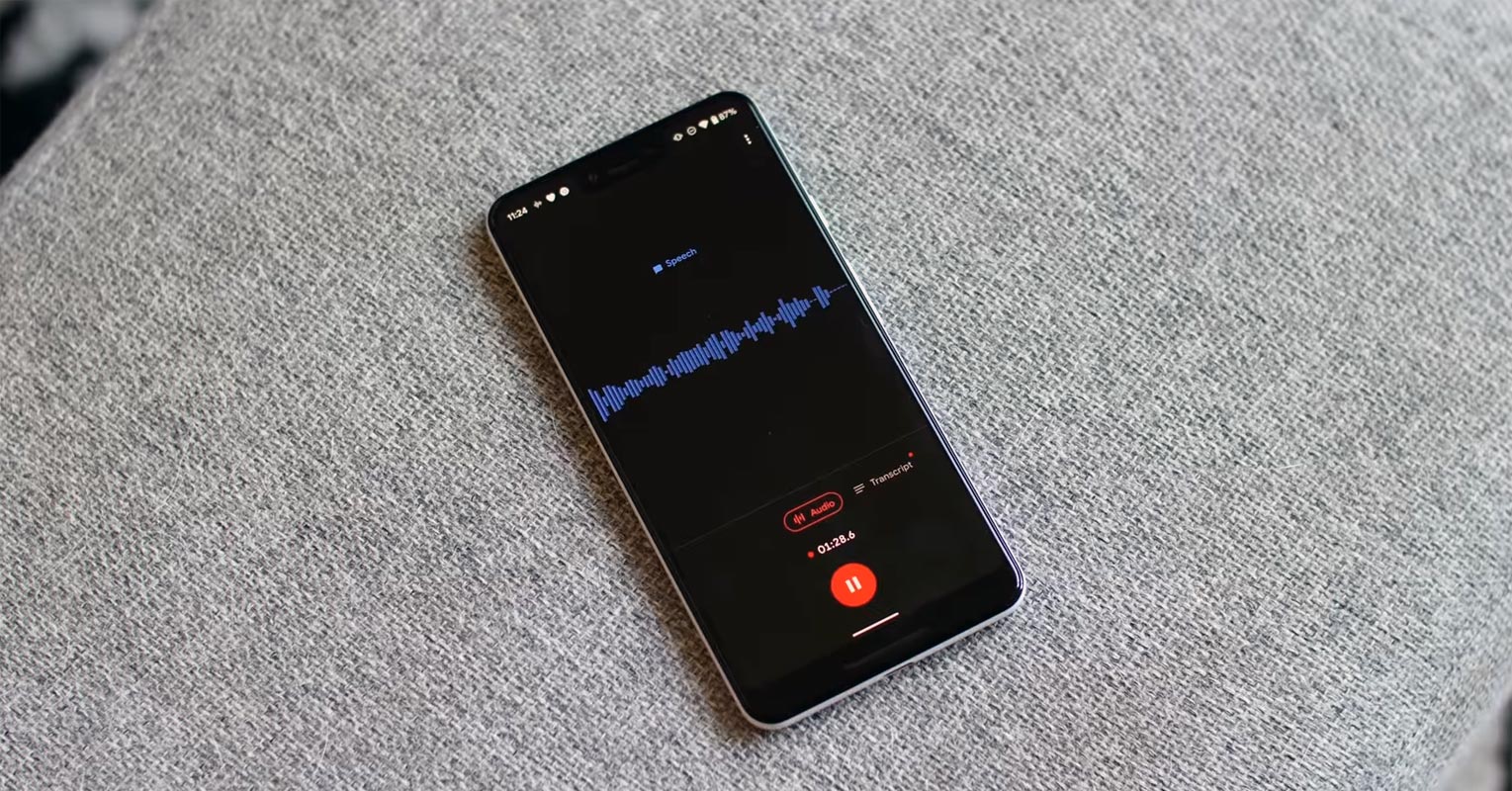
Earlier, Google released the updated version of its well know audio recording app, Recorder 2.1. this updated version of Recorder 2.1 has a cool feature of detecting the external mics for recording. With the Auto-detect feature, you can use your wired hand free for recording and even your Bluetooth headset too.

Auto-detect External Mic and Bluetooth Headphones Feature in Google Recorder 2.1
Google’s Recorder app is one of the best audio recording apps, and it getting popular over time by users. It has many cool built-in features like Auto-transcription in real-time, Audio editing, searching within the audio recording, and smart scrolling through the transcript.
Recorder 2.1 now has the sweet feature that users have been waiting for for a long time. Version 2.1 adds the Auto-detect feature that uses your external mic for recording audio. The Auto-detect feature search for any external mic connected and starts recording with that external mic. The external mic can be wired or any Bluetooth headset.
How does the Auto-detect Feature Work?
Earlier in the Recorder app, you only have a Phone Mic option to use for recordings. The Phone Mic is much better in picking voice and offer higher quality and better clarity than headsets. However, the Phone Mic restricts you to hold the phone closer to the audio source. With wired headphones, you get your hands free, and no need to keep your phone close to your mouth. The Bluetooth headset extends this liberty more, but you may get the dropped audio quality.
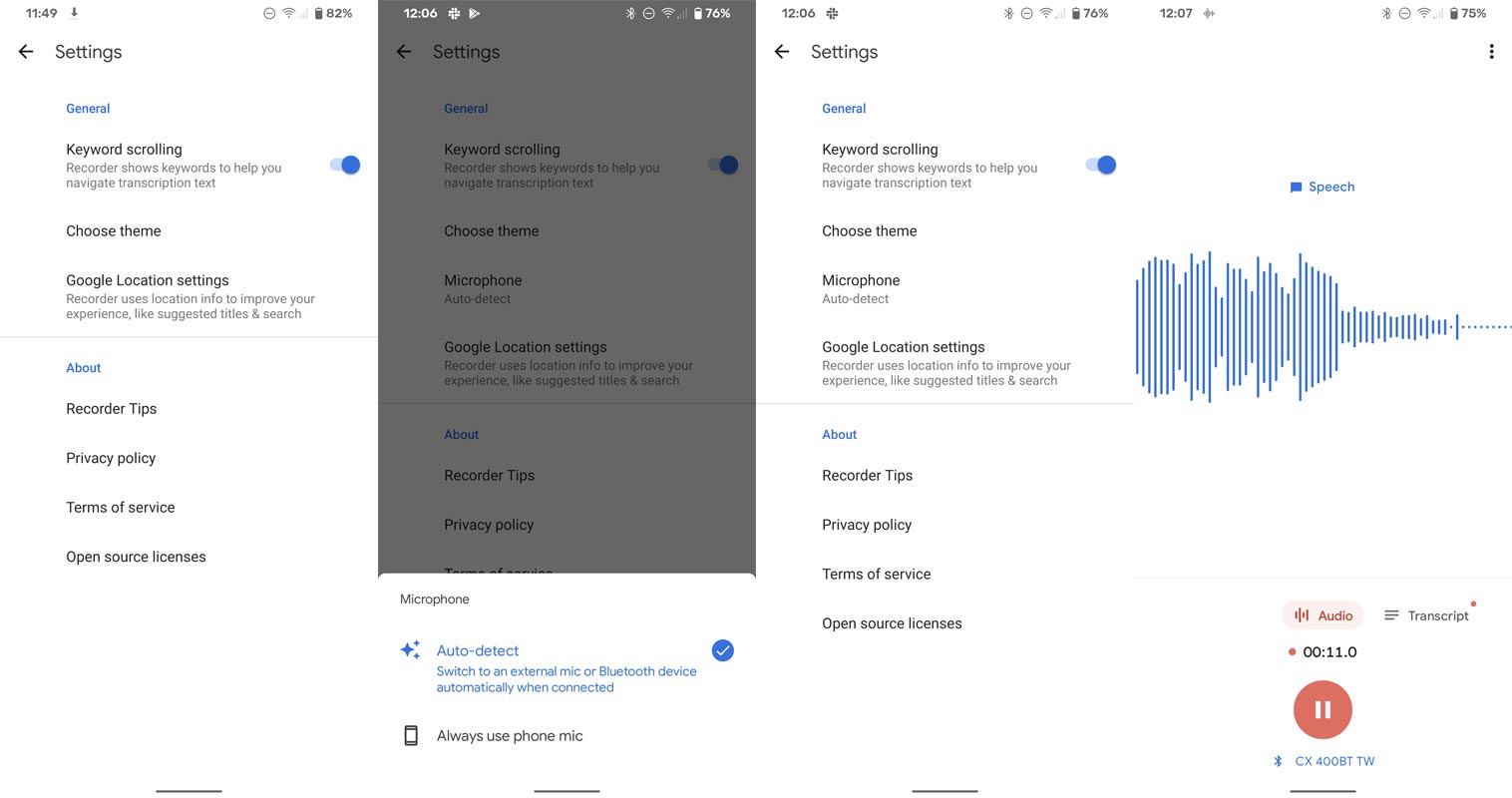
Auto-detect Option
When you open the Recorder app, you get two options, “Auto-detect” and “Phone Mic.” If you select Auto-detect, it searches for any external mic and starts recording with an external mic. It is exciting for those with Bluetooth headsets that it can record from the Bluetooth headset too. Here is another plus point, if you remove the external mic during recording, it will automatically switch to the phonemic without any pause to your recording.
Phone Mic option
If you select the Phone Mic option, it will stick to recording with your internal Phone Mic even if you have connected any wired or Bluetooth headset. It stops the ability to use the external mic in any case. So better you select the Auto-detect option.
Other Uses of The Auto-Detect Feature
The Auto-detect feature makes your recording handier if you combine it with Google Assistant commands. Trigger the Assistant on your headset, command it to start a voice recording, and start talking. You don’t need to pick your phone and manually open the Recorder app.
Availability
Google has officially updated the Recorder version 2.1, and it is available on the Play Store for download. If you find any issue while getting it from Play Store, you can download it from APKMirror.
Wrap UP
Google recently added Google Assistant Spoken Notifications for headphones. It helped to listen to notifications without touching your mobile. They always roll out small updates that make users comfortable. Google Recorder External Mic option may not be useful for all. But it will be sure will help the journalists and Meeting related works. The conversion between a word to Audio and Audio to wor is always a tuff work. Microsoft added the Transcribe feature in Microsoft Word recently.
The use of an external mic is the long-awaited feature by the users. It will be greater if the Recorder saves the recorded files on cloud storage using your Google account. And you can download those recordings from anywhere on your device. Anyway, still, it is beneficial. Do tell us your views in the comments about the Auto-detect feature.

Selva Ganesh is a Computer Science Engineer, Android Developer, and Tech Enthusiast. As the Chief Editor of this blog, he brings over 10 years of experience in Android development and professional blogging. He has completed multiple courses under the Google News Initiative, enhancing his expertise in digital journalism and content accuracy. Selva also manages Android Infotech, a globally recognized platform known for its practical, solution-focused articles that help users resolve Android-related issues.




Leave a Reply