
Yes, There may be some questionable things regarding hardware choices in movies. But when it comes to software experience, No one can stand against Google. Even though Google allows other manufacturers to use Android OS for mobiles and TVs, none of them can give a better experience than Google did with their Pixel mobiles and Google TV Chromecast. Google keeps adding multiple Stream Support, New features. Also, With the help of community forums, Google listened to users and tried its best to implement those features. Now, Personalized Screensaver and Card are rolling out to Google TV.
Personalized Screensaver and Cards in Google TV
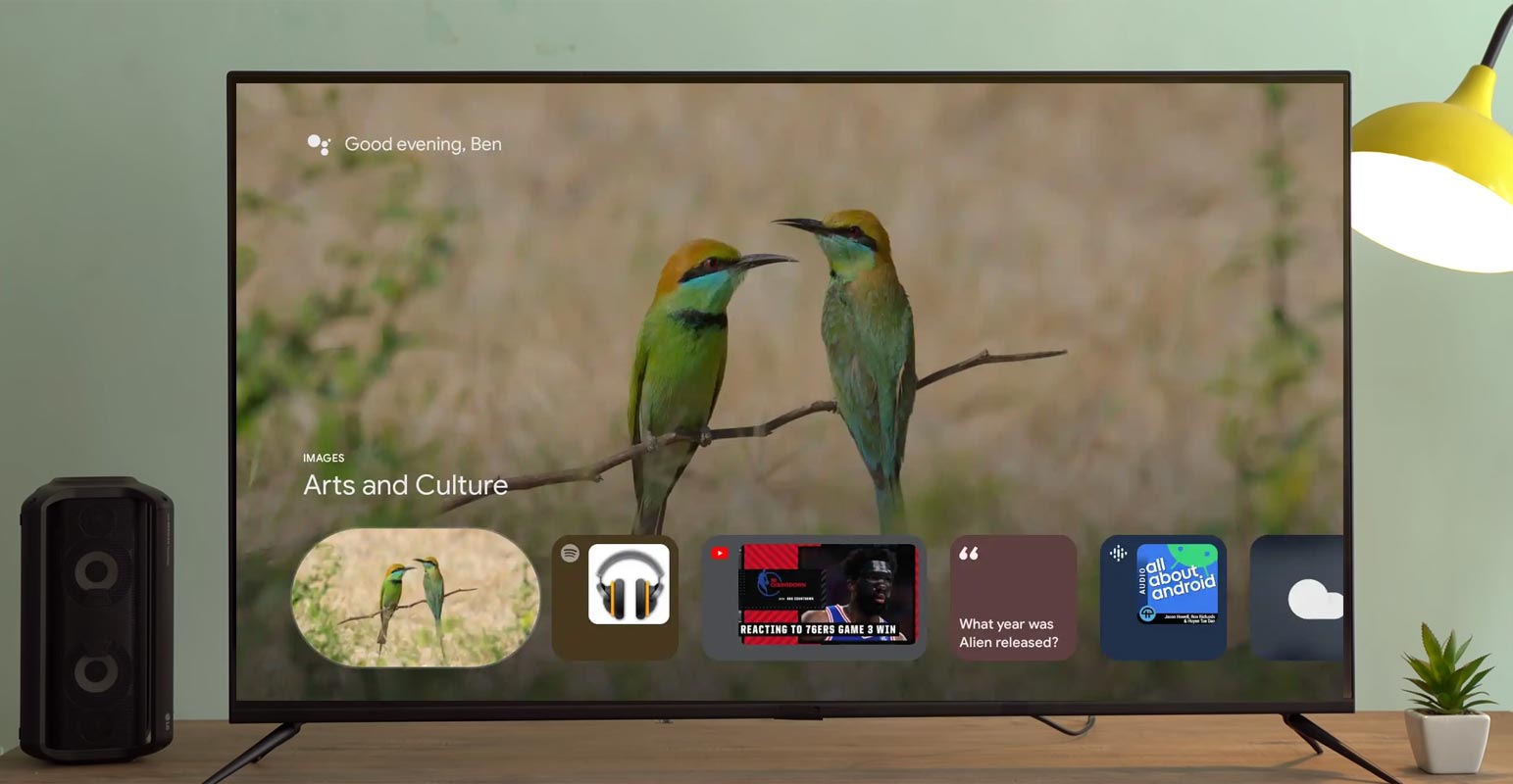
Google First announced in November 2021 that “proactive personal results” are an upcoming feature of Google TV’s screensaver. It usually only displays images in a slideshow taken from different galleries or the user’s own Google Photos library. Google initially informed us that the”new “cards” in Ambient Mode were expected to begin rolling out in December of the previous year. However, they didn’t appear on a broad basis.

Personalized Cards
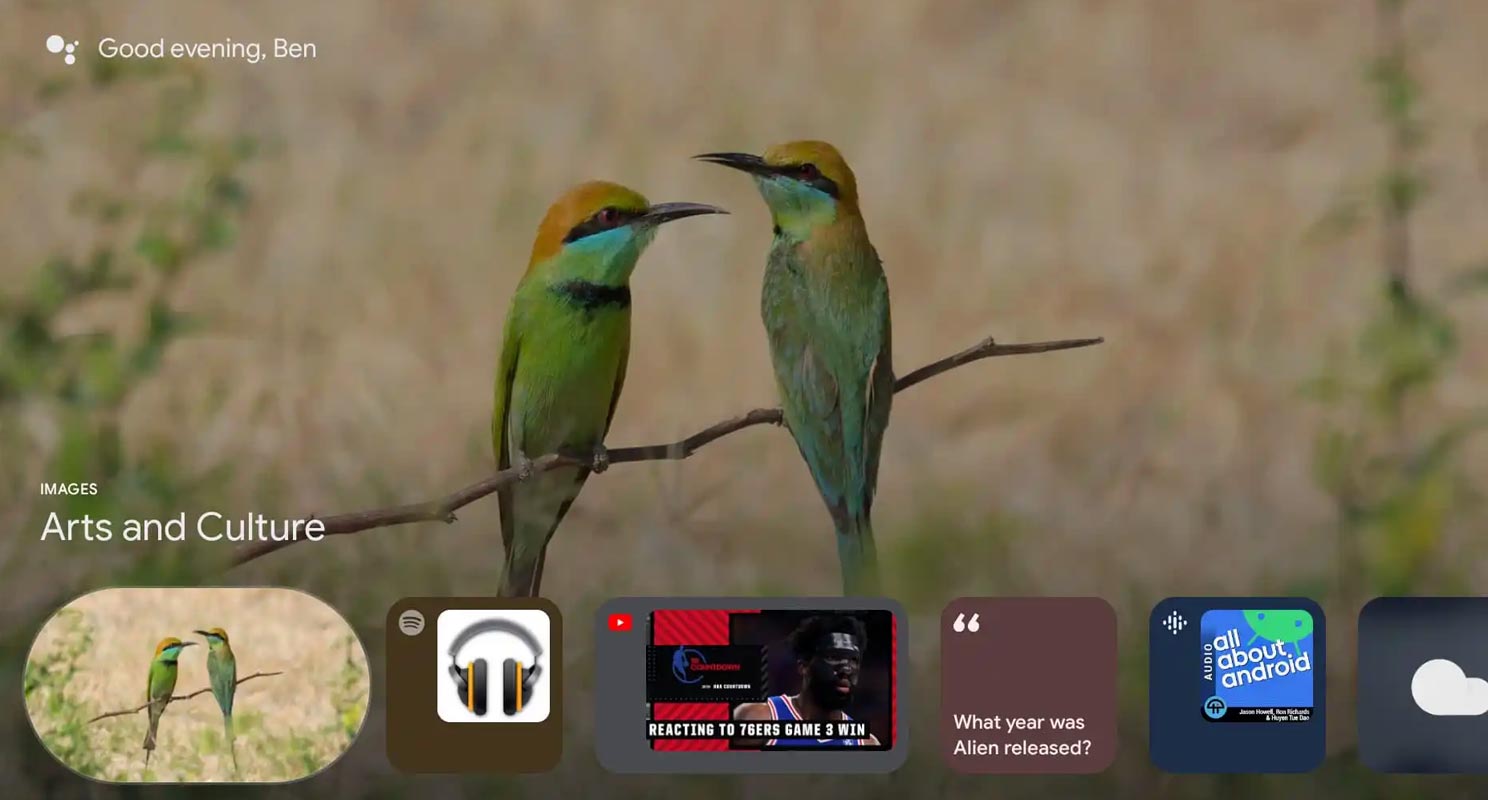
We’ve been awaiting Google TV’s brand-new “glanceable cards” screensaver to become available on actual devices for over six months. While it’s not a massive launch, it’s exciting to see it arrive in users in a specific capacity. The team at 9to5Google spotted the card on the Mecool MK3 device but could not activate them on another device. It’s not showing up on my Chromecast using Google TV and on a TCL six-series television.
The redesigned screensaver was thought to have “glanceable” details, including weather and news, sports scores, news, and other personalized information. Music apps like Spotify and podcasts provided by Google Podcasts were also scheduled to be displayed within the carousel.
Availability
It could be an old-fashioned server-side upgrade by Google based on inaccessibility. It’ll notify you that “proactive personal results are now on if you’re among those users.” The Google I/O 2022 conference launch is only a few days away; we hope an even bigger launch is short. Perhaps profiles will be in the works for an announcement this week.
Wrap Up
Small things are essential to make users stay on any platform. Some users stick with the product for the little thing they are attached to. Personalized Screensaver and Cards may look like a Gimmick from the outside, But When your favorite suggestions come on your Android TV, It is a lot of new experience. But, Like the testing phase, The feature is only rollout to limited users. Based on the feedback and user experience, Google will roll out the Personalized Screensaver and Card to more Google TV users. Did you get this new feature? Share your experience below.

Selva Ganesh is a Computer Science Engineer, Android Developer, and Tech Enthusiast. As the Chief Editor of this blog, he brings over 10 years of experience in Android development and professional blogging. He has completed multiple courses under the Google News Initiative, enhancing his expertise in digital journalism and content accuracy. Selva also manages Android Infotech, a globally recognized platform known for its practical, solution-focused articles that help users resolve Android-related issues.





Leave a Reply