
Since our mobile become mandatory devices, We have stored lots of personal data, including locations. Most of the recent mobile OS always ask us permission when the App asks for the sites. Sometimes to reduce the frequent ask, We set it to use and leave it as it is. Regular location sharing gives a better experience, like relevant content. But Precise or Exact location sharing is used to deliver products. Precise Location sharing is sensitive and should not be in public view. Recently people have complained about when they share their current place on Social apps; The App shows their precise Location to the public. It is not good in reality. But, You can Turn Off Precise Location Sharing on Instagram, Facebook, and TikTok using the below method.
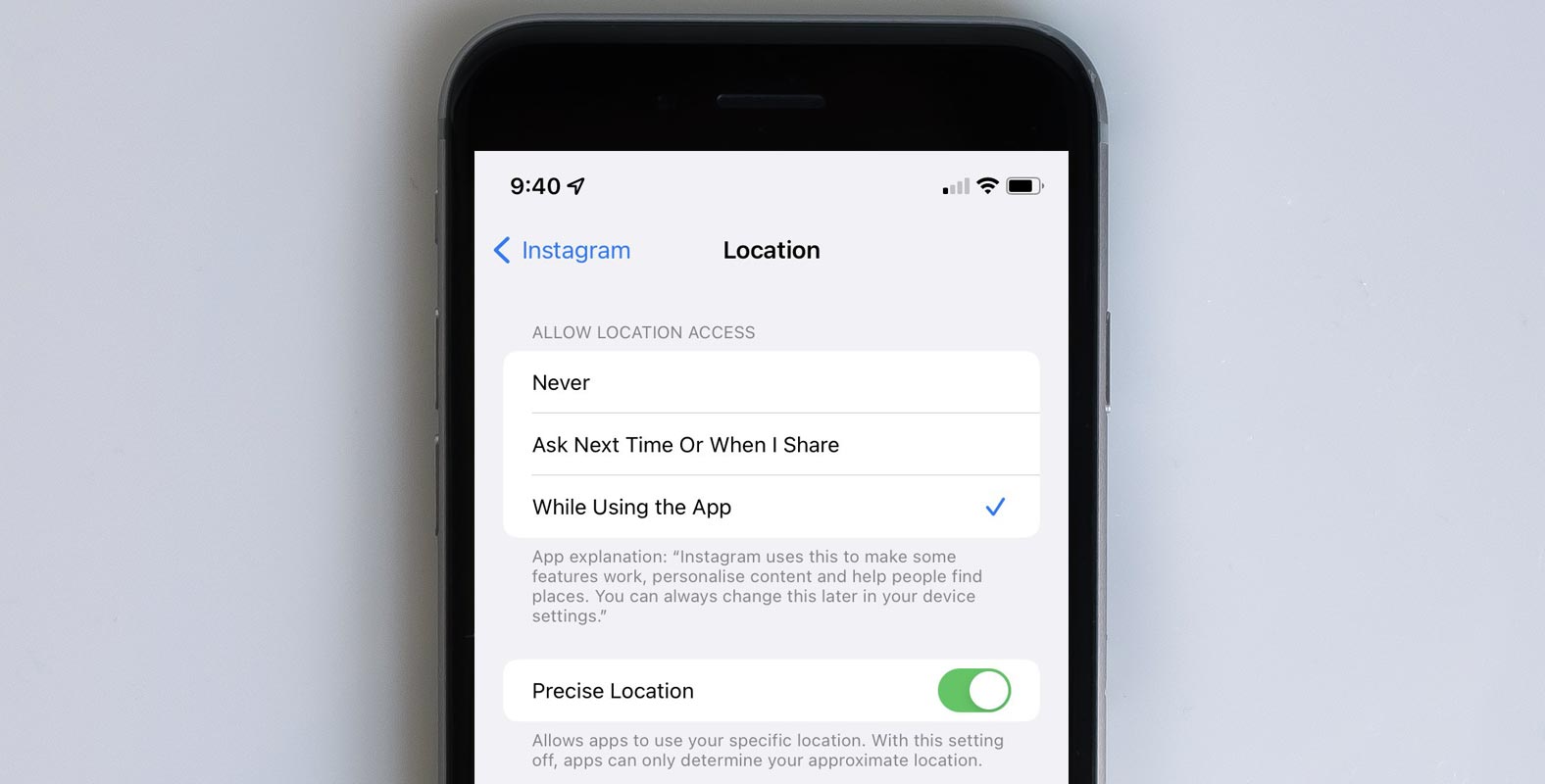
What is Precise Location on your mobile means?
When you install a new app, it will typically give it access to various functions available on the iPhone, including your microphone, contacts, cameras, photos, and Location. A good example is that an application may ask you to provide your location to give you directions or even deliver food items. But, applications can also use location data to track the places you travel to and sell the information to third-party companies who will use it to create custom ads to your preferences.
With the launch of iOS 14 in 2020, Apple modified how users manage their location data. Instead of permitting apps to view your exact coordinates, you can now turn off accurate location tracking. This means apps can only know the approximate location you’re in.

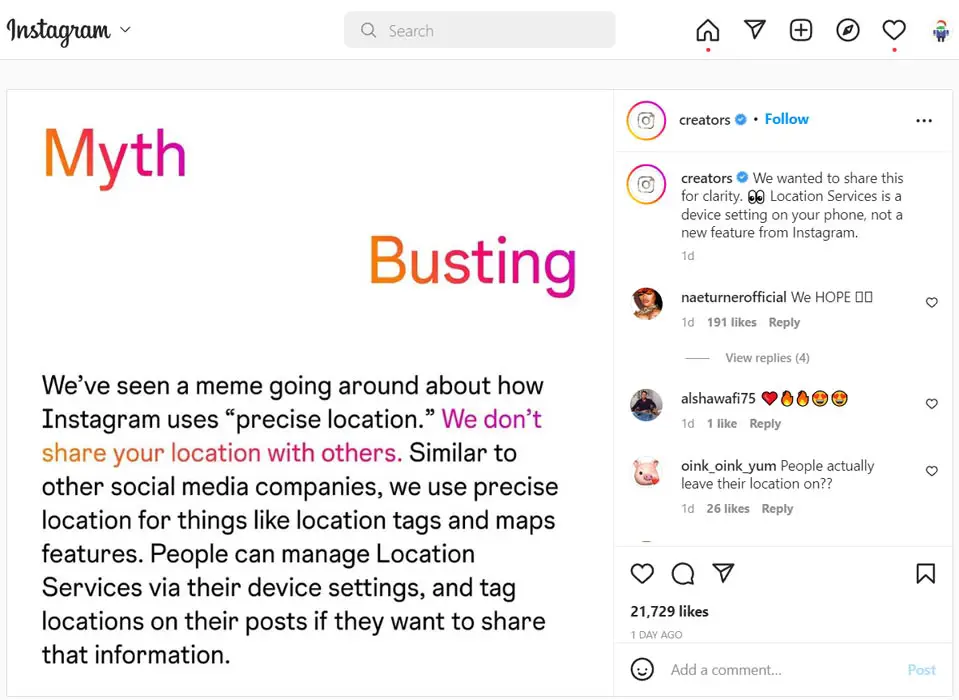
Instagram Statement regarding the precise Location Posts and Memes
“We do not reveal your location to anyone else,” the post said. “People can control Location Services via their device settings and tag places on their blog posts if they wish to share this information.”
Precise Location is not a comfortable situation for everyone
No matter how much you’re concerned about stalkers, the ability of social media to track you wherever you go could still be disturbed. If you’d like to end the precise tracking of your location, this is how to disable it for every App on your iPhone.
Turn Off Precise Location on iPhone
For All Apps
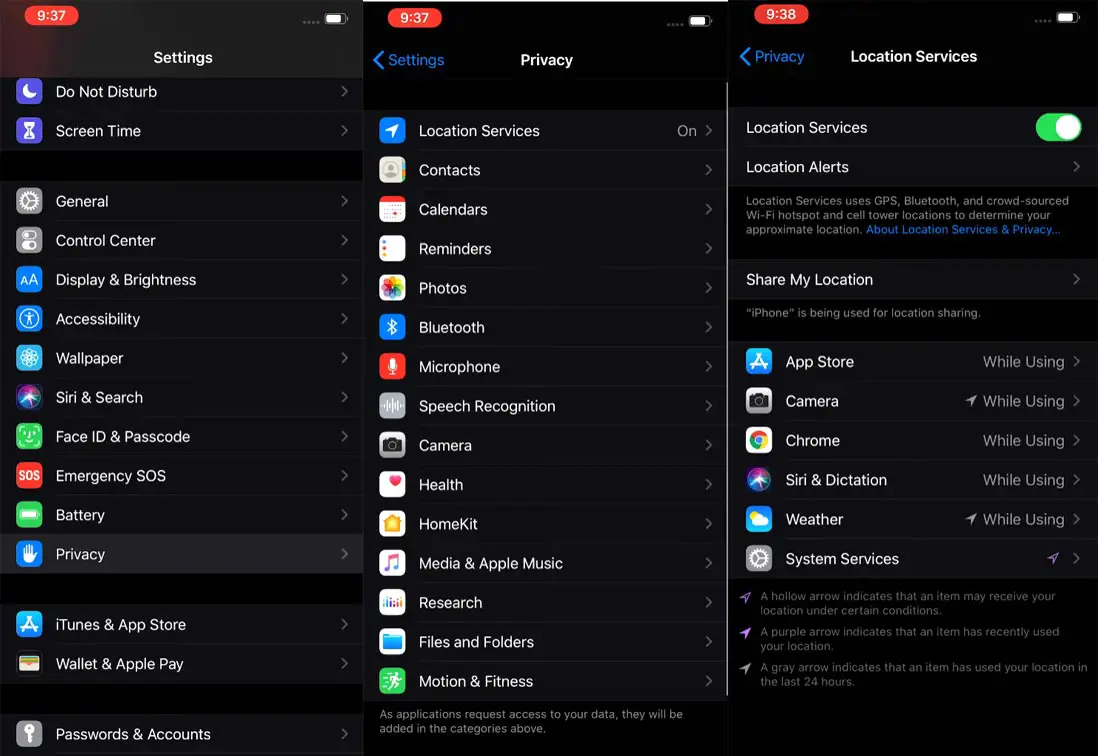
Go into going to the settings App. Click on the App you’re searching for, then navigate to the Location tab. After that, scroll down until you locate the App you’d like to block from knowing where you are, such as Facebook, Twitter, Instagram, or TikTok.
In the lower-left corner, you’ll find an option to turn off the “Precise Location” feature. If you’ve allowed this App to access your address, you’ll notice a checkmark next to the words”Ask Next Time,” If I Share, or When I Use the App. To block sharing your precise location using this App, switch off Precise Location.
Instagram, Facebook, and TikTok
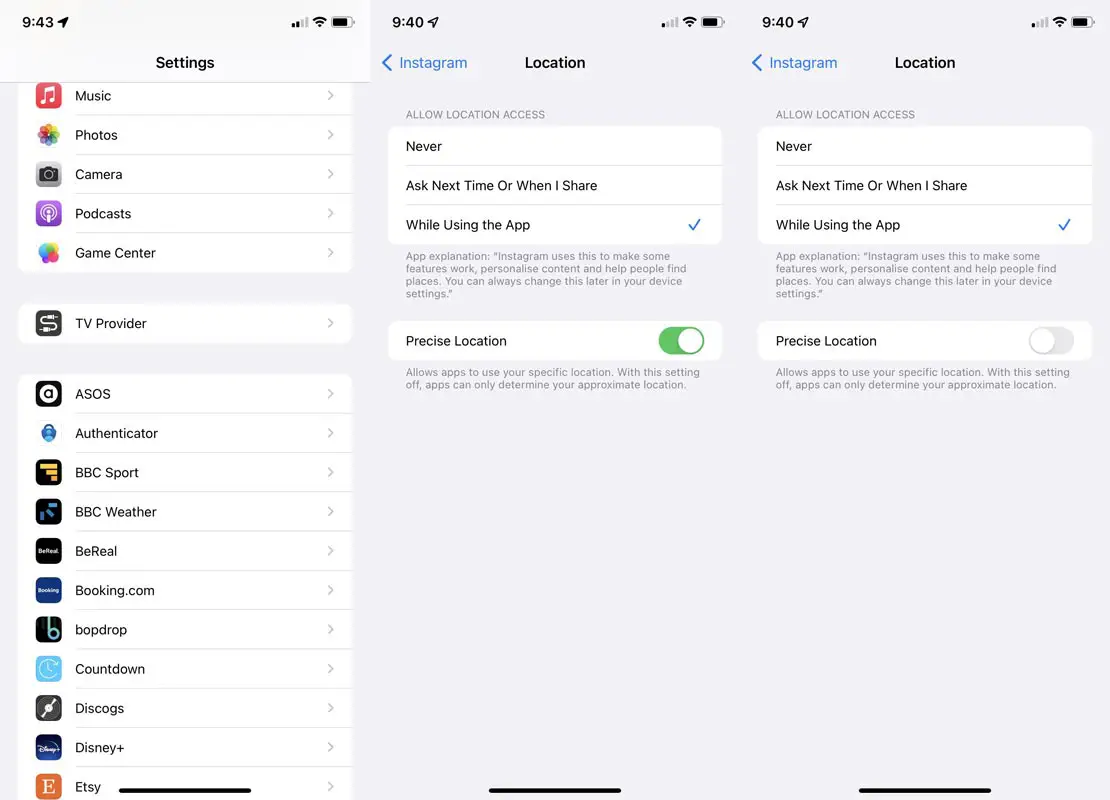
- Go to Settings.
- Apps> Choose the specific App(Instagram, Facebook, or TikTok).
- Choose location permission to “While using the app.”
- Turn off Precise Location.
What apps need the Exact Location?
Although most apps don’t require the exact address of your location, you should be aware that if you turn off this feature on apps that require your precise Location to be able to function — like Uber, Google Maps, or Doordash- you may encounter issues with the services.
Turn off the Exact Location of Android Mobiles for All Apps
You can Turn off the Precise Location on Android mobiles too. In Android, it is called an Exact location.
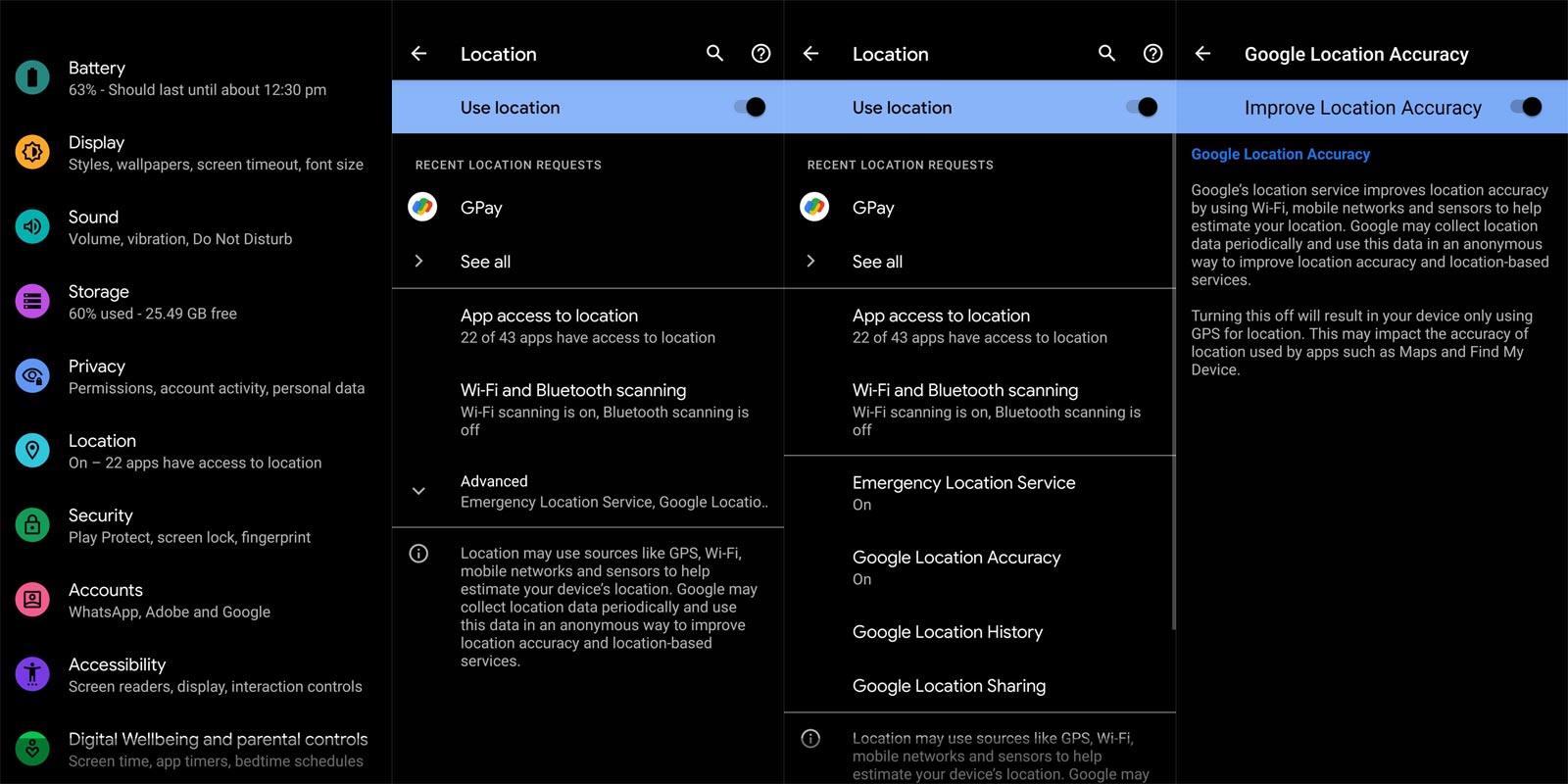
Android 12 and Higher versions- General Off
- Scroll downwards to the right from above.
- Hold and touch the Location.
- If you can’t locate the address:
- Tap Edit or Settings.
- Drag Locations into Your Quick Settings.
- Tap Location Services Google Location Accuracy.
- Turn, I Improve the accuracy of my Location either on or off.
Android 11 and Below versions- General Off
- Scroll downwards towards the bottom of your screen.
- Hold and touch Placement.
- If you are unable to locate the Location:
- Tap Edit or Settings.
- Drag Locations into the Quick Settings.
- Tap Advanced and then Google Location Accuracy.
- Turn to improve the accuracy of the Location on either of.
Instagram, Facebook, and TikTok
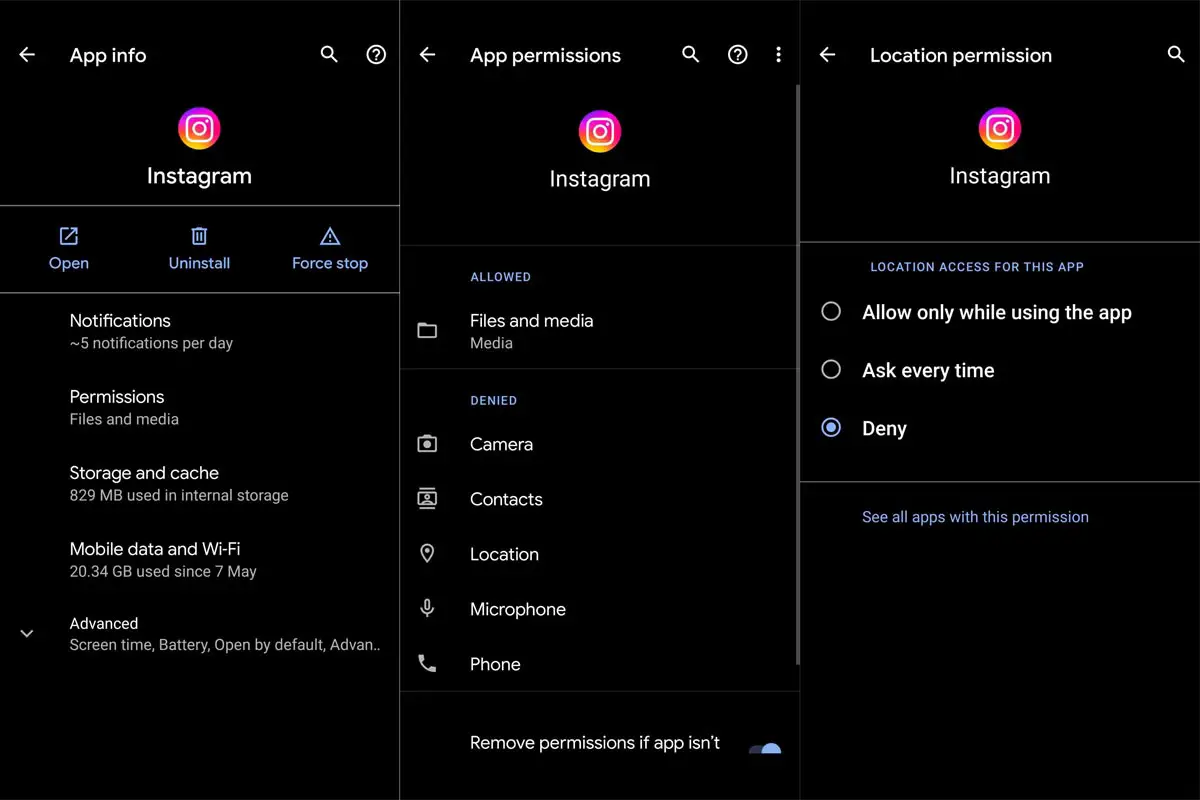
- Go to Settings.
- Apps> Choose the specific App(Instagram, Facebook, or TikTok).
- Choose location permission to “While using the app.”
Wrap Up
We can’t always avoid all Social Apps. But, It is necessary to take precautions while using public share-related platforms. Anything we share can go out in public, and others can know what we are doing and where we are. Sharing a precise location in public is not a good idea. With the help of already available in-built settings, We can disable that location sharing when it is unnecessary. What are your thoughts about Location Sharing News roaming around the social platforms? Share it below.

Selva Ganesh is a Computer Science Engineer, Android Developer, and Tech Enthusiast. As the Chief Editor of this blog, he brings over 10 years of experience in Android development and professional blogging. He has completed multiple courses under the Google News Initiative, enhancing his expertise in digital journalism and content accuracy. Selva also manages Android Infotech, a globally recognized platform known for its practical, solution-focused articles that help users resolve Android-related issues.




Leave a Reply